Appointment WordPress Theme Helps to Communitize Your Audience Better in 2026

Booking software bolted onto a stock theme almost always looks like exactly that: bolted on. A separate booking widget, a mismatched color scheme, and a checkout flow that feels like it belongs to a different website entirely, stitched together as an afterthought. A theme actually built around appointments handles the calendar, the confirmation emails, and the payment step as part of its own design system, so a customer booking a haircut, a clinic visit, or a conference seat never notices they left your homepage.
That matters more once a service business starts scaling past a handful of daily bookings. Spreadsheets and phone calls do not hold up once you are juggling dozens of appointments a week across multiple staff members or locations, and the cracks usually show up first as a double-booked slot nobody catches until a customer is standing at the door. Below is a working shortlist of appointment and booking WordPress themes for 2026, verified against their current marketplace listings, along with what each one is actually built to handle.
What actually matters in a booking theme
Before comparing individual themes, it helps to know what separates a genuinely useful booking theme from one that just has a calendar icon on the sales page:
- A real booking engine, not a shortcode gimmick. Look for integration with an established plugin like Amelia, Booked, or a WooCommerce Bookings extension, rather than a theme-only appointment form with no backend logic.
- Calendar sync. Two-way sync with Google, Outlook, or Apple Calendar avoids the double-booking problem that kills trust with clients fast.
- Payment handling. Confirm whether deposits or full payment at booking time are supported, and which payment gateways are wired in.
- Staff and resource management. If more than one person takes bookings, the theme or its booking plugin needs to handle individual staff calendars, not just one shared slot list.
- Recent updates. Booking plugins interact with WooCommerce, payment gateways, and WordPress core all at once, which makes them more fragile than a static page. A theme with no updates in the last year is a real risk here, more so than with a simple portfolio theme.
- Mobile booking flow. A large share of appointment bookings happen from a phone, often in the ten minutes between meetings. If the calendar widget requires pinch-zooming or horizontal scrolling to select a time slot, expect a real drop in completed bookings compared to a theme that collapses cleanly to a single-column mobile layout.
Niche booking theme or general theme plus a booking plugin?
There are really two paths into a working appointment site, and it is worth being honest about which one fits your project before you start comparing individual themes. The first path is a niche theme built for your exact industry, like Chérie for salons or Clinika for clinics, where the layout, demo content, and color choices already assume you run that kind of business. The second path is a general-purpose theme paired with a booking plugin like Amelia, Booked, or a WooCommerce booking extension, where you build the industry-specific look yourself.
The niche theme path gets you to launch faster, since most of the design decisions are already made and the demo content gives you a realistic starting point to edit rather than a blank page. The tradeoff is less flexibility if your business does not map cleanly onto the theme’s assumptions, and a smaller pool of alternative themes if you ever decide the design needs a full refresh. The general theme plus plugin path takes longer to set up but gives you more control over the exact booking flow and a wider set of theme options if your brand needs something the niche demo does not offer.
For a first-time launch on a tight timeline, the niche theme route usually wins. For a business with a distinctive brand identity, or one that expects to redesign the site again within a year or two, keeping the booking plugin decoupled from a specific theme’s design assumptions tends to age better.
Best Appointment and Booking WordPress Themes for 2026
StoreMate Dokan

StoreMate Dokan pairs Wbcom’s Reign theme with a dedicated Dokan add-on to build multi-vendor marketplaces where individual sellers manage their own storefronts, including their own booking calendars for services or rentals. It supports several marketplace models: Etsy-style handmade shops, Amazon-style multi-category stores, B2B wholesale, digital downloads, service bookings, and subscription products.
Vendors get their own branded storefronts with follow functionality, themed dashboards for both vendors and buyers, and multi-vendor checkout with automatic payment splits. If the appointment need is really “many independent providers each taking their own bookings through one marketplace,” this is a purpose-built fit rather than a workaround. Pricing starts around $116 a year, and it carries a 4.8-star rating across more than 90 Trustpilot reviews.
Savory

Savory is a restaurant-focused WordPress theme with OpenTable integration for table reservations, menu display layouts, and twelve homepage variations to match different restaurant styles, from fine dining to casual cafes. It bundles WPBakery Page Builder and Slider Revolution, and it stays current with WooCommerce compatibility for restaurants that also sell merchandise or gift cards online.
With more than 2,600 sales and a 4.7-star rating, and an update as recent as late last year addressing WooCommerce compatibility, it is a theme with an active support track record behind it, not just a one-time launch that stalled after the first year.
Chérie
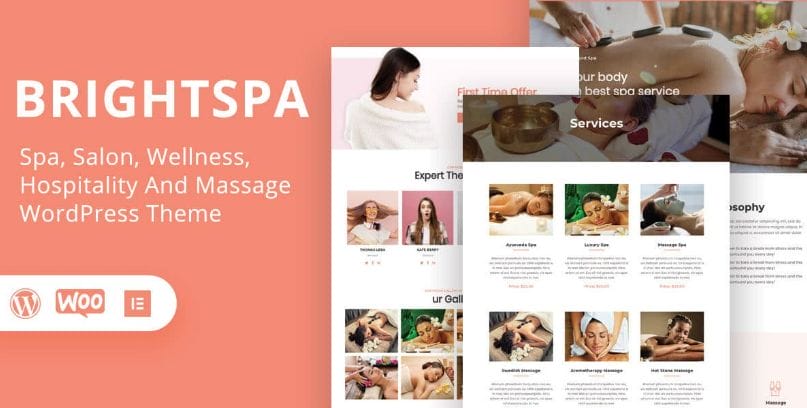
Chérie is built for beauty salons, spas, and hair studios, with four pre-designed demo layouts covering beauty, nail, hair, and spa businesses. It integrates with the Amelia booking plugin, which handles the actual appointment logic: staff calendars, service duration, buffer time between bookings, and deposit payments.
It supports Elementor for layout changes, WooCommerce for retail add-ons like product sales alongside services, and multilingual setups through Polylang or WPML. With over 2,500 sales, a 4.67-star rating, and an update as recent as this year covering PHP 8.2 compatibility, it is a safer long-term pick than a theme that has not been touched since launch.
BuddyX (Free)
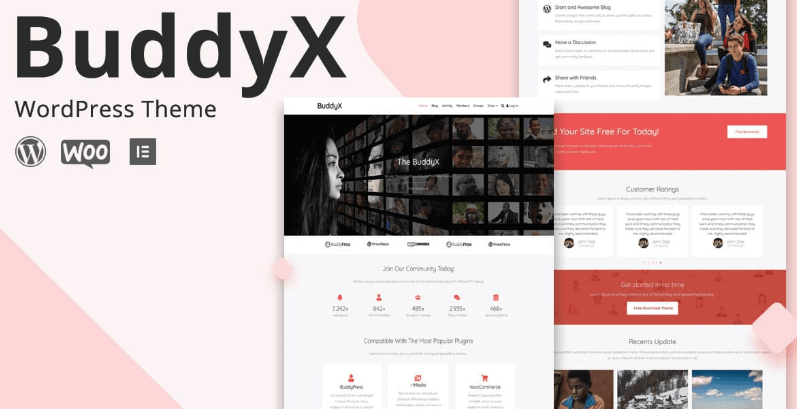
BuddyX is a free, GPL-licensed community theme on WordPress.org, useful once “appointments” really means “clients need a login area to manage their own bookings, messages, and history,” not just a one-time reservation form. It builds activity feeds, member profiles, groups, forums, and direct messaging on top of BuddyPress or the BuddyBoss Platform, and it connects with LearnDash, LifterLMS, Tutor LMS, and LearnPress for businesses that pair appointments with online courses or coaching content.
On WordPress.org it currently shows 3,000-plus active installations with a 5-star rating. A paid Pro tier, priced from $79 to $199 a year, adds an advanced header builder and additional starter packs, but the free version alone is enough to run a functioning client community.
OnSchedule
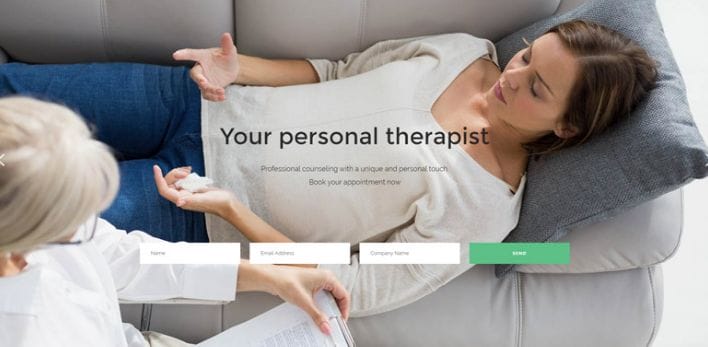
OnSchedule is built specifically around the “Booked” appointment booking plugin, with calendar sync across Google, Apple, and Outlook so double-bookings do not slip through when a provider manages their schedule from more than one device. It ships with six bundled premium plugins, WPBakery Page Builder, and Slider Revolution, and it targets small and retail businesses that need booking without a marketplace-scale build.
It carries a 3.9-star rating across 29 reviews and 795 total sales, a fair but not exceptional track record, and its most recent update covers WooCommerce 10.x and PHP 8.3 compatibility, so it is still being maintained rather than left to rot.
Clinika

Clinika is aimed squarely at medical clinics, with booking-appointment functionality, doctor profile and CV pages, and integrations for Contact Form 7, Mailchimp, and WPML. It supports both Elementor and WPBakery Page Builder, includes RTL compatibility through a free companion plugin, and offers WooCommerce compatibility for clinics that sell products alongside services.
Priced at $29 on sale (regular $75), with 782 sales and a strong 4.65-star rating from 20 reviews, and an update as recent as mid-last year, Clinika is a reasonably low-risk starting point for a small practice that needs booking without a custom build.
MindCare

MindCare targets counseling and psychology practices specifically, bundling the Booked appointment plugin along with WPBakery Page Builder and Slider Revolution. It includes one-click demo content import, over 900 Google Fonts, multiple header layouts, and WooCommerce compatibility for practices selling digital resources or gift cards alongside sessions.
With over 1,000 sales and a 4.19-star rating across 21 reviews, plus an update earlier this year, it has a longer track record than several of the other niche booking themes on this list, which matters for a practice that plans to run the same site for years without a rebuild.
Meetup
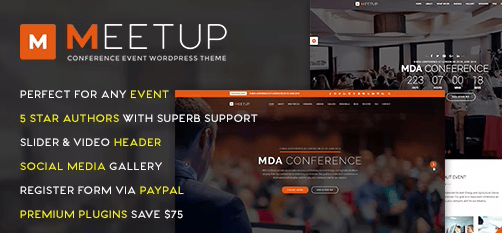
Meetup is built for conferences and events rather than one-on-one appointments, with eleven demo homepages, a Bootstrap 3 grid system, WPBakery Page Builder, and WooCommerce support for selling tickets in single or multi-column layouts. It includes 600-plus retina icon fonts and WPML support for multilingual event pages.
It has 990 sales and a 4.42-star rating from 43 reviews, and its most recent update landed within the past few months, which is a good sign for a theme that needs to keep pace with WooCommerce and page builder changes over time. If the actual need is ticketed event registration rather than recurring appointments, this is the more accurate fit of anything on this list.
How the options compare
| Theme | Best for | Price | Rating |
|---|---|---|---|
| StoreMate Dokan | Multi-vendor booking marketplaces | From $116/year | 4.8/5 (Trustpilot) |
| Savory | Restaurants with table reservations | $69 | 4.7/5 |
| Chérie | Salons, spas, hair studios | $69 | 4.67/5 |
| BuddyX (Free) | Client communities with logins | Free | 5/5 |
| OnSchedule | General small/retail booking | $79 | 3.9/5 |
| Clinika | Medical clinics | $29 (sale) | 4.65/5 |
| MindCare | Counseling and psychology practices | $79 | 4.19/5 |
| Meetup | Conferences and ticketed events | $59 | 4.42/5 |
Common mistakes when setting up a booking theme
Most booking-theme failures show up after launch, when real customers start hitting edge cases the demo never covered. A few patterns come up again and again:
Testing only the happy path. Booking one appointment as an admin during setup tells you almost nothing about how the flow behaves under real conditions. Test what happens when two people try to book the same slot at the same second, when a customer cancels after paying a deposit, and when a staff member is marked unavailable mid-week. Those edge cases are where booking systems actually break.
Ignoring time zone handling. If your business serves customers outside your local time zone, confirm the booking plugin displays availability in the visitor’s own time zone, not just the server’s. A theme that gets this wrong quietly loses bookings from confused customers who show up, or call in, at the wrong time.
Underestimating email deliverability. Booking confirmations and reminder emails are transactional and time-sensitive. If they land in spam, customers miss appointments and blame the business, not the theme. Set up a proper transactional email service, such as an SMTP plugin connected to a dedicated sending domain, rather than relying on your host’s default mail function.
Not planning for staff turnover. If a theme’s booking plugin ties availability to individual staff accounts, make sure removing or reassigning a staff member does not silently cancel or orphan their existing bookings. This is worth testing on staging before it happens for real.
Skipping a load test before a launch promotion. If you are running a limited-slot promotion, a flash sale on a course cohort, or opening bookings for a popular event, a sudden traffic spike can expose database or caching issues that never showed up during quiet, low-traffic testing. A basic load test, even a manual one with a handful of people booking simultaneously, catches problems before your actual customers do.
Migrating existing bookings to a new theme
If you already have an appointment system running and you are switching to one of the themes above, do not just deactivate the old plugin and activate the new one on launch day. Export your existing appointment and customer data first, confirm the new booking plugin has an import path or, at minimum, a way to manually re-enter upcoming appointments, and keep the old system read-only and accessible for a few weeks after cutover in case a customer references an old confirmation email.
Run the new booking flow in parallel with the old one on a staging subdomain for at least a week if your appointment volume can tolerate it. That overlap period is where you catch calendar sync issues, missing notification emails, and payment gateway misconfigurations, all before they cost you a real customer relationship. It costs a few extra days upfront and saves considerably more time cleaning up after a broken launch.
Frequently asked questions
Do I need a separate booking plugin, or does the theme handle it alone?
Nearly every theme on this list relies on a dedicated booking plugin under the hood, whether that is Amelia, Booked, or a WooCommerce booking extension, rather than building appointment logic from scratch inside the theme itself. That is a good thing: it means the booking engine gets updated independently of your theme, and it means you are not stuck if you later want to switch themes but keep the same booking data.
Can I take deposits or full payment at the time of booking?
Most of the plugins these themes integrate with, including Amelia, Booked, and WooCommerce Bookings, support requiring payment or a deposit before a slot is confirmed. That single feature cuts down on no-shows more than almost anything else you can add to a booking flow, so check for it specifically rather than assuming every booking theme includes it by default.
What happens if a niche booking theme like MindCare or Clinika stops being updated?
Because the actual booking logic usually lives in a plugin rather than the theme, a stalled theme update is less catastrophic than it would be for something like a page builder theme, but it still creates real risk around WordPress core and PHP version compatibility over time. Check the last update date before buying, and if a theme has gone quiet for over a year, budget time for a migration rather than assuming it will keep working indefinitely.
Is a free theme like BuddyX good enough for a business that takes real bookings?
Yes, provided you pair it with a solid booking plugin rather than expecting the theme to handle scheduling logic on its own. BuddyX’s strength is the client-facing community layer around bookings, profiles, messaging, and history, not the booking engine itself, so budget separately for whichever booking plugin fits your workflow.
How many staff or resources can these booking systems handle?
It varies by plugin rather than by theme. Booked and Amelia both support multiple staff calendars out of the box, with per-staff availability windows and buffer times between appointments. If you run a larger operation with dozens of staff or multiple locations, confirm the specific plugin version and tier supports that scale before committing, since some multi-staff features sit behind a paid add-on even on an otherwise free plugin.
Should I worry about GDPR or data privacy with booking forms?
Yes, if you serve customers in the EU or UK, or frankly as good practice regardless of where your customers are. Booking forms collect names, emails, phone numbers, and sometimes payment details, all of which count as personal data requiring a clear privacy policy, a lawful basis for storage, and a defined retention period. Check whether your chosen booking plugin offers built-in consent checkboxes and data export or deletion tools, since retrofitting compliance after launch is far more work than confirming it exists before you commit to a plugin.
What is the actual cost difference between a free and a premium booking theme over time?
The sticker price is only part of it. A free theme like BuddyX costs nothing upfront but usually needs a separate paid booking plugin tier once you need staff calendars, deposits, or SMS reminders, which can end up costing more per year than a premium theme with those features already covered. A premium theme in the $59 to $79 range typically bundles the booking plugin and page builder license together, so compare the total first-year cost, theme plus any required plugin add-ons, rather than just the headline price on the sales page.
Whichever theme you land on, install it on staging first and run through an actual booking as a test customer, calendar sync, payment, and confirmation email included, before pointing real traffic at it. A theme that looks right in the demo and a theme that actually gets a nervous first-time customer through checkout without confusion are not always the same thing, and that gap only shows up once someone outside your own team tries the flow cold, without any of the context you have from building it.