Earn Lavishly with the Best Multipurpose WordPress Themes 2026
Picking one theme to run an entire WordPress site sounds like a compromise until you actually use a good multipurpose theme. Instead of hunting for a niche template every time a project changes direction, you configure one flexible foundation and let it carry a business site, a blog, a membership area, or a small storefront without a rebuild. That flexibility matters more in 2026 than it did a few years ago, because most small teams are running two or three types of pages on the same domain: a marketing site, a resource hub, and often some kind of community or course area bolted on later.
The trouble is that “multipurpose” gets used as a marketing label almost as often as it describes an actual capability. A theme that just ships twenty demo layouts is not automatically flexible; it is only flexible if those layouts share a sane design system, load fast, and do not fight your page builder. Below is a working list of multipurpose WordPress themes worth evaluating in 2026, what each one is actually built for, and where each one falls short, so you can match the theme to the job instead of the other way around.
What to check before you commit to a multipurpose theme
A few criteria separate a theme that saves you months of work from one that becomes technical debt within a year:
- Update cadence. Check the changelog. A theme that has not shipped a release in two years is a theme you are debugging alone when WordPress core moves forward.
- Builder compatibility. Elementor, the block editor, Bricks, and Divi’s own builder all have different markup and performance characteristics. Make sure the theme you pick plays well with the builder your team already knows.
- Real page weight. Demo screenshots never show you the actual CSS and JS payload. Run a Lighthouse or PageSpeed test on the live demo before you buy, not after.
- What “multipurpose” actually covers. Some themes are multipurpose for marketing sites (portfolio, agency, restaurant, shop). Others are multipurpose for community and membership builds. They are not interchangeable, and picking the wrong category wastes the most time.
- Support and documentation. A theme with an active support forum or ticket system saves hours the first time a demo import breaks.
Best Multipurpose WordPress Themes for 2026
Brndle

Brndle is a free, open-source WordPress theme built to work as a lightweight, general-purpose foundation for blogs, portfolios, and small business sites. It ships without the bloat that weighs down a lot of “kitchen sink” multipurpose themes, so a fresh install stays fast even before you start trimming unused features. It pairs cleanly with the block editor, which means you are not locked into a proprietary builder just to change a layout.
Because it is free and actively maintained, Brndle is a reasonable starting point if your project does not yet need the deeper community or marketplace tooling that some of the premium options below provide. If it does grow into that territory later, moving to a purpose-built theme is a lot less painful when you started from clean, standards-based markup instead of a bloated demo.
Reign

Reign is Wbcom Designs’ flagship community theme, and it earns a spot on this list because it solves a problem general-purpose themes usually handle badly: building an actual community, not just a marketing page about one. It is built around BuddyPress and BuddyBoss, with support for running on the newer BuddyNext engine as well. Where a typical multipurpose theme gives you a portfolio grid and a contact form, Reign gives you activity feeds with reactions, threaded replies, mentions and hashtags, searchable member directories, and groups or forums that can be public, private, or hidden.
It also plugs into add-ons for LMS platforms (LearnDash, LifterLMS, Tutor LMS, Sensei), marketplace plugins (Dokan, WC Vendors, WCFM), job boards, and business directories. That makes Reign the stronger pick once a project needs to grow past a brochure site into a full community, course platform, or marketplace. Pricing starts at $99 a year for a single site, with lifetime licensing and bundle options available; the theme carries a 4.8-star rating across more than 90 Trustpilot reviews.
BuddyX Pro

BuddyX Pro takes a different approach from Reign: instead of one theme, it bundles a theme with seven pre-configured plugins so a social network, learning platform, or service marketplace can be assembled without hunting down compatible add-ons one at a time. It covers the core community basics (activity feeds, profiles, groups, forums, private messaging, notifications) and layers in gamification, video hosting, course management, and job board functionality on top.
It supports WooCommerce, bbPress, LearnDash, and BuddyPress out of the box, along with Elementor for page building. If the goal is a Facebook-style community, a non-profit hub, or a social learning site, and you would rather not source and license seven separate plugins yourself, BuddyX Pro is built specifically for that. Pricing runs from $79 a year for a single site up to $199 a year for unlimited sites, each tier including a 30-day money-back guarantee.
KnowX
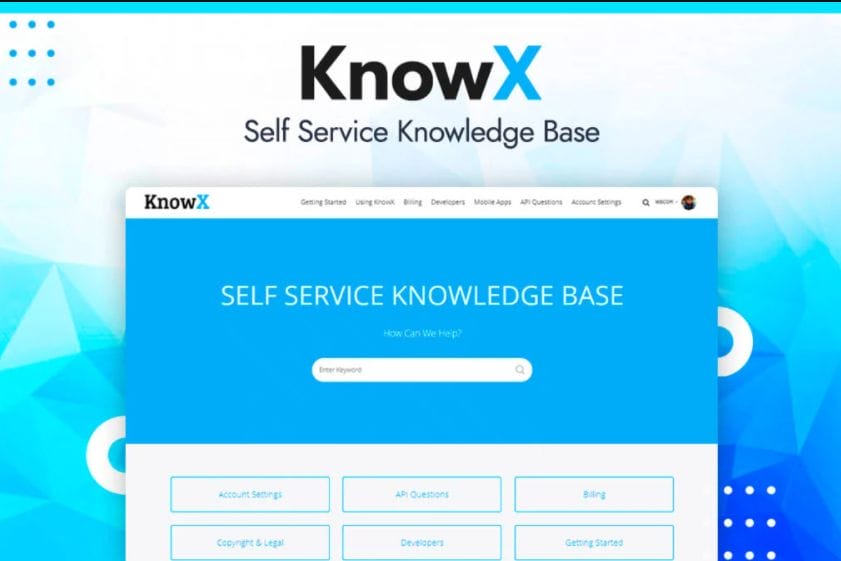
KnowX is a free WordPress theme built specifically for knowledge bases and help centers, not a general marketing-site theme wearing a documentation label. It ships with two documentation-focused templates, integrates with the Elementor Theme Builder so headers, footers, and archive layouts can be customized without touching code, and includes bbPress support with dedicated sidebars for community-driven help forums.
It is a narrower tool than the other entries on this list, and that narrowness is the point: if what you actually need is a searchable help center with an appealing category listing page, easy widget navigation, and Progressive Web App support for offline reading, a generic multipurpose theme will always require more customization than a theme built for that exact job.
Di Multipurpose
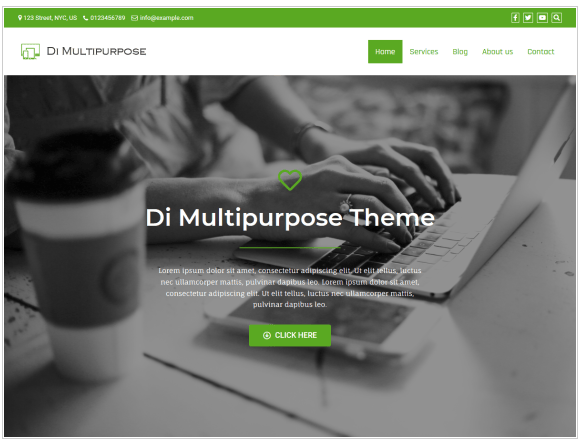
Di Multipurpose is a free, SEO-friendly theme on WordPress.org with more than 600 active installations and a changelog that shows updates as recently as this year, so it is not an abandoned download. It ships with 30 ready-made demo sites covering business, blog, portfolio, forum, and online store layouts, all importable in one click, which makes it a fair fit if you need to stand up a working site quickly and refine it later.
The tradeoff with any theme that leans this hard on demo content is that the demos need to be trimmed down aggressively, or the page weight from unused sliders and widgets will show up in your performance scores. Budget time for cleanup after import rather than assuming the demo is production-ready as-is.
FF Multipurpose
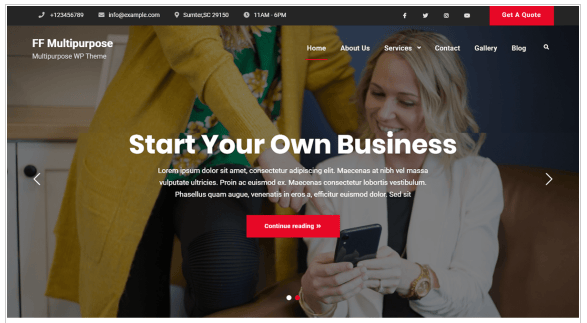
FF Multipurpose is a smaller, free theme on WordPress.org built around the standard business-site toolkit: breadcrumbs, a partner-logo section, a portfolio block, promotional headline sections for calls to action, and a slider for featured content. It currently sits at a modest install base, which is worth knowing going in. It is a fine choice for a simple brochure site where you want a lighter footprint than the bigger demo-heavy themes, but it does not carry the same feature depth as Di Multipurpose or the premium options on this list.
Divi

Divi, from Elegant Themes, has been rebuilt as Divi 5, positioned now as a full website-building framework rather than just a theme with a bundled builder. It includes an on-canvas visual builder with real-time preview, more than 200 modules, over 2,000 pre-built layouts, and Divi AI for generating layouts, images, and copy. Global design variables and preset-based styling make it easier to keep a large site visually consistent than the older module-by-module workflow required.
Divi is sold as a subscription starting around $89 a year, with a $249 lifetime option and a higher-tier Pro plan that adds AI credits, cloud asset storage, and team seats. It suits agencies and freelancers building varied client sites more than a single-purpose community project, since its strength is breadth of design control rather than any one vertical use case.
Avada
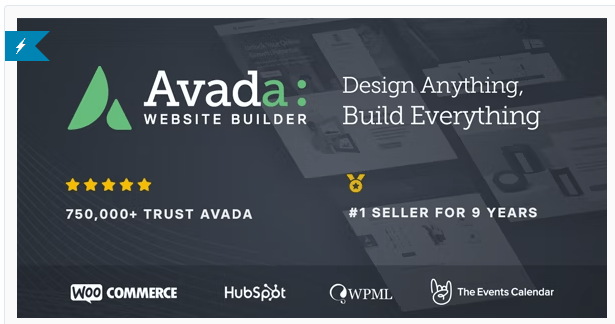
Avada markets itself as the top-selling website builder for WordPress and WooCommerce on ThemeForest, and the sales numbers back that up: over 1,069,000 total sales and a 4.78 rating across more than 26,000 five-star reviews. The theme includes a drag-and-drop Live Visual Builder, more than 110 prebuilt websites and 650-plus content blocks through Avada Studio, dedicated builders for headers, footers, and mega menus, and a Performance Wizard aimed at trimming unused CSS and JavaScript.
It supports WooCommerce natively, along with WPML and Polylang for multilingual builds and RTL layouts. Licensing is a one-time purchase around $69 for a regular license, with lifetime updates and six months of support included. Given its scale, Avada is a safe bet for teams that want one theme they can reuse across many unrelated client projects without hitting a feature ceiling.
Sydney
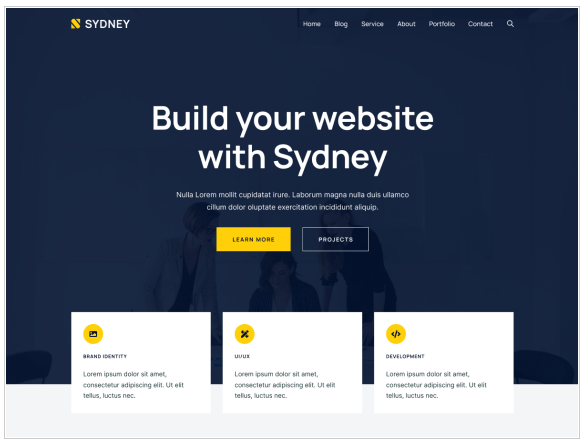
Sydney, built by aThemes, is a free theme on WordPress.org with more than 80,000 active installations and a 4.9-star rating from over 750 reviews, which puts it among the more trusted free multipurpose options available. It works with both Elementor and the native block editor, so you are not locked into one builder, and it offers full color and layout control, Google Fonts access, and a full-screen slider option for landing pages.
Because it is free with an optional premium upgrade for extra layout blocks and templates, Sydney is worth testing before paying for a heavier theme, especially for freelancers and small businesses that need a professional-looking site without a large upfront cost.
Enfold
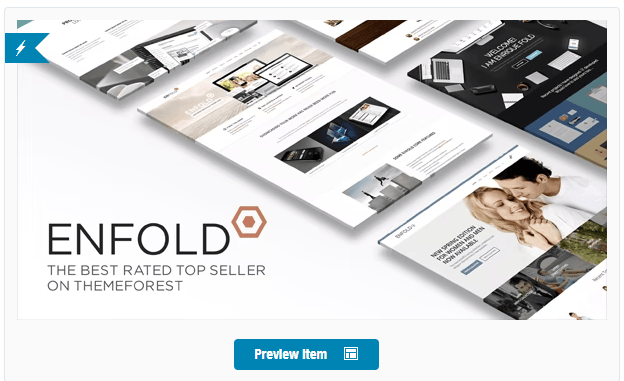
Enfold has been actively maintained for well over a decade, with more than 271,000 total sales on ThemeForest and a 4.79 rating across 11,000-plus reviews, and its most recent update landed within the past year. It includes a drag-and-drop template builder with sliders, galleries, pricing tables, and testimonials, WooCommerce integration for shop functionality, WPML support for multilingual sites, and more than 20 predefined skins to start from.
The developer behind it, Kriesi, holds Power Elite Author status on ThemeForest, which is only awarded past $1 million in marketplace sales, a reasonable proxy for long-term support reliability. Licensing runs $59 for a regular license with lifetime free updates.
Multipurpose Techup
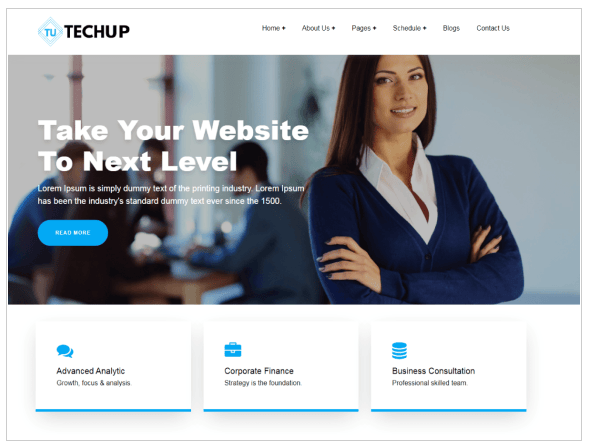
Multipurpose Techup is a free child theme of Techup aimed at business, corporate, and agency sites, with multiple homepage sections for a slider, services, portfolio, testimonials, and team profiles. It is worth including on this list mainly as a caution: the WordPress.org listing currently shows it has not been updated in more than two years, which raises real compatibility risk with newer WordPress and PHP versions. If you are drawn to its layout, treat it as a short-term option only, and confirm it still activates cleanly on a staging copy of your current WordPress version before you build anything on top of it.
How the options compare
| Theme | Best for | Price | Update status |
|---|---|---|---|
| Brndle | Lightweight blogs and small business sites | Free | Actively maintained |
| Reign | Communities, courses, marketplaces | From $99/year | Actively maintained |
| BuddyX Pro | Social networks bundled with plugins | From $79/year | Actively maintained |
| KnowX | Knowledge bases and help centers | Free | Actively maintained |
| Di Multipurpose | Fast demo-driven business sites | Free | Actively maintained |
| FF Multipurpose | Simple brochure sites | Free | Available, modest install base |
| Divi | Agencies building varied client sites | From $89/year | Actively maintained (Divi 5) |
| Avada | High-volume commercial builds | $69 one-time | Actively maintained |
| Sydney | Free professional sites, freelancers | Free, premium upgrade optional | Actively maintained |
| Enfold | Long-term stability, agency use | $59 one-time | Actively maintained |
| Multipurpose Techup | Short-term or test builds only | Free | Stale, not updated in 2+ years |
Common mistakes when switching multipurpose themes
Most of the pain in a theme migration does not come from the theme itself, it comes from skipping preparation steps that feel optional until something breaks in production. A few patterns show up repeatedly:
Importing the full demo instead of a stripped-down version. Demo importers are built to sell the theme, not to give you a lean starting point. Every widget, slider, and shortcode in that demo ships as extra CSS and JS your visitors download whether they use it or not. Import the demo on staging, note which sections you actually need, then rebuild the page with only those blocks active.
Skipping a staging environment. Switching the active theme on a live site, even briefly, can break menus, widget placements, and custom CSS that assumed the old theme’s markup. A staging copy costs nothing on most hosts and turns a risky swap into a routine one.
Ignoring plugin conflicts. A multipurpose theme that bundles its own page builder, slider, or form plugin can silently duplicate functionality you already have installed. Before activating a new theme, audit your active plugin list for anything that overlaps with what the theme ships, and deactivate the redundant one rather than running both.
Forgetting redirects for changed URLs. If a new theme changes your permalink structure, category archive layout, or removes a template that older content depended on, you need 301 redirects in place before launch, not after search engines start returning 404s to your existing traffic.
Not testing on a real mobile device. Responsive previews inside a theme customizer are not the same as a phone on a spotty connection. Load the finished pages on an actual device before calling the migration done, particularly for anything with a sticky header, mega menu, or slider.
Frequently asked questions
Is a multipurpose theme actually good for SEO?
It can be, but the theme itself is only one factor. What matters more is whether the theme ships clean HTML, avoids loading unused CSS and JavaScript on every page, and supports proper heading structure. A multipurpose theme loaded with unused demo scripts will drag down Core Web Vitals regardless of how it is marketed, so test the live demo with a real performance tool before assuming the SEO claims on the sales page.
Should I pick a free theme or pay for a premium one?
Free themes like Brndle, KnowX, Di Multipurpose, and Sydney are genuinely capable for smaller sites, and there is no reason to pay upfront if your project does not need advanced builder tooling or dedicated support. Premium themes earn their price through deeper feature sets, faster support response times, and a track record of updates, which matters more once a site becomes business-critical.
What is the difference between a general multipurpose theme and a community theme like Reign?
A general multipurpose theme is built around static pages: home, about, services, contact, blog. A community theme is built around dynamic, logged-in user experiences: activity feeds, member profiles, groups, and messaging. Trying to bolt full community functionality onto a theme that was never designed for it usually means fighting the theme’s assumptions at every step, so match the category to the actual project before shopping on price or design alone.
How do I know if a theme is still safe to use in 2026?
Check the changelog date on the theme’s WordPress.org page or marketplace listing. A theme without an update in the last twelve months is a growing risk, and one without an update in over two years, like Multipurpose Techup above, should only be used for disposable test builds, not anything meant to stay online long-term.
Can I switch from a multipurpose theme to a community theme later without starting over?
Mostly, yes, as long as your content lives in standard posts, pages, and custom post types rather than theme-specific shortcodes. Content stored as plain Gutenberg blocks or standard fields will survive a theme switch cleanly. Content built entirely inside a proprietary page builder’s shortcode syntax will need to be rebuilt, so if there is any chance you will outgrow a general theme in favor of something like Reign or BuddyX Pro, keep your core content as portable as possible from day one.
Do I need a separate child theme before customizing a multipurpose theme?
For any premium theme you plan to keep updated, yes. Editing the parent theme’s files directly means every update from the developer wipes your changes. A child theme, or a customizer-based approach using only the theme’s built-in options, keeps your customizations intact through future updates, and it takes a few minutes to set up compared to the hours it costs to redo lost work after an update overwrites it.
Whichever theme ends up on your shortlist, install it on a staging site first and test the specific page types your project actually needs, a product page, a member profile, a course listing, rather than judging purely off the demo homepage. The themes above cover a wide enough range that the harder decision is usually picking the right category, not finding an option within it.