Why Your Dark Mode Flashes Before JavaScript Runs (and How to Fix It)
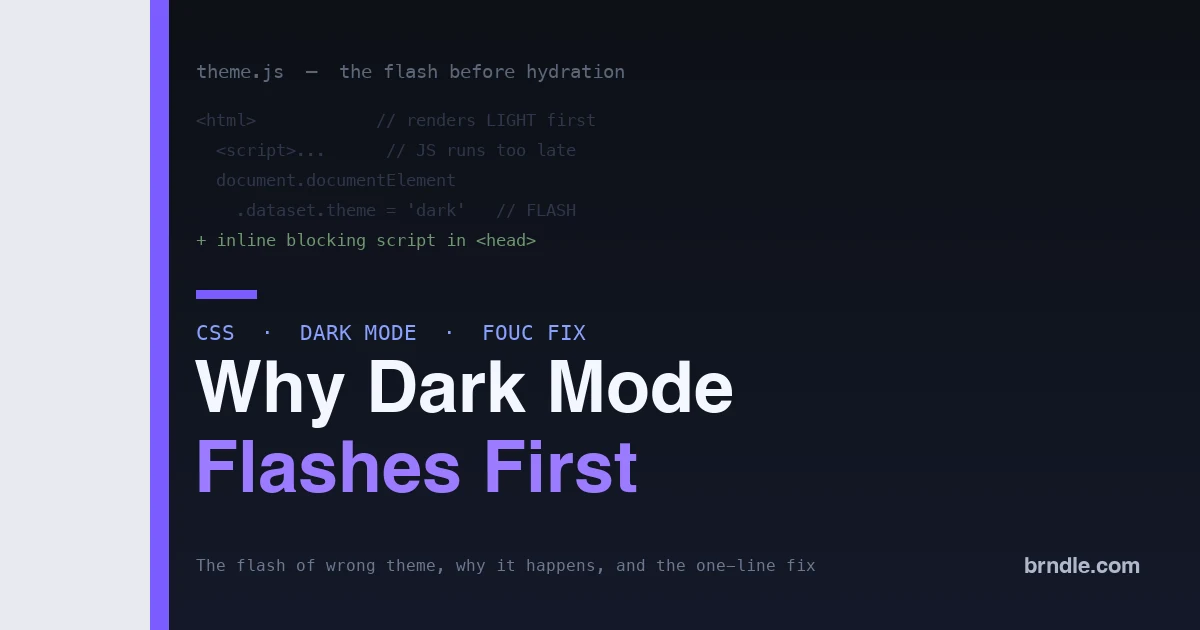
You have built a beautiful dark theme. The user has dark mode set, they load your site, and for a split second the page flashes white before snapping to dark. That flash, the flash of the wrong theme, is one of the most common and most jarring bugs in modern web design, and it happens on sites built by people who otherwise know exactly what they are doing. The reason is a timing problem baked into how browsers render pages, and once you understand it, the fix is short and permanent.
This post explains why the flash happens, why the obvious fixes do not work, and the correct pattern that eliminates it. The examples are framework-agnostic, and the same approach applies whether you hand-code a site or ship a WordPress block theme with token-driven dark mode.
Why the flash happens
The flash is a race between the browser and your JavaScript, and the browser wins. When a page loads, the browser parses the HTML and paints the initial view as fast as it can, using whatever styles are available at that moment. Your theme-switching logic, the code that reads the user’s saved preference and applies the dark class, runs in JavaScript, which executes later. So the sequence is: the browser paints the default (usually light) theme, then a beat later your script runs and switches to dark. That gap between the first paint and the script is the flash.
The deeper cause is that theme choice is state the browser needs before it paints, but you are supplying it after. Any solution that provides the theme after the first paint, no matter how fast, will flash. The only real fix is to get the theme decision in before the browser paints anything.
The three theme strategies, compared
It helps to see where the flash comes from by comparing the three ways a site can decide its theme. Each puts the decision at a different point in the load, and that point is what determines whether it flashes.
| Strategy | When the theme is decided | Flashes? |
|---|---|---|
CSS prefers-color-scheme only |
At paint, by the browser | No, but ignores the user’s manual choice |
| JavaScript after load | After first paint | Yes, always |
| Blocking inline head script | Before first paint | No, and respects manual choice |
Pure CSS with prefers-color-scheme never flashes because the browser knows the system preference before it paints. Its limit is that it cannot honor a user who toggled your switch against their system setting. JavaScript after load can honor the toggle but always flashes. The blocking inline script is the only option that does both: it respects the saved manual choice and sets it before paint. That combination is why it is the standard fix rather than one option among equals.
Why the obvious fixes fail
Most attempts to fix the flash target the symptom instead of the timing, and they do not work.
- Putting the script at the end of the body. This makes it worse. The script now runs even later, after the whole body has painted, so the flash is longer.
- Using a normal script in the head with a src. An external script is fetched and may be deferred, so it still runs after the first paint. The flash remains.
- A React or framework effect. Effects run after the component mounts, which is well after the first paint. Framework-level theme logic is exactly why so many modern sites flash.
- A CSS-only transition. Smoothing the switch with a transition makes the flash a fade instead of a snap, which is arguably worse, because now the wrong theme is visible for longer.
Every one of these applies the theme after the browser has already painted. The flash is not about speed; it is about order.
The fix: a blocking inline script in the head
The one reliable solution is a small, synchronous, inline script placed in the <head>, before any content. Because it is inline and synchronous, the browser runs it before it paints the body, so the theme is set on the very first paint and there is nothing to flash.
<head>
  <script>
    (function () {
      var saved = localStorage.getItem('theme');
      var theme = saved
        || (window.matchMedia('(prefers-color-scheme: dark)').matches ? 'dark' : 'light');
      document.documentElement.dataset.theme = theme;
    })();
  </script>
</head>
This reads the saved preference, falls back to the operating-system setting, and sets a data-theme attribute on the <html> element, all before the body paints. Your CSS then styles against that attribute. Because the attribute is present at first paint, the correct theme is what the user sees, with no flash.
Wiring your CSS to the attribute
With the attribute set early, your styles key off it. Token-driven CSS makes this clean, because you only swap the values of your custom properties, not every rule:
:root {
  --bg: #ffffff;
  --text: #16181d;
}
:root[data-theme="dark"] {
  --bg: #0d1117;
  --text: #e6edf3;
}
body {
  background: var(--bg);
  color: var(--text);
}
Now the whole design responds to a single attribute. The inline script sets it before paint, and every token flips at once. This is why a token-driven design system pairs so well with the fix: there is one switch, not a hundred.
Class or data attribute: does it matter?
You will see the theme applied two ways: a class like <html class="dark"> or a data attribute like <html data-theme="dark">. For the flash, it makes no difference; what matters is that the value is set before paint. The choice is about your CSS style. A data attribute reads cleanly when you have named themes beyond light and dark, since [data-theme="dusk"] extends naturally. A class is marginally terser for a simple two-way toggle. Pick one and be consistent, because mixing them is a common source of a theme that half-applies. The examples here use a data attribute because it scales to more than two themes without awkward class juggling, which suits a real design system.
Respecting the system preference correctly
The fallback to prefers-color-scheme matters. A user who has never toggled your switch but runs their device in dark mode should get dark on the first visit, not light. The inline script handles this by checking the media query when there is no saved choice. Getting this order right, saved preference first, then system preference, then a sensible default, is what makes the site feel like it respects the user rather than fighting them.
The server-rendering wrinkle, in depth
Static and server-rendered sites add one twist worth understanding, because it is where headless setups most often flash. When a server or a static build generates the HTML, it does not know this particular user’s saved preference, so it cannot bake the right theme into the markup. The page arrives with a default, and if nothing corrects it before paint, it flashes.
There are two clean answers. The first is the client-side blocking script covered above: the server ships a neutral default, and the inline head script corrects the theme before paint on the client. This is the simplest and works everywhere. The second is a cookie: store the theme in a cookie so the server can read it and render the correct theme directly into the initial HTML, with no client correction needed. The cookie route gives you a perfectly server-rendered theme at the cost of a little plumbing, and it is worth it for large sites where even the client script’s microsecond matters. For most sites, the blocking script is enough. What does not work is relying on a framework’s theme provider alone, because those run after hydration, which is after paint, which is a flash.
Handling the toggle without reintroducing the flash
Once the initial load is flash-free, the in-page toggle is simple, because it runs in response to a click, long after the first paint, so there is no race. The toggle updates the attribute and saves the choice:
function setTheme(theme) {
  document.documentElement.dataset.theme = theme;
  localStorage.setItem('theme', theme);
}
The key is that the initial decision, the one that races the paint, lives in the inline head script, while the toggle only handles later, user-initiated changes. Keep those two responsibilities separate and the flash never comes back.
How to actually test that the flash is gone
The flash is fast, so verify the fix rather than eyeball it once and hope. Three checks catch it reliably. First, throttle your CPU in the browser devtools to six-times slowdown and reload; slowing the machine stretches any race so a lurking flash becomes obvious. Second, test the real scenarios: a dark-mode-system user with no saved choice, a light user who toggled to dark, and a returning user with a saved preference, since a fix that handles one and not the others is not a fix. Third, disable JavaScript and reload; the page should still render in a sensible default without breaking, because the flash fix should degrade gracefully. If all three pass, the flash is genuinely gone, not just hidden on your fast machine.
Do not forget images and embeds
A flash-free background with a bright white logo sitting on it is only half a dark mode. The same discipline extends to media. Use the <picture> element with a prefers-color-scheme source to swap logos and illustrations, or CSS filters for simple cases, so a light-designed graphic does not glare on a dark page. Set a matching color-scheme property on the root so form controls, scrollbars, and browser UI adopt the dark palette too, which is a detail that separates a polished dark mode from one that looks unfinished around the edges. And give embedded content a sensible background so a third-party iframe does not punch a white hole in your dark layout. The theme switch is the headline; these are what make it feel complete.
The WordPress block theme angle
Block themes make this both easier and easier to get wrong. Easier, because a well-built block theme is already token-driven through theme.json, so you have one set of custom properties to flip. Easier to get wrong, because there is no obvious place to drop a blocking head script the way there is in a hand-coded site. The answer is to enqueue the tiny theme-detection script so it prints inline in the head, before the content, using the same synchronous pattern. Done that way, a block theme gets flash-free dark mode that respects both the saved choice and the system preference, without a plugin. For more on token-driven block themes, our guides to block theme performance and optimizing block theme rendering cover the surrounding setup.
Common mistakes that reintroduce the flash
Even with the right pattern in place, a few habits quietly bring the flash back. Watch for these:
- Moving the script out of the head “to clean up.” The script has to be in the head, before content, to beat the paint. Relocating it to a bundle or the body footer breaks the whole point.
- Making it async or deferred. Adding
asyncordefer, or importing it as a module, turns the synchronous script into a late one. This inline script must run synchronously. - Reading the preference twice. If the head script sets the theme but your framework re-reads and re-applies it on mount from a different source, a mismatch causes a second flash. Keep one source of truth for the saved value.
- Forgetting the no-preference case. Handling saved-dark and saved-light but defaulting a fresh visitor to light means system-dark users flash on their first visit. The
prefers-color-schemefallback covers this. - Transitioning the root on load. A
transitionon the html or body element animates the very first theme application, turning an instant set into a visible fade. Scope transitions to interactive changes, not the initial paint.
Almost every returning flash traces back to one of these. The fix is stable once the initial decision stays synchronous, in the head, from a single source.
Frequently asked questions
Why does an inline script fix it when an external one does not?
An inline synchronous script runs at the moment the parser reaches it, before the browser paints the body. An external script has to be fetched, and even a fast fetch happens after the first paint has begun. It is the synchronous, no-network execution in the head that beats the paint, which is the whole point.
Isn’t a blocking script bad for performance?
Normally you avoid render-blocking scripts, but this one is a deliberate, tiny exception. It is a few lines with no network request, so it costs a fraction of a millisecond, and it prevents a visible flash that hurts perceived performance far more than the script’s cost. It is the rare case where blocking is correct.
Will this work with server-side rendering?
Yes, and it is the standard fix there too. With SSR the server does not know the user’s saved preference, so the inline head script sets the theme on the client before paint. Frameworks that flash on theme are almost always missing this blocking script; adding it resolves the flash regardless of the framework.
Do I need a cookie instead of localStorage?
For a purely client-side fix, localStorage is fine and simplest. A cookie is only necessary if you want the server to render the correct theme in the initial HTML, which avoids the need for the client script to set it. Both approaches work; the cookie route trades a little complexity for server-rendered correctness.
Why not just default to dark to avoid the light flash?
Because then light-mode users flash dark instead, which is the same bug pointed the other way. There is no safe default that avoids flashing for everyone, which is exactly why you must set the real theme before paint rather than guessing. The blocking script removes the need to guess at all.
Does this hurt my Core Web Vitals or Lighthouse score?
No, and it helps the perceived experience that those metrics try to capture. The inline script is tiny and runs without a network request, so its cost is negligible, while removing a visible flash improves how stable and intentional the load feels. Lighthouse will not penalize a few lines of synchronous head script for this purpose; a flashing theme is the worse outcome by far.
My framework has a dark-mode package. Why does it still flash?
Because most framework theme packages apply the theme in an effect or after hydration, which is after the first paint. The package handles the toggle and state well; it just runs too late for the initial decision. The fix is to add the blocking inline head script for that first decision and let the package handle everything after, which is the pattern the good packages document but many setups skip.
Why does the flash matter enough to fix?
Because it is the first thing a user sees, and it reads as broken. A site that flashes the wrong colors on every load feels unpolished no matter how good the rest of the design is, and for a dark-mode user it is a small jolt every single visit. Fixing it is a few lines that make the site feel considered and fast, which is exactly the impression you want at first paint.
Is there a way to avoid JavaScript entirely?
Only if you drop the manual toggle and rely purely on prefers-color-scheme, which never flashes but always follows the system and ignores a user’s explicit choice. The moment you offer a toggle that can override the system, you need the tiny blocking script to apply that saved choice before paint. For most real sites that want a toggle, a minimal script is unavoidable and worth it.
The bottom line
The flash of the wrong theme is a timing bug, not a styling one. The browser paints before your JavaScript runs, so any theme decision made in a normal script, a framework effect, or a deferred file arrives too late and flashes. The fix is a small synchronous inline script in the head that sets a data-theme attribute from the saved preference or the system setting before the first paint, with your token-driven CSS keyed to that attribute. Add it, keep the initial decision separate from the toggle, and the flash is gone for good, on a hand-coded site or a WordPress block theme alike. Dark mode should feel instant and intentional, and getting the order right is what makes it so.