BuddyX Theme Review 2026: Best Free WordPress Community Theme
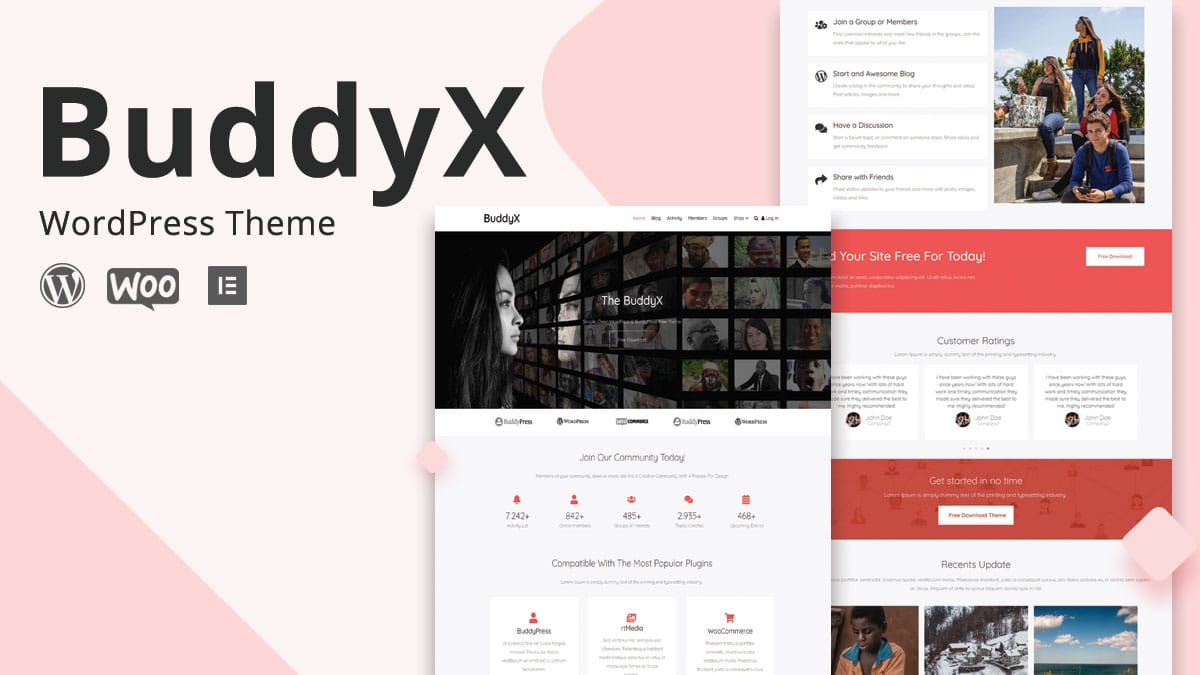
“Free community theme” is a category with a lot of contenders and very few that actually hold up once real members start using the site daily rather than clicking through a demo once. BuddyX has stayed in that smaller group for years, and it’s worth looking at why, rather than repeating the features list a marketing page already covers.
What BuddyX actually is
BuddyX is a free WordPress theme built by Wbcom Designs specifically for BuddyPress-powered sites, social networks, membership communities, interest-based platforms. Where it earns attention isn’t any single flashy feature, it’s that the free version is a genuinely complete starting point rather than a stripped-down teaser designed to push an upgrade within the first ten minutes of setup.
Design and everyday usability
The default design leans clean and modern rather than trying to look feature-dense, which matters more than it sounds like it should. A community theme’s job is to get out of the way of profiles, activity streams, and group interactions, not to compete with them visually. BuddyX handles member profiles and activity streams with enough polish that a new community doesn’t look like an obvious WordPress plugin demo, and it includes dark mode support, a genuinely useful feature for any community where members spend real time browsing rather than glancing at a single page.
Color scheme options exist in the free version but stay limited, this is one of the clearer lines between free and Pro, and a reasonable one: full color customization is a real development cost, and gating it behind Pro is a defensible way to fund ongoing free-tier maintenance.
What “BuddyPress optimization” actually means in practice
A generic WordPress theme technically works with BuddyPress installed, but “technically works” and “optimized” are different claims. BuddyX’s optimization shows up in specific, checkable ways: member profile layouts that don’t crop avatars oddly, activity stream pagination that doesn’t break under AJAX loading, group pages with headers and cover images that render at consistent, sensible dimensions, and a messaging interface that doesn’t fight the theme’s own navigation for screen space.
These are exactly the kinds of details that separate a theme actually built for BuddyPress from one that merely doesn’t crash when BuddyPress is active. A quick way to check any theme’s real optimization level: create a test group with zero members and an empty activity feed, and look at whether that empty state looks intentional or broken.
Performance, and why it matters more for community sites
BuddyX is built with clean, efficient code and reports strong PageSpeed scores in the 90-plus range on typical configurations. That’s not a vanity metric for a community site specifically, activity feeds, member directories, and group pages all carry more database weight than a static blog post, so a theme carrying extra weight compounds that cost on every page load rather than just the homepage.
A slow community site has a specific, measurable cost: members who’d otherwise check in daily start skipping visits when the activity feed takes visibly longer to load than a competing app on their phone. Performance isn’t cosmetic here, it’s directly tied to whether the community stays active.
BuddyX Free versus BuddyX Pro, and when the upgrade is worth it
The free version genuinely works as a complete community theme: basic BuddyPress support, two header layouts, plus the essential profile and group functionality most communities need to launch. BuddyX Pro adds extensive color customization, ten-plus header layouts, deeper LearnDash and WooCommerce integration, priority support, all for around $59 a year.
The upgrade decision comes down less to feature-counting and more to how much visual differentiation matters for the specific community. A small hobby group or an internal company community, where function matters far more than brand distinctiveness, gets full value from the free version. A community that’s also a business, one competing for members against similar platforms, or one where LearnDash-powered courses and WooCommerce sales are core to the model, gets real return from Pro’s deeper integrations, not just the extra header options.
Who BuddyX actually fits
The use cases that come up repeatedly: social networking sites building a Facebook-style experience on owned infrastructure, company intranets where the goal is internal connection rather than public reach, alumni networks and professional associations, hobby and interest communities, online course communities layered on top of LearnDash, member directories or customer communities for an existing business.
What these share is a genuine need for BuddyPress’s core social mechanics, profiles, groups, activity streams, connections, rather than a marketing site that happens to have a “community” page bolted on. If that description doesn’t match the project, the theme’s specialization becomes unused weight rather than a benefit.
What “clean, efficient code” actually buys a community past the PageSpeed score
A high PageSpeed number is a useful proxy, not the actual point. The real question is what happens once a community has genuine traffic, hundreds of concurrent members browsing profiles, checking notifications, scrolling an activity feed that updates via AJAX.
A theme carrying unnecessary CSS and JavaScript weight compounds that cost across every single one of those requests, not just the initial page load a speed test measures. Lean, purpose-built code matters more here than on a typical brochure site precisely because a community site’s pages are dynamic and personalized rather than a single cached homepage served to everyone. Pair a lean theme with server-side object caching and the gap between a sluggish community and a genuinely responsive one becomes noticeable within the first few page loads, well before it ever shows up as a formal complaint from a member.
SEO considerations specific to community sites
Community platforms have an SEO profile that differs from a typical content site, member profiles and group pages are usually thin, user-generated, and numerous, which search engines can treat very differently than editorial content if the theme and site structure aren’t set up deliberately.
Check whether member and group directory pages are indexed sensibly, some communities want profile pages discoverable to attract new members through search, others prefer them noindexed for privacy, and that’s a decision worth making explicitly with an SEO plugin rather than leaving to default settings. Activity stream pages, by contrast, rarely benefit from indexing at all, their content changes too fast and offers little standalone value to a search visitor arriving from Google. A theme built cleanly for BuddyPress, like BuddyX, makes these distinctions easy to configure correctly. A generic theme retrofitted for BuddyPress often doesn’t distinguish between page types at all, leaving every URL treated identically regardless of whether that’s the right call.
BuddyX versus Reign, briefly
Both themes come from the same team and share a BuddyPress-first foundation, but they’re built for different scopes. BuddyX Pro is focused and community-centric, a strong, more affordable choice when the site is primarily a community. Reign is broader and more multipurpose, extending further into e-commerce, multivendor marketplaces, general-purpose site building alongside the community layer.
The practical rule: pick BuddyX Pro when the community is the whole project. Pick Reign when the community needs to sit inside something bigger, a marketplace, a broader business site, or a platform combining several distinct functions beyond social interaction.
What “free” costs in the WordPress theme world, and why BuddyX avoids most of it
Free WordPress themes carry a reputation problem, and it’s earned. Plenty of “free” community themes exist purely as lead generation for a premium upsell, deliberately breaking something basic, a missing header layout, a crucial setting locked behind a paywall, so the free version feels unusable rather than merely limited.
BuddyX avoids that trap in a specific, checkable way: the free version’s core BuddyPress functionality, profiles, groups, activity streams, member directories, all work without nags or artificial breakage. What’s actually gated behind Pro is expansion, more layouts, deeper color control, additional plugin integrations, not core function. That distinction is the difference between a free tier that respects the person using it and one designed to frustrate them into paying.
A closer look at the free-to-Pro feature gap
Header layouts are the most visible difference, two options in the free version against ten-plus in Pro. For a community that wants to look distinct from every other BuddyX-powered site, that gap matters. For one that cares more about function than visual differentiation, two well-designed options are often enough.
LearnDash integration is the second meaningful gap. The free version offers basic compatibility, LearnDash runs without breaking, but Pro adds deeper styling and integration specifically tuned for course-plus-community sites. Any project layering online courses on top of a BuddyPress community should test this specific integration on both tiers before deciding, since it’s one of the areas where the gap between free and Pro is largest in practice, not just on a features chart.
WooCommerce integration follows a similar pattern, functional in free, more polished and feature-complete in Pro. A community that also sells anything, merchandise, memberships, digital products, benefits from testing the checkout flow specifically rather than assuming “WooCommerce compatible” means the same experience on both tiers.
Setting realistic expectations before installing
A theme, even a well-optimized one, doesn’t manufacture an active community on its own. The templates and performance are the foundation, member profiles that look good, an activity stream that loads fast, groups that function cleanly, but an actual thriving community still depends on content, moderation, the ongoing work of getting real people to show up and interact. Installing BuddyX and expecting engagement to follow automatically is the most common way a genuinely good theme gets blamed for a problem it was never going to solve on its own.
A launch checklist worth running before opening a BuddyX community to real members
Test the mobile activity feed and profile pages on an actual phone, not just a browser window resized to look like one, subtle spacing and touch-target issues rarely show up in a resized desktop browser the same way they do on real hardware.
Create a genuinely empty group and a genuinely empty member profile and look at both, an empty state that looks broken rather than intentional is one of the fastest ways a brand-new community loses a visitor’s confidence in its first thirty seconds.
Check dark mode against every custom color choice made in the customizer, dark mode support is a strong feature, but custom accent colors chosen while only looking at the light theme sometimes produce poor contrast once switched to dark.
Run the full new-member flow, registration, profile setup, joining a group, posting an activity update, end to end as a test account, not as an admin who already knows where everything is. Friction that’s invisible to someone who built the site is often the first thing a genuinely new member hits.
Common early mistakes with a new BuddyX community
Launching with zero seed content is the most common one. A community with no groups, no activity, no visible members reads as abandoned rather than new, and it asks the very first visitors to be the ones who take the social risk of posting into total silence. Seeding a handful of groups and some initial activity before opening registration gives new members somewhere to land.
Skipping a moderation plan is the second. Even a small community generates spam registrations and the occasional bad-faith post within the first weeks. Deciding who handles that, and how fast, before it happens beats improvising a response after a member has already had a bad experience.
Treating the theme as the whole solution is the third, and it echoes the point above enough to repeat directly: a well-optimized theme is necessary infrastructure, not the same thing as an actual reason for people to keep coming back.
Frequently asked questions
Can I start with BuddyX Free and upgrade to Pro later without losing data?
Yes. Member profiles, groups, all BuddyPress data live in the database independent of the theme, so upgrading to Pro changes available layouts and customization options without affecting existing community content or member accounts.
Does BuddyX work well on mobile, where most community members likely browse from?
The theme is built mobile-responsive by default, and given that most community platforms see the majority of engagement from phones, this is worth testing directly on a staging site rather than trusting the claim, check the activity feed, profile pages, group creation flow specifically on a real phone before launch.
Is BuddyX Pro worth it for a community that’s still small, under 100 members?
Usually not yet. The free version’s core functionality handles a small, early-stage community without friction, and Pro’s real value, deeper LearnDash and WooCommerce integration, extensive color options, shows up more clearly once the community has grown enough that visual differentiation and monetization integrations start mattering to retention and revenue.
How does BuddyX handle BuddyPress updates over time?
As an actively maintained theme built specifically around BuddyPress, BuddyX tracks BuddyPress’s own updates rather than treating compatibility as a one-time achievement. Check the theme’s changelog for recent update activity before committing, the same due diligence worth applying to any actively-relied-upon plugin or theme.
What happens to a BuddyX community if the theme is discontinued someday?
Member data, profiles, groups, activity history, lives in BuddyPress’s own database tables independent of any theme, so the content itself would survive. What would need replacing is the visual layer, meaning a switch to another actively maintained BuddyPress theme. This is a reasonable risk to weigh for any theme choice, and it’s mitigated by choosing one, like BuddyX, with a real update history rather than one that appeared recently with no track record.
Can BuddyX run alongside a page builder like Elementor for non-community pages?
Yes, static marketing pages, an about page, a landing page, can be built with a page builder while BuddyPress-driven screens, profiles, groups, the activity stream, stay controlled by the theme’s own templates. This split is standard practice across most BuddyPress-focused themes and keeps the social features from breaking under a builder’s own markup assumptions.
The actual verdict
BuddyX Free earns its reputation honestly: a genuinely complete, well-optimized starting point for a WordPress community, not a crippled trial version. BuddyX Pro is worth the upgrade once a community’s visual identity, course integration, or commerce needs outgrow what the free tier covers. Either way, the theme is infrastructure, a solid one, not a guarantee. The community itself still has to be built by the people running it.
Start with the free version, run it for real. Let actual usage decide whether Pro’s extra layouts and integrations are solving a problem the community genuinely has, rather than upgrading preemptively on the assumption that more options automatically means a better outcome.