7 Best GarageBand Alternatives for Windows Users in 2026
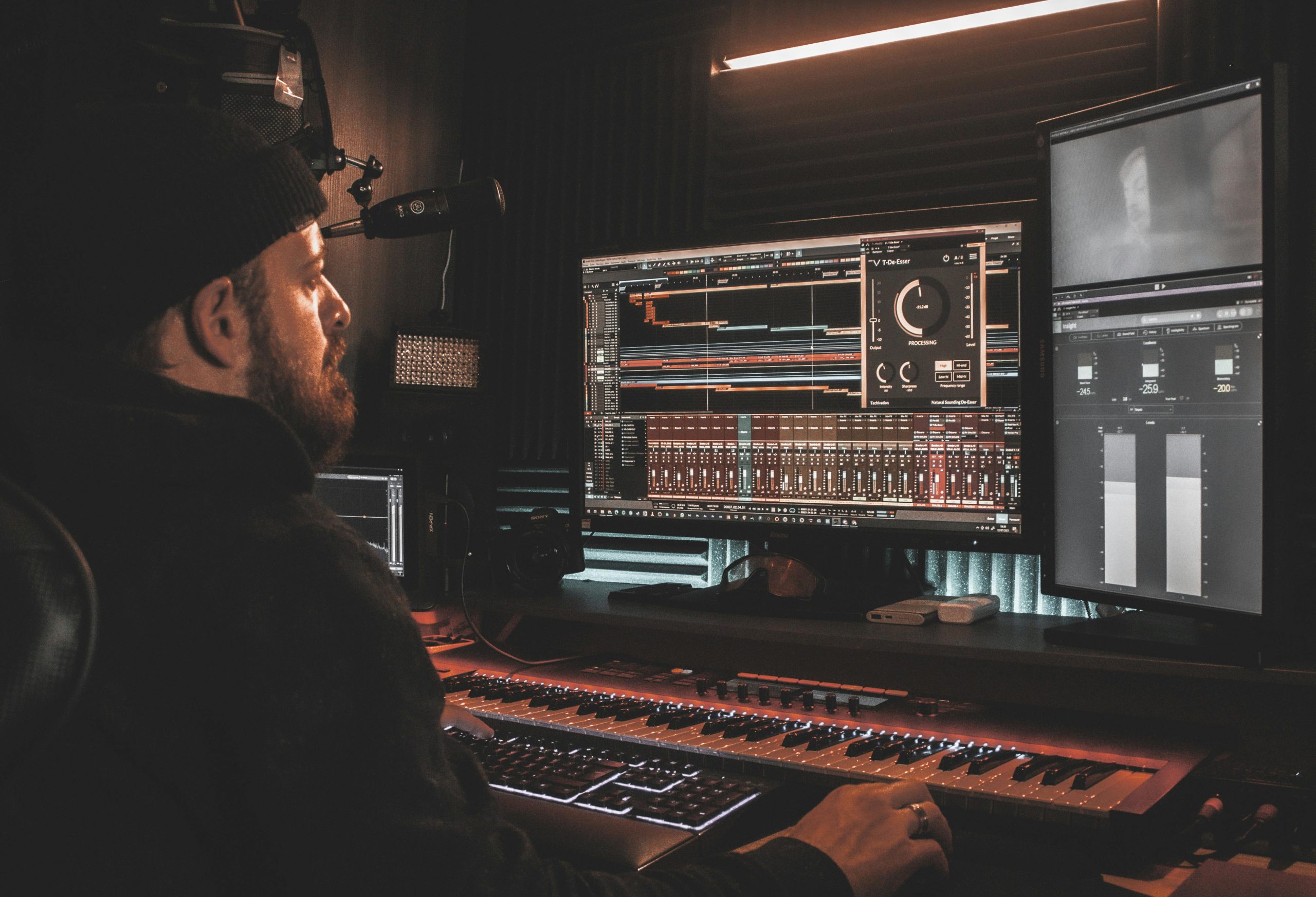
GarageBand earns its reputation honestly. Apple built it around an intuitive interface, a solid library of built-in loops, a decent set of virtual instruments, and a learning curve gentle enough that a total beginner can record something listenable within an hour. The catch is that it only runs on macOS and iOS, which leaves every Windows user who wants that same starting point looking for a substitute. The good news is that Windows has never been short on capable digital audio workstations, and several of the strongest options cost nothing at all.
This list has been checked against each product’s current version and pricing rather than repeated from an old roundup, since DAW version numbers and feature sets shift often enough that a stale entry can send someone chasing outdated information, and one entry that used to circulate in lists like this one turned out not to be a real product at all once actually checked, so every option here has been verified against its developer’s own current site.
What actually made GarageBand worth replacing well
Before picking a replacement, it’s worth naming what GarageBand actually did well, since that’s the real bar any alternative needs to clear. The interface never made a beginner feel lost: tracks were easy to add, loops were easy to drag in, and recording a vocal or an instrument took a couple of clicks rather than a routing setup. The bundled instrument library, while not enormous, covered enough ground that a new user rarely felt like they needed to buy anything else on day one. And it stayed light enough to run comfortably on modest hardware, which mattered a lot for anyone using a base-model Mac.
A genuinely good replacement should hit at least two of those three qualities: ease of use, a decent starter instrument library, and reasonable system requirements. Some of the DAWs below trade one of these for raw power instead, which is a legitimate choice, but it’s worth being honest about that tradeoff before committing hours of setup time to a tool that turns out to be the wrong fit for how you actually want to work.
1. Cakewalk by BandLab
Cakewalk is the single most complete free DAW available on Windows, full stop. It began life as SONAR, one of the more respected professional DAWs of the 2000s and 2010s, and when its original publisher folded, BandLab acquired the technology and relaunched it as a permanently free product rather than letting it disappear. That history matters: Cakewalk isn’t a stripped-down free tier of something bigger, it’s a genuinely professional-grade tool with multi-track recording, deep MIDI editing, a comprehensive stock effects library, and mixing tools that rival paid competitors.
The interface asks more of a first-time user than GarageBand’s does, there’s more visible complexity on screen and more routing options to understand. But for someone willing to spend a few sessions learning it, Cakewalk offers considerably more depth than GarageBand ever did, at no cost.
2. LMMS
LMMS, short for Linux MultiMedia Studio despite running natively on Windows and macOS too, is a fully open-source DAW built around a step sequencer, strong MIDI support, and a genuinely active plugin community that keeps extending what it can do. It leans naturally toward electronic and beat-based production, thanks to its sequencer-first workflow, though it handles broader recording and arrangement tasks reasonably well too.
The interface shows its age in places, and it doesn’t chase the same polish as commercial competitors, but that’s a fair trade for a tool that costs nothing, has no licensing restrictions, and comes with a meaningful library of built-in synths and drum tools out of the box. For anyone moving off GarageBand who wants to stay entirely in free, open-source territory, LMMS is the strongest option in that specific lane.
3. Mixcraft
Mixcraft, from Acoustica, is probably the closest thing to a direct GarageBand equivalent on Windows in terms of how it actually feels to use. The layout favors simplicity: record vocals, drag in loops, arrange them on a timeline, apply an effect, all without much of a learning curve standing between a new user and a finished track. It ships with a solid library of virtual instruments, effects, and royalty-free loops, and its entry-level paid tier is inexpensive enough that it doesn’t create much of a barrier for a hobbyist.
Mixcraft isn’t free the way Cakewalk and LMMS are, so budget accordingly, and check its current version and pricing directly on Acoustica’s site before buying, since both have changed more than once over the product’s long history. For someone specifically looking to replicate GarageBand’s ease of use rather than jump to a steeper learning curve, it’s one of the closer matches available.
4. FL Studio
FL Studio, from Image-Line, is one of the most widely used DAWs in the world, with a particularly strong footprint in hip-hop, EDM, and pop production. Its defining feature is pattern-based sequencing paired with a genuinely powerful piano roll editor, and its bundled instruments, Sytrus, a flexible FM synthesizer, and FLEX, a sample-based rompler, are strong enough on their own that plenty of producers never look elsewhere for a starting synth.
The learning curve is real and steeper than GarageBand’s, the pattern-based workflow in particular takes some adjustment if you’re coming from a purely linear timeline mindset. But the long-term ceiling is high: FL Studio scales from a beginner’s first beat all the way to professional release-ready production, which is more headroom than most GarageBand alternatives on this list offer.
5. Reaper
Reaper, from Cockos, takes a different approach entirely: a lightweight, extremely efficient DAW available for a modest one-time license fee, with a genuinely generous evaluation period before you have to decide. It comes with fewer built-in loops and instruments than GarageBand out of the box, but makes up for that with near-total customizability, a scripting engine for users who want to build their own tools, and support for essentially any third-party plugin format you throw at it.
Reaper’s low system requirements also make it a strong pick for anyone running it on modest hardware, since it stays responsive in situations that bog down heavier competitors. It suits voiceover work, podcasting, and full music production about equally well, which is a rarer combination than it sounds, and it has one of the more active independent user communities of any DAW on this list, which shows up in the sheer volume of free custom scripts and themes available for it.
6. Waveform Free
Waveform Free, from Tracktion, is a completely unrestricted free DAW, no feature gating, no time limit, no forced upgrade path to a paid tier. It includes real multitrack recording, support for VST, VST3, and AU plugin formats, a set of four built-in instruments covering synthesis and sampling, and a decent bundle of stock audio and MIDI effects. For a genuinely free product, the feature list is closer to a mid-tier paid DAW than a stripped-down trial.
Tracktion has kept Waveform Free actively updated rather than treating it as an abandoned legacy product, which matters given how many “free DAW” options quietly stop receiving updates a year or two after release. If you want something between LMMS’s open-source, community-driven feel and Cakewalk’s more traditional studio layout, Waveform Free is worth trying before committing to either.
7. Magix Music Maker
Magix Music Maker leans hardest into the exact audience GarageBand originally targeted: beginners and hobbyists who want to build a track quickly through drag-and-drop composition rather than deep manual production. It ships with built-in loops, soundpools (themed sample packs), a set of software instruments, and increasingly, AI-assisted tools aimed at getting a first draft down fast for someone who doesn’t yet know their way around a DAW.
It won’t satisfy anyone who eventually wants the flexibility of a full professional DAW, but that’s not really its job. For songwriters sketching ideas, YouTubers who need a quick soundtrack, or anyone who wants results without a learning curve, Magix Music Maker gets there fast. A free version exists alongside paid editions that unlock more sounds and tools as your needs grow.
Free versus paid: what you actually give up at each tier
Three of the seven options here, Cakewalk, LMMS, and Waveform Free, cost nothing and come with no meaningful feature restrictions, which is unusual in software generally and genuinely rare among DAWs specifically. The tradeoff isn’t hidden fees or crippled functionality, it’s polish and depth of bundled content: fewer premium instrument libraries, a smaller stock loop collection, and in LMMS’s case, an interface that hasn’t had the same design investment as a commercial product built by a larger team.
Paid options like Mixcraft and FL Studio justify their cost with a larger built-in content library, more polished workflow details, and often better ongoing support and documentation. Reaper sits in between: a genuinely low one-time cost buys a tool with essentially no artificial limitations, just a smaller out-of-box content library than a Mixcraft or FL Studio purchase includes. None of these tiers is objectively better, the right choice depends on whether you value a bigger built-in sound library on day one or would rather spend nothing and build your own collection of plugins and samples over time.
System requirements matter more than the spec sheet suggests
A DAW’s minimum system requirements rarely tell the whole story of how it’ll actually feel to use. A track count that runs smoothly on paper can still introduce audible latency or dropped audio once you add several instrument tracks, a handful of effects plugins, and a reasonable buffer size all running at once. Reaper has a well-earned reputation for staying responsive on modest hardware specifically because of how efficiently it’s built, which matters if you’re working on an older laptop rather than a purpose-built production machine. FL Studio and Mixcraft, with their larger bundled content libraries and more visually elaborate interfaces, tend to want more headroom to stay comfortable.
If you’re on aging or budget hardware, weight that consideration seriously before choosing based on feature list alone. A DAW that constantly stutters or crackles during playback is unusable regardless of how deep its feature set looks on a spec comparison page.
AI features are creeping into every DAW, with mixed usefulness
Most of the products on this list, and the category generally, have started adding AI-assisted tools over the past couple of years: stem separation, automatic mastering suggestions, generative loop and pattern tools meant to get a beginner past a blank timeline faster. Some of this is genuinely useful, stem separation in particular has become reliable enough to save real time on remixing or sampling tasks that used to require manual, tedious work. Some of it is closer to a marketing checkbox feature that a working producer rarely touches after the first novelty wears off.
Don’t choose a DAW primarily on the strength of its AI feature list. The fundamentals, how comfortable the recording and editing workflow feels, whether the bundled instruments and effects are actually usable, how the software performs on your specific hardware, will matter to your day-to-day experience far more than whether a given product can auto-generate a drum pattern.
Moving your workflow over without starting from zero
Switching DAWs doesn’t have to mean relearning music production from scratch. Most of the core concepts, tracks, regions, MIDI, automation, effects chains, translate directly between GarageBand and any of the options above, even though the specific menus and shortcuts differ. What genuinely doesn’t transfer is GarageBand’s specific project file format; you’ll need to export stems or individual tracks as standard audio files (WAV is the safest universal choice) from any old GarageBand projects you want to bring forward, since none of these Windows alternatives can open a native GarageBand project directly.
Give yourself a genuinely low-stakes first project on the new DAW, something short and disposable, purely to get comfortable with where things live before attempting to recreate or continue serious work. The muscle memory from GarageBand won’t transfer directly, and expecting instant fluency in an unfamiliar interface is the most common reason people bounce off a new DAW within the first week and give up too early, when a bit more patience in that first week would have carried them past the awkward part entirely.
Related audio tools
Music production connects to broader audio workflows worth knowing about too. See Audacity alternatives for straightforward audio recording and editing, podcast editing software for voice-focused production, and audio editing software built for sound design and mixing beyond the DAW itself.
Choosing between them
GarageBand isn’t available on Windows, and it likely never will be, but the gap it leaves is smaller than it used to be. If a fully-featured professional DAW at no cost is the goal, Cakewalk is the strongest single pick on this list. If you want GarageBand’s specific ease of use rather than raw power, Mixcraft and Magix Music Maker come closest to that original feel. If you’re drawn to open-source software or electronic-leaning workflows, LMMS fits naturally. And if your ambitions eventually point toward professional release-quality production, FL Studio and Reaper both offer more ceiling than GarageBand ever provided in the first place.
Try more than one before settling. Most of these, Cakewalk, LMMS, and Waveform Free outright, Reaper through its evaluation period, cost nothing to test, and the fastest way to find the right fit is spending an hour actually recording something in each rather than judging from a feature list alone.
A quick note on plugins, since they matter more than the DAW itself eventually
Every DAW on this list supports at least VST plugins, which matters more than it might seem at first. A DAW is really just the environment where audio gets recorded, arranged, and mixed; the actual sound-generating instruments and processing effects, synths, samplers, EQs, compressors, reverbs, largely come from third-party plugins once you move past a project’s built-in content library. This means the choice of DAW matters less over the long run than it feels like it does when you’re starting out, since a huge and growing library of free and paid VST plugins works across nearly all of them.
This is genuinely good news for anyone worried about picking the “wrong” DAW. If Cakewalk turns out not to suit your workflow after a few months, most of the plugins you’ve collected along the way will work just as well in Reaper or Waveform Free. The DAW itself is more of a workspace than a permanent commitment, which lowers the stakes of the initial decision considerably.
A handful of well-chosen free plugins can also close most of the content gap between a free DAW and a paid one. A single good free synth, a solid free compressor, and a decent free reverb, all genuinely available at no cost from various independent developers, can carry a beginner a long way before a paid instrument library ever becomes necessary.
What to actually do with your first hour in a new DAW
Rather than reading documentation cover to cover before touching anything, the fastest path to comfort in a new DAW is a small, concrete first project. Record one short vocal or instrument take. Add one loop or built-in instrument track alongside it. Apply one effect, a bit of reverb or compression, and listen to what it actually does to the sound. Export the result as a finished audio file. That single small loop, record, process, export, teaches more about how a specific DAW actually behaves than an hour of reading ever will, because it forces you to find the actual buttons and menus rather than just reading about where they theoretically live.
Once that first small project is done, the DAW stops feeling like an obstacle and starts feeling like a workspace, which is the point where real production work, rather than software orientation, can actually begin.