Sage vs Radicle vs Brndle: Which Laravel-Flavored WordPress Stack to Start From
Key takeaways
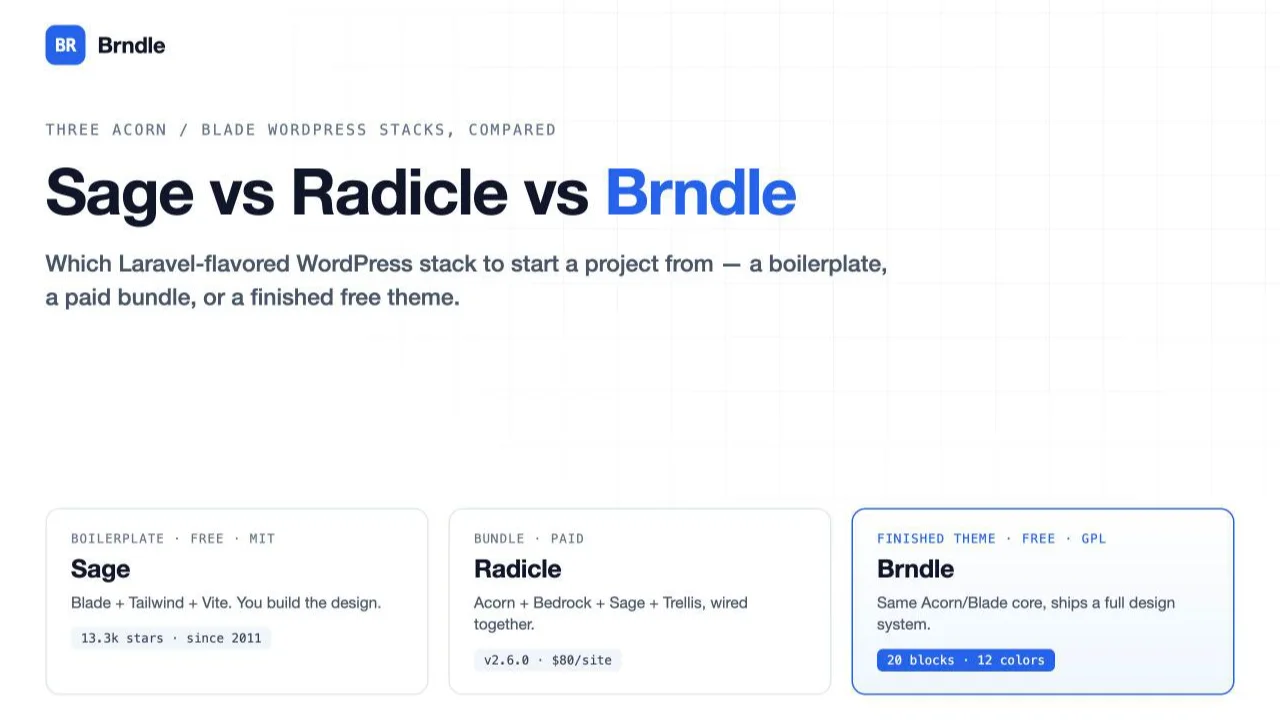
- Sage is a free, MIT-licensed Blade starter theme from Roots: 13,280 GitHub stars, maintained since 2011, and it hands you Blade, Tailwind and Vite with zero design decisions made for you.
- Radicle is Roots’ newer, paid bundle of Acorn, Bedrock, Sage and Trellis: $80 for one site or $240 unlimited, currently at v2.6.0, docs kept in a private repository you only get after buying.
- Brndle is a free, GPL-2.0-or-later theme built on the same Acorn and Blade foundation as Sage, but it ships a finished design system: 12 color presets, 8 font pairs, 8 header and 6 footer styles, and 20 server-rendered Gutenberg blocks, not a blank scaffold.
- Sage and Radicle are starting points you build a design system on top of. Brndle is a design system you start shipping pages with and override as needed.
- We verified every number in this piece against the live roots.io pages and the brndle-themes/brndle source on GitHub on 30 October 2026, not against marketing copy.
Every one of these three ships Blade templates and leans on Acorn, Roots’ package that brings Laravel’s container, service providers and facades into a WordPress theme. That is where the similarity ends. Sage gives you the templating engine and a build pipeline and nothing else. Radicle gives you Sage plus Bedrock’s folder layout plus Trellis’ server provisioning, bundled, for money. Brndle gives you a working theme with a color system, a typography system, a block library and an admin settings screen, built by a different team on the same Acorn foundation, for free.
If you have shipped WordPress sites with Advanced Custom Fields and a page builder, the idea of Blade components and PSR-4 autoloading inside a theme folder might be new. If you came from Laravel and were told “WordPress doesn’t do that,” these three are the counterexample. This is a comparison for the second kind of decision: you already know you want Blade over raw PHP templates, and you need to pick which of three Acorn-based projects to start a client project on.
In this guide
- What Sage, Radicle and Brndle actually are
- A real comparison table
- What Brndle’s architecture actually looks like
- A worked scenario: an agency dev picking a stack for a new client site
- The bottom line
- Common questions
What Sage, Radicle and Brndle actually are
These are three different kinds of project wearing the same stack. Getting that distinction right matters more than any feature in the table below.
Sage: a boilerplate, nothing more
Sage is, in Roots’ own words, an “advanced hybrid WordPress starter theme with Laravel Blade and Tailwind CSS.” It is currently at v11.2.1, MIT-licensed, and sits at 13,280 stars on GitHub as of this writing, a number that has been climbing since the project started in 2011. You install it with composer create-project roots/sage your-theme-name, run npm install and npm run build, and you have a theme with the WordPress template hierarchy mapped onto Blade views, Tailwind CSS wired up through Vite, and automatic theme.json generation from your Tailwind config so the block editor’s color and typography panels stay in sync with your design tokens instead of drifting into a second source of truth.
What you do not get is a design. There is no header style to pick, no color palette, no blocks. Sage’s own showcase names sites built on it, including Gizmodo, Wired’s Spin.com and PopSci, which tells you it scales to serious publisher traffic, not that it will look like anything out of the box. Every one of those sites did its own design work on top of the scaffold. That is the entire point of a boilerplate: it removes the decisions that have one obviously correct answer (how templates inherit from a base layout, how assets get bundled) and leaves every decision that is actually about your project (what the site looks like) to you.
Radicle: Roots’ newer, paid, bundled successor
Radicle is a different kind of product from Sage, not a replacement for it. Roots describes it as “an opinionated starting point for WordPress projects with the Roots stack,” and what it actually does is wire together four previously separate Roots projects into one: Acorn (the Laravel-in-WordPress layer), Bedrock (the WordPress folder structure and environment-variable config Roots has shipped since 2013), Sage (the Blade theme), and Trellis (the Ansible-based server provisioning and deployment tooling). Instead of composing those four yourself, project by project, Radicle hands you one repository with all four already talking to each other.
Two things about Radicle are worth being precise about, because marketing pages blur both. First, it is commercial software: $80 for a one-site license, $240 for unlimited sites, and its documentation is explicitly described as having “moved into the GitHub repo,” at a repository that returns a 404 to an unauthenticated request, which we confirmed directly rather than assuming. That is consistent with a private repo you get access to after paying, not an open-source project you can browse on a whim. Second, despite being newer as a packaged product, it is not immature: it’s at v2.6.0 as of this writing (updated 28 October 2026), ships with GitHub Actions, Playwright and Pest wired into the starting repo for CI and testing, and Roots maintains a “Built with Radicle” showcase of production sites. Treat it as a real, actively maintained product with a price tag, not a beta.
What Radicle does not give you, same as Sage, is a design. It is Sage’s blank Blade templates plus Bedrock’s folder conventions plus a deployment pipeline, pre-wired. You are still building the header, the color system and every block from nothing. You are paying for the wiring, the testing scaffold and the opinionated defaults across four tools instead of composing them yourself, not for a finished look.
Brndle: a finished theme built on the same foundation
Brndle is a different category of thing entirely: a complete, ready-to-activate WordPress theme, not a boilerplate. Under the hood it is built on roots/acorn (^5.0 in its composer.json) with Blade views, Tailwind CSS v4 and Vite 7, so architecturally it shares real DNA with Sage, down to using Acorn’s Roots\view() helper to render templates. The difference is everything sitting on top of that foundation: install it, activate it, and you have 12 color presets, 8 font pairs, 8 header styles, 6 footer styles, 5 archive layouts, dark mode handling, and 20 server-rendered Gutenberg blocks for building landing pages, all exposed through a React-based admin settings screen rather than requiring you to hand-edit theme.json or write Blade components before the site has any design at all.
We’re not going to pretend Brndle has Sage’s track record. Sage has a decade of production use behind it and a community large enough that most Blade-in-WordPress questions already have a Stack Overflow answer. Brndle is newer, with a smaller surface area of public usage to point to. What it offers in exchange is the thing a boilerplate structurally cannot: you can hand a client a finished, accessible, Lighthouse-scoring site on day one, and only drop into Acorn and Blade when you need to override something the admin UI doesn’t expose.
| Project | Category | What ships on day one |
|---|---|---|
| Sage | Boilerplate | Template hierarchy in Blade, Tailwind + Vite build, no design |
| Radicle | Bundled successor (paid) | Sage + Bedrock + Trellis wired together, testing scaffold, no design |
| Brndle | Finished theme (free) | Color system, typography, 20 blocks, header/footer variants, admin UI |
A real comparison table
Numbers below are what we verified on roots.io and in the brndle-themes/brndle GitHub repository on 30 October 2026. Where a figure is a self-reported stat on a vendor page rather than something we independently measured, we say so.
| Sage | Radicle | Brndle | |
|---|---|---|---|
| Maturity | Since 2011, v11.2.1, 13,280 GitHub stars, used by Gizmodo, Spin.com, PopSci | v2.6.0 (Oct 2026), newer packaged product, public showcase of production sites, private repo | Newer project (brndle-themes org), currently v2.3-series blocks on main, public repo and issue tracker |
| License / cost | Free, MIT | Paid: $80 one site, $240 unlimited | Free, GPL-2.0-or-later |
| What you get day one | Blank Blade template hierarchy, Tailwind + Vite build, auto-generated theme.json | Sage’s blank templates plus Bedrock’s env-based config plus Trellis provisioning, CI scaffold (GitHub Actions, Playwright, Pest) | 12 color presets, 8 font pairs, 8 header / 6 footer styles, 5 archive layouts, 20 blocks, admin settings UI, REST settings API |
| Ecosystem | Largest by far: a decade of tutorials, Discourse forum, Discord, the widest base of “how do I do X in Sage” answers | Smaller, newer; support is tied to purchase, docs live behind the paywall | Smallest; single maintaining org, no third-party plugin ecosystem built up yet, GitHub issues/discussions as the support channel |
| Learning curve | Moderate: Blade, Tailwind and Vite if you’re new to Laravel-style tooling; otherwise shallow | Same as Sage, plus Bedrock’s config conventions and Trellis’ Ansible-based deploys | Low to use day-to-day (settings screen, block inserter); moderate to extend past the admin UI into Blade/filters |
| Best use case | Custom builds where you own every template and design decision and want zero imposed design | Teams already paying for the full Roots pipeline (local, staging, prod provisioning) who want it pre-wired | Agency client sites and landing pages where you need to ship fast and don’t want to own the design-system build |
Read “ecosystem” carefully before you discount it. A decade of Sage tutorials means that when your build breaks over a Vite config edge case at 11pm, someone has almost certainly hit it before and written it up. That is a real cost you pay for choosing either of the newer two, and it doesn’t show up until something goes wrong.
What Brndle’s architecture actually looks like
We read the source rather than the marketing page for this section, because that’s the only way to know whether “14 blocks” and similar numbers hold up.
Blocks are registered through a single BlockServiceProvider class in app/Providers/. Its block list is a plain PHP array, and reading it directly shows something the homepage copy doesn’t: the 14 blocks Brndle launched with (hero, logos, stats, features, testimonials, pricing, cta, faq, content-image-split, how-it-works, lead-form, comparison-table, team, video-embed) are still there, but two later releases added six more. Version 2.1 added four editorial blocks (code, pull-quote, timeline, tabs-accordion), and version 2.3 added two more (post-feed, card-grid), for 20 registered blocks on the current main branch. “14 blocks” is the number Brndle launched with and the number still used in its marketing copy; the repository has moved past it. If you’re evaluating this today, count on 20, and expect that to keep growing.
protected array $blocks = [
    'hero', 'logos', 'stats', 'features', 'testimonials', 'pricing',
    'cta', 'faq', 'content-image-split', 'how-it-works', 'lead-form',
    'comparison-table', 'team', 'video-embed',
    // v2.1 editorial blocks
    'code', 'pull-quote', 'timeline', 'tabs-accordion',
    // v2.3
    'post-feed', 'card-grid',
];
The render path is worth reading too, because it explains a performance claim the homepage makes (“~0 KB JS on content pages”) instead of just repeating it. Each block’s render callback runs any registered attribute migrations first, so older content saved against an earlier version of a block’s schema doesn’t break when the block.json changes shape, then renders through Acorn’s Blade engine with a fallback to raw content if the Acorn view() helper isn’t available for some reason:
'render_callback' => function (array $attributes, string $content) use ($viewName, $blockSlug, $blockName) {
    $attributes = \Brndle\Blocks\AttributeMigrations::apply($blockName, $attributes);

    // Lazily enqueue per-block view scripts only when the block actually renders.
    if ($blockSlug === 'lead-form' && empty($attributes['form_action'] ?? '')) {
        wp_enqueue_script('brndle-lead-form-view');
    }
    if ($blockSlug === 'code' && ! empty($attributes['code'] ?? '')) {
        wp_enqueue_script('brndle-code-view');
    }
    // ...timeline, tabs-accordion follow the same pattern

    if (function_exists('Roots\\view')) {
        return view($viewName, [
            'attributes' => $attributes,
            'content' => $content,
        ])->render();
    }

    return $content;
},
Four blocks (lead-form, code, timeline, tabs-accordion) register their own small frontend scripts, and those scripts only get enqueued when a page actually places that specific block and that block’s attributes require it. A page built entirely from hero, features, pricing and FAQ blocks ships none of that JavaScript, because the other sixteen blocks render as plain server-side HTML with no client-side runtime attached. That is a real architectural decision, not a number someone picked for a homepage stat, and it’s the kind of detail you can only confirm by reading the provider class.
Customization happens through named filters rather than a child theme or a visual builder, which keeps you inside WordPress’s normal hook system instead of a proprietary API surface. Overriding the color presets, as an example, looks like this:
add_filter('brndle/color_presets', function (array $presets): array {
    $presets['brand'] = [
        'label'     => 'My Brand',
        'primary'   => '#FF6B00',
        'secondary' => '#1A1A2E',
    ];
    return $presets;
});
The same pattern covers brndle/font_pairs, brndle/css_variables, brndle/archive_layout and brndle/single_layout. None of these exist in Sage or Radicle, because neither ships a settings layer to filter in the first place; there’s nothing to override until you’ve built it yourself.
The settings themselves, including every color and font choice made in the admin UI, are also exposed over REST at brndle/v1/settings, registered in SettingsServiceProvider::registerRestRoutes() with GET and POST handlers gated behind a manage_options permission callback, meaning only users who can already manage the site’s options can read or write theme settings through the API:
register_rest_route('brndle/v1', '/settings', [
    [
        'methods'             => 'GET',
        'callback'            => [$this, 'handleGetSettings'],
        'permission_callback' => [$this, 'checkManageOptions'],
    ],
    [
        'methods'             => 'POST',
        'callback'            => [$this, 'handleSaveSettings'],
        'permission_callback' => [$this, 'checkManageOptions'],
    ],
    // DELETE route follows the same permission gate
]);
That endpoint is how the import/export functionality in the settings screen works, and it’s a reasonable integration point if you’re scripting site setup with WP-CLI or provisioning several client sites from a template config, something neither Sage nor Radicle has an equivalent for, because again, they don’t have settings to export.
A worked scenario: an agency dev picking a stack for a new client site
Say you run a two-person WordPress shop. A new client wants a marketing site: a homepage, a pricing page, a few landing pages for ad campaigns, a blog. They have opinions about their brand colors and want it live in three weeks, not three months. You already prefer Blade over raw PHP templates because the last project with twelve nested get_template_part() calls was miserable to maintain.
Starting from Sage means week one is template scaffolding: build the header, decide how the Tailwind config maps to the client’s brand, write the first few Blade components, get theme.json‘s generated output actually matching what the client approved in Figma. None of that is wasted work if this client relationship is going to produce five more sites with a shared internal component library you’re building for yourself over time. It is a real cost if this is a single, isolated engagement and you’re rebuilding header-and-footer-from-scratch work you’ve already done on the last three client sites.
Starting from Radicle buys you Trellis’ provisioning and Bedrock’s environment-based config on top of that same blank-template problem, which matters if you’re also responsible for standing up staging and production servers yourself and want that part of the workflow solved. If your hosting is already handled, through a managed WordPress host or an agency ops team, you’re paying for infrastructure tooling you won’t use to get to the same blank design-system starting point Sage gives you for free.
Starting from Brndle means week one is picking a color preset and font pair in the admin screen, choosing a header and footer style, and building the homepage and landing pages out of the 20 available blocks: hero, stats, pricing, comparison-table and FAQ cover most of what a marketing site needs structurally. The client sees something real by day two or three instead of day ten. Where this breaks down: if the client’s design has a genuinely custom layout need, a block Brndle doesn’t ship (a complex interactive product configurator, say), you’re writing a custom block or a Blade override anyway, at which point you’re doing Sage-style work on top of a theme that wasn’t built to be a blank canvas. That’s a real tradeoff, not a hidden one: Brndle optimizes for the common marketing-site shape, and the further a client’s needs drift from that shape, the less of the day-one head start you actually keep.
The honest answer for this scenario, given the three-week timeline and a fairly standard marketing-site brief: Brndle gets you to a client-reviewable site fastest, and you still have Acorn and Blade underneath it the moment you need to step outside the block library. If this is the first of many similar projects and you want to own the entire design system long-term rather than build on someone else’s, Sage is the better multi-year bet, with the understanding that the first project absorbs the setup cost the later ones amortize.
The bottom line
Pick Sage if you want total control over the architecture and you, or your team, are going to invest in building a design system you’ll reuse across projects. It has the deepest ecosystem of the three and it costs nothing. Pick Radicle if you’re already bought into deploying with Trellis and managing WordPress config the Bedrock way, and you’d rather pay to have Roots wire those pieces together than do it yourself. Pick Brndle if you want the same Acorn-and-Blade foundation but need a real, accessible, free theme shipping on day one, and you’re comfortable dropping into Blade templates and the named filters when a project needs something the block library and settings screen don’t cover. None of these three is wrong. They answer different questions, and the question that matters is whether you’re starting from zero on purpose or because nothing else was available.
Common questions
Is Brndle a fork of Sage?
No. It’s a separate theme built by a different team (the brndle-themes organization) that depends on the same roots/acorn package and uses Blade views the same way Sage does. It does not share Sage’s codebase, its template files, or its build configuration beyond both using Vite and Tailwind.
Can I use Brndle’s blocks inside a Sage project?
Not as a drop-in. Brndle’s blocks are registered through its own BlockServiceProvider and expect its Blade views and AttributeMigrations class to exist in the theme. You could study the pattern and adapt it, since the architecture (Acorn, register_block_type(), Blade rendering) is portable, but there’s no plugin form of just the blocks today.
Does Radicle replace Bedrock and Trellis?
It bundles them rather than replacing them. Bedrock and Trellis remain available as separate, free, open-source Roots projects for teams who want to compose their own stack. Radicle is the paid, pre-wired alternative to doing that composition yourself.
Is Sage still actively maintained in 2026?
Yes. It’s at v11.2.1 with ongoing development from Roots, and its GitHub star count and the list of publishers using it (Gizmodo, Spin.com, PopSci among them) are current signals, not historical ones. Roots maintaining both Sage and Radicle at once, rather than sunsetting Sage in favor of the paid product, is itself a signal they intend to keep Sage as the free option.
Do I need Composer and Node for Brndle the same way I do for Sage?
Only if you’re developing it. Brndle’s composer.json requires PHP 8.2+ and roots/acorn ^5.0, and its package.json requires Node 20+, but those are development-time requirements for building from source. The project also ships a release zip you can upload through Appearance > Themes > Add New > Upload Theme with no build step at all, which Sage does not offer; Sage expects you to run its build pipeline to get a working theme.
Can I override Brndle’s blocks with my own Blade views?
Yes, within what the theme exposes. The named filters (brndle/color_presets, brndle/font_pairs, brndle/css_variables, brndle/archive_layout, brndle/single_layout) cover the documented extension points. Replacing a block’s Blade view entirely or adding a wholly new block means working in app/Providers/BlockServiceProvider.php and resources/views/blocks/ directly, the same way you’d extend any Acorn theme.
Is Radicle worth $80 over using Sage, Bedrock and Trellis separately for free?
Depends on what you’re paying for. If wiring those three together yourself would take you a day or two of configuration you’d rather not repeat per project, and you value the CI scaffold (GitHub Actions, Playwright, Pest) being pre-built, $80 for one site is a reasonable trade. If you already have your own Bedrock-plus-Trellis setup scripted, you’re paying for convenience you’ve already built for yourself.
What happens to an existing Sage site when Roots ships a new major Sage version?
Nothing automatically. A starter theme’s generated code belongs to your project from the moment you scaffold it; there’s no ongoing upstream you pull updates from the way you would with a plugin. A new Sage major version is relevant if you’re starting a fresh project, not something that changes a site you already built.
Does Brndle ship a block theme in the full-site-editing sense?
No, and this is worth being precise about. Brndle is a classic Acorn/Blade theme with 20 Gutenberg blocks you can place in post and page content; it is not an FSE block theme built around templates/*.html and the Site Editor. If you specifically need Site Editor control over templates (editable archive and single templates through Appearance > Editor), none of the three themes in this comparison is that; you’d want an actual block theme instead.
Which one should I pick for a five-page brochure site?
Brndle, in most cases. Setting up Composer, Node, a Blade build and a Tailwind config from Sage or Radicle for five pages is real overhead a plain settings-screen-and-blocks theme avoids entirely. Reserve Sage or Radicle for projects where the custom architecture is actually load-bearing, not the default choice because the stack sounds more serious.
Brndle is free and GPL, and the source, including the BlockServiceProvider and settings code referenced above, is on GitHub. If you’ve already read our roundup of WordPress starter themes for developers or the WP Rig retrospective, this is the same evaluation applied to the three projects actually building on Laravel’s tooling rather than a classic PHP or block-theme scaffold.