StoreMate WordPress Multivendor Theme Review 2026
Multivendor marketplace projects fail more often on operations than on design. A theme can make a marketplace look like Etsy on day one. Whether it still works cleanly once you have 40 vendors, each with different shipping rules, different payout schedules, different levels of technical patience, is a separate question the demo screenshots never answer.
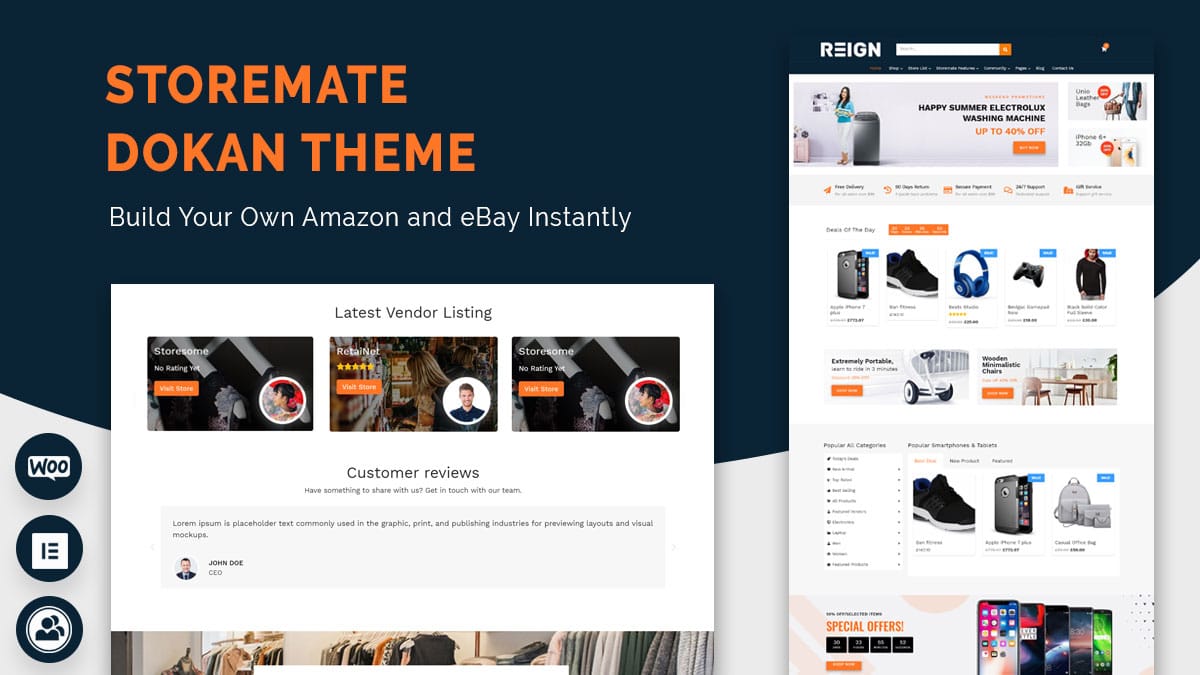
StoreMate is one of the dedicated WooCommerce multivendor themes on the market, built around compatibility with the major vendor plugins: Dokan, WCFM, WC Vendors. This review looks at what that actually means in practice, where StoreMate’s approach helps, and where a marketplace outgrows it.
What “multivendor theme” actually means
WooCommerce alone has no concept of multiple sellers, it’s built for one store owner managing one catalog. Multivendor functionality comes from a separate plugin, Dokan, WCFM Marketplace, or WC Vendors being the three most established, which adds vendor registration, individual storefronts, commission splitting, vendor dashboards on top of WooCommerce.
A theme built for multivendor use isn’t adding that functionality, it’s making sure the visual layer, storefront pages, vendor dashboards, product grids, renders correctly against whichever vendor plugin you’ve chosen. Generic WooCommerce themes often weren’t tested against these plugins specifically, and the failure mode is predictable: a vendor’s storefront page looks fine until you notice the vendor’s logo is missing, or the dashboard’s tab navigation collides with the theme’s own header.
What StoreMate actually provides
StoreMate’s core feature set covers the essentials any multivendor build needs: templates for individual vendor storefronts, product grid layouts with Ajax filtering, marketplace-wide search that spans multiple vendors’ catalogs, and mobile-responsive layouts across all of it. Compatibility spans the three major vendor plugins rather than locking into one, which matters if you’re not fully committed to a specific vendor plugin before development starts.
That plugin-agnostic approach is worth calling out specifically. Some marketplace themes are built tightly around one vendor plugin’s data structure, which is fine until you need to switch plugins for a feature the original one doesn’t support, at which point the theme’s assumptions break along with the migration. A theme that’s genuinely tested against all three keeps that door open.
Where a transactional theme runs into its ceiling
StoreMate is built around the transaction, browse, filter, buy. That’s the correct scope for a lot of marketplaces, and it’s worth saying plainly rather than treating it as a flaw: a straightforward product marketplace doesn’t need social features bolted on, and adding them speculatively is how projects accumulate unused complexity.
Where it becomes a real limitation is in marketplaces where vendor relationships matter beyond the sale, artisan platforms where buyers follow specific makers, niche marketplaces trying to build a community around a shared interest, or B2B marketplaces where vendors benefit from networking with each other, not just with buyers. In that specific case, the vendor dashboard being purely transactional starts costing the marketplace real retention: there’s no vendor forum, no way for vendors to build a following independent of individual product listings, no mechanism for buyer loyalty beyond repeat purchases of the same product.
If that description doesn’t match your marketplace, this isn’t a gap that needs fixing. If it does, it’s worth knowing before six months of vendor onboarding rather than after.
Community-layer alternatives, and when they’re the right call
A theme like Reign, which pairs WooCommerce with BuddyPress, approaches the same multivendor problem from the community side rather than the transaction side. Vendors get profiles and can join or form groups, not just a dashboard. Buyers can follow specific vendors, comment on their work, build ongoing relationships with sellers rather than one-off purchase interactions.
That trade-off matters most in a specific scenario: a marketplace where the vendor relationship itself is part of the product, coaching services, custom commission work, artisan goods with a story behind them. A theme like BuddyX Pro takes a similar community-first approach with a more social-media-styled interface, useful when the target audience is younger or already fluent in scrolling activity feeds rather than browsing storefront pages.
Neither of these is a strict upgrade over a transactional theme like StoreMate. They’re a different bet about what keeps vendors and buyers coming back, relationships versus a clean, fast checkout. A marketplace selling commodity products, where price and shipping speed decide the sale, gets little value from community features and real value from a lean, fast transactional theme. A marketplace selling something more personal gets the opposite trade-off.
How the three major vendor plugins actually differ
The theme’s job is largely to render whatever the vendor plugin produces, so the plugin choice matters at least as much as the theme choice. It’s worth a closer look than most reviews give it.
Dokan has the largest install base and the most mature vendor dashboard, with a frontend product editor that lets vendors manage their store without touching wp-admin at all. Its commission model supports flat, percentage, or per-product rates, and the free version covers a genuinely usable marketplace, commission and payout automation live mostly in the paid tier.
WCFM Marketplace leans into flexibility. Its vendor dashboard is heavily customizable, and it supports a wide range of commission rules including tiered structures based on sales volume. That flexibility comes with a steeper admin learning curve, WCFM’s settings sprawl across more screens than Dokan’s more streamlined setup.
WC Vendors takes a leaner approach, closer to “the minimum viable multivendor layer” than a full marketplace suite. It’s a reasonable choice for a marketplace that wants vendor storefronts without the operational complexity of tiered commissions or approval workflows, and a weaker choice for one that expects to grow into those needs.
None of the three is universally correct. The commission structure you actually intend to run, flat fee, percentage split, tiered by volume, should point to a specific one of these before a theme enters the conversation at all.
Support quality is the factor that gets skipped in most comparisons, and it shouldn’t be. A commission calculation bug or a broken payout on a live marketplace is not a problem you want to debug alone at midnight. Before committing, check each plugin’s support forum for how recent responses are and how technical the unresolved threads look, that’s a better predictor of what happens when something breaks than any feature comparison chart.
A vendor onboarding checklist worth using before launch
Most marketplace launches focus heavily on the buyer-facing storefront and treat vendor onboarding as an afterthought, then discover the mistake once real sellers start applying.
Write the vendor application requirements down before building the signup form: what documentation, if any, gets collected, how approval decisions get made, how long an applicant should expect to wait. Decide the commission structure and put it in writing somewhere a vendor can read before applying, not somewhere they discover after their first sale. Set a policy for underperforming or inactive vendor accounts, marketplaces that never prune dead storefronts end up with a directory full of listings nobody can actually buy from. And test the payout process yourself, end to end, with a real (small) transaction before any vendor’s money depends on it working correctly.
None of this is theme-specific. It’s the operational layer that determines whether a technically well-built marketplace actually functions as a business.
Search and discovery at real marketplace scale
A demo with fifteen sample products makes any theme’s search look fine. The real test comes at a few hundred listings across a few dozen vendors, where buyers need filtering that actually narrows results meaningfully, price ranges, categories, vendor ratings, not just a keyword box.
Check specifically whether search results can be filtered by vendor, whether category taxonomies stay usable once vendors are adding their own products (inconsistent vendor-chosen categories are a common source of marketplace search degradation), and whether the theme’s product grid performs acceptably once real product images, not lightweight demo placeholders, are loading on every page. Marketplaces that skip this check often discover the problem only once organic search traffic starts arriving and bouncing off slow, cluttered category pages.
Questions worth answering before picking any multivendor theme
A few decisions matter more than any theme’s feature list.
Which vendor plugin fits your commission model? Dokan, WCFM, WC Vendors handle commission splitting, vendor payouts, and product approval workflows differently enough that this decision should come before theme selection, not after. Test the actual vendor onboarding flow, not just the buyer-facing storefront, since that’s what determines whether real vendors stick around past their first week.
How many vendors are you actually planning for at launch, and in year one? A theme that handles twenty vendors cleanly can start showing seams at two hundred, slower directory pages, cluttered search results, vendor dashboards that weren’t designed for that much concurrent activity. Ask any theme’s support team directly about tested vendor counts rather than assuming unlimited scalability from a features page.
What does vendor onboarding actually look like day to day? A vendor applying to sell needs a clear, low-friction signup and approval flow. If that flow requires you, the marketplace owner, to manually configure something in the backend for every new vendor, that becomes an operational bottleneck the moment vendor applications outpace your available hours.
What the demo content hides
Every marketplace theme demo looks polished because someone curated it, consistent product photography, tidy descriptions, a manageable number of listings. That’s not what a marketplace looks like six months after real vendors start uploading their own products with phone-camera photos, inconsistent formatting, wildly varying description quality.
The honest way to judge a theme’s real-world resilience is to stress it with messy data before launch: import a batch of deliberately inconsistent test products, mismatched image sizes, missing fields, long and short titles side by side. See whether the grid layout holds together or breaks. A theme that only looks good with curated demo content is a theme that will look noticeably worse the week real vendors start using it.
A realistic evaluation process
Install your top two or three candidate combinations, theme plus vendor plugin, on a staging site. Register a test vendor account and walk through the full flow: application, approval, product listing, a test purchase from a separate buyer account. This surfaces friction that a features comparison never will, a confusing multi-step product upload form, a commission calculation that doesn’t match what you expected, a storefront page that looks different from the demo the moment real (messier) vendor data populates it.
Budget a half day for this per candidate. It’s a small cost against the alternative, discovering the friction after fifty vendors have already signed up and started complaining, at which point fixing it means retraining people who are already frustrated instead of designing the flow correctly the first time.
Frequently asked questions
Can I switch vendor plugins after launching with StoreMate?
Technically yes, but expect real migration work. Vendor data, product-vendor relationships, commission records, order history, all structured differently across Dokan, WCFM, WC Vendors, and moving between them means mapping that data rather than a simple export-import. Test this on staging with real vendor data before committing to a live migration.
Do multivendor themes handle vendor payouts automatically?
The theme itself doesn’t, payout processing is the vendor plugin’s job, usually through PayPal, Stripe Connect, or a similar split-payment integration. The theme’s role is purely how vendor dashboards, storefronts, and product listings look on screen, not the financial mechanics underneath.
Is a transactional marketplace theme enough, or do I need community features from day one?
Start with what your specific marketplace actually needs rather than what sounds more complete. A commodity marketplace where buyers compare price and shipping speed gets little value from community features at launch, and adding them later, once you understand real vendor and buyer behavior, is far cheaper than building them speculatively up front and finding they go unused.
How do I know if my marketplace needs vendor networking features?
Watch what vendors actually ask for once you have even a handful onboarded. Requests for a way to message each other, cross-promote, or build a following independent of any single product listing are the signal that a transactional theme has hit its ceiling and a community-oriented approach would serve the marketplace better.
What’s the biggest technical risk in a multivendor build?
Underestimating how vendor plugin choice locks in structural assumptions. Theme selection is comparatively reversible, a marketplace can restyle without losing data. Vendor plugin selection is not, since commission records, storefront settings, vendor-product relationships live inside that plugin’s own database structure. Get that decision right before building anything on top of it.
Should the marketplace collect a commission on every sale, or charge vendors a flat listing fee?
That’s a business model decision the theme and plugin only need to support, not make for you. Percentage commission scales naturally with vendor success and is easier to justify to new sellers with no track record. Flat fees are simpler to communicate and predictable for high-volume vendors, but they can price out small or occasional sellers. Whichever model you pick, confirm your chosen vendor plugin actually supports it before building the rest of the marketplace around that assumption.
Performance and moderation at scale
Two operational realities show up only after a marketplace has real vendors and real traffic, and it’s worth planning for both before they become urgent.
Performance first. Vendor storefronts, product pages, and marketplace-wide search all add database load beyond a single-store WooCommerce site. Caching that respects dynamic, per-vendor content, rather than a blanket page cache that serves stale inventory counts, becomes necessary well before a marketplace feels “big.” Object caching and a CDN for product images are worth setting up at launch rather than retrofitting under load.
Moderation second. Multiple vendors uploading their own content means product listings, descriptions, images that don’t meet the marketplace’s quality bar will show up eventually, sometimes deliberately, sometimes just carelessly. Decide the approval workflow, does every new listing need manual review, or only new vendors’ first several listings, before volume makes ad hoc moderation unmanageable.
The actual takeaway
StoreMate does the job a dedicated multivendor theme should do, reliable storefronts, working search and filtering across vendors, tested compatibility with the plugins that actually run marketplace commerce. Whether that’s sufficient, or whether the marketplace needs the community layer a theme like Reign or BuddyX Pro adds, depends entirely on whether vendor and buyer relationships are part of what you’re selling, not just the products themselves. Answer that question before comparing feature lists, and the right theme choice gets a lot more obvious.
The vendor plugin decision, the commission model, a real staging test with messy data will tell you more about whether a marketplace is ready to launch than any theme’s list of bullet points ever will. Get those three right and the theme becomes a relatively small decision by comparison.