15 Best WordPress Directory Themes in 2026
A directory site is really just a database with a search box in front of it. That sounds unglamorous, but it’s exactly why the theme (or plugin) underneath matters so much more than it does for a blog or a brochure site. Get the search, filtering, and submission flow wrong and the whole thing feels broken even if the design looks great.
Before picking anything, it helps to separate two different approaches. Some WordPress themes are built directory-first, with listing layouts, map views, and submission forms baked into the design. Others are general-purpose themes that pair with a dedicated directory plugin, GeoDirectory, Directorist, or a similar tool, doing the actual data work while the theme just provides the visual shell. Neither approach is wrong. Which one fits depends on how much customization you want versus how fast you need to launch.
It also helps to picture the directory you’re actually building rather than directories in the abstract. A city restaurant guide, a niche B2B supplier list, and a neighborhood service directory all technically fall under “directory site,” but they need different things from the software underneath. The restaurant guide lives or dies on photos and reviews. The B2B supplier list cares more about detailed spec fields and inquiry forms than pretty images. The neighborhood service directory probably needs the map more than either of the other two. Naming that specific version before comparing tools saves a lot of wasted evaluation time.
What actually makes a directory usable
Search and filtering come first. A directory with fifty listings survives a weak search box. A directory with five thousand does not. Facet filters, category, location, price range, rating, are what separate a directory people actually use from one they abandon after the first frustrating search.
Map integration matters for anything location-based, restaurants, service providers, local businesses. A list view alone forces visitors to mentally map addresses themselves, which most people simply won’t do. If your directory has any geographic dimension at all, map support isn’t optional.
Submission workflow is where a lot of directories quietly fail. Can a business owner submit and manage their own listing, or does everything route through you? At any real scale, self-service submission is the only sustainable model. The alternative is you personally typing in every listing forever.
And if you’re planning to charge for listings, paid or featured placements, subscription tiers, confirm the theme or plugin actually supports that billing model before you build the rest of the site around it.
Reviews deserve a mention too, even though plenty of directories skip them. A listing with genuine reviews attached converts browsers into contacts far better than a bare address and phone number, but reviews also mean moderation overhead, fake review reports, disputed ratings, the occasional legal threat from an unhappy business owner. Decide upfront whether you’re building the review infrastructure to handle that or deliberately leaving reviews out and linking to Google’s own review profile instead.
Google Maps or OpenStreetMap: it’s not a small decision
Most directory plugins default to Google Maps, and for a small directory that’s rarely a problem. The trouble starts at scale. Google’s Maps API is metered, and a directory with heavy map usage, thousands of listings rendering pins on load, visitors panning and zooming constantly, can rack up a real bill once the free tier is exhausted. OpenStreetMap based integrations, which Listora uses by default, sidestep that billing model entirely since there’s no per-request metering to worry about as traffic grows.
The tradeoff is that Google Maps still has the edge in geocoding accuracy and street-level imagery in some regions, and it’s the map interface most visitors are already familiar with. For a directory that’s still small or regional, either works fine. For one that expects real scale, it’s worth running the numbers on projected API costs before committing to a Google Maps based plugin.
Directory-focused options worth considering
1. Reign Theme
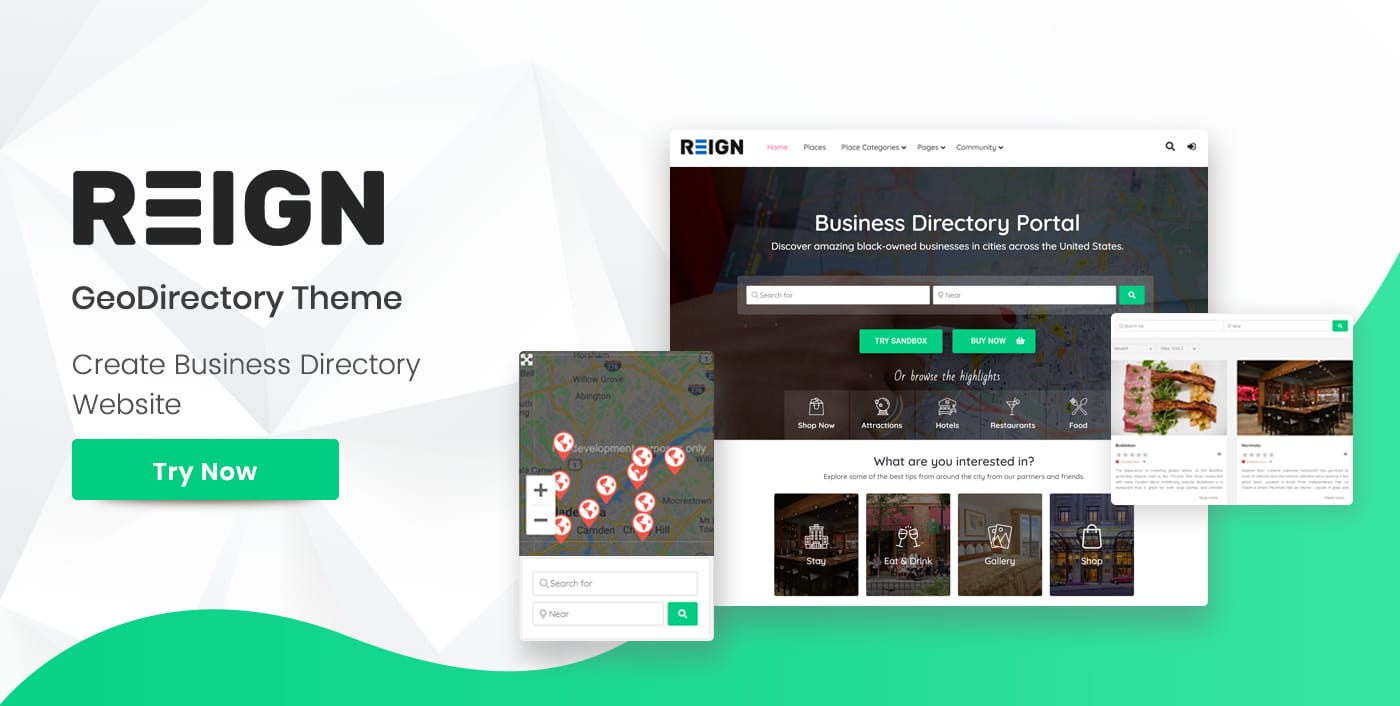
Reign Theme builds directories with a community layer underneath, powered by BuddyPress. Instead of a plain listing database, business owners get real profiles, visitors can follow listings, and discussions can form around categories or locations. That’s a meaningfully different product from a static listing page, and it suits directories where you want repeat visits, not just one-time lookups. Reign starts at $69/year. Worth considering if the listings themselves are less interesting than what the community does around them, an alumni directory, a local maker network, a neighborhood business association.
2. BuddyX Pro
BuddyX Pro fits professional service directories specifically, freelancer listings, consultant networks, agency directories, where credibility and networking matter as much as the raw listing data. The design leans clean and professional rather than consumer-facing, and social features let providers and clients interact around a listing instead of it being a dead-end contact form. It starts at $59/year. A consulting firm or agency network trying to look established rather than like a hobby project will get more mileage out of this than a general listing theme built for restaurant reviews or nightlife.
3. Listora
If you’d rather keep your existing theme and add directory functionality as a plugin instead of switching themes entirely, Listora is a free WordPress directory plugin from Wbcom Designs that supports ten different listing types out of the box and uses OpenStreetMap for its map integration, which means no Google Maps API key and no per-request billing to worry about as your listing count grows. It’s a reasonable default if map costs are a concern, since OpenStreetMap-based directories don’t hit the API rate limits and billing surprises that Google Maps integrations sometimes do at scale. Being free also means you can test the whole directory concept, listing types, submission flow, category structure, before spending anything on a theme.
4. GeoDirectory
GeoDirectory is one of the longest-running dedicated directory plugins for WordPress, built specifically around location-based listings with strong map support. It works with most themes rather than requiring a specific one, which makes it a flexible choice if you already have a theme you’re committed to and just need solid directory functionality layered on top. It’s been through enough WordPress core updates over the years that compatibility issues are rare, which matters more than it sounds like once you’re relying on the plugin for years rather than months.
5. Directorist
Directorist takes a similar plugin-first approach, with a strong focus on front-end submission and a fairly active add-on ecosystem for monetization, paid listings, featured placements, subscription-based submission tiers. Like GeoDirectory, it’s theme-agnostic, so the actual visual design comes down to whatever theme you pair it with. The submission builder is drag-and-drop, which makes it approachable if you’re customizing listing fields yourself rather than hiring a developer for that part.
6. Business Directory Plugin
Business Directory Plugin is a long-standing free option on WordPress.org, simpler than GeoDirectory or Directorist in scope but genuinely free to run at a basic level without needing paid add-ons right away. It’s a sensible starting point for a small local directory where you’re not sure yet whether the project will grow enough to justify a more feature-heavy plugin, and because the free tier is genuinely functional rather than a crippled trial, there’s little risk in starting here and upgrading later if you outgrow it.
7. Listeo
Listeo is a ThemeForest theme built specifically for listing and directory sites, covering business directories, real estate, and even job listings within one flexible framework, with booking functionality built in for directories where visitors need to reserve a service rather than just browse a listing. It’s a strong pick if your directory needs a booking or reservation flow alongside standard listings, something most pure directory plugins don’t handle natively. Coworking spaces, equipment rental, and appointment-based services all fit this pattern better than a plain listing page would.
Structured data makes local listings findable
Google’s LocalBusiness schema markup lets a listing page show extra detail directly in search results, hours, rating, address, without the searcher needing to click through first. Directories that skip this markup are leaving a real visibility advantage on the table, since a competing directory with valid schema on the same listing type will often out-rank an identical page that doesn’t carry it. Most dedicated directory plugins add this automatically per listing type, but it’s worth spot-checking a live listing page with Google’s Rich Results Test before launch rather than assuming the plugin handled it correctly for your specific category.
Or pair any fast theme with a directory plugin
If none of the dedicated options above fit your design preferences, a lightweight, well-coded general-purpose theme paired with GeoDirectory, Directorist, or Listora works fine too. The theme’s job in that setup is mostly to stay fast and get out of the way, since the plugin is doing the actual directory logic. This route takes a bit more setup time since you’re wiring two products together instead of buying one pre-configured package, but it gives you more control over the exact look of the site.
Monetization models worth understanding before you pick
Most directory revenue comes from one of three models: flat-fee paid listings, featured or boosted placement on top of a free listing, or recurring subscription tiers for businesses that want ongoing visibility. Some plugins support all three natively, others need a WooCommerce integration bolted on. Decide which model fits your audience before committing to a plugin, since retrofitting a subscription model onto a plugin that only supports one-time paid listings is more work than picking the right tool up front.
It’s also worth thinking about whether free listings should exist at all. A directory that’s entirely pay-to-list struggles to reach critical mass early on, since no business wants to be the first paying entry in an empty directory. Many successful directories start with free listings to build density, then introduce paid tiers once there’s enough traffic to make the upgrade genuinely worth it to businesses.
Grid or list view, and where featured listings actually belong
Most directory themes offer both a grid layout and a list layout, and it’s worth thinking about which fits your content rather than defaulting to whichever the demo used. Grids work well for anything visual, restaurants with food photos, real estate with property images, portfolios. Lists work better for information-dense listings where visitors are scanning for a specific detail, hours, a phone number, a certification, rather than browsing images.
Featured or paid listings need a placement that’s clearly distinguished from organic results without being so aggressive that it undermines trust in the rest of the directory. A subtle badge and a slightly different background color usually does the job. Directories that make featured listings visually indistinguishable from regular ones tend to erode visitor trust once people notice the pattern, since it starts to feel like the directory is optimizing for advertiser revenue over genuinely useful results.
Common mistakes
The first is under-provisioning search. A directory that looks great with twenty sample listings in the theme demo can fall apart once real submissions push the count into the hundreds, if the underlying search wasn’t built to filter efficiently at that scale. Test with a realistic number of listings before launch, not just the demo content.
The second is ignoring duplicate submissions. Once self-service submission is open to the public, the same business often gets listed two or three times by different people, an employee, a marketing agency, the owner. Build a moderation habit early, checking new submissions against existing listings before they go live, rather than trying to clean up duplicates after the directory has grown.
The third is treating the map as decoration instead of a real navigation tool. If your directory has any geographic component, visitors should be able to search by location and see results plotted, not just read an address in a text field. A map that’s present but not actually functional as a filter is worse than no map at all, since it sets an expectation the site doesn’t deliver on.
Migrating an existing directory without losing your listings
If you’re moving off an older directory plugin or a custom-built listing system, the biggest risk isn’t the theme, it’s the data. Export your existing listings to CSV before touching anything, and confirm your new plugin has a genuine import path rather than assuming you’ll be able to figure it out later. GeoDirectory and Directorist both support CSV import; test it with a small batch of ten or twenty listings first so you can catch mapping problems, a category field landing in the wrong place, images not carrying over, before committing the full dataset.
Keep the old URLs working if you possibly can. Directory listings often accumulate their own backlinks and direct traffic over time, sometimes more than the directory’s homepage does, and a migration that changes every listing URL without redirects throws that away. Set up 301 redirects from old listing URLs to their new equivalents as part of the migration plan, not as an afterthought once someone notices broken links weeks later.
A few questions worth answering before you commit
How many listings do you realistically expect in year one? A directory with a few hundred listings has very different technical needs than one aiming for tens of thousands. Oversizing your infrastructure early is wasted effort, but undersizing it means a painful mid-year migration once growth outpaces what the plugin can comfortably handle.
Who’s responsible for moderating new submissions? Self-service directories need an actual person checking new listings for accuracy and duplicates, not just a plugin setting left on autopilot. Budget real time for this before launch, not after the first batch of spam submissions shows up.
Does the plugin or theme support your specific listing type well, or are you forcing a generic business-directory tool to handle something more specialized like equipment rentals or service bookings? A close-but-not-quite fit tends to require more custom field work than starting with a tool built closer to your actual use case.
And finally, what happens on mobile? A meaningful share of directory traffic, sometimes the majority depending on the niche, arrives on a phone from someone looking for something nearby right now. Test the actual submission form, the search filters, and the map interaction on a real phone screen before launch, not just the listing pages themselves. A directory that reads fine on mobile but has a submission form that’s painful to fill out on a small screen quietly loses business signups it never gets credit for losing.
Which one to pick
For a directory that doubles as a community, Reign is the strongest option. For professional service directories where credibility matters, BuddyX Pro fits better. If you want to keep your current theme and just need solid, free directory functionality with map support that doesn’t run into API billing surprises, Listora is the place to start. GeoDirectory and Directorist both work well if you want a dedicated plugin paired with a theme of your own choosing, and Listeo is worth a look specifically if bookings or reservations are part of what you’re listing, not just static contact information.
Whichever you choose, the plugin or theme is only half the job. The moderation habits and the pricing model you set in the first few weeks are what actually determine whether the directory is still growing a year from now.