WordPress Security Tools Worth Using in 2026
A WordPress site gets scanned by bots within minutes of going live, whether it belongs to a hobby blogger or a company processing six-figure transactions. Most of that traffic is automated: scripts probing for known plugin vulnerabilities, brute-forcing weak passwords, or looking for an unpatched theme they can slip malicious code into. None of it is personal, which is exactly why generic advice like “use a strong password” only gets a site partway there. The tools below are the ones actually doing the work, what each one is good at, and where each one falls short.
What a Breach Actually Costs You
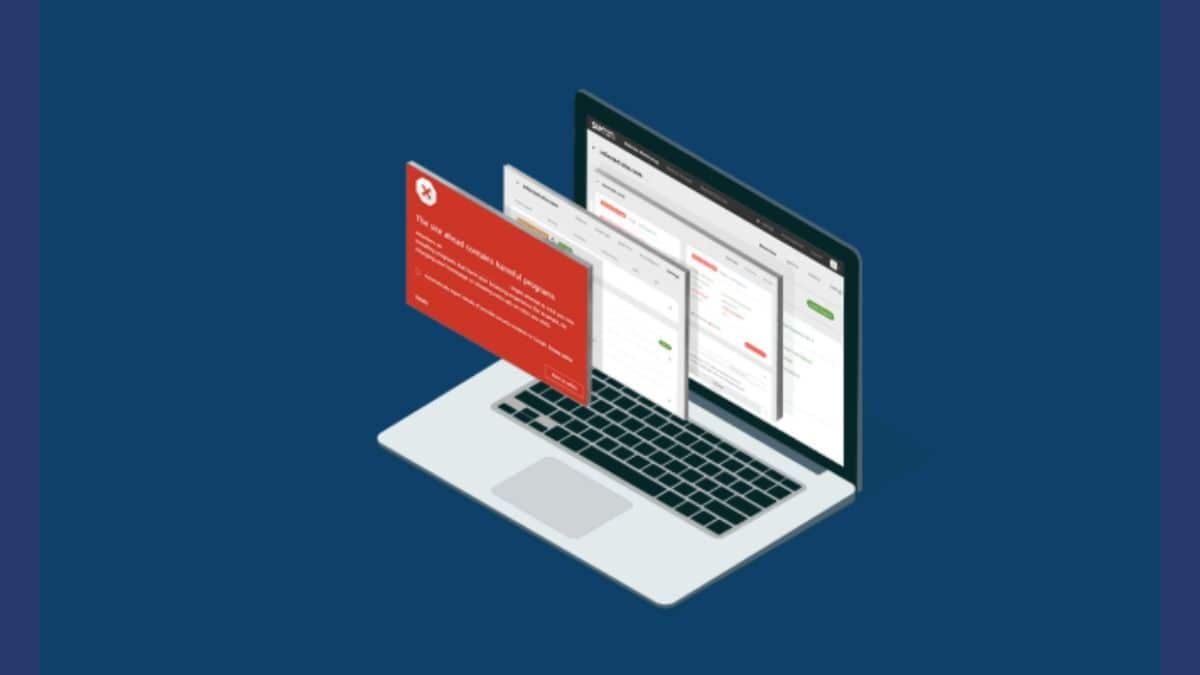
The financial cost of cleaning up a hacked WordPress site is rarely the biggest part of the damage. A malware removal service typically runs somewhere between a couple hundred and a few thousand dollars depending on how deep the infection goes, and that’s a one-time bill you can budget for. What’s harder to budget for is the search ranking hit. Google’s Safe Browsing flags compromised sites and shows a warning interstitial to anyone who tries to visit, and that warning stays up until you’ve cleaned the infection and successfully requested a review. Traffic during that window doesn’t just pause; a meaningful share of it never comes back once a visitor has been scared off once.
Then there’s the part that doesn’t show up in any dashboard: trust. A client whose site got hacked while you were managing it will remember that longer than they’ll remember any feature you shipped for them. An ecommerce store that leaked customer data during a breach is looking at a very different, much more expensive conversation than a blog that had some spam links injected into old posts. The severity varies, but in every case the cost of prevention is a fraction of the cost of cleanup, which is the actual argument for spending money on tooling before anything happens rather than after.
Why WordPress Sites Get Targeted So Often
More than four in ten websites on the internet run on WordPress, and that market share is the whole problem. A single vulnerability discovered in a popular plugin can be weaponized against hundreds of thousands of sites before most site owners even see the update notification. Attackers are not picking targets one at a time; they are running automated scans across the entire WordPress install base looking for the plugin version, the exposed file path, or the default admin username that makes a site an easy mark. A breach rarely announces itself with a defaced homepage anymore. It is far more likely to show up as spam links injected into old posts, a redirect that only fires for visitors coming from Google, or a mailer script quietly sending phishing email from your server while your site looks completely normal.
That is the case for treating security as infrastructure rather than an afterthought. Backups without a firewall mean you can restore a hacked site, but you’ll get hacked again the same way. A firewall without backups means you can block future attacks but have no safety net if something already got through. The tools worth paying for solve one of those problems well; a few try to solve both.
BlogVault: Backup and Security in One Subscription
BlogVault built its reputation on backups first, which shows in how it approaches security. Instead of treating malware removal as a standalone product, it treats a clean restore point as the actual security feature, then layers real-time scanning and a firewall on top. If a scan flags an infected file, you are not just told about it; you can roll the entire site back to the last known-clean backup in a couple of clicks, which matters more than most malware removal tools admit. Manually deleting infected files without understanding how the attacker got in usually means they are back within days.
The daily automatic backups run incrementally, so a large site with a lot of media doesn’t have to re-upload gigabytes of unchanged files every night. The staging environment is genuinely useful outside of security work too, since it lets you test a plugin update or a security hardening change without touching the live site. Login protection with two-factor authentication and the web application firewall round out the package, but the backup-first architecture is the actual reason to pick BlogVault over a firewall-only plugin.
CleanTalk: Spam Filtering That Doesn’t Show a CAPTCHA
Spam is a security problem more often than site owners realize. Comment spam and fake registrations are how attackers test whether a site’s forms are unprotected before trying something more damaging, and a form that lets through thousands of junk submissions a month is also leaking server resources and slowing everything else down. CleanTalk handles this from the cloud rather than the plugin itself, checking incoming submissions against a shared database of known spam sources before they ever hit your database.
What makes it worth mentioning in a security roundup rather than just a spam roundup is that it does this without a CAPTCHA. Visitors never see a puzzle to solve, which means it doesn’t hurt conversion rates on contact forms or checkout pages the way visible bot challenges often do. It works across comment forms, registration forms, and most of the popular form plugins, and the dashboard gives you enough visibility into blocked attempts to spot patterns, like a sudden spike in registration spam that usually means someone is testing your site for other weaknesses.
Wordfence: The Firewall Most Site Owners Start With
Wordfence sits on more than five million active WordPress installs, which makes it the plugin most people mean when they say “I installed a security plugin.” The free version is not a stripped-down trial; it includes a genuine web application firewall, a malware scanner that checks core files, themes, and plugins against the official WordPress.org repository to catch unauthorized changes, and login protections including CAPTCHA and brute-force login limiting.
The catch, and it is worth knowing before you rely on the free tier alone, is that the threat intelligence feed powering the firewall and scanner runs about 30 days behind on the free plan. New attack signatures reach paid users first. For a personal blog that delay is rarely a problem. For a site handling customer data or processing payments, that 30-day gap is exactly the window a fast-moving attack campaign needs, which is the actual argument for upgrading rather than any feature checklist.
Sucuri: Cloud-Level Protection Before Traffic Reaches Your Server
Sucuri takes a different architectural approach than the plugin-based tools above. Its firewall sits in front of your hosting at the DNS level, filtering malicious traffic before it ever reaches your server rather than after WordPress has already loaded. That matters most for sites under active DDoS pressure or repeated brute-force attempts, since the load never hits your hosting resources in the first place. Sucuri also runs a security operations team that monitors and cleans infected sites, which is the part of the service you’re really paying for if a breach does happen and you don’t have the time or expertise to dig through infected files yourself.
Kadence Security: What Used to Be iThemes Security
If you’ve searched for iThemes Security recently and landed on something called Solid Security or Kadence Security instead, you haven’t found the wrong plugin. It’s the same product, renamed twice in a short span, first to Solid Security under StellarWP, then to Kadence Security. The rebranding drew real frustration from long-time users who got little warning before their plugin’s name and dashboard branding changed underneath them, and that history is worth knowing before you install it so a support search doesn’t send you chasing three different product names.
Underneath the naming churn, the plugin itself is still built around the same idea: more than 30 individual hardening measures bundled into one interface, covering file permission checks, database table prefix changes, login attempt limiting, and two-factor authentication. It remains one of the more approachable options for someone who wants real hardening without learning firewall rule syntax first.
All-In-One Security (AIOS): The Free Option That Doesn’t Feel Free
All-In-One Security, usually shortened to AIOS, is maintained by David Anderson’s team at UpdraftPlus and sits at over a million active installs with a 4.7 out of 5 rating, which is unusually high for a plugin with zero paid tier gatekeeping the useful features. It covers login security with two-factor authentication and user enumeration blocking, firewall rules including the well-known 6G ruleset, file permission scanning, spam comment blocking, and an audit log that tracks plugin, theme, and user activity across the site.
The honest tradeoff is configuration effort. AIOS gives you more raw controls than Wordfence’s free tier, but it expects you to understand what each one does rather than guiding you through a recommended setup. For a developer comfortable reading through settings one section at a time, that’s a feature. For someone who wants a security plugin to just work on install, it can feel like homework.
Practices That Matter More Than Which Plugin You Pick
No security plugin compensates for outdated software. WordPress core, every theme, and every plugin should be updated close to the day a patch ships, because the changelog for a security patch is itself a roadmap attackers read to figure out exactly what was broken and how to exploit it on sites that haven’t updated yet. Pair that with genuinely unique, long passwords stored in a password manager rather than memorized, and two-factor authentication turned on for every account with publishing or admin access, not just the main admin login.
Limiting login attempts closes off brute-force attacks almost entirely on its own, and it’s built into nearly every tool covered here, so there’s rarely a reason to skip it. Regular backups stored somewhere other than your own server matter just as much as any firewall, since a firewall stops attacks it recognizes and does nothing for the ones it doesn’t. SSL across the entire site, not just the checkout page, protects login credentials and session cookies from being intercepted on public networks. And user activity logs, whether from AIOS or a dedicated audit plugin, are what let you actually answer the question “what changed and when” instead of guessing after something breaks.
Hosting Still Sets the Floor
Every plugin on this list operates on top of your hosting environment, and a weak hosting setup limits what any of them can do. Kinsta runs isolated containers for every site with server-level firewalling and automatic malware detection built into the hosting itself, which is a meaningful layer that plugin-based tools can’t replicate from inside WordPress. SiteGround takes a similar approach at a lower price point, with its own AI-driven bot-blocking system sitting in front of every site on its shared and managed plans. Templ runs on Google Cloud infrastructure and bakes hosting-level protections into every plan rather than treating security as an upsell.
None of that replaces the plugin layer. Server-level protection stops attacks aimed at the infrastructure; it does nothing for a weak plugin password or an outdated form plugin sitting inside WordPress itself. The two layers are complementary, not redundant, which is the same reasoning behind pairing a security plugin with security-aware hosting instead of treating either one as sufficient on its own.
Two Assumptions Worth Dropping
The first is that WordPress itself is inherently insecure. Core WordPress has a dedicated security team and a fast patch cycle; the vast majority of real-world breaches trace back to an outdated plugin, a weak password, or a theme nulled from an untrusted source, not a flaw in WordPress core. Blaming the platform usually means missing the actual point of failure, which is almost always something a site owner controls directly.
The second is that a small site isn’t a target. Attackers running automated scans don’t check your traffic numbers before deciding whether to probe your login page; the script that’s testing ten thousand sites for a known vulnerability in a specific plugin version doesn’t care whether you get five visitors a day or five thousand. A small site with a stolen SMTP configuration is just as useful to a spammer as a large one, sometimes more useful, since a low-traffic site is less likely to have anyone checking for unusual activity. Site size affects how much a breach costs you. It has almost no effect on whether you get targeted in the first place.
Setting This Up Without Overbuilding It
A reasonable starting stack for most sites is one firewall-and-malware-scanning plugin, one backup solution stored off-server, two-factor authentication on every account, and hosting that doesn’t treat security as a paid add-on. That’s it. You don’t need five overlapping security plugins running simultaneously; beyond a certain point they start fighting each other over which one owns login rate limiting or which one gets to modify the same .htaccess rules, and troubleshooting a conflict between two security plugins is its own special kind of frustrating.
Agencies managing multiple client sites have a slightly different calculus. Centralized dashboards matter more than any individual feature at that scale, since checking forty separate WordPress admin panels for security alerts every morning doesn’t scale past a handful of sites. BlogVault and Sucuri both offer multi-site management views built for exactly that use case, and that consolidated visibility is often worth more to an agency than a marginally better malware scanner on any single site.
Signs a Site Might Already Be Compromised
Most WordPress breaches don’t announce themselves. The site keeps loading fine for you as the admin while doing something entirely different for other visitors, which is exactly why a malware scan should be part of routine maintenance rather than something you only run when a problem is obvious. A sudden, unexplained spike in outbound email is one of the more common tells, since a compromised site is frequently used to send spam or phishing mail through your server’s reputation rather than the attacker’s own. Search Console flagging pages you didn’t write, especially ones stuffed with pharmaceutical or gambling keywords, points to SEO spam injection, a common move for attackers who want your site’s search authority rather than your visitors’ data directly.
New admin accounts you don’t recognize are one of the more dangerous signs, since an attacker with a hidden admin account doesn’t need to keep exploiting the original vulnerability; they already have a front door. Unexplained changes to core files, especially ones that don’t correspond to any update you triggered, are what the malware scanners in Wordfence and AIOS are specifically built to catch, comparing your installed files against the clean versions on WordPress.org line by line. And a hosting provider suspending your account for “abuse” or “resource usage” without you having changed anything is often the first external sign, since hosts frequently spot the outbound spam or crypto-mining scripts on a compromised site before the site owner does.
If any of that sounds familiar, the priority order matters. Change every password first, including hosting and database credentials, not just the WordPress admin login, since a sophisticated attacker who got in once may have grabbed more than one set of credentials. Run a full scan with whichever tool you’ve installed, and if it finds something, restore from a backup taken before the infection date rather than trying to manually delete individual infected files, since partial cleanup is how sites get reinfected within days of looking clean.
Which One to Actually Install
If you want one subscription that handles backups and security together and don’t want to manage two separate tools, BlogVault is the more coherent choice, and it’s the one most worth pairing with anything else on this list since backups are the safety net every other tool assumes exists. If you want a proven, free firewall and are comfortable eventually paying for real-time threat updates, Wordfence remains the default for a reason. If your form spam is the problem you’re actually trying to solve, CleanTalk fixes that specific issue without adding friction for real visitors. And if you’re running an agency managing client sites, Sucuri’s cloud firewall plus its cleanup team is worth the subscription the first time a client site gets compromised and you don’t have to be the one manually removing the malware at 11 p.m.
Whatever combination you land on, treat it as ongoing maintenance rather than a box you check once. The tools above only work if updates actually get installed, backups actually get tested, and someone actually reads the alert when the firewall flags something unusual. Security tooling narrows the odds. It doesn’t remove the need to pay attention.