Best CSS Frameworks in 2026: Tailwind vs the Alternatives
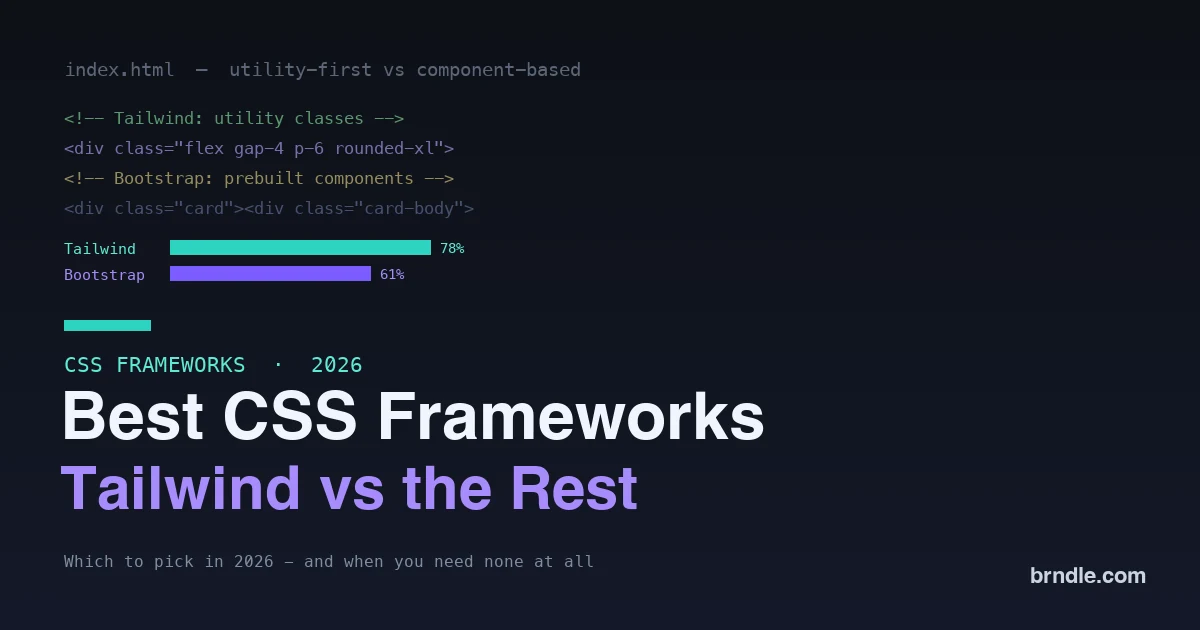
Every few years the “which CSS framework should I use” debate flares up again, and in 2026 it has a clearer answer than ever, along with a twist nobody used to consider: maybe none of them. Tailwind CSS has won new development decisively, Bootstrap remains everywhere in existing projects, a handful of alternatives serve specific tastes, and modern native CSS has quietly become powerful enough that plenty of projects no longer need a framework at all. Picking well means understanding not just the frameworks but which problem you are actually solving, because the wrong choice means either fighting the tool or reinventing what a framework would have handed you.
This is an honest comparison of the leading CSS frameworks in 2026, Tailwind, Bootstrap, and the notable alternatives, with what each does best, and a clear look at when you should skip a framework entirely. If you are choosing how to style a project, this will save you from the most common mismatches.
The two philosophies you are choosing between
Before the frameworks themselves, understand the split that divides them, because it is the real decision. Utility-first frameworks like Tailwind give you low-level classes, for spacing, color, layout, that you compose directly in your markup to build any design. Component-based frameworks like Bootstrap give you pre-built components, a ready-made navbar, card, or button, that you drop in and they work. Utility-first offers maximum design flexibility without fighting the framework’s defaults, at the cost of more verbose markup and a learning curve. Component-based offers speed and consistency out of the box, at the cost of designs that can look generic and harder-to-escape defaults. Neither is universally better; the right one depends on whether you value flexibility for a custom design or speed with ready-made pieces. Almost every framework choice comes down to this fork.
The best CSS frameworks in 2026
A few frameworks lead, each fitting a different project and team. Match the tool to your design goals and your experience.
Tailwind CSS – the winner for new projects
Tailwind has won new development in 2026, and the numbers show it: it is used by the large majority of developers and dominates downloads. It is utility-first, so you build custom designs by composing utility classes right in your HTML, and it is fast, generating only the CSS you actually use, which keeps the shipped stylesheet tiny. It pairs especially well with component-based JavaScript frameworks like React and Vue, where you build reusable components and style them with utilities. The trade is a learning curve and markup that can look busy with classes. Choose Tailwind for a new project with a custom design, when performance matters, and when you want full control without fighting a framework’s built-in look.
Bootstrap – still the fastest way to ship
Bootstrap is far from dead; it remains widely used and is the go-to for rapid development and legacy projects. Its strength is components: copy a navbar or card from the docs, paste it in, and it works, which makes it the gentler on-ramp for beginners and the quickest path when you need standard, accessible components fast. It is also the practical choice for the enormous number of existing projects already built on it. The trade is that its designs can look recognizably “Bootstrap” unless you customize, and its stylesheet is heavier than Tailwind’s. Choose Bootstrap when you want speed with ready-made components, a gentle learning curve, or you are working in an existing Bootstrap codebase.
Bulma – the clean, no-JavaScript option
Bulma is a component-based framework in the Bootstrap family, prized for being clean, modern, and CSS-only with no JavaScript dependency. It offers a pleasant set of components and a flexbox-based grid, and its markup is readable. It is a good middle option for someone who likes the drop-in-component model of Bootstrap but wants something lighter, more modern-looking, and free of bundled JavaScript. It has a smaller community than the big two, so there is less third-party material, but for a clean component framework without JavaScript baggage it is a solid pick.
Component libraries like shadcn/ui – the modern React approach
A newer style has taken hold in the React world: component collections like shadcn/ui that you copy into your own codebase rather than install as a dependency, typically built on Tailwind underneath. You own the component code, so you can customize it freely, and you get accessible, well-designed primitives without a heavy framework locking you in. This is less a traditional CSS framework than a modern way to get polished components while keeping full control, and it has become a default for many React teams. Choose this approach when you are building in React, already use Tailwind, and want quality components you fully own.
The real trade-offs of utility-first
Since Tailwind has won, it is worth being honest about what you are signing up for, because the utility-first approach genuinely divides people. The upside is real: you style directly where you work, in the markup, without jumping to separate files or inventing class names, and because the framework generates only the utilities you use, the output is tiny. It also stops the slow drift of a growing custom stylesheet, since there is no bespoke CSS to accumulate and conflict. The downside is equally real: markup gets visually noisy with long strings of classes, there is a genuine learning curve to memorizing the utilities, and for people who value clean HTML separated from styling, it feels wrong at first. Most teams that push through the initial discomfort come to prefer it, especially in component-based frameworks where a component encapsulates the busy markup so you rarely see it repeated. But if a project or team strongly values minimal, semantic markup, that friction is a legitimate reason to choose a component framework or plain CSS instead. Knowing the trade-off up front prevents the common regret of adopting utility-first and fighting it.
How they compare at a glance
| Framework | Style | Best for | Watch out for |
|---|---|---|---|
| Tailwind | Utility-first | New custom projects, React/Vue | Learning curve, busy markup |
| Bootstrap | Component-based | Speed, beginners, legacy | Generic look, heavier |
| Bulma | Component, no JS | Clean components, lighter | Smaller community |
| shadcn/ui style | Owned components | React teams on Tailwind | Not a traditional framework |
The pattern is familiar: each wins by fitting a specific way of working. Tailwind for custom control, Bootstrap for drop-in speed, Bulma for clean lightweight components, and owned component libraries for React teams who want both control and polish.
Other options worth knowing
Beyond the leaders, a few more frameworks fit specific needs. Foundation is a mature, feature-rich framework favored in some enterprise and email contexts, more comprehensive but heavier than the alternatives. A newer category of low-level token libraries provides design tokens and modern CSS variables without imposing components or utilities, appealing to teams that want a light starting point on top of native CSS rather than a full framework. And various component kits target specific ecosystems, Material-style libraries for teams that want that design language, and framework-specific UI kits for React, Vue, and others. You do not need to survey all of them; the point is that the landscape is broader than Tailwind and Bootstrap, and if neither of the leaders fits your exact need, a more specialized option or a light token library on top of native CSS may. For most projects, though, the decision realistically comes down to Tailwind, Bootstrap, a component library, or no framework.
Do you even need a framework in 2026?
Here is the twist that did not exist a few years ago. Native CSS has become dramatically more capable, and for many projects it is now enough on its own. Modern CSS gives you powerful layout with grid and flexbox, component-level responsiveness with container queries, relational styling that replaces JavaScript, custom properties for a design-token system, and nesting for organization, much of what people once reached for a framework to provide. For a smaller site, a content site, or a team that wants full control and minimal dependencies, hand-written modern CSS is a genuinely viable and increasingly popular choice, with no framework to learn, ship, or fight. Frameworks still earn their place for large applications, teams that need consistency at scale, and rapid delivery of standard components, but the assumption that every project needs a CSS framework no longer holds. Sometimes the best framework is the platform itself.
What actually drives the right choice
Strip away the framework loyalty and the decision comes down to three honest questions about your situation. First, what are you building: a highly custom design points to Tailwind or native CSS, while standard components fast point to Bootstrap or a component kit. Second, who is on the team and what do they know: a team fluent in a framework should usually keep using it, and a beginner benefits from the gentler ramp of drop-in components. Third, how long will it live and how much will it grow: a large, growing application rewards the consistency and control of Tailwind or an owned component library, while a small, stable site rarely justifies a heavy framework at all. Answer those three and the choice is usually obvious, and it is far more reliable than picking whichever framework is trending. The teams that regret their styling choice almost always picked by hype or habit rather than by matching the tool to the project, the team, and the timeline in front of them.
How to choose in under a minute
- New custom project, especially in React or Vue? Tailwind.
- Need to ship fast with ready components, or a beginner? Bootstrap.
- Want clean components without JavaScript? Bulma.
- React team wanting owned, polished components? A shadcn-style library on Tailwind.
- Small or content-focused site, or want minimal dependencies? Modern native CSS, no framework.
None of these is a wrong answer for its situation; the mistake is using a heavy component framework for a simple site, or hand-writing everything for a large app that needs consistency. Match the tool to the project.
Can you mix frameworks or migrate between them?
A practical question for real projects: you rarely start from a clean slate. Mixing two full CSS frameworks on one project is generally a bad idea, since their styles and resets collide and you end up fighting both, so pick one primary approach. Migrating between them, say from Bootstrap to Tailwind, is a real project rather than a switch, because the two express styling so differently that you are effectively restyling the components, not find-and-replacing classes. The pragmatic path is usually to migrate incrementally, new components in the new approach while the old ones stay, accepting a transitional period where both exist, rather than a risky big-bang rewrite. And often the honest answer is not to migrate at all: a working Bootstrap project does not need to become a Tailwind project to be good. Reserve migration for when the old framework genuinely blocks what you are trying to build, not for fashion.
Frequently asked questions
Is Tailwind really better than Bootstrap?
For new projects with custom designs, Tailwind has clearly won on adoption and offers more flexibility and smaller output, which is why most new development chooses it. But better depends on your goal: Bootstrap is faster for dropping in standard components and gentler for beginners. Tailwind is the better default for custom, performance-minded new work; Bootstrap is better for speed with ready components and for the many projects already built on it.
Is Bootstrap outdated in 2026?
No, though it is no longer the default for new custom projects. It remains widely used, is excellent for rapid development and accessible components, and powers a huge number of existing sites that are not going anywhere. Calling it outdated overstates it; it lost the new-project battle to Tailwind but is still a strong, practical choice for its strengths and unavoidable in legacy work.
Should a beginner learn Tailwind or Bootstrap first?
Bootstrap has a gentler start, since you copy working components and see results immediately, which is encouraging early on. Tailwind is more valuable long-term given its dominance in new development, but it asks you to understand CSS properties as utilities first. A reasonable path is to learn CSS fundamentals, then Tailwind, since it is where the industry is heading, while knowing Bootstrap remains useful for existing projects.
Can I use a framework with WordPress?
Yes. You can use Tailwind or another framework in a custom WordPress theme or block styles, and many custom themes do. That said, WordPress block themes increasingly lean on native CSS and theme.json tokens, so for a block theme, modern native CSS is often the more natural fit than bolting on a framework. Match it to how you are building: a custom-coded theme can use a framework, while a block theme often does better with the platform’s own styling.
Which CSS framework is fastest for performance?
Tailwind tends to win on performance because it generates only the CSS your project actually uses, keeping the shipped file very small, while component frameworks like Bootstrap ship more by default. Hand-written native CSS can be the lightest of all when done carefully. If raw performance is the priority, Tailwind among frameworks, or no framework with lean native CSS, gives the smallest footprint.
Do CSS frameworks hurt SEO or performance?
Not inherently, but a heavy framework that ships far more CSS than you use adds weight that can slow a page, which indirectly touches the performance signals search engines weigh. Tailwind mitigates this by shipping only used utilities, and lean native CSS is lighter still. The key is not to load a large framework for a simple site; matched to the project, a framework’s performance cost is manageable, and an oversized one is an avoidable drag.
Will AI tools change which CSS framework I should use?
AI coding assistants are good at generating framework code, and they handle the verbosity of utility classes well, which further lowers the friction of a utility-first approach and reinforces Tailwind’s lead. New shorthand tools aimed at making utility classes more concise for AI generation are appearing too. The frameworks themselves are not changing because of AI, but the ergonomics are, and the tooling trend broadly favors the utility-first, component-owned direction the industry is already moving in.
Is it worth learning a CSS framework, or just native CSS?
Both, in order. Learn native CSS first, because every framework sits on top of it and understanding the fundamentals makes you better with any tool and able to judge when a framework is even needed. Then learn a framework, Tailwind is the most valuable given its dominance, because most professional work uses one. Frameworks are worth learning for employability and speed, but never as a substitute for understanding the CSS underneath them.
The bottom line
In 2026 the CSS framework landscape is clearer than it has been in years. Tailwind has won new development and is the default for custom projects, especially in React and Vue; Bootstrap remains the fast, beginner-friendly choice for standard components and rules legacy work; Bulma offers clean components without JavaScript; and owned component libraries like shadcn/ui give React teams polish plus control. But the biggest shift is that native CSS has grown capable enough that many projects need no framework at all, with container queries, relational selectors, and custom properties covering what frameworks used to. Choose Tailwind for custom new work, Bootstrap for speed and legacy, a component library for React teams, and seriously consider plain modern CSS for smaller or content-focused sites, like the token-driven approaches that keep styling maintainable without a dependency. Match the tool to the project, and in more cases than ever, the right tool is the platform itself.