25 Best Free WordPress Themes in 2026
Free WordPress themes used to mean a tradeoff: fine for a hobby blog, not something you’d put a client’s business on. That gap has mostly closed. Several of the themes below are genuinely used on production sites by people who never felt a need to upgrade, not because premium themes aren’t better in specific ways, but because the free tier covers what most sites actually need. The old assumption that free automatically meant compromised design or thin functionality just doesn’t hold up against what’s actually available on WordPress.org today.
The honest way to use a “best free themes” list is to match the theme to what you’re building rather than picking whichever one has the flashiest demo. A blog, a business brochure site, and a community platform want different things from a free theme, and the picks below are grouped with that in mind rather than dumped into one undifferentiated list.
It’s also worth resisting the pull toward whichever theme has the largest install count purely because it’s popular. Popularity correlates loosely with quality, since a widely used theme has usually survived years of real-world testing, but it isn’t a guarantee. Some smaller, less downloaded themes are better maintained and more focused than their more famous competitors, simply because a smaller team with a narrower scope can move faster on fixes and updates than a team supporting millions of installs across wildly different use cases.
What actually separates a good free theme from a mediocre one
Update frequency is the first thing to check, and it’s easy to check: look at the changelog on the WordPress.org theme page before installing anything. A theme that hasn’t been updated in over a year is a real risk, not because it will necessarily break tomorrow, but because WordPress core keeps evolving and an abandoned theme eventually falls out of step with it.
Page builder compatibility matters if you’re not planning to hand-code anything. Most modern free themes work fine with the block editor natively and also support Elementor, but it’s worth confirming for whichever builder you actually plan to use, since a mismatch here causes real friction during the build.
Performance is where free themes vary the most in practice. Some are genuinely lightweight and score well on Core Web Vitals out of the box. Others look similar in a screenshot but ship with far more CSS and JavaScript than the design actually needs. Test any theme you’re seriously considering with a real performance tool before committing, rather than trusting the marketing copy on the theme’s own sales page.
Accessibility is worth checking too, and it’s often skipped entirely in “best free themes” roundups. A theme with genuinely accessible markup, proper heading hierarchy, keyboard-navigable menus, sufficient color contrast in its default palette, saves real work later if accessibility compliance matters for your site, and it often does even when nobody’s explicitly asked for it. Themes maintained by teams with a track record of core WordPress contributions tend to handle this better than smaller, less established free themes, since accessibility standards get baked in from experience with WordPress core’s own requirements.
For blogs and general-purpose sites
1. Astra
Astra is one of the most widely installed free WordPress themes for a reason: it’s genuinely lightweight, works with every major page builder, and its free version covers most of what a small business or blog needs without requiring the Pro add-on. The starter template library gives you a real design to start from rather than a blank canvas, which matters a lot if design isn’t your strong suit. Its market share also means troubleshooting help is easy to find, tutorials, forum threads, and Stack Exchange answers covering nearly any Astra-specific question you’re likely to run into.
2. GeneratePress
GeneratePress takes performance seriously in a way that shows in real-world load times, not just marketing claims. The free version is deliberately minimal, clean typography, fast rendering, few opinions about how your site should look, which makes it a strong base for anyone who wants to build the design themselves rather than starting from a pre-made template. Developers in particular tend to gravitate toward it specifically because it stays out of the way rather than imposing its own opinions on markup and structure.
3. Kadence
Kadence has built a strong reputation among WordPress developers specifically for how well it plays with the block editor’s full site editing features. The free version includes a solid set of starter templates and header/footer builder options that used to be premium-only territory on older theme frameworks. It’s a reasonable pick specifically if you want to lean into native WordPress blocks rather than a third-party page builder for most of the site’s design work.
4. Neve
Neve is built with mobile performance as a first priority rather than an afterthought, which shows in its Core Web Vitals scores. The free version supports WooCommerce out of the box, making it a reasonable choice for a small store without needing to pay for a commerce-specific premium theme upfront. The starter site library covers a decent range of business types, so you’re rarely starting from a truly blank page.
5. OceanWP
OceanWP’s free version is notably generous compared to some competitors, with a wide set of extensions available for free rather than gated entirely behind a premium tier. It’s a solid all-purpose option if you want more built-in flexibility without committing to a paid upgrade right away. The extension approach means you can add functionality incrementally as you need it rather than getting a single fixed feature set.
6. Blocksy
Blocksy is a newer entrant that’s built specifically around the block editor and full site editing, rather than retrofitting older theme architecture to support blocks. If you’re starting a new site today and want a theme designed for where WordPress is headed rather than where it’s been, this is worth a look. Its free tier includes a header/footer builder that’s genuinely on par with what some competitors reserve for paid customers.
7. Twenty Twenty-Five
WordPress’s own default theme deserves more credit than it usually gets. It’s maintained directly by the WordPress core team, which means it’s about as guaranteed to stay compatible with future WordPress updates as any theme can be, and it’s built entirely around block-based full site editing with no third-party dependencies at all. It won’t win a design awards contest on its own, but as a stable, minimal-risk foundation to build a custom design on top of, it’s hard to beat.
8. Hello Elementor
Hello Elementor is deliberately barebones, essentially a blank canvas meant to be built out entirely with the Elementor page builder rather than a themed product with its own visual identity. If you’re already committed to Elementor for the actual page design, this removes theme-level styling conflicts that can otherwise fight with what you’re building in the builder. It’s a poor choice if you’re not using Elementor, since its minimalism only makes sense in that specific context.
For communities and membership sites
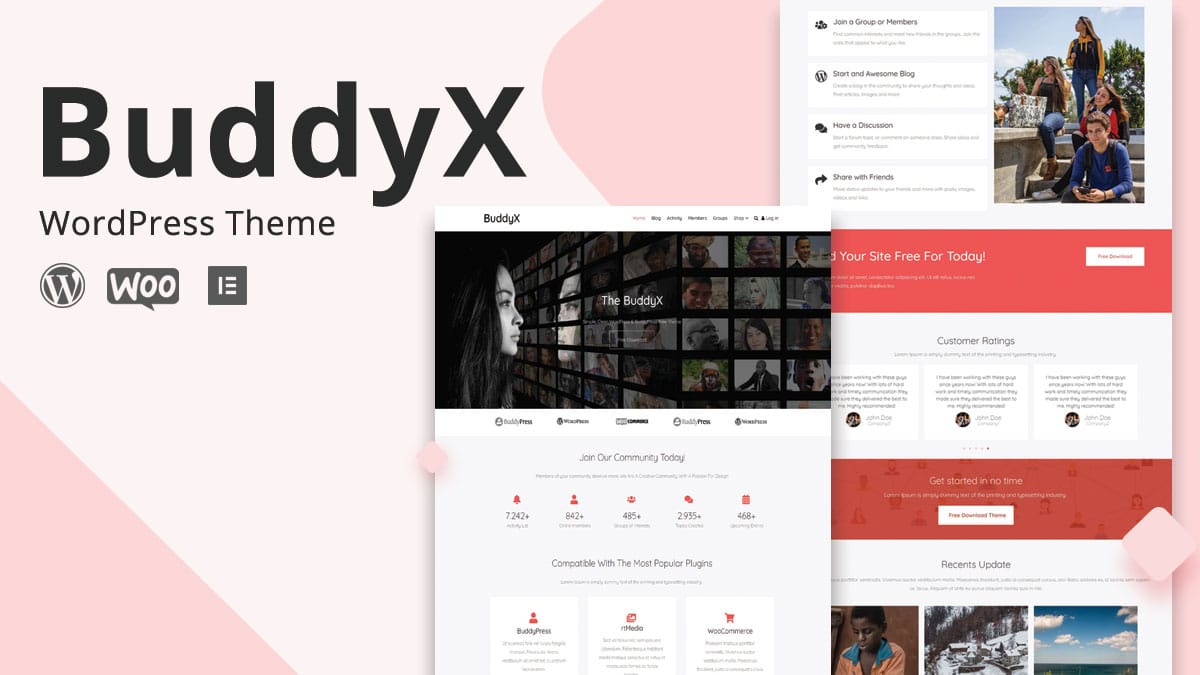
9. BuddyX
BuddyX is the free version of Wbcom Designs’ community theme, and unlike a general-purpose theme with BuddyPress support bolted on, it’s built specifically around member profiles, activity feeds, and group pages from the ground up. For anyone building a community site without a budget for a premium theme yet, this is a stronger starting point than adapting a generic free theme to handle BuddyPress. The paid upgrade, BuddyX Pro at $59/year, adds deeper customization once the community has grown enough to justify it. Because the free and pro versions share the same underlying structure, upgrading later doesn’t mean rebuilding the site, it means unlocking additional customization on top of what’s already there, which lowers the risk of starting on the free tier while you’re still validating whether the community idea has real traction.
When the free tier stops being enough
Free themes hit real limits eventually, and it’s worth knowing what those limits look like before you’re forced to deal with them under time pressure. Community sites tend to outgrow free theme support first, once you need granular control over activity feed layouts, member directory filtering, or group permission structures, a general-purpose free theme with BuddyPress compatibility bolted on starts showing its seams. That’s the point where BuddyX Pro or Reign Theme genuinely earn the upgrade cost rather than just adding features you won’t use.
For a standard business or blog site, the free tier of Astra, GeneratePress, or Kadence covers the vast majority of real use cases indefinitely. The premium upgrade paths for those themes mostly add extra starter templates and finer customizer controls, nice to have, rarely essential.
E-commerce sites are the other category worth flagging separately. A free theme paired with WooCommerce handles a small to mid-sized store fine, but once you need advanced product filtering, subscription billing, or complex variable product displays, you’re often better served by a dedicated WooCommerce theme or a combination of plugins built specifically for that scale, rather than pushing a general-purpose free theme past what it was designed to handle.
A licensing detail worth understanding
WordPress themes distributed through the official WordPress.org repository are required to be GPL licensed, which means the theme code itself is always free to use, modify, and redistribute, even for the “premium” versions of these themes. What you’re actually paying for in a premium upgrade is typically the extra templates, priority support, and sometimes a licensed set of design assets, not the underlying theme code becoming somehow more legally yours. This matters mostly as context: a free theme from a reputable developer isn’t a stripped-down trial in the way software trials usually work, it’s a genuinely complete, legally unrestricted product that happens to have a paid tier for additional templates and support on top.
Child themes and safe customization
Whichever free theme you land on, resist the temptation to edit the theme’s files directly for small customizations. Any change made straight to the parent theme’s code gets wiped out the next time the theme updates, which means you either lose your customizations silently or you stop updating the theme entirely to avoid losing them, and neither is a good position to be in. A child theme, or the theme’s built-in customizer and hooks where available, keeps your changes separate from the theme’s own codebase so updates and customizations can coexist safely.
Most of the themes above document their recommended customization approach directly on their WordPress.org page or developer site. It’s worth reading that documentation before making any code-level changes, since some themes expect child theme overrides while others provide hook-based customization that doesn’t require a child theme at all.
A few questions worth answering before installing anything
Do you need a starter template close to your final design, or are you comfortable building from a near-blank foundation? Themes like Astra and Neve lean heavily on starter templates, while GeneratePress and Hello Elementor assume you’re building the visual design yourself. Neither approach is wrong, but picking a heavily templated theme when you actually want full creative control just adds friction as you fight the starter content to make it your own.
How committed are you to a specific page builder? If you’re firmly in the Elementor camp, Hello Elementor removes a layer of potential styling conflict. If you’re building natively with the block editor, Kadence or Blocksy fit that workflow more naturally than a theme designed primarily around a third-party builder.
Is this a one-off site or the first of several similar builds? If you’re going to reuse the same theme across multiple client sites, it’s worth weighing long-term support and update history more heavily than you would for a single personal project, since you’ll be living with whatever quirks the theme has across every site built on it.
Common mistakes when choosing a free theme
The first is picking based purely on the demo screenshot without checking whether the demo content matches what you’ll actually be building. A gorgeous restaurant demo tells you very little about how the same theme will look once you’ve replaced it with your own consulting business content and your own, probably much shorter, copy.
The second is ignoring the support forum before installing. A quick scan of recent support threads on the WordPress.org theme page tells you a lot about how responsive the development team actually is to real user problems, which matters more once you’ve built a real site on top of the theme and something breaks.
The third is stacking too many plugins to compensate for a theme’s missing features rather than picking a theme that already covers what you need. Every additional plugin is one more thing that can conflict with an update down the road, and a theme that natively handles more of what you need reduces that surface area considerably.
The fourth is assuming free automatically means less secure, or the opposite, assuming a theme’s popularity alone guarantees it’s safe. Neither assumption holds up. Security depends on how actively the specific theme is maintained and how quickly its developers respond to reported vulnerabilities, not on whether money changed hands. Checking the changelog for how recently security-related updates were shipped tells you more than either the price tag or the download count.
The fifth is treating theme selection as a permanent decision that has to be perfect on the first try. Switching a free theme is genuinely less painful than switching a heavily customized premium one, since you haven’t invested as much configuration into it yet. If a theme isn’t working out after a few weeks of real use, it’s usually cheaper to switch early than to keep forcing a mismatched theme to do something it wasn’t built for.
Which one to pick
For a general blog or business site where performance and flexibility matter most, Astra or GeneratePress are the safest starting points, both mature, both genuinely fast, both well-supported. If you want a theme built specifically around where the block editor is headed rather than retrofitted for it, Kadence or Blocksy fit better. For a WooCommerce store on a budget, Neve’s free tier covers the essentials. And for anything community or membership-focused, BuddyX is the stronger free starting point over a general-purpose theme with BuddyPress support added as an afterthought.
Whichever you pick, install it on a staging site first and actually build a few real pages before committing. A theme that looks perfect in a demo can still feel wrong once your own content and structure are sitting inside it, and that’s worth discovering before launch, not after.
None of these themes are wrong choices in the abstract. They’re wrong or right relative to a specific project, and the fastest way to a good decision is naming what that project actually needs before opening a single theme demo. Pick from that starting point rather than from a ranked list, and the rest of the decision tends to sort itself out fast.
And if none of the free options above end up fitting once you’re actually building, that’s fine too. Free themes are a strong default, not a mandate, and the money saved by starting free is real even if a later project eventually justifies a premium purchase for a specific feature set the free tier genuinely can’t cover. Start with the free version, build out the real site, and let actual usage tell you whether an upgrade is worth paying for rather than guessing upfront.