When a Brndle Client Outgrows a Marketing Site: Handing Off to BuddyX or Reign
Key takeaways
- The recognizable moment: a Brndle marketing site client comes back 6–12 months later asking for logins, member profiles, or a forum – these are BuddyPress-shaped requests Brndle was never built to serve.
- There is no in-place upgrade path. Brndle renders through Sage/Acorn/Blade with a 20-block catalog reading its own theme.json tokens; BuddyX is a hybrid-FSE theme with classic PHP templates plus a separate theme.json; Reign is a fully classic Customizer-driven theme with no block-theme layer at all. None of the three share a template format.
- What genuinely carries over is WordPress’s own data layer – posts, pages, media, users, taxonomies – through standard export/import, because that lives in the database, not the theme. What doesn’t carry over is every Blade view, every one of Brndle’s 20 native blocks, and the design-token values themselves.
- BuddyX fits the handoff when the client needs profiles, groups, activity feeds, and nothing heavier – it’s free, built on the free BuddyNext engine, with Pro starting at $79/year. Reign fits when the brief includes marketplaces, job boards, directories, or LMS integration alongside community – it’s a paid theme at $99/year or $249 lifetime with a much wider plugin-compatibility surface.
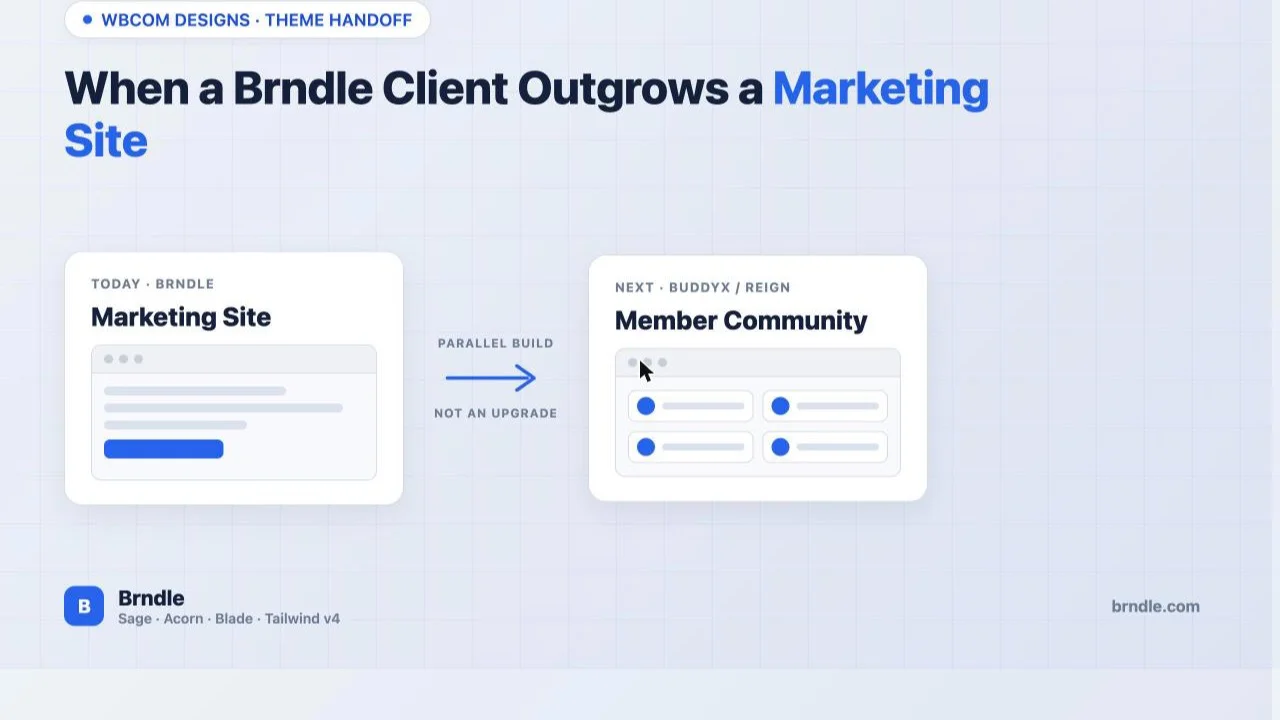
- Call this what it is with the client: a parallel build or relaunch, not an upgrade. The honest framing protects the relationship better than quietly treating it as a quick add-on and then blowing the estimate.
Six months ago you shipped a Brndle site for a client. It was a clean brief: marketing pages, a blog, a contact form, maybe a pricing page. Brndle was the right call – fast, no license fee, no plugin bloat, and the client’s brand colors dropped straight into theme.json without a single line of custom CSS. The site has been doing its job. Then the client emails, or worse, calls, with a sentence that changes the shape of the project entirely: “Can we have people sign up and see different things depending on who they are?” Or: “Our customers keep asking if there’s somewhere they can talk to each other.” Or, the one that gives it away immediately: “Can we add a community section, like a forum?”
None of those are Brndle questions. They’re BuddyPress questions, and they’ve been BuddyPress questions since 2009 regardless of which theme happens to be answering them. This isn’t a failure of the original build or a sign you picked the wrong theme at kickoff – it’s what success looks like for a brochure site: it worked well enough that the client now wants the thing a brochure site, by design, doesn’t do. This post is about recognizing that moment for what it is, having the conversation honestly, and knowing exactly what changes under the hood when the answer is BuddyX or Reign instead of Brndle.
In this guide
- The signs a marketing site has outgrown its format
- What’s actually involved technically: migration or rebuild
- BuddyX vs Reign for the handoff
- A worked scenario: a professional-services client
- The client-conversation framework
- Preserving the client’s content and design language
- Questions agencies ask about this handoff
- Where this leaves you
The signs a marketing site has outgrown its format
Clients rarely say “we need BuddyPress.” They describe a problem in plain language, and the job is recognizing which problems are actually a request for a member-and-community system wearing a different outfit. A few phrasings show up often enough to be worth memorizing, because the earlier you name the real ask, the less time gets spent trying to force it into a marketing-site shape.
- “Can users create accounts and see different things depending on who they are?” That’s role-based content gating tied to a persistent member identity – profiles, login state, and permission logic. A static marketing page has none of that; it’s the same HTML for every visitor.
- “Can members talk to each other?” Direct messaging, activity feeds, or comment threads between members, not between visitors and the brand. That’s a social graph, which needs a data model Brndle’s content types were never asked to hold.
- “Can we have a community or forum section?” The most direct version of the ask, and the easiest to recognize – it names the BuddyPress-shaped feature outright.
- “Our customers want a place to log in and see their stuff.” This is a client portal: order history, resources tied to an account, maybe a support thread. Technically adjacent to community, not identical, but it still needs member accounts, profiles, and gated views Brndle’s block catalog doesn’t address.
- “Can we gate this resource library to paying members only?” Membership plus content access control. Often the first request that sounds achievable with “just a plugin,” and sometimes it is – but once it’s paired with any of the requests above, it’s part of the same larger system, not a standalone add-on.
- “We want people to build a profile and follow each other.” Full social-network behavior: profile pages, following/connection graphs, activity streams. This is the clearest signal of all that the brief has moved from “marketing site” to “community platform.”
Any one of these in isolation might be solvable with a narrow plugin bolted onto the existing Brndle install – a simple membership gate, for instance, can sometimes live alongside a marketing theme without much friction. The pattern that actually signals “this needs a different theme” is two or more of these showing up together, because that’s when the client is describing a system with profiles, relationships, and permission logic as its core, not a page with a locked section. At that point the conversation isn’t about adding a feature to the Brndle site. It’s about whether the next version of this site is still Brndle at all.
What’s actually involved technically: migration or rebuild
Be precise about what’s being asked here, because “can we add community features to our Brndle site” and “should this become a BuddyX or Reign site” are different questions with different answers. The honest technical answer to the first is almost always no, not without compromising the thing that makes Brndle Brndle. The honest answer to the second is a real project, with a real scope, and it is not a theme update.
Start with what Brndle actually is, confirmed directly against its own stack: Sage and Acorn bring Laravel’s container and Blade templating into WordPress, Tailwind v4 handles utility styling, and Vite 7 builds the assets. Every one of Brndle’s 20 native blocks renders through a .blade.php view registered by a single BlockServiceProvider, reading color presets, type scale, and spacing straight from the theme’s own theme.json tokens. That architecture is precisely why Brndle feels fast to build on and light to run – there’s no classic WordPress template hierarchy underneath the blocks, no PHP template-tag soup, just compiled Blade views reading one source of design truth.
BuddyX is not built that way. Checking its own WordPress.org listing directly, BuddyX describes itself explicitly as a “Hybrid FSE: classic templates plus theme.json design tokens editable in Site Editor.” That’s a meaningfully different thing from Brndle’s Blade-rendered blocks: BuddyX still resolves through the classic WordPress template hierarchy – header.php, footer.php, page.php, the files any WordPress developer has worked with for a decade and a half – with theme.json layered on top mainly for Site Editor color/typography controls and a set of block patterns. There is a real point of overlap here, and it’s worth naming precisely instead of hand-waving it: both Brndle and BuddyX use theme.json as a design-token source. But that’s where the overlap ends. BuddyX’s theme.json doesn’t feed Blade views, because BuddyX has no Blade views; it feeds classic PHP templates and the Gutenberg Site Editor’s style controls. Two themes can both speak “theme.json” the way two people can both speak English without being able to read each other’s handwriting – the vocabulary rhymes, the file format doesn’t transfer.
Reign doesn’t even share that much. Its own documentation is explicit about being a classic, Customizer-driven theme: template overrides live in a documented child-theme directory structure, color and typography configuration happens through the WordPress Customizer rather than theme.json, and its developer docs describe “why direct edits to Reign are lost on update” and the official child-theme pattern – the textbook classic-theme workflow. No theme.json-as-design-source claim appears anywhere in Reign’s architecture. So the token-level overlap that exists, narrowly, between Brndle and BuddyX does not exist at all between Brndle and Reign.
Put plainly: there is no migration path where you flip a theme and the client’s existing pages keep working. A Brndle page is a sequence of Blade-rendered block instances with attributes that mean something only to Brndle’s own BlockServiceProvider. Activate BuddyX or Reign on that same database and those blocks either render as broken fallback markup or disappear from the page entirely, because the receiving theme has never heard of them. This is the same category of problem covered in our walkthrough on moving a Kadence Blocks site to Brndle and in Flatsome Theme in 2026, just running in the opposite direction: whenever two themes don’t share a block or template format, “migration” is a word that oversells what actually happens. What happens is a rebuild, informed by what the old site proves the client wants.
| Layer | Brndle | BuddyX | Reign |
|---|---|---|---|
| Template rendering | Laravel Blade views via Acorn | Classic PHP template hierarchy | Classic PHP template hierarchy |
| Design-token source | theme.json, consumed by Blade blocks | theme.json, consumed by Site Editor + patterns | WordPress Customizer panels |
| Block catalog | 20 theme-native blocks via BlockServiceProvider | Core blocks + patterns, classic widgets where needed | Shortcodes/widgets + core blocks, Customizer-styled |
| Customization method | Edit/extend Blade views, register new blocks | Child theme + template overrides + hooks | Official child theme + documented hooks |
| What survives a theme swap | Posts, pages, media, users, taxonomies – the WordPress database, not the theme | ||
That last row is the part worth sitting with, because it’s also the good news. WordPress’s content model – posts, pages, the media library, user accounts, categories and tags – lives in the database, independent of whichever theme happens to be active. None of that was ever Brndle-specific, and none of it is lost when you switch to BuddyX or Reign. A client’s blog posts, their core Paragraph and Heading and Image and List content, their published pages’ copy and photography, their existing contact form submissions in whatever plugin handled them – all of that travels through a standard WordPress export/import exactly the way it would in any theme change. What doesn’t travel is the layout wrapping that content: every Brndle block instance, every Blade-rendered section, has to be rebuilt as whatever the new theme’s native block or template equivalent is. Budget the project as a parallel build that reuses the client’s existing content and brand assets, not as an upgrade that carries the site forward in place.
BuddyX vs Reign for the handoff
Once the client’s brief is clearly community-shaped, the choice between BuddyX and Reign comes down to how much is actually in that brief beyond “members and a community.” Both run on Wbcom’s free BuddyNext community engine and both integrate with BuddyPress and BuddyBoss directly, so profiles, activity feeds, and groups are table stakes for either one. Where they diverge is everything adjacent to community: marketplaces, job boards, directories, courses, and how much of that the client is actually asking for versus what might get asked for in year two.
| Factor | BuddyX | Reign |
|---|---|---|
| Base price | Free (WordPress.org), no license required | $99/year or $249 lifetime, single site |
| Pro tier | BuddyX Pro from $79/year: directory layouts, profile/group header layouts, priority support | Included in the theme license; add-ons for specific third-party plugin styling from $39/year |
| Community engine | BuddyNext, BuddyPress, BuddyBoss | BuddyNext, BuddyPress, BuddyBoss, PeepSo |
| Core community features | Profiles, activity feeds, private messaging, spaces, groups, following | Profiles, activity feeds, messaging (with MediaVerse), groups |
| Marketplace support | Basic WooCommerce styling | Dokan, WCFM, WC Vendors – multi-vendor marketplace layouts |
| Job boards & directories | Not a focus area | WP Job Manager, WP Career Board, GeoDirectory, Listora |
| Courses / LMS | LearnDash, TutorLMS via standard integration | LearnDash, LifterLMS, Tutor LMS, Learnomy – deeper styled integration |
| Forums / Q&A | Jetonomy (same Wbcom suite) | Jetonomy (same Wbcom suite) |
| Theme architecture | Hybrid FSE: classic templates + theme.json in Site Editor | Fully classic, Customizer-driven, documented child-theme pattern |
Pick BuddyX when the brief really is “profiles, groups, an activity feed, maybe private messaging” and nothing heavier. It’s free to start, which matters when the client’s budget already went into the Brndle build and this is an unplanned phase two; it pairs with the same free BuddyNext core covered in our WordPress community plugin stack guide; and its hybrid-FSE leaning means a developer coming from Brndle’s block-first world has at least a passing familiarity with theme.json and the Site Editor, even if the underlying rendering is completely different underneath.
Pick Reign when the community request arrives bundled with something bigger: the client wants a vendor marketplace alongside member profiles, or a job board, or a course platform with its own cohort of logged-in learners, or a directory of local providers. Reign’s documented integration depth with Dokan, WC Vendors, GeoDirectory, and the LMS plugins exists specifically because those combinations come up constantly in real client work, and paying for that integration coverage up front is cheaper than discovering gaps in BuddyX’s styling mid-build. The $99/year-or-$249-lifetime license is the cost of that breadth, not a tax on the community features alone.
If the brief is genuinely ambiguous – “community for now, but we might want a marketplace eventually” – that ambiguity itself is useful information, not a reason to delay deciding. BuddyPress-based community features are portable across both themes because they live in the BuddyPress/BuddyNext plugin layer, not the theme. Starting on BuddyX and later finding real Reign-specific functionality (marketplace, job board) necessary is a second, smaller rebuild of the theme layer with the community data intact – a far lighter lift than today’s Brndle-to-community move, because the hard part (profiles, groups, activity data) wouldn’t need touching twice.
A worked scenario: a professional-services client
A mid-sized accounting firm hired an agency for a Brndle marketing site eight months ago: services pages, a team page, a blog covering tax-season topics, a contact form routed to the right partner by service area. Clean brief, clean build, fifteen pages, done in three weeks. The site did its job – it ranked for a handful of local terms, the blog brought in a steady trickle of leads, and the firm’s partners were happy enough that they came back with a new ask: their clients kept emailing for documents (engagement letters, prior-year returns, checklists) that were sitting in a shared drive nobody outside the firm could reach, and two different clients had separately asked whether there was “a place to just log in and see our stuff.”
Read against the signs list earlier in this post, this is a client-portal request wearing a document-access costume: it needs persistent member accounts, a profile per client, role-based visibility (each client should see only their own documents, not every other client’s), and a reason for the firm’s staff to manage it from the dashboard without touching code. It is not a marketplace, not a job board, not a course platform – just accounts, profiles, and gated content tied to identity. That’s the BuddyX end of the spectrum, not the Reign end.
The real project looked like this: BuddyPress (via BuddyNext) handling member registration and profiles, a document-library plugin tying uploads to specific member accounts rather than public media, and BuddyX styling the whole thing so client logins, profile pages, and the document area looked like a continuation of the firm’s brand rather than a bolted-on portal. The original Brndle site’s fifteen marketing pages moved over by rebuilding each one’s layout in BuddyX’s block/template approach, using the same copy, the same photography, and a BuddyX Customizer configuration built to match the firm’s existing color palette and type pairing as closely as the two systems’ different styling mechanisms allowed. The blog posts themselves needed no rebuild at all – they were core Paragraph, Heading, and Image blocks under the hood, and those render identically regardless of which theme is active. What took the real time was the fifteen marketing pages that had been built from Brndle’s native blocks, because every one of those had to be read, understood, and reconstructed by hand in BuddyX, the same category of work covered from the other direction in the Kadence-to-Brndle migration post. New work, not a conversion, is the honest description of that line item on the estimate.
The client-conversation framework
The failure mode in this conversation isn’t technical, it’s relational: either the agency undersells the scope to avoid sounding like it’s padding the invoice, and then blows the estimate halfway through, or it oversells the difficulty to justify a bigger number, and the client feels like they’re being squeezed for wanting the site to grow. Neither serves the relationship. A better framework treats this as what it actually is – a second, different project that the first project’s success made possible – and says so plainly.
- Name the moment as success, not scope creep. Open with the honest framing: “the marketing site did exactly what it was supposed to do, and now you’re asking for something a marketing site was never built to be. That’s a good problem.” This sets up everything after it as a forward step, not a fix for something that went wrong.
- Ask the questions that separate “feature” from “platform.” Does every visitor see the same content, or does it depend on who’s logged in? Do members need to interact with each other, or just with the brand? Is there a monetization or marketplace angle, now or within the next year? The answers sort the request into BuddyX-shaped, Reign-shaped, or (occasionally) genuinely still a plugin-on-Brndle problem.
- Say “rebuild” out loud, early, in exactly those words. Don’t let the client discover three weeks in that “add community features” turned into “redo the whole site.” Explain the architecture mismatch in client terms: “Brndle and BuddyX are built on completely different foundations under the hood – the fast, simple marketing site you have now can’t just grow a community section, it needs the parts rebuilt on a system designed for logins and member relationships.” No one feels misled by a rebuild they agreed to up front.
- Separate what moves for free from what gets rebuilt. Be concrete: “your blog posts, your photos, your copy – all of that comes with us at zero extra cost, because WordPress stores that independently of the theme. What costs real time is rebuilding your service pages and homepage in the new theme’s system, plus building the actual member and community features from scratch.” This turns an abstract “it’s complicated” into a line the client can see the value in.
- Offer the parallel-build path, not a risky in-place swap. Build the new theme and community features on a staging environment or a subdomain while the existing Brndle site keeps serving traffic, then cut over once the new build is tested and the client has walked through it. This is standard practice for any theme change with real traffic on the line, and it removes the pressure to rush a member-system launch.
- Quote the community-specific work separately from the theme-swap work. A client psychologically absorbs “new theme because we’re adding a login area” more easily than one lump number that looks like it ballooned for no visible reason. Breaking the estimate into theme/template rebuild, community plugin setup and configuration, and content migration gives them a map of where the money goes.
None of this requires sounding apologetic about charging for real work. The client asked for something genuinely new; pricing and scoping it like something genuinely new is the honest version of the conversation, and it’s also the version that doesn’t come back to bite the relationship three months later when the invoice doesn’t match what they assumed “adding a feature” would cost.
Preserving the client’s content and design language
The client doesn’t experience this as “we changed your theme’s rendering engine.” They experience it as “does our site still look like us.” Protecting that perception, given that the underlying systems don’t share a format, comes down to deliberately carrying forward the things a visitor or member actually notices, even though the mechanism for each one is different on the new theme.
- Export the actual token values before touching the new theme. Pull the exact hex values, font pairings, and spacing scale out of Brndle’s theme.json and write them down named by role (brand, ink, surface) rather than by hex shade – the same discipline recommended in the Kadence migration post for exactly the same reason: you’re about to re-enter these values into a system that doesn’t read the old file at all.
- Rebuild the palette in the new theme’s own mechanism. In BuddyX, that’s the Site Editor’s Styles panel (or, per BuddyX’s own hybrid-FSE description, theme.json edited directly where the Pro layout options expect it). In Reign, that’s the WordPress Customizer’s color and typography sections. Different UI, same source values, same visual result for the end user.
- Move content through standard WordPress export/import, not copy-paste. Pages, posts, and media migrate cleanly this way because they were never theme-specific to begin with; copy-pasting risks losing featured images, categories, and SEO meta that a proper export carries automatically.
- Treat every Brndle-block page as a redesign within a consistent system, not a pixel-match target. The new theme will never render a page identically to the old one, because it has its own spacing and type scale. Aim for “unmistakably the same brand,” not “indistinguishable from before” – chasing pixel parity across two different rendering systems burns hours for a result the client’s own visitors won’t consciously notice either way.
- Keep the old Brndle install accessible (deactivated, not deleted) for a defined window after cutover. If a stakeholder asks “wait, what did the old pricing page actually say,” you want to be able to check the real source, not reconstruct it from a screenshot.
Questions agencies ask about this handoff
Can I add BuddyPress to a Brndle site and skip the theme switch entirely?
Technically, BuddyPress will activate on any WordPress install regardless of theme, including Brndle. In practice, BuddyPress ships its own classic template overrides for profile pages, activity streams, and groups, and those templates have no idea Brndle’s Blade views or theme.json tokens exist. The result is BuddyPress’s default (or badly mismatched) styling bolted onto a Brndle site, which is visually jarring and exactly the gap BuddyX and Reign exist to close. It will run; it won’t look like it belongs on the same site.
How long does a handoff like this actually take?
It depends on two mostly independent variables: how many existing marketing pages need rebuilding in the new theme, and how deep the community/portal requirements go. A straightforward BuddyX handoff for a 10-15 page site with profiles, groups, and an activity feed – nothing more – is realistically a few weeks of focused work: theme setup and palette matching, page-by-page rebuild, BuddyPress/BuddyNext configuration, and testing. Add a marketplace, job board, or LMS integration on the Reign side, or a genuinely custom membership-tier structure, and the timeline extends accordingly. Inventory the existing pages and the new feature list before quoting, the same discipline recommended for any theme migration.
Does the client lose their SEO rankings when the theme changes?
Not inherently, if the move is handled with the same care any theme migration gets: preserve URLs wherever possible, keep titles and meta descriptions intact through the content migration, and redirect anything that does change. The theme swap itself doesn’t touch a page’s indexed content or its backlinks; what puts rankings at risk is sloppy execution – broken URLs, missing redirects, or content that got rewritten in the rebuild and lost the phrasing that was actually ranking.
Should the community features live on the same domain or a subdomain?
Same domain, same install, is the standard and usually correct answer, because BuddyPress-based community features are built to share login state and branding with the rest of the WordPress site they live on. A separate subdomain or install adds a login-sync problem for no real benefit in most cases. The parallel-build recommendation in this post is about using a staging environment during development, not about permanently splitting community and marketing content across two domains.
What happens to Brndle’s 20 native blocks when I switch to BuddyX or Reign?
They stop rendering as intended. Brndle’s blocks are registered by Brndle’s own BlockServiceProvider and rendered through Brndle’s Blade views; neither BuddyX nor Reign has any code that knows what to do with a brndle/hero or brndle/card-grid block instance. Depending on the WordPress version and block fallback behavior, a page built from them may show broken block markup, an empty section, or an editor warning. This is exactly why the migration is a rebuild: every one of those block instances needs to become something the new theme actually understands – a native BuddyX/Reign layout, a core WordPress block, or a pattern – before the page is usable again.
Is there a real cost difference between BuddyX and Reign for this handoff?
Yes, directly: BuddyX is free with an optional $79/year Pro tier for deeper layout options, while Reign is a paid theme at $99/year or $249 lifetime regardless of which features you use. If the brief is pure community – profiles, groups, activity, nothing else – BuddyX’s free tier may cover it without the Pro upgrade at all, making it meaningfully cheaper than Reign’s license. Reign’s cost is justified specifically by the breadth it buys: marketplace, job board, directory, and LMS integrations that would otherwise mean assembling and maintaining separate plugin compatibility work on top of BuddyX.
Can the client keep editing their blog the same way after the switch?
Yes, for anything built from core WordPress blocks, which almost all blog content is. A post made of Paragraph, Heading, Image, List, and Quote blocks edits identically in the block editor regardless of which theme is active, because those blocks aren’t theme-specific in the first place. The only editing experience that changes is for anything that used to be a Brndle-specific block; those sections, once rebuilt in the new theme, get edited through whatever that theme’s equivalent block or template field is instead.
What if the client’s real need turns out to be smaller than a full community platform?
Worth checking explicitly before committing to a theme swap: if the actual requirement is “logged-in users can download three gated PDFs” with no profiles, no member-to-member interaction, and no activity feed, a membership/content-restriction plugin running alongside the existing Brndle site may genuinely be enough, and a full BuddyX or Reign rebuild would be over-scoped for the real ask. The signs list earlier in this post exists specifically to help tell these two situations apart before quoting the bigger project.
Do BuddyX and Reign work with the same Wbcom plugins as each other?
Largely yes, because the community-plugin layer (BuddyNext, Jetonomy for forums, MediaVerse for media) is shared across the Wbcom theme lineup rather than tied to one theme specifically. The difference between the two themes is less about which plugins they can run and more about how deeply each one styles the result and which additional integrations (marketplace, job board, directory) it ships styling for out of the box.
Will the client need ongoing maintenance they didn’t have with Brndle?
Somewhat more, yes, and it’s worth setting that expectation during the handoff conversation rather than after. A community site has moderation needs (spam members, inappropriate posts), account-management requests (password resets, profile disputes), and more moving parts – BuddyPress/BuddyNext, the theme, and whichever marketplace or LMS plugin got added – to keep updated and compatible with each other. A static marketing site’s maintenance load is comparatively light; a member community’s is an ongoing, if usually modest, operational responsibility.
Where this leaves you
A Brndle client asking for logins, member talk, or a community section isn’t describing a bug in the original brief. They’re describing the next stage of a site that worked well enough to need one. The honest technical answer is that Brndle, BuddyX, and Reign don’t share a template format or a rendering engine – Blade views reading Brndle’s own tokens on one side, classic PHP templates (hybrid-FSE for BuddyX, fully classic for Reign) on the other – so there’s no theme-switcher moment that carries the old pages forward intact. What does carry forward is the part that was never theme-specific to begin with: the client’s actual content, sitting in the WordPress database the same way it always has.
Treat the next phase as what it is: a parallel build that reuses everything reusable and rebuilds everything that has to be rebuilt, scoped and priced as its own project rather than smuggled in as a feature add. Pick BuddyX when the ask is genuinely just community, Reign when it’s community plus marketplace, job board, directory, or course infrastructure. Say “rebuild” to the client in those words, early, and the rest of the conversation – timeline, cost, what moves and what doesn’t – gets a lot easier to have.