15 Best CRM Software to Manage Your Leads and Customers in 2026
Choosing the right CRM is one of the highest-leverage decisions you can make for revenue operations in 2026. The market has matured: AI-assisted pipeline scoring, no-code automation, native email and calendar sync, and tight integrations with your marketing and support stack are now table stakes. This guide breaks down the 15 best CRM platforms for managing leads and customers this year, with honest positioning, key features, who each one is best for, and current pricing so you can make a confident shortlist.
We focused on tools that small teams and growing businesses actually adopt and keep, not enterprise behemoths nobody finishes implementing. You’ll find a mix of all-in-one suites, sales-led CRMs, relationship-first tools, and modern, AI-native upstarts.
Want a partner to integrate your CRM with the rest of your stack? Wbcom Designs’ AI Integrations service plugs your CRM into your website, marketing automation, support desk, and AI assistants so data flows in one direction and nothing gets re-keyed.
What Is CRM Software?
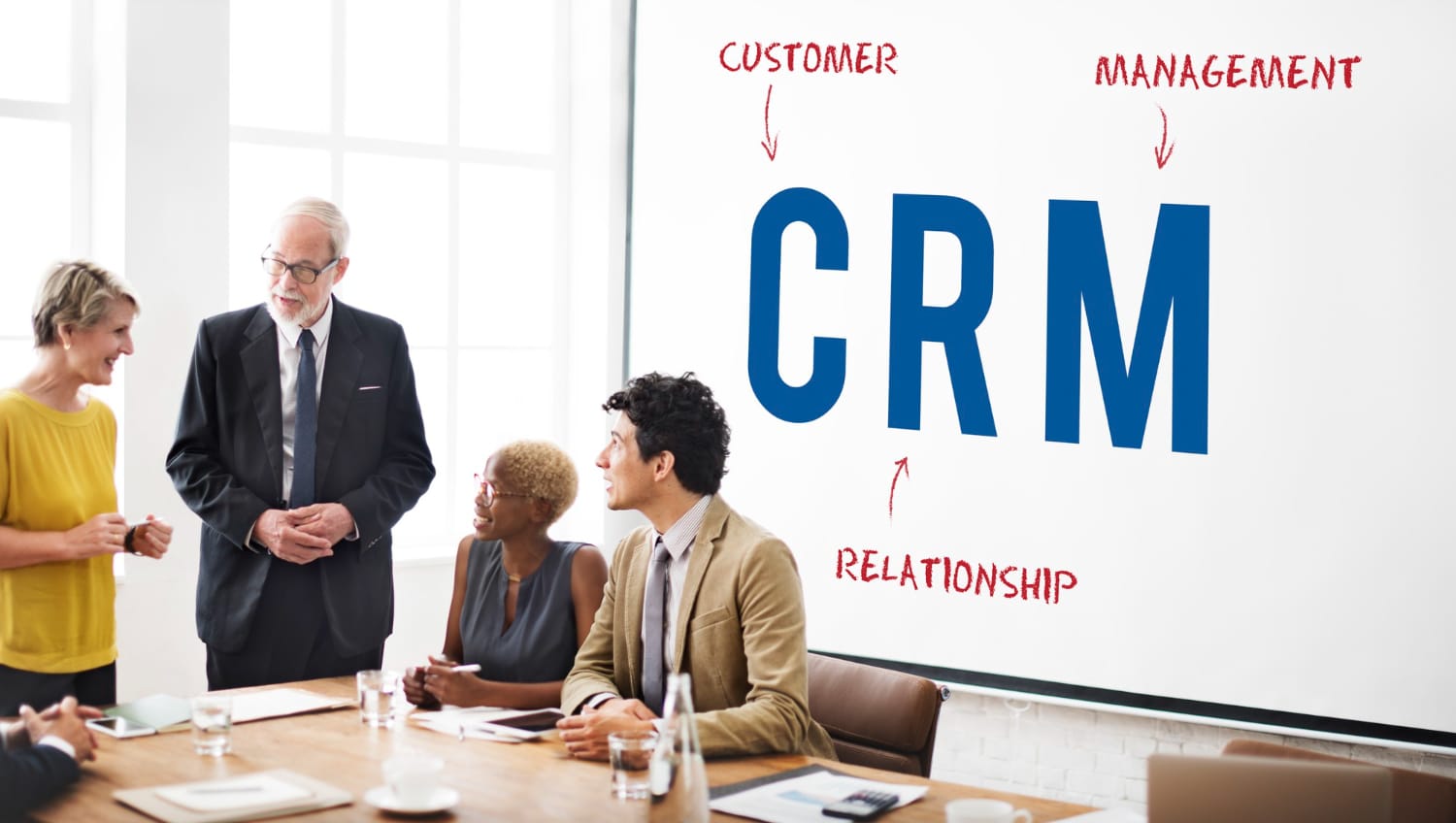
CRM (Customer Relationship Management) software is the single source of truth for every interaction your business has with leads, prospects, and customers. At its core, a CRM stores contact records, tracks deals and pipeline stages, logs emails and calls, and surfaces the right next action for sales and success teams. Modern CRMs go further: they automate follow-ups, score leads with AI, sync two-way with your inbox and calendar, trigger marketing journeys, and report on revenue performance in real time.
Used well, a CRM shortens sales cycles, prevents leads from slipping through cracks, and gives leadership a clear view of pipeline health. Used poorly, it becomes an expensive contact rolodex. The difference is choosing software that matches how your team actually sells, and then integrating it cleanly with the rest of your stack.
How We Picked the Best CRMs for 2026
We evaluated more than 30 CRM platforms against the criteria that matter when you are actually buying, not just demoing. Our shortlist of 15 had to clear the following bar:
- Ease of adoption: Can a non-technical team be productive in the first week?
- Lead and pipeline management: Clear pipeline views, custom stages, deal forecasting.
- Automation and AI: Native workflows, AI summaries, scoring, and assistive writing.
- Integrations: First-party connectors for email, calendar, marketing, support, and payments.
- Pricing transparency: Public pricing, predictable per-seat costs, and an honest free or starter tier where applicable.
- Support and reliability: Documented uptime, real human support, and an active product roadmap.
1. HubSpot, Best All-in-One CRM for Lead and Customer Management
HubSpot is the most complete free-to-paid CRM on the market and our top pick for 2026. It unifies marketing, sales, service, and content in one workspace, with a generous free tier that scales cleanly into paid Hubs as you grow. The interface is genuinely friendly, the AI assistant (Breeze) writes follow-ups and summarises deals, and the ecosystem of apps and templates is the largest of any CRM.
Key features
- Free CRM with unlimited users, contacts, and deal pipelines
- Two-way email and calendar sync with Gmail and Outlook
- AI-powered email writing, call summaries, and deal forecasting
- Built-in marketing automation, landing pages, and forms
- 1,700+ native integrations via the HubSpot App Marketplace
Best for: Small to mid-market teams that want a single platform for marketing, sales, and service without stitching three tools together. Pricing: Free forever; Starter from $15/seat/month; Professional from $90/seat/month.
2. Salesforce Sales Cloud, Best Enterprise CRM
Salesforce remains the gold standard for large, complex sales organizations. With the Einstein AI layer, Sales Cloud now ships with predictive lead scoring, generative email drafting, and conversation intelligence out of the box. The trade-off is complexity, Salesforce rewards teams with the resources to configure it properly.
Key features
- Highly customizable objects, fields, and workflows
- Einstein AI for lead scoring, forecasting, and call insights
- AppExchange with thousands of vetted integrations
- Advanced territory, quota, and revenue management
- Enterprise-grade security and compliance
Best for: Mid-market and enterprise teams with dedicated RevOps or admin resources. Pricing: Starter Suite from $25/user/month; Professional $80; Enterprise $165; Unlimited $330.
3. Pipedrive, Best Sales-Focused CRM
Pipedrive is built by salespeople for salespeople. Its visual, drag-and-drop pipeline is the cleanest in the industry, and the product stays disciplined about not bolting on features that distract reps. The new AI Sales Assistant nudges reps toward the next best action, and email sync is reliable.
Key features
- Highly visual kanban-style pipeline management
- AI Sales Assistant with deal recommendations
- Workflow automation and Smart Docs for proposals
- Built-in email, scheduling, and meeting tools
- Mobile app rated among the best in the category
Best for: Outbound and inside sales teams that live in the pipeline view. Pricing: Essential from $14/user/month; Advanced $34; Professional $59; Power $74; Enterprise $99.
4. Zoho CRM, Best Value CRM for Growing Businesses
Zoho CRM punches well above its price point. You get serious automation, an AI assistant (Zia) for predictions and anomaly detection, and deep integration with the broader Zoho suite, Books, Desk, Campaigns, and 40+ other apps. For SMBs who want enterprise-style features without enterprise pricing, this is the best deal in the category.
Key features
- Zia AI for lead scoring, sentiment, and next-best-action
- Canvas builder for fully custom record layouts
- Multichannel: email, telephony, social, live chat, WhatsApp
- Deep integration with Zoho One ecosystem
- Free tier for up to 3 users
Best for: SMBs and Zoho-ecosystem businesses seeking maximum features per dollar. Pricing: Free up to 3 users; Standard $14/user/month; Professional $23; Enterprise $40; Ultimate $52.
5. Freshsales, Best AI-Powered CRM for SMBs
Freshsales (from Freshworks) bakes AI into the core experience with Freddy AI handling lead scoring, predictive contact insights, and generative copy. It is one of the few CRMs that feels modern out of the box without requiring weeks of configuration.
Key features
- Freddy AI scoring and deal insights
- Built-in phone, email, chat, and WhatsApp
- Visual sales sequences and journey builder
- Native integration with Freshdesk and Freshchat
- Free tier for up to 3 users
Best for: SMBs wanting AI-first sales without enterprise overhead. Pricing: Free for 3 users; Growth $11/user/month; Pro $47; Enterprise $71.
6. monday CRM, Best Visual CRM for Cross-Functional Teams
monday CRM extends the popular work-management platform into a flexible sales tool. If your team already uses monday for projects or operations, the CRM gives you a unified view of revenue work alongside everything else, without forcing your reps into a stiff sales-only UI.
Key features
- Highly customizable boards, views, and automations
- No-code workflow builder
- Email sync, mass mailings, and AI email generator
- Tight integration with monday Work Management
- Forms, dashboards, and goal tracking
Best for: Operations-led teams already standardized on monday.com. Pricing: Basic CRM $12/seat/month; Standard $17; Pro $28; Enterprise custom.
7. ActiveCampaign, Best CRM for Marketing Automation
ActiveCampaign is, by a wide margin, the most powerful marketing automation engine paired with a real sales CRM. If your growth engine is email, lifecycle, and behavior-triggered campaigns, ActiveCampaign’s automation builder is best in class, and the CRM side has matured fast.
Key features
- Industry-leading visual automation builder
- Lead scoring, win probability, and AI content generation
- Site tracking, event tracking, and predictive sending
- 900+ integrations and a strong API
- Native landing pages and forms
Best for: Marketing-led companies and ecommerce brands that live in lifecycle automation. Pricing: Starter from $15/month; Plus $49; Pro $79; Enterprise $145+.
8. Insightly, Best CRM with Project Management Built In
Insightly is one of the few CRMs that takes post-sale delivery seriously. Once a deal closes, it converts into a project with milestones, tasks, and resources, useful for agencies, consultants, and services businesses where the sale is just the start of the work.
Key features
- Linked CRM, projects, and marketing modules
- Automated project creation from won deals
- Relationship linking between contacts and organizations
- Custom apps and dashboards without code
- Strong G Suite and Microsoft 365 integration
Best for: Agencies and service businesses that need sales + delivery in one place. Pricing: Plus $29/user/month; Professional $49; Enterprise $99.
9. Keap, Best CRM for Solo and Small Service Businesses
Keap (formerly Infusionsoft) is purpose-built for small service businesses: coaches, agencies, real estate, and home services. It combines a CRM with invoicing, appointment booking, and lifecycle automation, so a one- or two-person team can run their entire client lifecycle from one app.
Key features
- Built-in invoicing, quotes, and payments
- Appointment scheduling and automated reminders
- Easy Automations and Advanced Campaign Builder
- Dedicated business phone line and SMS
- Hands-on onboarding included
Best for: Solopreneurs and small service businesses who want CRM + payments + automation in one tool. Pricing: Pro $249/month; Max $279/month (includes 2 users and 1,500 contacts).
10. Copper, Best CRM for Google Workspace Users
Copper lives inside Gmail. If your team runs on Google Workspace, Copper feels like it was always meant to be there, contacts, deals, tasks, and pipelines all appear in a sidebar next to your inbox, with zero context switching.
Key features
- Deeply native Gmail and Google Calendar sidebar
- Automatic contact and email logging
- Pipeline automation and recurring revenue tracking
- Workflow templates for agencies and consultancies
- iOS and Android apps with Google sign-in
Best for: Teams whose work happens primarily in Gmail and Google Workspace. Pricing: Starter $12/user/month; Basic $29; Professional $69; Business $134.
11. Capsule CRM, Best Lightweight CRM for Lean Teams
Capsule is the antidote to bloated CRMs. It strips the experience down to contacts, pipelines, tasks, and projects, and does each one extremely well. Setup takes an afternoon, not a quarter, and the price stays sane as you grow.
Key features
- Clean, low-friction interface with fast onboarding
- Sales pipeline with custom milestones and forecasts
- AI Content Assistant for emails and summaries
- Tracks, workflow automation, and task automation
- Native integrations with Xero, QuickBooks, Mailchimp, and Zapier
Best for: Small teams that want a CRM their reps will actually use. Pricing: Free for 2 users; Starter $18/user/month; Growth $36; Advanced $54; Ultimate $72.
12. Less Annoying CRM, Best Simple CRM for Very Small Businesses
Less Annoying CRM does exactly what its name suggests. There is one flat plan, every feature is included, and the product team has stayed disciplined for over a decade. For very small businesses that need a contact and pipeline system without the fuss, nothing else comes close on simplicity and support.
Key features
- Single flat-rate plan with all features included
- Contact, calendar, task, and pipeline management
- Custom fields and pipelines without limits
- Free phone and email support from real humans
- 30-day free trial, no card required
Best for: Very small businesses and solopreneurs who hate complexity. Pricing: $15/user/month, all features included.
13. Folk, Best Modern CRM for Relationship-First Teams
Folk is the CRM of choice for agencies, VCs, consultancies, and operators who think in relationships, not deal stages. It plugs into LinkedIn and Gmail, lets you enrich contacts in one click, and feels closer to a beautifully designed notebook than a legacy sales tool.
Key features
- folkX Chrome extension for LinkedIn and webpage imports
- AI-assisted enrichment and message personalization
- Flexible group views, pipelines, and dashboards
- Email sync and campaigns with merge tags
- Clean, Notion-style interface
Best for: Agencies, investors, partnerships, and BD teams who run on networks. Pricing: Standard $25/user/month; Premium $45; Custom enterprise.
14. Attio, Best AI-Native CRM for High-Growth Teams
Attio is the most modern CRM on this list. It is built like a real-time database with a beautiful interface, automatically enriches every contact and company you add, and lets you model your data exactly how your business actually works, not how a 1999 CRM template thinks it should.
Key features
- Real-time, multiplayer collaborative interface
- Automatic data enrichment for contacts and companies
- Powerful objects, lists, and views with custom attributes
- AI research agent and email drafting
- Robust API and webhook system for builders
Best for: Startups and high-growth teams that want a CRM as flexible as Notion or Airtable. Pricing: Free for small teams; Plus $34/user/month; Pro $69; Enterprise custom.
15. Close, Best CRM for High-Volume Inside Sales
Close is built for inside sales teams that live on the phone and in email. It bundles a power dialer, SMS, and email sequences directly into the CRM, so SDRs and AEs can run their entire day from one window without switching tools.
Key features
- Built-in calling, SMS, and email with recording
- Power Dialer and Predictive Dialer for outbound
- Multichannel sequences and Smart Views
- Call coaching, transcription, and reporting
- Strong API and Zapier support
Best for: Inside sales, SDR, and high-volume outbound teams. Pricing: Startup $19/user/month; Professional $109; Enterprise $149.
How to Choose the Right CRM for Your Business
The right CRM is the one your team will actually use. Before you commit, work through these questions with your sales and marketing leads:
- Who needs to be in the system? Sales-only, or sales + marketing + support? All-in-one platforms like HubSpot reduce duct tape.
- How do leads come in today? If lifecycle email drives growth, prioritize automation depth (ActiveCampaign, HubSpot). If outbound calling drives growth, prioritize a dialer (Close).
- What does your stack look like? Google Workspace shops should look hard at Copper. Zoho One customers will save thousands with Zoho CRM.
- What is your real budget per seat per month? Multiply by 12 and the number of users. Many teams over-buy on tier and under-buy on onboarding.
- Who will own the implementation? Salesforce without an admin is an expensive mistake. HubSpot or Pipedrive can be run by a non-technical operator.
Take advantage of free trials and free tiers. Import a real subset of your contacts, run real deals through the pipeline for a week, and see which tool gets out of your team’s way.
Frequently Asked Questions
What is the best CRM software in 2026?
HubSpot is the best all-around CRM for 2026 because it combines a generous free tier, an intuitive interface, and a complete marketing-sales-service platform that scales as you grow. For sales-only teams, Pipedrive is the strongest pick; for enterprises with admin resources, Salesforce remains the gold standard.
Is there a free CRM that’s actually useful?
Yes. HubSpot’s free CRM includes unlimited users, contacts, and deal pipelines, plus email tracking and basic automation. Zoho CRM and Freshsales also offer functional free tiers for small teams of up to 3 users.
How much should a small business spend on a CRM?
Most small businesses land between $15 and $50 per user per month once they outgrow free tiers. Don’t forget implementation, data migration, and any add-ons (email volume, phone minutes, AI credits). Budget another 10-20% on integration work to connect the CRM to your website, marketing tools, and support desk.
What’s the difference between a CRM and marketing automation?
A CRM is the system of record for contacts, deals, and customer interactions. Marketing automation is the engine that sends behavior-triggered emails, scores leads, and runs lifecycle campaigns. Modern platforms like HubSpot and ActiveCampaign blur the line by including both, which is why all-in-one tools are increasingly popular with growing teams.
How long does CRM implementation take?
Lightweight tools like Capsule, Less Annoying CRM, or Pipedrive can be live in a day. Mid-market platforms like HubSpot or Zoho typically take 2-4 weeks for a clean rollout including data migration, pipeline configuration, and basic automation. Salesforce implementations regularly run 8-16 weeks with a partner.
Make Your CRM Actually Work With the Rest of Your Stack
Picking the right CRM is half the battle. The other half is connecting it to your website, marketing automation, support desk, billing system, and the AI assistants your team is starting to rely on. When those integrations are clean, your CRM becomes a revenue engine. When they’re not, it becomes a graveyard of stale data.
Want a partner to integrate your CRM with the rest of your stack? Wbcom Designs’ AI Integrations service designs, builds, and maintains the connective tissue between your CRM and everything else, so leads flow in, customer data stays in sync, and your AI tools work with real, current context.
Whichever CRM you choose from this list, the right move in 2026 is to start with a clear use case, prove value in 30 days, and then expand. The 15 tools above all clear that bar, the rest is matching the right one to how your team actually sells.
For more SaaS comparisons, see our guides on the best AI tools in 2026 and the best accounting software for small businesses.