JSON-LD Schema Emission in Brndle: FAQPage, Breadcrumbs, and What’s Still Manual
Install Yoast SEO or Rank Math on a WordPress theme that also emits its own structured data, and you can end up with two Article nodes, two Person entities, or two BreadcrumbList graphs on the same page. Google’s Rich Results Test does not silently pick the better one. It flags the page, and in the cases that matter it drops rich-result eligibility for that type entirely rather than guess which graph is authoritative. This is not a theoretical edge case: it is the default outcome any time a theme author decides JSON-LD is a nice feature to add without first checking what the site’s SEO plugin is already producing.
Brndle has an explicit, documented position on this, and it is narrower than most theme marketing copy implies. We read the theme’s public source at brndle-themes/brndle on 30 October 2026 to find out exactly what JSON-LD the theme itself puts on the page, what it deliberately leaves to Yoast or Rank Math, and where the README’s marketing language (“Breadcrumbs, fallback JSON-LD schema”) gets ahead of what the current templates actually render. One block emits schema. Nothing else in the theme does, by design, and the commit history shows that restriction was added on purpose after an earlier version apparently did more.
Table of contents
- Why schema duplication is a real WordPress problem
- What Brndle actually emits: the FAQ block’s FAQPage schema
- What Brndle deliberately does not emit, and why
- Breadcrumbs: the theme-support flag versus what’s on the page
- Person schema enrichment: filters, not a competing graph
- How to check your own site in Rich Results Test
- Theme job vs. plugin job: the full split
- FAQ
- The takeaway
Why schema duplication is a real WordPress problem
Structured data on a WordPress page rarely comes from one source. A typical stack has an SEO plugin building a full graph (WebSite, WebPage, Organization or Person, BreadcrumbList, Article), a theme that may or may not add its own <script type="application/ld+json"> tags, and sometimes a third plugin (a reviews plugin, an events plugin, a recipe plugin) layering a type-specific entity on top. Each of those layers is usually written without visibility into what the other layers already output, because they are built by different teams who do not share a build.
The failure mode is not a syntax error. Two well-formed <script type="application/ld+json"> blocks, each individually valid, can still describe the same URL as two different Article entities with different @id values, or produce two BreadcrumbList graphs with different item counts. Google’s own structured data documentation treats this as a content-quality signal, not a parser error: duplicate or conflicting entities for the same page are explicitly called out in the Rich Results Test and the Search Console structured data reports as items needing attention, and in practice they suppress the rich result rather than merge the two sources’ best fields. The fix is not better schema. It is one schema author per entity type, decided in advance, with everyone else staying out of that type’s way.
Themes are the layer most likely to get this wrong, for a structural reason: a theme ships to every site that installs it, with no idea in advance which SEO plugin, if any, that site will run. A theme author who adds Article or BreadcrumbList JSON-LD because “it’s good for SEO” is making a bet that no SEO plugin will also be active, and on a real agency’s client roster that bet loses constantly. Brndle’s own source treats this as a solved problem with a documented rule, not an oversight to patch later. That rule is the subject of this post.
What Brndle actually emits: the FAQ block’s FAQPage schema
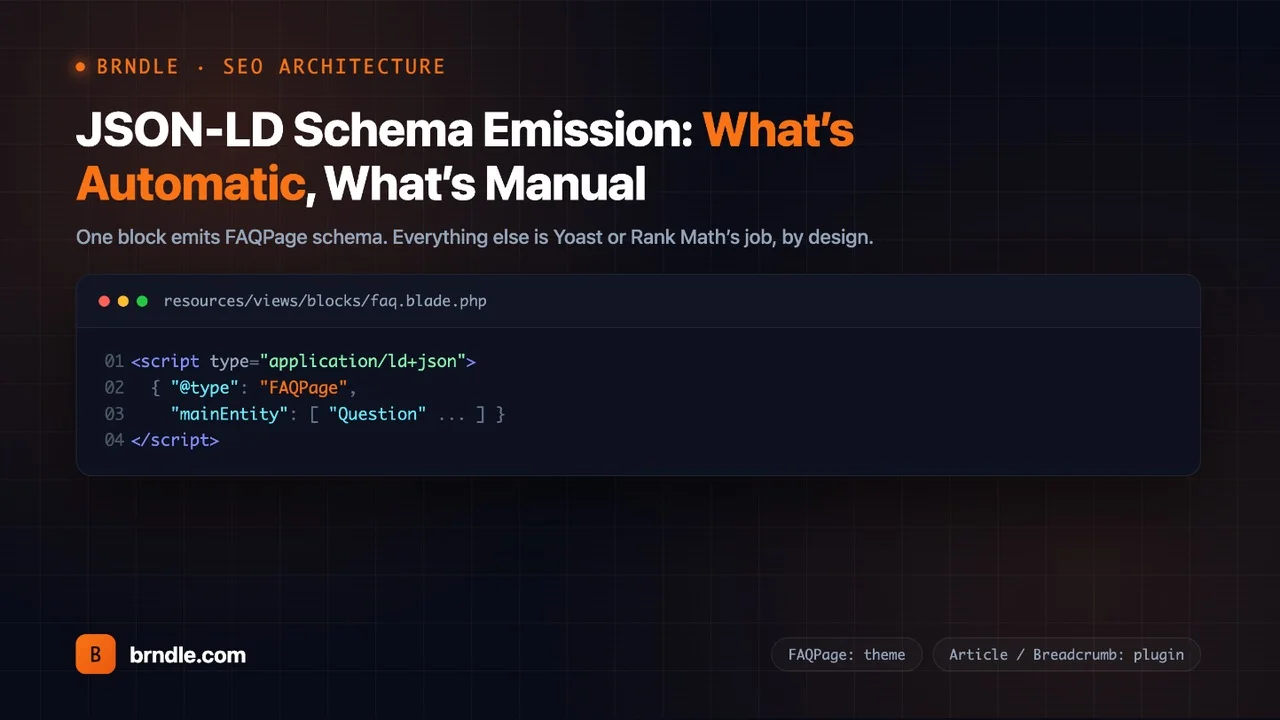
Exactly one surface in the Brndle theme writes a <script type="application/ld+json"> tag onto the rendered page: the brndle/faq block, one of the 20 server-rendered native blocks the theme ships, rendered by resources/views/blocks/faq.blade.php. Here is the schema-building logic, quoted directly from that file:
$faqItems = array_values(array_filter(
  $a['items'] ?? [],
  fn($item) => is_array($item) && !empty($item['question']) && !empty($item['answer'])
));
$schema = null;
if (!empty($faqItems)) {
  $schema = [
    '@context' => 'https://schema.org',
    '@type'    => 'FAQPage',
    'mainEntity' => array_map(function ($item) {
      return [
        '@type' => 'Question',
        'name'  => wp_strip_all_tags($item['question']),
        'acceptedAnswer' => [
          '@type' => 'Answer',
          'text'  => wp_strip_all_tags($item['answer']),
        ],
      ];
    }, $faqItems),
  ];
}
And the line that actually prints it, immediately below that PHP block in the same file:
@if($schema)
  <script type="application/ld+json">{!! wp_json_encode($schema, JSON_UNESCAPED_SLASHES | JSON_UNESCAPED_UNICODE) !!}</script>
@endif
Four things worth being precise about, because each one affects whether this schema is actually valid when it lands in a Rich Results Test:
- Filtering happens before the schema is built, not after.
array_filterdrops any FAQ item missing a question or an answer before themainEntityarray is assembled, so a half-filled-in FAQ item in the block editor cannot produce a malformedQuestionnode with an emptynameortext. - The schema strips the HTML the visible answer keeps. The on-page accordion renders the answer through
wp_kses_post(), which allows a limited set of inline HTML (links, bold, italic). The JSON-LD version of the same answer runs throughwp_strip_all_tags()instead, so the schema’stextfield is plain text even when the visible answer has a link in it. That is correct per Google’s FAQPage guidelines, which expect plain text inacceptedAnswer.text. - No schema is emitted at all when there are zero valid items. The
@if($schema)guard means an FAQ block with every item incomplete, or with no items added yet, prints no<script>tag rather than an empty or malformed one. - Encoding flags matter for URLs and non-ASCII text.
JSON_UNESCAPED_SLASHES | JSON_UNESCAPED_UNICODEkeeps forward slashes in any URLs inside an answer unescaped (sohttps://example.com/pathdoesn’t becomehttps:\/\/example.com\/path) and keeps non-ASCII characters as literal UTF-8 instead of\uXXXXescapes, which is cosmetic but makes the raw JSON-LD easier to read when you view source.
This isn’t an untested assumption about what ships. Brndle’s own Playwright end-to-end suite asserts it directly, in tests/e2e/journey.spec.js:
// Step 4: FAQPage JSON-LD is on the page and well-formed.
const ldText = await page.locator('script[type="application/ld+json"]').first().textContent();
expect(ldText).toBeTruthy();
const ld = JSON.parse(ldText || '{}');
expect(ld['@type']).toBe('FAQPage');
expect(Array.isArray(ld.mainEntity)).toBe(true);
expect(ld.mainEntity.length).toBeGreaterThan(0);
That test runs against a real page (the theme’s own /support/ page, per the test file’s comment) and parses the actual emitted script tag as JSON before asserting its shape, which is a stronger check than a string match against the PHP source would be. If the FAQ block’s output regressed to invalid JSON, or stopped setting @type to FAQPage, this test fails on CI before a release ships.
The theme’s own documentation is consistent about this boundary being exclusive to this one block. docs/BLOCK-CATALOG.md states it plainly: “Emits FAQPage JSON-LD automatically from items, so do not hand-add schema alongside it.” The AI-facing skill file at .claude/skills/brndle-pages.md, written so an agent generating a landing page doesn’t duplicate schema across blocks, repeats the same rule from the other direction, describing the separate brndle/tabs-accordion block: “NEVER emits FAQPage JSON-LD. That’s brndle/faq‘s job.” A planning document for that same tabs/accordion block, plans/2026-05-04-v2.1-editorial-blocks.md, states the constraint as a design requirement before the block was even built: “The existing FAQ block emits FAQPage schema and that’s the only theme-emitted graph. The new tabs/accordion block must NOT emit FAQPage – that’s what FAQ is for.” Three separate files, written at three different points in the theme’s history, agree on the same boundary. That consistency is itself evidence this is an enforced architectural rule, not an accident that happened to hold so far.
What Brndle deliberately does not emit, and why
The more revealing part of the source isn’t the one block that emits schema. It’s the explicit, written-down decision to not emit several other types that a theme could plausibly add, and a changelog entry showing the theme used to do more here before a specific version pulled it back. CLAUDE.md‘s version history for 2.0.0 reads: “Yoast/Rank Math Person schema enrichment (theme stops emitting Article/BreadcrumbList/Person – defers to plugin).” The phrase “stops emitting” implies an earlier Brndle version emitted some combination of Article, BreadcrumbList, and Person schema directly, and 2.0.0 is the release that removed it in favor of enriching the SEO plugin’s own graph instead. readme.txt‘s changelog for the same version spells out the reasoning: “Brndle no longer emits Article / Person / Breadcrumb JSON-LD itself – every install is assumed to run Yoast SEO or Rank Math, and the theme now enriches the SEO plugin’s Person entity instead of competing with it.”
The planning document behind that release, plans/2026-05-03-theme-audit-roadmap.md, states the rule in the strongest terms available in the repository, as a constraint that applies to every future bundle of work, not just the one that introduced it:
Do NOT emit Article / BreadcrumbList / Person / Organization / WebSite / WebPage JSON-LD from the theme. Both plugins emit complete schema graphs. Adding the theme’s own schema produces duplicate
@typeentries that Google flags as “redundant” in Rich Results Test.
That list is six schema.org types, named individually, each one ruled out for the same reason: Yoast and Rank Math already build a complete graph that includes all six, and a second copy from the theme does not add coverage, it adds a conflict. The same plan document repeats the restriction later for a second bundle of work (the v2.1 editorial blocks): “No SEO schema competition – no Article / BreadcrumbList / Person JSON-LD.” This is a rule the team checks against on every subsequent feature, not a one-time decision that could quietly drift.
What happens on a site that runs neither Yoast nor Rank Math? The theme does not fall back to emitting its own schema to cover the gap. It surfaces the gap to the person who can fix it. app/Compatibility/SeoPluginNotice.php checks for both plugins at boot and, if neither is active, shows a dismissible admin notice:
public static function boot(): void
{
    if (defined('WPSEO_VERSION') || class_exists('RankMath')) {
        return;
    }

    add_action('admin_notices', [self::class, 'render']);
    add_action('wp_ajax_brndle_dismiss_seo_notice', [self::class, 'dismiss']);
    add_action('admin_footer', [self::class, 'dismissScript']);
}
The notice text, also quoted directly from the file, says exactly what a site loses in that configuration: “Brndle expects Yoast SEO or Rank Math to be active. Without an SEO plugin, post pages publish without Article / Person / Breadcrumb structured data – the theme deliberately does not emit competing schema.” The word “deliberately” is the theme’s own choice of word, not our characterization of it. A site with neither plugin active gets a visible admin warning and genuinely no Article, Person, or breadcrumb structured data anywhere on the site, dismissible per-user via a nonce-checked AJAX call, but not auto-fixed by the theme stepping in.
The practical read for a developer evaluating this: Brndle’s SEO posture is not “ships complete schema coverage out of the box.” It’s “ships one schema type (FAQ) that doesn’t depend on a plugin, and treats everything else as the SEO plugin’s job, enforced by refusing to duplicate it even when no plugin is present.” That is a narrower claim than “SEO-ready,” and worth knowing before you promise a client complete structured data coverage based on the theme alone.
Breadcrumbs: the theme-support flag versus what’s on the page
Breadcrumbs are the one area where Brndle’s own marketing copy gets ahead of what we could confirm in the templates, and it’s worth walking through exactly where the gap is rather than papering over it. README.md lists, under “Built-in support for,” the line: “Yoast SEO / RankMath – Breadcrumbs, fallback JSON-LD schema.” Read on its own, that sentence implies the theme renders a breadcrumb trail somewhere in its templates, backed by whichever plugin is active. We went looking for that template and didn’t find one.
What does exist is a single theme-support declaration in app/Compatibility/Yoast.php, the same app/Compatibility/ namespace that also houses the theme’s WPML and Polylang compatibility layer:
add_action('after_setup_theme', function () {
    if (function_exists('yoast_breadcrumb') || function_exists('rank_math_the_breadcrumbs')) {
        add_theme_support('yoast-seo-breadcrumbs');
    }
});
add_theme_support('yoast-seo-breadcrumbs') is a real WordPress/Yoast convention, and it does something specific: it tells Yoast SEO that the active theme has its own breadcrumb trail already wired in, which suppresses Yoast’s “enable breadcrumbs” admin nudge and signals that the theme, not a Yoast-injected widget, is expected to call yoast_breadcrumb() somewhere in its own markup. Declaring the support flag is the first half of that contract. The second half, a template actually calling yoast_breadcrumb() or rank_math_the_breadcrumbs() to print the trail on a page, is what we searched for and could not find anywhere in resources/views/ or the rest of the theme’s PHP. We grepped the full checked-out source for both function names as calls (not just the detection check already shown above) and for any file with “breadcrumb” in its name, and came up empty outside that one detection block and the planning documents describing an intent.
The planning document for the 2.0.0 release describes exactly the template work that would close this gap, written as something to do, not something already done: “Breadcrumb UI in the theme should call the plugin’s breadcrumb function when present, not output its own structured data… Yoast: function_exists('yoast_breadcrumb') → render yoast_breadcrumb('<nav>', '</nav>', false)… Fallback: visual-only breadcrumb (no BreadcrumbList JSON-LD).” That is a specific, three-branch plan: call Yoast’s function if present, call Rank Math’s if present, otherwise render a plain HTML breadcrumb with no structured data at all. Based on what’s actually in the templates today, only the detection half of that plan (the theme-support flag) shipped. The rendering half, the part that would put a breadcrumb trail on an actual page, is not there yet.
What this means in practice for a site running Brndle: if you want a visible breadcrumb trail on single posts or pages today, it has to come from the SEO plugin’s own widget, block, or shortcode, placed by the site owner, not from anything Brndle’s templates render automatically. The theme-support flag means Yoast will cooperate with that setup cleanly rather than nag about it, which is a real and useful piece of compatibility work, just a smaller one than “breadcrumbs” in a features list suggests on first read. And on the schema side, the BreadcrumbList JSON-LD itself, regardless of whether a visual trail is on the page, comes entirely from Yoast or Rank Math’s own schema graph. Nothing in the theme emits or needs to emit that structured data; it was never part of the theme’s job once 2.0.0 drew the line described in the previous section.
Person schema enrichment: filters, not a competing graph
The replacement for emitting its own Person schema is a set of filter hooks that modify the SEO plugin’s existing Person entity in place, adding data Brndle has (social URLs and a role from its local-avatar feature) without creating a second node. This is the correct pattern for exactly the reason the roadmap document gives: the theme has author metadata the SEO plugin doesn’t collect, but the plugin already owns the Person entity’s shape, its @id, and its place in the graph, so the theme’s job is to add two fields to an existing object, never to build its own.
For Yoast, the hook is wpseo_schema_person, registered in app/Compatibility/Yoast.php:
add_filter('wpseo_schema_person', [self::class, 'enrichPerson'], 10, 2);

public static function enrichPerson(array $data, $context = null): array
{
    $userId = self::resolveUserId($data, $context);
    if (! $userId) {
        return $data;
    }

    $sameAs = isset($data['sameAs']) && is_array($data['sameAs']) ? $data['sameAs'] : [];
    $sameAs = array_values(array_filter(array_unique(array_merge($sameAs, PersonEnrichment::sameAs($userId)))));

    if ($sameAs) {
        $data['sameAs'] = $sameAs;
    }

    $jobTitle = PersonEnrichment::jobTitle($userId);
    if ($jobTitle && empty($data['jobTitle'])) {
        $data['jobTitle'] = $jobTitle;
    }

    return $data;
}
For Rank Math, two hooks cover two different code paths, documented in-source as deliberately different cases. rank_math/snippet/rich_snippet_person_entity fires only when Rank Math builds a standalone Person snippet. rank_math/json_ld fires on the full assembled graph and has to walk every node looking for one that is a Person type, from app/Compatibility/RankMath.php:
public static function enrichGraph(array $data, $jsonld = null): array
{
    if (empty($data) || ! is_array($data)) {
        return $data;
    }

    foreach ($data as $key => $node) {
        if (! is_array($node) || ! self::isPersonNode($node)) {
            continue;
        }

        $userId = self::resolveAuthorUserIdFromEntity($node);
        if ($userId) {
            $data[$key] = self::merge($node, $userId);
        }
    }

    return $data;
}
The in-source comments on this walker call out a failure mode worth repeating, because it’s the exact class of bug this whole architecture exists to avoid: a site can have a brand Person knowledge-graph entity at a URL like /#person that represents the site itself, not any individual author. A naive enrichment that applied to every Person node it found would attach a blog post author’s social links to that brand entity. The resolver functions in both Yoast.php and RankMath.php only match a node whose @id or url contains an /author/<slug>/ pattern, or ends in #author on a singular post, and return null (skip, don’t enrich) for anything else. PersonEnrichment.php, shared by both compatibility classes, supplies the actual values: four user-meta keys (_brndle_twitter, _brndle_linkedin, _brndle_github, _brndle_website) merged into sameAs after validation through esc_url_raw(), and a _brndle_role value that only fills jobTitle when the plugin’s own entity doesn’t already have one. Two filters, brndle/schema_person_sameas and brndle/schema_person_jobtitle, let a site add networks Brndle doesn’t collect (Mastodon, Bluesky) or change the fill-when-empty default.
None of this code path writes a <script> tag. It only ever receives an array the plugin already built, modifies two keys on it, and returns the array back into the plugin’s own rendering pipeline. That’s the structural reason it can’t create a duplicate-schema problem: there is only ever one Person entity in the final output, because the plugin is still the one deciding whether that entity exists at all and where it goes in the graph.
How to check your own site in Rich Results Test
Reading the source tells you what the theme is supposed to do. Checking a real page tells you what actually landed, after your specific combination of theme version, SEO plugin, plugin settings, and any other schema-touching plugin you’ve installed. Five minutes against a live URL is worth more than trusting any changelog, including this post’s, and it’s the same discipline we applied in our audit of Brndle’s 12 color schemes against WCAG AA: run the theme’s own claim through an independent check before repeating it.
- Open the Rich Results Test. Go to search.google.com/test/rich-results and enter the URL of a published page that has a Brndle FAQ block on it, or paste the page’s rendered HTML directly if the site isn’t live yet.
- Count the detected items by type. The results panel groups detected structured data by type. If your SEO plugin and the theme are both behaving, you should see exactly one
FAQPageentry (from the FAQ block, if present on that page) and, separately, whatever graph your SEO plugin builds for that page type – typically oneArticle/BlogPosting, oneBreadcrumbList, and aPersonorOrganizationnode depending on your plugin’s author/publisher settings. One of each. If you see twoFAQPageentries, the duplicate isn’t coming from Brndle alone – check whether your SEO plugin, or a separate FAQ/schema plugin, is also generating FAQ schema for the same content. - View source and search for
application/ld+json. Right-click → View Page Source (not just Inspect Element, which shows the live DOM after JS has run) and search forapplication/ld+json. Brndle’s FAQ block script tag will be inline in the page body, near the FAQ section’s markup, not batched into the<head>with the plugin’s tags. Counting the script tags here gives you the raw number of separate JSON-LD blocks on the page before Google even parses them. - Paste each block into the Schema Markup Validator separately. validator.schema.org doesn’t do the rich-result eligibility check Google’s tool does, but it is more forgiving about letting you test one isolated script tag’s JSON at a time, which is useful to confirm the FAQ block’s output is well-formed JSON before you worry about the rest of the page.
- Check Search Console’s structured data reports over time. The one-off Rich Results Test only sees the page as it is right now. Search Console’s Enhancements reports (under the relevant structured data type) track validation errors and warnings across your whole indexed site, including the “duplicate” or “conflicting” flags that a single-page test won’t surface until Google has actually crawled and compared multiple pages.
If a duplicate does show up, the fix is almost never “edit the theme.” Given everything in the two sections above, the only schema Brndle itself can produce is the FAQ block’s FAQPage graph, so a duplicate FAQPage means something other than the theme is also generating FAQ schema for the same questions – commonly a separate FAQ/accordion plugin, or an SEO plugin’s own schema generator block being used instead of (not alongside) Brndle’s native FAQ block. A duplicate Article, Person, or BreadcrumbList cannot be coming from Brndle at all, by the architecture described above; check for a second SEO plugin, a caching layer serving a stale page with an old plugin’s schema baked in, or a manually pasted schema snippet left over from before the site moved to Brndle.
Theme job vs. plugin job: the full split
| Schema concern | Who handles it | Confirmed in source |
|---|---|---|
| FAQPage JSON-LD | Brndle theme (brndle/faq block only) | Yes – faq.blade.php, asserted by Playwright e2e test |
| Article / BlogPosting JSON-LD | SEO plugin (Yoast or Rank Math) | Yes – explicitly excluded from theme since v2.0.0 |
| Person JSON-LD (the entity itself) | SEO plugin builds it; theme enriches two fields via filter | Yes – Yoast.php, RankMath.php, PersonEnrichment.php |
| Organization / WebSite / WebPage JSON-LD | SEO plugin | Yes – named explicitly in the roadmap’s exclusion list |
| BreadcrumbList JSON-LD | SEO plugin | Yes – theme never emits this type, by the same 2.0.0 rule |
| Visible breadcrumb trail (HTML, no schema) | Not currently rendered by the theme’s templates | Partial – theme-support flag exists; no template call to yoast_breadcrumb() / rank_math_the_breadcrumbs() found |
| Open Graph / Twitter Card meta tags | SEO plugin | Yes – stated as plugin territory in the roadmap |
| Canonical / robots / hreflang meta | SEO plugin (hreflang also touched by WPML/Polylang compatibility) | Yes – stated as plugin territory in the roadmap |
| XML sitemap | SEO plugin | Yes – theme does not register one |
FAQ
Does Brndle emit any JSON-LD schema at all?
Yes, exactly one type, from exactly one block. The brndle/faq block emits FAQPage JSON-LD with a mainEntity array of Question/Answer pairs, built from the block’s items, and prints nothing when the block has no valid items. No other block or template in the theme writes a <script type="application/ld+json"> tag.
Will Brndle’s FAQ schema conflict with my SEO plugin’s FAQ schema?
Only if you’re also generating FAQ schema for the same questions through another tool, such as a separate FAQ plugin or your SEO plugin’s own schema-generator block. Brndle’s documentation and its AI-agent skill file both instruct against pairing brndle/faq with another schema-emitting FAQ source for the same content, specifically to avoid this. If you use Brndle’s native FAQ block as your only FAQ UI, there’s one FAQPage entity, not two.
Does Brndle add Article or BlogPosting schema to blog posts?
No. The theme explicitly stopped emitting Article JSON-LD as of version 2.0.0, documented in both CLAUDE.md‘s changelog and readme.txt. That schema is left entirely to Yoast SEO or Rank Math, which both build a complete Article/BlogPosting entity as part of their own graphs.
Does Brndle render breadcrumbs?
Partially, and this is the one place the public README overstates what the current templates do. The theme declares add_theme_support('yoast-seo-breadcrumbs') when Yoast or Rank Math’s breadcrumb function is detected, which tells Yoast the theme handles its own breadcrumb markup. We could not find a template in the current source that actually calls yoast_breadcrumb() or rank_math_the_breadcrumbs() to print a trail on the page. A visible breadcrumb today has to come from the SEO plugin’s own widget, block, or shortcode, placed manually.
Does Brndle emit BreadcrumbList JSON-LD?
No, never, regardless of whether a visual breadcrumb trail is present. The roadmap document that governs the theme’s SEO posture names BreadcrumbList specifically in its list of types the theme must not emit, on the grounds that Yoast and Rank Math already produce a complete BreadcrumbList graph and a second one creates the duplicate-entity problem Google’s Rich Results Test flags.
What happens if I don’t run Yoast or Rank Math at all?
app/Compatibility/SeoPluginNotice.php detects the absence of both plugins and shows a dismissible admin notice stating, in its own words, that post pages will publish “without Article / Person / Breadcrumb structured data” because the theme “deliberately does not emit competing schema.” The theme does not fall back to generating that schema itself; the gap is surfaced to the site owner, not silently filled or silently hidden.
What is Person schema “enrichment” and how is it different from the theme emitting its own Person schema?
Enrichment means Brndle modifies fields on a Person entity the SEO plugin has already built and already owns, rather than creating a second, competing entity. Via wpseo_schema_person (Yoast) and rank_math/snippet/rich_snippet_person_entity plus rank_math/json_ld (Rank Math), Brndle appends social URLs from its local-avatar user meta to the existing entity’s sameAs array, and fills jobTitle only when the plugin’s entity doesn’t already have one. The plugin still decides whether the Person entity exists, its @id, and its place in the graph.
Can the Person enrichment accidentally attach an author’s social links to the wrong entity?
The resolver functions in both Yoast.php and RankMath.php are written specifically to avoid this. They only enrich a Person node whose @id or url matches an /author/<slug>/ pattern, or ends in #author on a singular post, and return without modifying anything otherwise. The in-source comments call out the specific risk this guards against: a site-brand Person entity (for example a knowledge-graph entity at /#person) must not get a blog author’s social links merged into it.
How do I check whether my own site has duplicate schema after switching to Brndle?
Run a published page through Google’s Rich Results Test and count the detected items by type; you should see exactly one of each type per page (one FAQPage if the page has a Brndle FAQ block, one Article, one BreadcrumbList, and so on from your SEO plugin). View page source and search for application/ld+json to count the raw number of script tags directly. If you find a duplicate of any type Brndle doesn’t touch (Article, Person, BreadcrumbList, Organization, WebSite, WebPage), it is coming from somewhere other than the theme, by the architecture described in this post – check for a second SEO or schema plugin, or leftover manually-pasted schema from a previous theme.
Does using the tabs/accordion block instead of the FAQ block give me FAQ schema too?
No, and this is intentional. brndle/tabs-accordion in accordion mode looks similar to the FAQ block visually but is documented as a “neutral disclosure pattern” that never emits FAQPage JSON-LD, specifically so two blocks can’t both claim the same schema type for the same content. If you want the SEO benefit of FAQ rich results, use brndle/faq; use the tabs/accordion block for disclosure UI where you don’t want schema.
The takeaway
Brndle’s actual structured-data footprint is smaller and more deliberate than a feature-list bullet point can convey: one block, one schema type, emitted only when it has real content to describe, verified by an end-to-end test that parses the output as JSON rather than trusting the PHP that generates it. Everything else that a theme could plausibly add, Article, Person, Organization, WebSite, WebPage, and BreadcrumbList, is explicitly excluded by a rule written into the project’s own planning documents, with a named reason: Google’s Rich Results Test flags the duplicate, not the better of the two entities. Person schema still gets richer, just through filters that modify the SEO plugin’s existing entity instead of competing with it. The one place the documentation overstates the code is breadcrumbs, where a theme-support flag exists but no template currently prints a visible trail, which is worth fixing on the theme’s side and worth knowing about on yours in the meantime. If you’re building on Brndle, the schema decision is already made for you: write FAQ content into the native FAQ block when you want the rich-result benefit, leave everything else to whichever SEO plugin you’ve already got running, and use the Rich Results Test on a live page rather than a changelog, including this one, to confirm it.
Sources, read on 30 October 2026
- brndle-themes/brndle: resources/views/blocks/faq.blade.php, the FAQPage schema builder and the conditional script-tag output
- brndle-themes/brndle: app/Compatibility/Yoast.php, the breadcrumb theme-support detection and the
wpseo_schema_personenrichment filter - brndle-themes/brndle: app/Compatibility/RankMath.php, the graph-walking Person enrichment and its author-node resolver
- brndle-themes/brndle: app/Compatibility/PersonEnrichment.php, the shared
sameAs/jobTitlesource and its two public filters - brndle-themes/brndle: app/Compatibility/SeoPluginNotice.php, the admin notice shown when neither SEO plugin is active
- brndle-themes/brndle: tests/e2e/journey.spec.js, the Playwright assertion that parses the live FAQPage JSON-LD
- brndle-themes/brndle: plans/2026-05-03-theme-audit-roadmap.md, the schema-exclusion rule and the planned (not yet shipped) breadcrumb template work
- Google Search Central: FAQPage structured data
- Google Rich Results Test