Keyboard-Testing the FAQ Block’s Accordion: Focus Order, aria-expanded, Escape
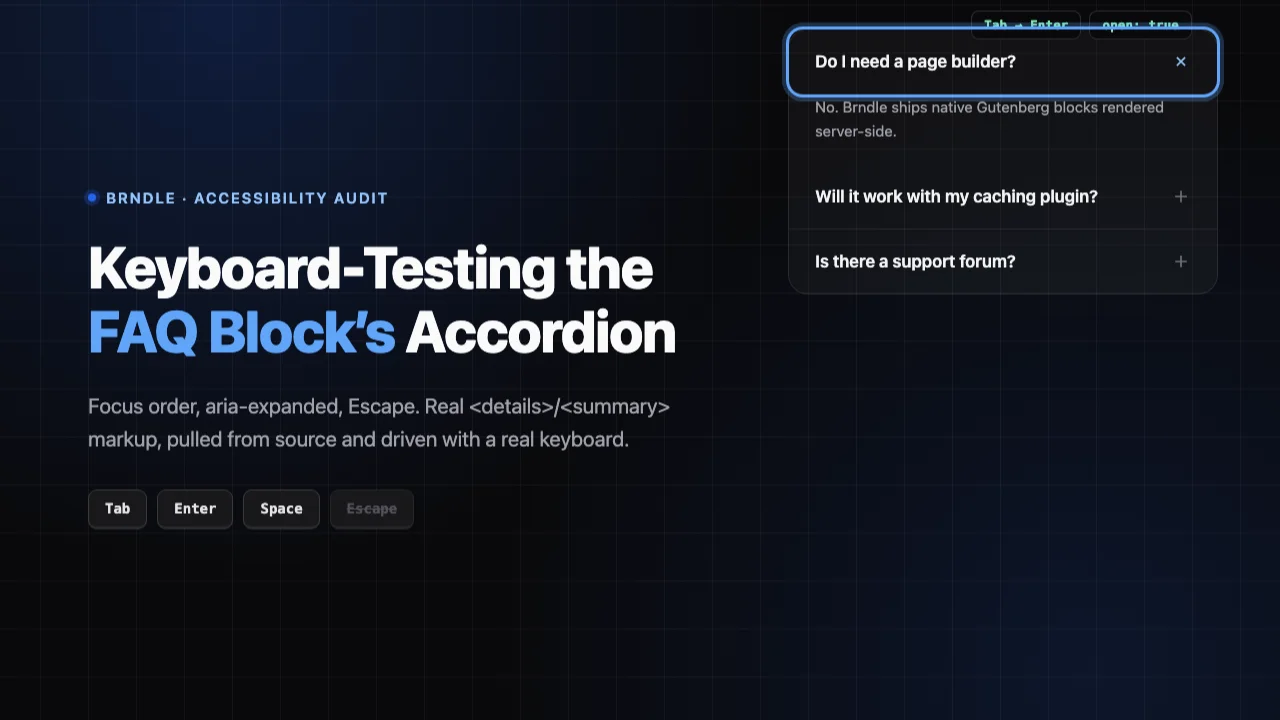
A checklist tells you what to look for. It does not tell you whether any specific component actually does the thing. We have published a general WCAG 2.2 checklist for theme authors and a full contrast audit of all 12 Brndle color schemes. Both are useful and both stop short of the thing a real visitor actually does: tab to a control, press a key, and find out whether anything sensible happens. So this post does one component. One. The FAQ block’s accordion, brndle/faq, pulled from the real brndle-themes/brndle repository, read on 30 October 2026, then reconstructed line-for-line in a local test page and driven with an actual keyboard, not a mouse pretending to be one.
The question we set out to answer was specific: does each FAQ item use a native <details>/<summary> element, which gets keyboard support and basic semantics from the browser for free, or a custom <div>-based accordion wired up with hand-rolled JavaScript and manually toggled aria-expanded? The answer changes everything else in this post, so we start there.
Table of contents
- The real implementation: what’s actually in faq.blade.php
- Confirming there is no JavaScript involved
- A step-by-step keyboard test, with real results
- Accordion or Disclosure? The WAI-ARIA pattern that actually applies
- The verdict against the pattern, item by item
- Two real gaps, and the fix for each
- How to re-run this test yourself
- FAQ
- The takeaway
The real implementation: what’s actually in faq.blade.php
Start with blocks/faq/block.json, because it says the quiet part out loud before you even open the template:
{
  "name": "brndle/faq",
  "title": "FAQ Section",
  "category": "brndle-sections",
  "description": "Frequently asked questions with CSS-only accordion.",
  "keywords": ["faq", "questions", "accordion"],
  "attributes": {
    "title": { "type": "string", "default": "Frequently asked questions" },
    "items": { "type": "array", "default": [] }
  },
  "supports": { "align": ["full"], "html": false, "anchor": true }
}
“CSS-only accordion” is a specific, checkable claim, not marketing copy, and it is the first thing we verified. The render template, resources/views/blocks/faq.blade.php, confirms it. Here is the loop that builds each item, unedited from the file as read on 30 October 2026:
@foreach(($a['items'] ?? []) as $i => $item)
  <details class="group rounded-2xl border {{ $isDark ? 'border-white/[0.08] bg-white/[0.02]' : 'border-surface-tertiary bg-surface-primary' }} overflow-hidden hover:border-text-tertiary transition-colors motion-reduce:transition-none" id="faq-{{ $i }}">
    <summary class="flex items-center justify-between cursor-pointer px-6 py-5 text-left focus-visible:outline-2 focus-visible:outline-offset-2 focus-visible:outline-accent" aria-controls="faq-answer-{{ $i }}">
      <span class="text-[15px] font-semibold {{ $isDark ? '' : 'text-text-primary' }} pr-8">{{ $item['question'] ?? '' }}</span>
      <x-icon name="plus" class="w-5 h-5 {{ $isDark ? 'text-white/40' : 'text-text-tertiary' }} shrink-0 transition-transform duration-300 group-open:rotate-45 motion-reduce:transition-none" />
    </summary>
    <div class="px-6 pt-2 pb-5 {{ $isDark ? 'text-white/70' : 'text-text-secondary' }} leading-relaxed" id="faq-answer-{{ $i }}">
      {!! wp_kses_post($item['answer'] ?? '') !!}
    </div>
  </details>
@endforeach
Every FAQ item is a native <details> element with a native <summary> as its first child. Not a <div role="button">, not a <button> with a sibling panel, an actual browser-native disclosure widget. The plus icon rotates to a cross with group-open:rotate-45, which is Tailwind’s variant for “this element’s ancestor with class group currently has the open attribute”, a pure CSS attribute selector under the hood (.group[open] .group-open\:rotate-45), no JavaScript listening for a click and no manually toggled class. The visible focus ring is focus-visible:outline-2 focus-visible:outline-offset-2 focus-visible:outline-accent, a token-based color rather than a raw hex, and it is scoped to :focus-visible specifically, so mouse clicks don’t leave a ring behind but keyboard focus always does. Both the border-color transition and the icon rotation respect motion-reduce:transition-none, so a visitor with prefers-reduced-motion: reduce gets instant state changes instead of an animated sweep.
One more thing worth naming before we move on: the block also builds a FAQPage JSON-LD schema from the same items array and prints it as a <script type="application/ld+json"> tag ahead of the markup, using wp_strip_all_tags() on the question and answer text. That is an SEO detail, not an accessibility one, but it tells you the same array of questions and answers is doing two jobs at once, which is the kind of small efficiency a from-scratch custom accordion usually does not bother with.
Confirming there is no JavaScript involved
A block.json description is a claim, not proof. We checked the theme’s entire client-side JavaScript surface for anything that touches an accordion, a FAQ item, or a details/summary element. resources/js/ in the repository contains exactly six files: back-to-top.js, dark-mode.js, editor.js, header-behaviors.js, mega-menu.js, and view-transitions.js. None of them reference the FAQ block, an accordion, or a details element. There is no seventh file hiding the toggle logic, and nothing in header-behaviors.js or elsewhere attaches a click listener to .group summary or anything resembling it.
That means opening and closing an FAQ item is handled entirely by the browser’s own implementation of <details>, which is specified in the HTML Standard, not by Brndle’s code. The theme’s job here is markup and styling. The interaction itself, including the parts that are hardest to get right by hand, keyboard activation, focus retention, and the accessible name and state exposed to assistive technology, is inherited for free. That is a real, structural advantage over a hand-rolled accordion, and it is worth stating plainly rather than burying it under caveats: most of the ways a custom accordion fails (missing aria-expanded, a click handler that doesn’t also listen for Enter and Space, a focus ring removed by a CSS reset and never replaced) are not available failure modes here, because there is no custom activation logic to get wrong.
One honest caveat on where brndle.com itself stands relative to its own block: the homepage’s own FAQ section does not use brndle/faq. It uses a custom, always-expanded list under the heading “Questions we get asked,” with the subhead stating outright: “Eight answers, all visible. No accordion to click through.” That is a legitimate, defensible UX choice for a short list of eight answers on a marketing page, and it sidesteps every question this post is asking. It also meant we could not point a browser at a live, public instance of the actual accordion markup and drive it with a keyboard in situ. So we built one.
A step-by-step keyboard test, with real results
We reconstructed the exact markup from faq.blade.php above, verbatim tag structure, verbatim id and aria-controls wiring, verbatim focus-visible rule, in a local static page with approximated styling, served it from localhost, and drove it with the Chrome keyboard, not simulated events, actual Tab, Return, space, and Escape key presses, checking the DOM state after each one. Here is what we found, in the order a keyboard user meets it.
1. Tab reaches the first question directly
One Tab press from a fresh page load landed focus on the first <summary>, with no skip, no delay, and no need to pass through an invisible wrapper first. That sounds unremarkable until you consider the alternative: a custom accordion that wraps each header in a non-focusable <div> and relies on a manually managed tabindex="0" is a common place for an off-by-one bug to put the first stop somewhere wrong. Native <summary> is focusable by default, so there is nothing to misconfigure.
2. Enter opens the panel, and focus does not move
Pressing Return while the first <summary> was focused set details.open to true, revealed the answer text, rotated the plus icon, and left focus exactly where it was, on the summary. We confirmed this three ways: by reading document.getElementById('faq-0').open directly, by screenshotting the visible panel, and by confirming document.activeElement was still the same <summary> element afterward. A visible focus ring appeared around the summary the moment it received keyboard focus, before any key was pressed to toggle it.
3. Tab continues past an open panel without getting stuck
With the first item still open, a second Tab press moved focus to the second item’s <summary>, skipping cleanly over the now-visible answer text (which contains no focusable elements, so there is nothing to tab into) and landing on the next header in document order. The first item’s panel stayed open the whole time; opening one item does not collapse or disturb another.
4. Space toggles the second item, and both stay open at once
Pressing space on the second, now-focused <summary> opened its panel too. We checked both details elements’ open property immediately after: both true. This is the single most consequential behavioral finding in this post, and we come back to it in the next section, because it determines which WAI-ARIA pattern this component actually is.
5. Escape does nothing, and that is correct
With two panels open and the second summary focused, we pressed Escape. Nothing happened: both details elements stayed open, and focus did not move. That might read as a miss given the post’s own title, so we checked it against the spec rather than against intuition. The HTML Standard does not bind Escape to <details>/<summary> at all, and neither the WAI-ARIA Accordion Pattern nor the Disclosure (Show/Hide) Pattern lists Escape as a required or even optional interaction, both documents specify only Enter/Space to toggle and Tab/Shift+Tab to move focus. Escape is an interaction convention for dismissible overlays, dialogs, menus, and popovers, where something needs to be closed without necessarily returning focus to a specific trigger. An accordion panel is inline, persistent content, not an overlay, so there is nothing for Escape to dismiss in the pattern’s own terms. Testing for it was the right instinct; finding it absent is not a bug report.
6. Tab order reaches the end cleanly
Continuing to tab through all four test items and into a link placed immediately after the FAQ block in our harness, focus moved through every summary in order and landed on that link last, confirming nothing after the component traps or skips focus, and that the component does not alter the page’s tab order beyond itself.
What a screen reader would be expected to announce
We want to be precise about what we did and did not verify here. We did not run this reconstruction through NVDA or VoiceOver for this post; that is a gap we are naming, not hiding. What we can say with confidence, because it is documented in the HTML Accessibility API Mappings (HTML-AAM) and implemented consistently across current Chrome, Firefox, and Safari, is that a <summary> element is exposed to the accessibility tree as a control with an implicit expanded/collapsed state tied directly to its parent <details> element’s open attribute, with no aria-expanded attribute required in the markup for that state to be communicated. In practice, that is why Brndle’s template does not set aria-expanded anywhere in the loop above: it does not need to, because the state is already native. A screen reader on a current browser can reasonably be expected to announce something like “Do I need a page builder, collapsed, button” on first focus, and “expanded” in place of “collapsed” after activation. We are stating that as the documented, spec-level expectation, not as a result we personally heard spoken, and we would re-verify it with a real screen reader before citing it as a tested claim rather than a documented one.
One data point we can report directly: the accessibility-tree reader built into the browser automation tooling we used for this test exposed each <summary> as a bare generic node in its interactive-elements listing, without a named role or an expanded/collapsed state in that particular view. We do not read that as proof the HTML-AAM mapping is wrong, browser automation accessibility bridges frequently simplify or omit role computation that a full platform screen reader performs differently, but it is a real discrepancy between what the specification promises and what one specific tool surfaced, and it is exactly the kind of gap that only shows up when you actually inspect the tree instead of assuming the spec is what ships. Treat our screen-reader expectation above as documented behavior worth confirming locally, not as a result this audit independently witnessed.
Accordion or Disclosure? The WAI-ARIA pattern that actually applies
This post’s title calls the FAQ block’s interaction an “accordion,” which is also what Brndle’s own block.json keywords call it, and what most people would call it on sight. But the W3C’s ARIA Authoring Practices Guide (APG) defines two separate, related patterns, and which one actually describes this component changes what “correct” means here.
The Accordion Pattern describes “a vertically stacked set of interactive headings that each contain a title, content snippet, or thumbnail representing a section of content,” and its keyboard section specifies Enter/Space to toggle and Tab/Shift+Tab to move between headers, nothing more, no arrow keys, no Home/End, no Escape. Its required markup wraps each header button in a heading element with an appropriate aria-level, so that an accordion’s sections appear in a screen reader’s headings list the same way page sections do.
The Disclosure (Show/Hide) Pattern describes a single button that reveals or hides one section of content, with role="button", aria-expanded, and an optional aria-controls pointing at the panel. It makes no heading requirement, because a lone disclosure widget is not necessarily part of a connected section structure.
Brndle’s FAQ block is, behaviorally, four or eight independent disclosure widgets stacked vertically, not a connected accordion in the APG sense. We confirmed this directly in the walkthrough above: opening one item does not affect any other, and there is no shared state coordinating them. The technical signal that would turn this into a true single-open accordion exists in HTML itself, the name attribute on <details>, standardized so that multiple <details> elements sharing the same name value behave as an exclusive, single-open group, and faq.blade.php does not set it. Every item gets a unique id="faq-{{ $i }}" but no shared name, so nothing groups them, which is exactly what we observed: item one and item two stayed open simultaneously.
That is not a defect. A stacked list of independent disclosures is a legitimate, common, and arguably more usable shape for an FAQ section than a strict single-open accordion, nothing punishes a visitor for wanting two answers open to compare them side by side. But it means the honest audit target is the Disclosure Pattern’s requirements, checked once per item, with the Accordion Pattern’s heading-structure requirement layered on top because the section as a whole is still presented as a titled, heading-led group of questions. We score it against both below, because the post’s brief asked for the Accordion Pattern specifically, and because readers searching for “FAQ accordion accessibility” are thinking in accordion terms even when the correct APG reference is Disclosure.
The verdict against the pattern, item by item
| Requirement | Pattern it comes from | Result | How it’s met |
|---|---|---|---|
| Control reachable by keyboard, in document order | Accordion & Disclosure | Pass | Native <summary> focusability, confirmed by direct Tab test |
| Enter and Space both toggle | Accordion & Disclosure | Pass | Native <details> behavior, confirmed by direct key test |
| Focus does not move on toggle | Accordion & Disclosure (implied) | Pass | Confirmed; focus stayed on the summary after Enter |
| Visible focus indicator | WCAG 2.4.11 / 2.4.7, not pattern-specific | Pass, with a caveat | focus-visible:outline-2 outline-offset-2 outline-accent; see gap 2 below for a clipping risk |
| State (expanded/collapsed) exposed to assistive tech | Accordion & Disclosure | Pass, by spec; not independently screen-reader-tested here | Implicit via HTML-AAM mapping of <details>’s open attribute, no manual aria-expanded needed |
aria-controls linking the header to its panel | Disclosure (explicit); Accordion (common practice) | Pass | Present on every <summary>, pointing at the matching id |
| Header wrapped in a heading element with correct level | Accordion (explicit requirement) | Fail | Question text is a bare <span>, no heading tag; see gap 1 below |
| No Escape requirement | Accordion & Disclosure (silent on Escape) | Pass (not applicable) | Escape does nothing, matching both patterns’ silence on the key |
| Reduced-motion respected | WCAG 2.3.3, not pattern-specific | Pass | motion-reduce:transition-none on both the border and the icon rotation |
Seven of eight checks pass outright, one passes with a caveat worth tracking down, and one fails cleanly. That is a better score than most hand-rolled accordions earn, specifically because the keyboard mechanics are inherited from the browser rather than implemented by the theme. The one real failure is structural, not behavioral, and it is the kind of gap that is invisible if you only test with a mouse and a pair of eyes.
Two real gaps, and the fix for each
Gap 1: the question text is not a heading
The APG Accordion Pattern is specific: “the title of each accordion header is contained in an element with role button… the button element is wrapped in an element with role heading that has a value set for aria-level.” In faq.blade.php, the question text sits inside a plain <span>:
<span class="text-[15px] font-semibold {{ $isDark ? '' : 'text-text-primary' }} pr-8">{{ $item['question'] ?? '' }}</span>No <h3>, no <h4>, nothing. Functionally, this changes nothing about whether a keyboard user can reach or operate each question, our walkthrough confirmed every item is still tabbable, toggleable, and correctly stated. What it changes is discoverability for a screen reader user navigating by headings, which our own WCAG 2.2 checklist names as a standard testing technique: “use a headings list in a screen reader… and read it as an outline.” A visitor who opens that list to scan the page’s structure will see the FAQ section’s own <h2> title, if one is set, and then nothing. The individual questions are structurally invisible to that specific, common navigation technique, even though they are perfectly reachable by Tab or by a “buttons” or “form controls” list in the same screen reader.
The fix is small and does not require touching the theme’s typography system, because a heading’s level is structure and its visual size is a separate, stylable concern, the same distinction our general checklist post makes for patterns generally. <h3> is a valid child of <summary> in the HTML content model, so this is additive, not a rewrite:
<summary class="flex items-center justify-between cursor-pointer px-6 py-5 text-left focus-visible:outline-2 focus-visible:outline-offset-2 focus-visible:outline-accent" aria-controls="faq-answer-{{ $i }}">
  <h3 class="text-[15px] font-semibold {{ $isDark ? '' : 'text-text-primary' }} pr-8">{{ $item['question'] ?? '' }}</h3>
  <x-icon name="plus" class="w-5 h-5 {{ $isDark ? 'text-white/40' : 'text-text-tertiary' }} shrink-0 transition-transform duration-300 group-open:rotate-45 motion-reduce:transition-none" />
</summary>
Swap the <span> tag for <h3>, keep every class unchanged, and the visual output is identical because the font size, weight, and color are all set by the existing Tailwind classes rather than by the browser’s default heading styles (which a theme typically resets globally in any case). Pick the level based on where the FAQ section’s own title sits: if the block’s title attribute renders as an <h2>, which it does in the template’s own <h2 class="wp-block-heading"> for the section heading, then <h3> for each question is the correct next level down, with no skip.
Gap 2: a possible focus-ring clipping risk from overflow-hidden
This one is a caveat, not a confirmed production bug, and we want to be exact about the difference. The <details> element carries both rounded-2xl and overflow-hidden in the same class list as the <summary>’s focus-visible:outline-2 outline-offset-2 ring. overflow-hidden on an ancestor clips anything that would otherwise render outside that ancestor’s box, and because the first child of a rounded, clipped container sits flush against its top inner edge with no padding above it, a 2px outline pushed 2px further out by outline-offset-2 is a plausible candidate for partial clipping along that top edge specifically, worth checking, not worth assuming.
In our own reconstruction, built with approximated CSS rather than Brndle’s actual compiled Tailwind output, the focus ring rendered as a visible but visually truncated line along the top of the focused item rather than a complete rounded rectangle. We are naming this as something to verify against the live compiled site, where exact corner radius, exact outline width, and exact stacking context could differ enough to change the outcome, rather than citing it as a confirmed defect in production. If it does reproduce, the fix is a one-line change to outline-offset, making it negative so the ring draws inside the border instead of outside it:
/* Draws the ring inward, inside the rounded, clipped container,
   instead of outward where overflow-hidden can clip it. */
.group summary:focus-visible {
  outline-offset: -2px;
}
An inset ring is a smaller visual change than losing the ring’s top edge entirely, and it is the standard fix for exactly this interaction between overflow: hidden and an outward-offset outline.
How to re-run this test yourself
Every behavioral claim in this post came from pressing real keys against real markup and reading the DOM state back, not from reading the spec and assuming it holds. You do not need our test harness to repeat it.
Fastest check, no tools: load any page with the FAQ block, click once anywhere outside it to place focus on the page, then press Tab repeatedly. Watch for a visible ring on each question, press Enter on one, confirm it opens and focus stays put, press Tab again and confirm you land on the next question with the first answer still open, not reset.
Headings-list check: in a screen reader, or a browser extension that lists a page’s heading outline, open the list on a page using this block and look for the individual questions. If gap 1 above has not been fixed, they will be missing from that list even though the section’s own title is present.
Reference docs, read on 30 October 2026: the WAI-ARIA Accordion Pattern and the Disclosure (Show/Hide) Pattern are both short enough to read end to end in under ten minutes, and neither mentions arrow keys, Home/End, or Escape as part of the pattern, which is worth confirming yourself rather than taking our word for it.
FAQ
Does the Brndle FAQ block use native <details>/<summary>, or a custom JavaScript accordion?
Native. Every item in faq.blade.php is a <details> element with a <summary> as its header. Brndle’s six client-side JavaScript files contain no code for opening or closing an FAQ item; the toggle is entirely the browser’s built-in behavior for <details>.
Can more than one FAQ item be open at the same time?
Yes. We confirmed this directly: opening a second item while the first stayed open left both with open: true. The template does not set the name attribute that HTML provides for grouping <details> elements into a single-open-only set, so every item behaves independently.
Is this actually an “accordion” in the WAI-ARIA sense?
Not strictly. Behaviorally it is a stack of independent Disclosure (Show/Hide) widgets, because nothing coordinates single-open behavior between items. It still borrows the Accordion Pattern’s one extra requirement, that each header sit inside a heading element, because the section as a whole presents as a titled, heading-led list of questions.
Does Enter or Space open the panel?
Both. We tested each independently: Enter toggled the first item, Space toggled the second. This is native <details>/<summary> behavior across current Chrome, Firefox, and Safari, not something the theme implements itself.
Does Escape close an open FAQ item?
No, and it is not supposed to. We confirmed Escape has no effect on an open panel in our test. Native <details> has no Escape binding, and neither the WAI-ARIA Accordion Pattern nor the Disclosure Pattern lists Escape as a required interaction. Escape is a convention for dismissible overlays; an accordion panel is inline content, not an overlay.
Does the block set aria-expanded manually?
No, and it does not need to. A native <summary>’s expanded/collapsed state is exposed to the accessibility tree automatically, tied to its parent <details>’s open attribute, per the HTML Accessibility API Mappings. The template does include a manual aria-controls attribute linking each summary to its answer panel’s id, which is not strictly required for native <details> but does not hurt and happens to satisfy the Disclosure Pattern’s explicit aria-controls recommendation.
What is the one real accessibility gap you found?
The question text inside each <summary> is a plain <span>, not a heading element. The WAI-ARIA Accordion Pattern requires each header to sit inside a heading with the right aria-level, and without that, the individual questions do not appear in a screen reader’s headings-list navigation, even though they remain fully reachable by Tab and operable with Enter or Space. The fix is swapping <span> for <h3> with the same classes, which changes nothing visually.
Is the focus ring actually clipped, or is that just a theoretical risk?
We observed what looked like partial clipping in our own reconstruction, which used approximated rather than Brndle’s exact compiled CSS, so we are naming it as a caveat to verify against the live site rather than a confirmed production defect. The structural risk is real: overflow-hidden sits on the same rounded <details> element whose child summary carries an outward-offset focus ring, which is a known combination that can clip a ring’s top edge. The fix, if it reproduces, is a negative outline-offset so the ring draws inward instead of outward.
Did you test this with an actual screen reader?
Not for this post, and we say so directly rather than implying otherwise. Our keyboard and DOM-state findings (Tab order, Enter/Space toggling, Escape having no effect, multiple items staying open) are directly observed. Our screen-reader-announcement claim is the documented HTML-AAM mapping for <details>/<summary>, which is a spec-level expectation, not something we personally heard NVDA or VoiceOver say in this audit.
Does the target size meet WCAG 2.2’s 24×24px minimum?
Comfortably. Each <summary> carries px-6 py-5 padding, 24px horizontal and 20px vertical on top of its content, making the whole question row the click and tap target, not just the small plus icon. That is well above the 24×24 CSS pixel minimum in criterion 2.5.8.
If I’m auditing a different theme’s FAQ block, what should I check first?
Open the rendered HTML and look for <details>/<summary> before anything else. If it’s there, most of the hard keyboard work is already done by the browser, and your audit narrows to heading structure, focus-ring visibility against the real background, and whether a name attribute is intentionally grouping items. If it’s a <div>-based custom build instead, check aria-expanded toggling, aria-controls linkage, Enter/Space handling (not just click), and whether removing the mouse still lets you operate it at all.
The takeaway
“CSS-only accordion” in the block.json description held up under an actual keyboard. Every item in faq.blade.php is a native <details>/<summary> pair, the theme’s six JavaScript files contain nothing touching the toggle, and a real, key-by-key test confirmed Tab reaches every question in order, Enter and Space both open and close the panel, focus stays put, multiple items can be open at once because no name attribute groups them, and Escape correctly does nothing, because neither the component nor the WAI-ARIA patterns it maps to ask it to. Scored against the Accordion Pattern’s own checklist, seven of eight requirements pass, most of them for free, because the interaction is the browser’s, not the theme’s. The one real gap, a <span> standing in for a heading element, is small, has a one-line fix that changes nothing visually, and is exactly the kind of gap a mouse-and-eyes review would never catch, because every item still looks and clicks like a working accordion right up until you ask a headings list to find it. A single component, tested for real, found one genuine, fixable problem and confirmed six or seven things a generic checklist would have only asked you to assume.
Sources, read on 30 October 2026
- brndle-themes/brndle, specifically
resources/views/blocks/faq.blade.php,blocks/faq/block.json, and the full contents ofresources/js/ - W3C ARIA Authoring Practices Guide: Accordion Pattern
- W3C ARIA Authoring Practices Guide: Disclosure (Show/Hide) Pattern
- Is Your Block Theme Really Accessible? A WCAG 2.2 Checklist for Theme Authors
- Auditing All 12 Brndle Color Schemes for WCAG AA Contrast