Registering a Custom Brndle Block with BlockServiceProvider
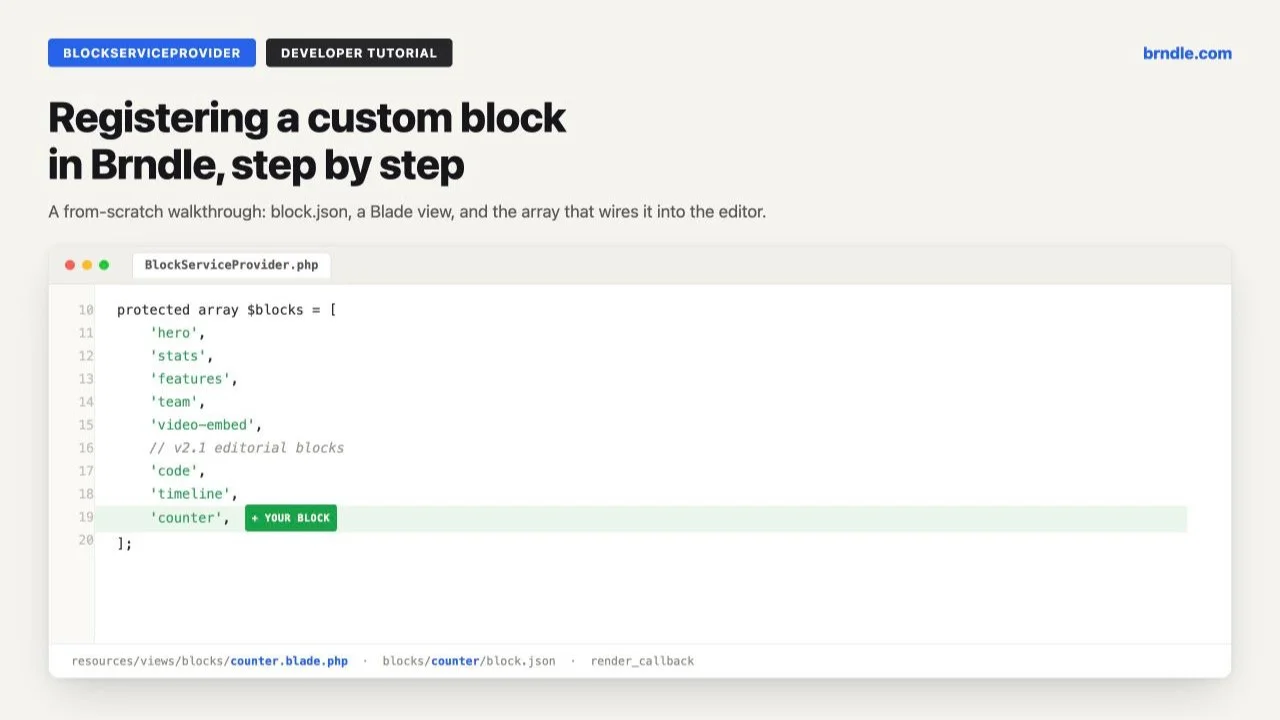
Brndle ships with 14 blocks in its marketing copy and 20 in its actual source. Open app/Providers/BlockServiceProvider.php in a current checkout and the $blocks array runs from hero and stats through a set of “v2.1 editorial blocks” (code, pull-quote, timeline, tabs-accordion) to a “v2.3” pair (post-feed, card-grid). That drift between the README and the code is normal for a theme that ships features faster than it rewrites its own docs, and it is not the point of this post. The point is what is true in both versions: however many blocks ship in the box, sooner or later a client project needs one that is not in it, and Brndle’s answer is not a plugin, a shortcode or a raw register_block_type() call bolted onto functions.php. It is BlockServiceProvider, the same class that registers all 20 shipped blocks, extended with one more entry.
This is a from-scratch walkthrough of that pattern. We will build one new block end to end, a “counter” block that animates a single large number into view, something genuinely useful for an agency doing client landing pages that is not already one of the 20. Every piece of the registration pattern below, the service provider class, the block.json shape, the Blade view conventions, the webpack entry list, is read directly from Brndle’s public source and quoted verbatim where it matters. Where we go further than the shipped blocks (the scroll-triggered counting animation is new, not copied from an existing block), that is called out explicitly.
Why you would reach for this instead of a plugin
A generic “custom block” plugin gives you a block that renders fine but looks like it belongs to a different design system: its own spacing scale, its own idea of what a heading looks like, no relationship to whichever of Brndle’s 12 color schemes and 8 font pairs the site owner picked in the Customizer. A block built inside BlockServiceProvider, by contrast, is styled with the same Tailwind theme utilities every shipped block uses (bg-surface-primary, text-accent, and so on), which are themselves generated from the active color scheme and font pair. Get the class names right and the block changes appearance automatically when the site owner switches schemes in the Customizer. You do not touch a single hex value.
The trade-off is that you are extending a theme, not writing a plugin, so the block lives and dies with that theme’s lifecycle. For a one-off client build on a fork or a child setup of Brndle, that is exactly the right trade. For a block you want to reuse across many unrelated Brndle sites independent of theme updates, package it as a small companion plugin that calls the same register_block_type() pattern directly; everything below about block.json, the Blade view and the JS editor UI still applies, you would just register it from your own service provider instead of Brndle’s.
What this covers
- Prerequisites
- Step 1: Plan the block’s attributes
- Step 2: Write
block.json - Step 3: Build the editor UI
- Step 4: Write the Blade view
- Step 5: Register it in
BlockServiceProvider - Step 6: Give it a lazy-loaded frontend script
- Step 7: Build and find it in the editor
- How it inherits Brndle’s design tokens
- Troubleshooting: the mistakes that actually happen
- Questions developers ask
Prerequisites
Brndle’s README states the requirements plainly: WordPress 6.6 or later, PHP 8.2 or later, and for development only, Node 20 or later and Composer. You need a local checkout of the theme, not a release zip, because you are going to add files to blocks/ and edit a PHP class. Clone it into a local WordPress install and run the full build chain once before you touch anything, so you know the baseline works:
git clone https://github.com/brndle-themes/brndle.git wp-content/themes/brndle
cd wp-content/themes/brndle
composer install
npm install
npm run build && npm run admin:build && npm run blocks:build
npm run build is the Tailwind and Vite frontend build, npm run admin:build is the React settings panel, and npm run blocks:build is the one that matters here: it runs the webpack config in blocks/ and produces the editor bundle every registered block depends on. There is also npm run dev for a Vite dev server with hot reload on the frontend; for block editor JS you will be re-running blocks:build (or its watch equivalent inside blocks/, covered in Step 7) every time you change a block’s JS.
Activate the theme, confirm the Site Editor loads without a PHP error, and open a page in the block editor. You should see the existing 20 blocks under a “Brndle Sections” category in the inserter before you add anything. If you do not, stop and fix that first; everything below assumes the existing registration pattern is already working.
Step 1: Plan the block’s attributes
Before writing anything, decide what the block needs to hold. We are building brndle/counter, a single large number that counts up when it scrolls into view, the kind of thing you drop into a page once to make one hero metric land (sites running the theme, orders processed, years in business) rather than Brndle’s existing stats block, which is a static row of several value-and-label pairs with no animation and no single-metric emphasis. Different job, so a different block, not a variant of an existing one.
Reading blocks/team/block.json and blocks/stats/block.json in the real source shows the shape every Brndle block’s attributes follow: flat, server-side-renderable values (strings, numbers, a plain array for repeatable items), an enum on anything that should be a dropdown rather than free text, and a variant attribute with light/dark values that every section-level block exposes so it can sit inside Brndle’s dark-mode-independent dark sections. Our attribute list:
- eyebrow – small label above the number, optional
- value – the target number as a string, so it can hold
"250","12400"or"4.9" - prefix / suffix – short strings printed before/after the number (
"$","+","%") - label – the line underneath explaining what the number means
- duration – how long the count-up animation runs, in milliseconds
- variant –
lightordark, same convention as every other section block
Step 2: Write block.json
Every block folder under blocks/ needs its own block.json; there is no shared schema file despite what the README’s shorthand description suggests. Create blocks/counter/block.json:
{
  "$schema": "https://schemas.wp.org/trunk/block.json",
  "apiVersion": 3,
  "name": "brndle/counter",
  "title": "Counter",
  "category": "brndle-sections",
  "description": "A single large number that counts up into view, for one hero metric.",
  "keywords": ["counter", "stat", "number", "animate"],
  "textdomain": "brndle",
  "attributes": {
    "eyebrow": { "type": "string", "default": "" },
    "value": { "type": "string", "default": "0" },
    "prefix": { "type": "string", "default": "" },
    "suffix": { "type": "string", "default": "+" },
    "label": { "type": "string", "default": "" },
    "duration": { "type": "number", "default": 1800 },
    "variant": {
      "type": "string",
      "default": "light",
      "enum": ["light", "dark"]
    }
  },
  "supports": {
    "align": ["wide"],
    "html": false,
    "anchor": true
  },
  "example": {
    "attributes": {
      "eyebrow": "Since 2024",
      "value": "12400",
      "suffix": "+",
      "label": "Sites running Brndle in production",
      "variant": "light"
    }
  },
  "version": "1.0.0"
}
Two things worth calling out because they are easy to get wrong by analogy with a plugin block instead of a Brndle one. First, "html": false under supports: every shipped Brndle block sets this, because the block is entirely server-rendered through the Blade view and there is no reason to let an editor hand-edit raw HTML inside it. Second, "anchor": true: this is what lets an editor set an HTML id on the section from the block toolbar, and BlockServiceProvider‘s render callback (next section) reads it straight off $attributes['anchor'], the same way team.blade.php does, so a page can link to #the-counter-id from its navigation.
Step 3: Build the editor UI
Brndle’s block JS lives in blocks/src/, one file per block (team.js, stats.js, and so on), all pulled together by blocks/src/index.js, which is nothing but a flat list of imports:
import './hero';
import './stats';
import './features';
import './testimonials';
import './pricing';
import './cta';
import './faq';
import './logos';

import './content-image-split';
import './how-it-works';
import './lead-form';

import './comparison-table';
import './team';
import './video-embed';

// v2.1, editorial blocks
import './code';
import './pull-quote';
import './timeline';
import './tabs-accordion';

// v2.3 - category-curated post rails inside any page
import './post-feed';
import './card-grid';

import './editor.css';
Add one line for the new block:
import './counter';Every shipped block’s editor UI follows the same shape: a registerBlockType call, an edit function that renders InspectorControls with standard @wordpress/components fields and a live preview through ServerSideRender, and save: () => null. That last part matters: nothing is saved to post content except the attributes themselves. The actual markup always comes from PHP on render, which is what makes the block safe to restyle later without a block migration, Brndle’s own blocks, and ours, never freeze HTML into the database.
Create blocks/src/counter.js:
import { registerBlockType } from '@wordpress/blocks';
import { chartBar } from '@wordpress/icons';
import { __ } from '@wordpress/i18n';
import { InspectorControls, useBlockProps } from '@wordpress/block-editor';
import {
	PanelBody,
	TextControl,
	RangeControl,
	SelectControl,
} from '@wordpress/components';
import ServerSideRender from '@wordpress/server-side-render';

registerBlockType( 'brndle/counter', {
	icon: chartBar,

	edit: ( { attributes, setAttributes } ) => {
		const blockProps = useBlockProps();

		return (
			<>
				<InspectorControls>
					<PanelBody title={ __( 'Counter', 'brndle' ) } initialOpen={ true }>
						<TextControl
							label={ __( 'Eyebrow', 'brndle' ) }
							value={ attributes.eyebrow }
							onChange={ ( v ) => setAttributes( { eyebrow: v } ) }
						/>
						<TextControl
							label={ __( 'Target value', 'brndle' ) }
							help={ __( 'The number to count up to, e.g. 12400', 'brndle' ) }
							value={ attributes.value }
							onChange={ ( v ) => setAttributes( { value: v } ) }
						/>
						<TextControl
							label={ __( 'Prefix', 'brndle' ) }
							value={ attributes.prefix }
							onChange={ ( v ) => setAttributes( { prefix: v } ) }
						/>
						<TextControl
							label={ __( 'Suffix', 'brndle' ) }
							value={ attributes.suffix }
							onChange={ ( v ) => setAttributes( { suffix: v } ) }
						/>
						<TextControl
							label={ __( 'Label', 'brndle' ) }
							value={ attributes.label }
							onChange={ ( v ) => setAttributes( { label: v } ) }
						/>
						<RangeControl
							label={ __( 'Animation duration (ms)', 'brndle' ) }
							value={ attributes.duration }
							onChange={ ( v ) => setAttributes( { duration: v } ) }
							min={ 400 }
							max={ 4000 }
							step={ 100 }
						/>
						<SelectControl
							label={ __( 'Variant', 'brndle' ) }
							value={ attributes.variant }
							options={ [
								{ label: __( 'Light', 'brndle' ), value: 'light' },
								{ label: __( 'Dark', 'brndle' ), value: 'dark' },
							] }
							onChange={ ( v ) => setAttributes( { variant: v } ) }
						/>
					</PanelBody>
				</InspectorControls>

				<div { ...blockProps }>
					<ServerSideRender
						block="brndle/counter"
						attributes={ attributes }
					/>
				</div>
			</>
		);
	},

	save: () => null,
} );
This is the exact structure of blocks/src/team.js in the real source (we quoted its full content while researching this post) with the member-repeater logic stripped out and six flat fields put in its place. If you have ever built a WordPress block with standard components before, there is nothing Brndle-specific in this file at all, which is the point: Brndle’s blocks are deliberately boring at the JS layer. All of the theme’s personality is in the Blade view and the Tailwind classes it uses, which is the next step.
Step 4: Write the Blade view
This is where a Brndle block actually becomes visible markup, and where it either does or does not pick up the theme’s design tokens. Create resources/views/blocks/counter.blade.php:
@php
  $a = $attributes;
  $anchor = (string) ($a['anchor'] ?? '');
  $isDark = ($a['variant'] ?? 'light') === 'dark';
  $value = (string) ($a['value'] ?? '0');
  $duration = (int) ($a['duration'] ?? 1800);
  $prefix = $a['prefix'] ?? '';
  $suffix = $a['suffix'] ?? '';
@endphp

<section class="py-24 md:py-32 {{ $isDark ? 'brndle-section-dark' : 'bg-surface-primary' }}"@if($anchor !== '') id="{{ $anchor }}"@endif>
  <div class="max-w-3xl mx-auto px-6 text-center reveal">
    @if($a['eyebrow'])
      <p class="text-sm font-semibold text-accent uppercase tracking-[0.15em] mb-3">{{ $a['eyebrow'] }}</p>
    @endif

    <p
      class="text-6xl sm:text-7xl font-bold tracking-tight js-brndle-counter"
      data-target="{{ esc_attr($value) }}"
      data-duration="{{ $duration }}"
      data-prefix="{{ esc_attr($prefix) }}"
      data-suffix="{{ esc_attr($suffix) }}"
    >{{ $prefix }}{{ $value }}{{ $suffix }}</p>

    @if($a['label'])
      <p class="mt-4 text-lg {{ $isDark ? 'text-white/70' : 'text-text-secondary' }}">{{ $a['label'] }}</p>
    @endif
  </div>
</section>
Match this against resources/views/blocks/team.blade.php in the real source and the conventions are identical: $a = $attributes at the top for brevity, $anchor read as a string and conditionally output, the dark variant toggled with brndle-section-dark on the section itself with bg-surface-primary as the light fallback, and secondary text using text-text-secondary in light mode and a translucent white in dark mode, because a fixed gray fails contrast on a dark background. None of these are arbitrary choices you are free to skip; they are the exact classes the theme’s design-token layer is built to catch. Swap bg-surface-primary for a literal bg-white or text-accent for a hardcoded text-blue-600 and the block will render correctly today and silently stop matching the site the moment someone picks a different color scheme in the Customizer. The style variations post covers the Site Editor side of that same idea.
One deliberate choice here that is not copied from an existing block: the number renders at its final value on first paint, with the counting animation layered on top by JavaScript. A search engine, a screen reader, or a browser with JS disabled sees 12400+ immediately; nothing is hidden behind an empty state waiting for a script. The data-* attributes carry everything the frontend script needs to animate from zero, which is Step 6.
Step 5: Register it in BlockServiceProvider
Here is the full, verified source of app/Providers/BlockServiceProvider.php, quoted in full because the one-line change you are about to make only makes sense in context:
<?php

namespace Brndle\Providers;

use function Roots\view;

class BlockServiceProvider
{
    /**
     * Blocks to register from the blocks/ directory.
     * Each block has a block.json for metadata and a Blade view in resources/views/blocks/ for rendering.
     */
    protected array $blocks = [
        'hero',
        'logos',
        'stats',
        'features',
        'testimonials',
        'pricing',
        'cta',
        'faq',
        'content-image-split',
        'how-it-works',
        'lead-form',
        'comparison-table',
        'team',
        'video-embed',
        // v2.1 editorial blocks
        'code',
        'pull-quote',
        'timeline',
        'tabs-accordion',

        // v2.3
        'post-feed',
        'card-grid',
    ];

    public function boot(): void
    {
        add_action('init', [$this, 'registerBlocks']);
        add_filter('block_categories_all', [$this, 'registerCategory']);
        add_action('wp_enqueue_scripts', [$this, 'registerFrontendScripts']);
    }

    /**
     * Register block view scripts. Enqueueing happens lazily inside the
     * render callback so the asset only loads on pages that use the block.
     */
    public function registerFrontendScripts(): void
    {
        $viewScripts = [
            'lead-form-view' => 'brndle-lead-form-view',
            'code-view' => 'brndle-code-view',
            'timeline-view' => 'brndle-timeline-view',
            'tabs-accordion-view' => 'brndle-tabs-accordion-view',
        ];

        foreach ($viewScripts as $entry => $handle) {
            $asset_file = get_theme_file_path("blocks/build/{$entry}.asset.php");
            if (! file_exists($asset_file)) {
                continue;
            }
            $asset = require $asset_file;
            wp_register_script(
                $handle,
                get_theme_file_uri("blocks/build/{$entry}.js"),
                $asset['dependencies'] ?? [],
                $asset['version'] ?? false,
                true
            );
        }
    }

    public function registerBlocks(): void
    {
        // Enqueue editor script for all blocks
        $asset_file = get_theme_file_path('blocks/build/index.asset.php');
        if (file_exists($asset_file)) {
            $asset = require $asset_file;
            wp_register_script(
                'brndle-blocks-editor',
                get_theme_file_uri('blocks/build/index.js'),
                $asset['dependencies'] ?? [],
                $asset['version'] ?? false,
                true
            );

            wp_set_script_translations(
                'brndle-blocks-editor',
                'brndle',
                get_theme_file_path('resources/lang')
            );

            $style_path = get_theme_file_path('blocks/build/index.css');
            if (file_exists($style_path)) {
                wp_register_style(
                    'brndle-blocks-editor-style',
                    get_theme_file_uri('blocks/build/index.css'),
                    [],
                    $asset['version'] ?? false
                );
            }
        }

        foreach ($this->blocks as $block) {
            $path = get_theme_file_path("blocks/{$block}");

            if (! file_exists("{$path}/block.json")) {
                continue;
            }

            $viewName = "blocks.{$block}";
            $blockSlug = $block;
            $blockName = "brndle/{$block}";

            register_block_type($path, [
                'editor_script' => 'brndle-blocks-editor',
                'editor_style' => 'brndle-blocks-editor-style',
                'render_callback' => function (array $attributes, string $content) use ($viewName, $blockSlug, $blockName) {
                    $attributes = \Brndle\Blocks\AttributeMigrations::apply($blockName, $attributes);

                    if ($blockSlug === 'lead-form' && empty($attributes['form_action'] ?? '')) {
                        wp_enqueue_script('brndle-lead-form-view');
                    }
                    if ($blockSlug === 'code' && ! empty($attributes['code'] ?? '')) {
                        wp_enqueue_script('brndle-code-view');
                    }
                    if ($blockSlug === 'timeline' && ! empty($attributes['items'] ?? [])) {
                        wp_enqueue_script('brndle-timeline-view');
                    }
                    if ($blockSlug === 'tabs-accordion' && ! empty($attributes['items'] ?? [])) {
                        wp_enqueue_script('brndle-tabs-accordion-view');
                    }

                    if (function_exists('Roots\\view')) {
                        return view($viewName, [
                            'attributes' => $attributes,
                            'content' => $content,
                        ])->render();
                    }

                    return $content;
                },
            ]);
        }
    }

    public function registerCategory(array $categories): array
    {
        array_unshift($categories, [
            'slug' => 'brndle-sections',
            'title' => __('Brndle Sections', 'brndle'),
            'icon' => 'layout',
        ]);

        return $categories;
    }
}
Read registerBlocks() closely and the whole pattern is explained by seven lines in the middle of that foreach. For every slug in $blocks, it builds the path blocks/{slug}, skips silently if there is no block.json there (this is why a typo in the array produces no error, just a missing block, covered in troubleshooting below), derives a Blade view name of blocks.{slug} from the folder convention, and calls register_block_type() with a closure that renders that view. There is no filter, no apply_filters('brndle/register_blocks'...) hook, nothing pluggable here. The only supported extension point is the array itself. Add your slug to it:
    protected array $blocks = [
        'hero',
        'logos',
        'stats',
        'features',
        'testimonials',
        'pricing',
        'cta',
        'faq',
        'content-image-split',
        'how-it-works',
        'lead-form',
        'comparison-table',
        'team',
        'video-embed',
        // v2.1 editorial blocks
        'code',
        'pull-quote',
        'timeline',
        'tabs-accordion',

        // v2.3
        'post-feed',
        'card-grid',
+
+       // custom
+       'counter',
    ];
Also notice the AttributeMigrations::apply($blockName, $attributes) call that runs on every single render, for every block, before the Blade view ever sees the attributes. That is Brndle’s internal mechanism for evolving a shipped block’s attribute shape across versions without the Blade template needing permanent is_string($x) || is_array($x) branches to handle old content saved under an older schema. For a brand-new block with no prior version and nothing registered against its name, this call is a no-op; it looks up migrations for brndle/counter, finds none, and returns the attributes unchanged. You do not need to touch AttributeMigrations to ship a new block, only to change the shape of one you already shipped.
Step 6: Give it a lazy-loaded frontend script
registerFrontendScripts() is worth reading twice, because it is the part of this pattern most custom-block tutorials skip: Brndle does not load every block’s JavaScript on every page. lead-form-view, code-view, timeline-view and tabs-accordion-view are all registered as scripts up front with wp_register_script() (cheap, no network request yet) and only actually enqueued inside the render callback, and only when that specific block is present on the page with content that needs the script. A page with no lead-form block never loads the lead-form JS. That is the lazy-loading contract our counter block needs to follow for the counting animation.
First, add an entry to the webpack config so the script gets its own build output. Brndle’s block tooling has its own blocks/webpack.config.cjs on top of @wordpress/scripts‘ defaults, and it already lists the four existing view scripts as named entries. Add a fifth:
	entry: {
		...defaultEntry,
		'page-meta-sidebar': path.resolve( __dirname, 'src/page-meta-sidebar.js' ),
		'lead-form-view': path.resolve( __dirname, 'src/lead-form-view.js' ),
		'code-view': path.resolve( __dirname, 'src/code-view.js' ),
		'timeline-view': path.resolve( __dirname, 'src/timeline-view.js' ),
		'tabs-accordion-view': path.resolve( __dirname, 'src/tabs-accordion-view.js' ),
+		'counter-view': path.resolve( __dirname, 'src/counter-view.js' ),
	},
Then write the script itself. The existing view scripts (timeline-view.js, tabs-accordion-view.js) are small, dependency-free vanilla JS files that query the DOM for a class the Blade view renders and progressively enhance it; we follow that same shape. Create blocks/src/counter-view.js:
document.addEventListener( 'DOMContentLoaded', () => {
	const counters = document.querySelectorAll( '.js-brndle-counter' );
	if ( ! counters.length ) {
		return;
	}

	const animate = ( el ) => {
		const raw = el.dataset.target || '0';
		const match = raw.match( /^(\d+(?:\.\d+)?)(.*)$/ );
		if ( ! match ) {
			return; // not a number we can animate; leave the static value in place
		}

		const target = parseFloat( match[ 1 ] );
		const trailing = match[ 2 ] || ''; // e.g. "k" in "10k"
		const decimals = match[ 1 ].includes( '.' ) ? match[ 1 ].split( '.' )[ 1 ].length : 0;
		const duration = parseInt( el.dataset.duration, 10 ) || 1800;
		const prefix = el.dataset.prefix || '';
		const suffix = el.dataset.suffix || '';
		const start = performance.now();

		const tick = ( now ) => {
			const progress = Math.min( ( now - start ) / duration, 1 );
			const eased = 1 - Math.pow( 1 - progress, 3 ); // ease-out cubic
			const current = ( target * eased ).toFixed( decimals );
			el.textContent = `${ prefix }${ current }${ trailing }${ suffix }`;

			if ( progress < 1 ) {
				requestAnimationFrame( tick );
			}
		};

		requestAnimationFrame( tick );
	};

	const observer = new IntersectionObserver(
		( entries, obs ) => {
			entries.forEach( ( entry ) => {
				if ( entry.isIntersecting ) {
					animate( entry.target );
					obs.unobserve( entry.target );
				}
			} );
		},
		{ threshold: 0.4 }
	);

	counters.forEach( ( el ) => observer.observe( el ) );
} );
Last, wire the lazy-load into BlockServiceProvider itself with the same two edits every existing view script needed: one line added to the $viewScripts map in registerFrontendScripts(), one condition added to the render callback.
        $viewScripts = [
            'lead-form-view' => 'brndle-lead-form-view',
            'code-view' => 'brndle-code-view',
            'timeline-view' => 'brndle-timeline-view',
            'tabs-accordion-view' => 'brndle-tabs-accordion-view',
+           'counter-view' => 'brndle-counter-view',
        ];
if ($blockSlug === 'tabs-accordion' && ! empty($attributes['items'] ?? [])) {
wp_enqueue_script('brndle-tabs-accordion-view');
}
+ if ($blockSlug === 'counter') {
+ wp_enqueue_script('brndle-counter-view');
+ }Unlike lead-form, which only loads its script when a field is genuinely empty, the counter block always needs its animation script whenever the block is present, so the condition is unconditional on the block slug alone. A page with no counter block on it never requests counter-view.js at all; that is the entire point of doing the enqueue inside the render callback instead of a blanket wp_enqueue_script() in registerFrontendScripts().
Step 7: Build and find it in the editor
Run the blocks build from the theme root, the same command from the prerequisites section:
npm run blocks:buildFor active development, use the watch mode so you are not re-running the full build after every edit; check package.json for the watch script name on your checkout (@wordpress/scripts projects typically expose it as start, run against the same webpack config, e.g. wp-scripts start --config blocks/webpack.config.cjs), or just re-run blocks:build after each change if the project has not wired up a watcher. Either way, once blocks/build/index.js has rebuilt with the new import and blocks/build/counter-view.js exists on disk, open any page or post in the block editor, open the inserter, and search “Counter”. It appears under the “Brndle Sections” category, the same category registerCategory() adds for every other shipped block, with the icon you set in counter.js, the description from block.json, and the preview Gutenberg generates from block.json‘s example object when you hover it in the inserter before placing it.
Drop it onto a page. The Inspector panel shows the six fields from Step 3 immediately. Because edit renders through ServerSideRender rather than a hand-built React preview, what you see in the editor is pixel-for-pixel the same Blade-rendered HTML the frontend will serve, with one caveat: ServerSideRender re-requests the REST API on every attribute change, so expect a brief flash on each keystroke rather than instant local re-render. That is true of every Brndle block, not something specific to ours; it is the cost of never writing HTML into post content.
How it inherits Brndle’s design tokens automatically
Nothing in the counter block references a specific color scheme or font pair, and that is deliberate, not an oversight. bg-surface-primary and text-accent are Tailwind theme utilities the theme’s build step maps onto CSS custom properties that the active color scheme sets; brndle-section-dark is a class that is, per the theme’s own convention, “always dark regardless of dark mode toggle,” which is how a hero or a counter can sit on a permanently dark band even on a site running a light color scheme. Switch the site owner’s selected scheme from, say, Cobalt to Coral in the Customizer, or swap the font pair from Inter to Fraunces, and the counter’s accent text, its background and its typography all follow without a line of CSS being touched, for the same reason every other block in the theme does: the class names point at roles (accent, surface, text-secondary), never at specific values. Brndle exposes brndle/color_presets, brndle/font_pairs and brndle/css_variables as filters for anyone extending the token layer itself (adding a 13th color scheme, for instance), but a block author building on top of the existing tokens never needs to touch those filters at all. Use the utility classes correctly and the inheritance is free.
This is also why copying a class name from outside the project, from a Tailwind cheat sheet, a different theme’s component, or an AI-generated snippet with text-blue-600 or bg-gray-100 baked in, is the single most common way a block looks right in development and wrong on a client’s actual color scheme. There is no lint rule enforcing this, only the discipline of reading an existing Blade view like team.blade.php before writing a new one and matching its vocabulary exactly.
Troubleshooting: the mistakes that actually happen
The block doesn’t appear in the inserter at all
Check, in order: the slug is actually in the $blocks array (a typo here fails silently, see below); blocks/counter/block.json exists at that exact path, not blocks/counter.json or nested one level deeper; and npm run blocks:build actually ran after you added the import to blocks/src/index.js, not before. The editor script is a single bundle covering every block, so a stale build means every new block you add is invisible until the next successful build, not just this one.
A typo in the $blocks array produces no error
Look again at registerBlocks(): if (! file_exists("{$path}/block.json")) { continue; }. A misspelled slug just gets skipped, no warning, no log entry, nothing in debug.log. If a block you just added is missing from the inserter and the build succeeded, diff the slug string against the actual folder name under blocks/ character by character before looking anywhere else.
The block renders raw PHP or a blank section on the frontend
This is almost always a Blade view path mismatch. registerBlocks() derives the view name as blocks.{slug}, which Acorn resolves to resources/views/blocks/{slug}.blade.php with the dot converted to a directory separator. If your file is named Counter.blade.php with a capital C, or sits in resources/views/block/counter.blade.php (singular, missing the s), the view lookup fails and you will see Acorn’s “view not found” exception rather than your markup. Also clear the compiled view cache after any Blade change, since Acorn caches compiled templates: rm -rf wp-content/cache/acorn/framework/views/*, exactly as the README’s development notes say to do after any template edit.
The dark variant doesn’t look dark
Confirm the Blade view applies brndle-section-dark to the outer <section>, not a nested <div>, the same element every shipped dark-capable block uses. If you nest it one level in, the section’s own background stays light while only the inner wrapper goes dark, which looks like a bug in the theme rather than a one-line placement mistake in your own view.
The counting animation never fires
Open the Network tab and confirm counter-view.js actually loads on a page with the block. If it does not, the webpack entry probably built but registerFrontendScripts() was not updated with the matching 'counter-view' => 'brndle-counter-view' line, so wp_register_script() never ran and the later wp_enqueue_script('brndle-counter-view') call in the render callback is enqueuing a handle that was never registered, which WordPress silently ignores. If the script does load but nothing animates, check that data-target actually contains a value the regex in counter-view.js can parse; a value attribute like "a lot" will correctly fail the numeric match and leave the static text in place rather than throwing, which is the intended fallback, not a bug.
Editing ImageControl or another shared component breaks multiple blocks at once
If your own block imports a shared editor component from blocks/src/components/ the way team.js imports ./components/image-control, remember every block that imports the same file shares it in the single editor bundle. A breaking change to a shared component is a breaking change across every block that uses it, found only by testing each one, not just the block you were actively working on.
The Customizer’s color scheme switch doesn’t change your block’s colors
This means a literal color value slipped into the Blade view somewhere, a raw hex, an arbitrary Tailwind value like text-[#1a1a1a], or a utility from outside the theme’s token set. Re-read the view against team.blade.php or stats.blade.php and replace anything that is not bg-surface-*, text-text-*, text-accent, or a similarly named role-based utility.
Questions developers ask
Do I have to fork the theme to add a custom block?
You have to be able to edit app/Providers/BlockServiceProvider.php, which in practice means either a direct checkout you maintain for one client (the common case for agency work, and what this post assumes) or a build step that patches the file during deployment. There is no filter on the $blocks array to hook into from an mu-plugin, so there is no way to add a block without touching the theme’s own source, by design; Brndle treats its block catalog as part of the theme, not as a pluggable registry.
Will my custom block survive a Brndle theme update?
Not automatically if you are editing the upstream files directly and then pulling a new release over them; your changes to BlockServiceProvider.php, blocks/src/index.js and blocks/webpack.config.cjs will conflict with or be overwritten by the update. Treat your fork as a proper fork: keep your additions on a branch, rebase onto new Brndle releases, and resolve the $blocks array and index.js conflicts by hand each time, since both files change in nearly every Brndle release that ships new blocks.
Can I register a block under my own namespace instead of brndle/?
registerBlocks() hardcodes $blockName = "brndle/{$block}", so a block added through this exact loop will always be namespaced brndle/. If you want a distinct namespace so a theme update’s own blocks never collide with yours in the inserter, write a small companion service provider of your own that mirrors this class but builds the block name from a different prefix, and register it from a child theme or a thin plugin instead of editing BlockServiceProvider directly.
Why does the block need both a block.json and a separate JS file?
block.json is metadata WordPress itself reads, server-side, to know the block exists, what attributes it has and what it supports, independent of whether its JS has loaded yet. The JS file is only the editor experience, the Inspector fields and the live preview. The frontend output never touches the JS file at all; it is generated entirely by the PHP render callback and the Blade view, which is why save: () => null is correct and not a placeholder you forgot to finish.
Can I add inner blocks instead of flat attributes?
Every block currently in BlockServiceProvider‘s array, including repeatable ones like team‘s member list, stores repeated items as a plain attribute array rather than real InnerBlocks. Nothing in the registration pattern itself prevents using InnerBlocks, but you would be departing from the convention every shipped block follows, and your render callback would need to use $content (the second argument the closure already receives but the counter block ignores) rather than reading everything off $attributes. Keep it consistent with the rest of the codebase unless you have a specific reason to need nested, individually editable child blocks; our guide to patterns, template parts and style variations covers the broader question of which WordPress reuse mechanism fits which job, which is the same question one level up from this one.
Does ServerSideRender slow down the editor on a page with many blocks?
Each server-rendered block issues its own REST request to preview, so a page with a dozen Brndle blocks on it means a dozen requests on load and another on every attribute change to whichever block is focused. In practice this is the same cost every shipped Brndle block already carries, not something the counter block adds; if editor performance on a content-heavy page becomes a real problem, that is a theme-wide concern to raise with however you are tracking Brndle issues, not something to solve per block.
What happens if I never add a frontend view script?
Nothing breaks. Most of the 20 shipped blocks (hero, stats, features, team, and more) have no entry in $viewScripts at all and render as pure server-side HTML and Tailwind CSS with zero JavaScript. A view script is only needed when a block has genuine client-side behavior, an animation, a tab switcher, an accordion. If your custom block is static, skip Step 6 entirely.
Is there a way to preview the block without opening the full page editor?
The inserter’s hover preview, driven by block.json‘s example object, is the fastest check: it renders through the same ServerSideRender/Blade path as the real block, so if the example preview looks right, the block itself is wired correctly end to end.
My block’s category icon shows as a generic square. Why?
That is the block’s own icon property in counter.js, not the category icon; registerCategory() sets a fixed layout icon for the whole “Brndle Sections” category and that is not configurable per block. If your own icon shows as a blank square, the import name from @wordpress/icons does not exist; check the package’s exports rather than guessing a name by analogy with another icon library.
Where this leaves you
The whole pattern comes down to five files touched and two existing ones edited: a block.json, a Blade view, a src/{slug}.js editor file, one line added to src/index.js, one slug added to BlockServiceProvider‘s $blocks array, and, only if the block needs client-side behavior, a frontend view script wired through both the webpack entry list and the lazy-enqueue condition in the render callback. Every one of those steps mirrors something the theme already does 20 times over for its own blocks; there is no separate “extension API” to learn because the extension mechanism is reading the existing code and doing the same thing again. That is also the limitation worth being honest about: because it is a plain PHP array and a PHP class rather than a filter or a registry, every custom block you add is a diff against the theme’s own source that you are responsible for carrying forward through every future update. For a single client build on a maintained fork, that cost is small and the design-token payoff, a block that just works across every color scheme and font pair the site owner picks, is worth it.