The brndle/css_variables Hook: Injecting Design Tokens Beyond the Admin Panel
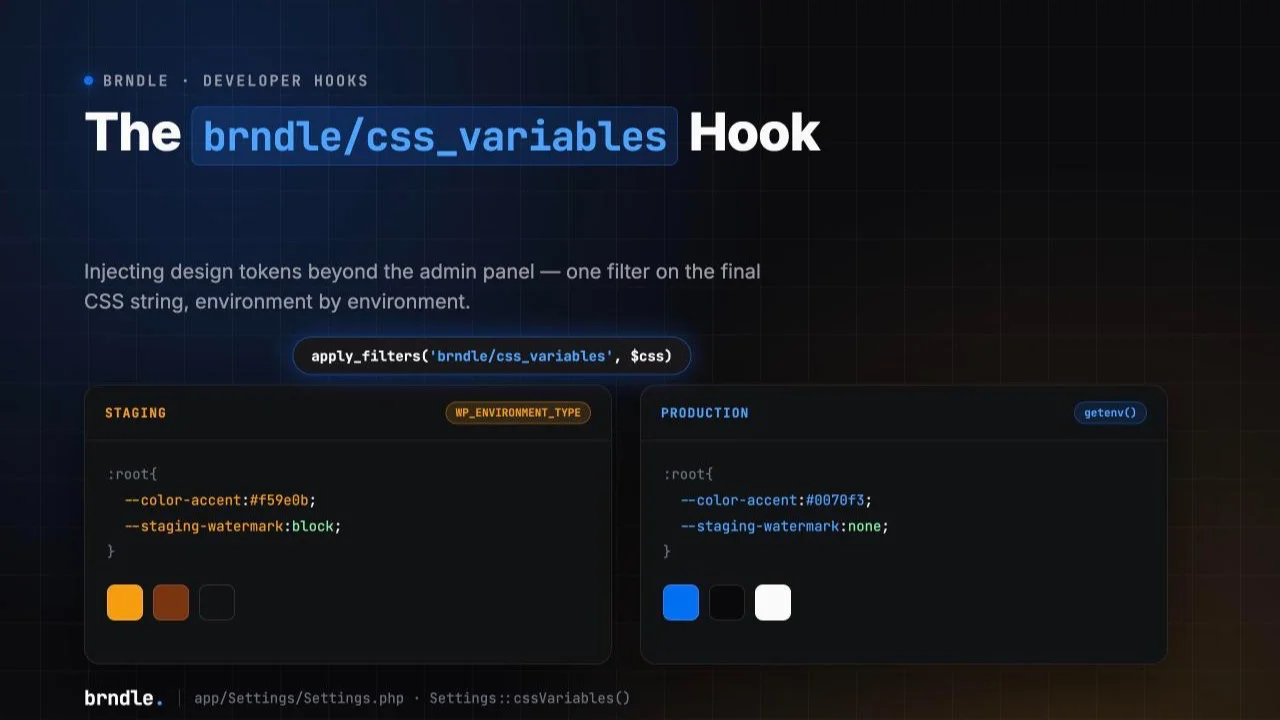
A client asks for a staging environment that is unmistakably not production: a visible watermark, a dimmer accent color, something a QA tester can see from across the room so nobody mistakes a staging screenshot for a live one. Or an agency runs the same Brndle build across a dozen white-labeled client sites from one CI pipeline, and the brand accent for each deploy needs to come from a secret stored in the deploy environment, not from someone clicking a color picker in Brndle → Colors after every push. Both problems have the same shape: a design token needs to change based on where the code is running, not based on what a site owner saved in wp-admin.
Brndle’s settings screen is genuinely good for the common case, pick a scheme, pick a font pair, done, but it is fundamentally a per-site, admin-driven interface. It has no concept of “this value should be different on staging.” That gap is exactly what a filter hook further down the rendering pipeline is for: brndle/css_variables. This post verifies that the hook is real, confirms exactly what it receives and when it fires by reading the current source directly, and then builds a working environment-driven token override against it, the same evidence-first approach our sibling post took when it verified brndle/color_presets rather than assuming a content brief’s description of a hook was accurate.
We pulled app/Settings/Settings.php and app/Providers/SettingsServiceProvider.php directly from the brndle-themes/brndle repository on 30 October 2026. The short version: brndle/css_variables is real, it is not the same mechanism as the two color filters a previous post on this site already documented, and it operates on something neither of those two touch, the final, already-serialized CSS text, one step before it is cached and printed into the page.
Table of contents
- The staging-vs-production token problem
- The real hook: brndle/css_variables, confirmed from source
- How this differs from color_presets and color_palette
- Where it fires: wp_head, the block editor, and caching
- Worked example: environment-driven token override
- Testing and verifying the override
- Gotchas: minified strings, cache layers, and scope
- FAQ
- The takeaway
The staging-vs-production token problem
Every token in Brndle’s settings layer, color scheme, custom accent, font pair, base font size, heading scale, lives in one options row, brndle_settings, read and written through Settings::all(), Settings::save(), and the authenticated brndle/v1/settings REST route. That is the right design for a site owner configuring their own theme. It becomes the wrong design the moment the value a token should hold depends on which server is running the code rather than on what a human chose in an admin screen.
Two concrete versions of this problem show up constantly in agency work. The first is the staging tell: a QA team, a client reviewer, or a junior developer opens a URL and has no fast visual signal for whether they are looking at the live site or a copy of it. A watermark color, a banner, a dimmed accent, anything that renders differently on staging without a human having to remember to toggle a setting (and then remember to toggle it back before launch) removes an entire class of “we tested on staging and it looked fine” versus “wait, was that actually live” incidents. The second is multi-tenant branding: an agency running several client sites off one Brndle-based codebase, deployed through CI, where each environment’s brand accent is a secret or a build variable injected at deploy time rather than a value anyone clicks into existence in wp-admin after every push.
Both need the same thing: a way to let server-side, non-wp-admin state (an environment variable, a wp-config.php constant, the result of wp_get_environment_type()) reach into the theme’s generated CSS, after whatever the database says, and have the last word. That is a filter hook’s job description. The rest of this post confirms which one actually does it and how.
The real hook: brndle/css_variables, confirmed from source
Here is the full, current Settings::cssVariables() method, the one that builds the CSS custom-property string the theme ships to the browser, quoted directly from app/Settings/Settings.php as fetched from the repository’s default branch:
public static function cssVariables(): string
{
    if (self::$cssVarsCache !== null) {
        return self::$cssVarsCache;
    }

    $palette = self::colorPalette();
    $fonts = self::fontPair();
    $all = self::all();

    // ... builds $root[] and $dark[] arrays of --custom-property => value

    $rootStr = self::buildBlock(':root', $root);

    $toggle = (bool) self::get('dark_mode_toggle', true);
    $default = self::get('dark_mode_default', 'light');
    $darkModeEnabled = $toggle || $default !== 'light';

    if ($darkModeEnabled) {
        $darkStr = self::buildBlock('[data-theme="dark"]', $dark);
        $systemStr = '@media(prefers-color-scheme:dark){' . self::buildBlock('[data-theme="system"]', $dark) . '}';
        $css = $rootStr . $darkStr . $systemStr;
    } else {
        $css = $rootStr;
    }

    self::$cssVarsCache = apply_filters('brndle/css_variables', $css);

    return self::$cssVarsCache;
}
Three facts worth pinning down precisely, because the entire rest of this tutorial depends on them:
The filter name is exactly brndle/css_variables, called with apply_filters('brndle/css_variables', $css) as the very last line of cssVariables(), immediately before the result is assigned to the static cache property and returned. This confirms the brief’s description was accurate in this one case: the hook exists under exactly that name, no pivot required.
It receives one argument, a plain string, not an array. By the time this filter runs, $css is already a fully-built, minified CSS text blob, concatenated :root{...}, [data-theme="dark"]{...}, and (when dark mode is enabled) an @media(prefers-color-scheme:dark){[data-theme="system"]{...}} block, all with no whitespace between declarations. A callback hooked here gets that literal text and must return a string. This is the detail that most changes how you write a callback for this filter compared to the two color filters covered below, which both operate on structured PHP arrays.
It fires regardless of where the palette came from or what built it. cssVariables() calls self::colorPalette() (which itself resolves either custom_accent or a named preset and applies the separate brndle/color_palette filter internally), self::fontPair(), and reads font_size_base and heading_scale from self::all(), bakes all of it into one string, and only then runs brndle/css_variables. Whatever scheme, custom accent, font, or type-scale setting produced the palette, by the time this filter sees the output it is just text. That makes it the single lowest-level, last-chance hook in the settings pipeline, the one point that sees the complete, final CSS regardless of which upstream setting produced it.
How this differs from color_presets and color_palette
Brndle’s source defines three filters in this area of the settings layer, and it is worth being precise about what each one actually touches, because the difference is not cosmetic, it determines what kind of callback you write and what problem each one solves.
brndle/color_presets, documented in our earlier post on registering a client’s brand color as a 13th scheme, filters the array of input definitions, the twelve name/hex/tone objects in ColorPalette::presets(), before any color math runs. It answers “what counts as a valid named scheme.”
brndle/color_palette filters the derived output of ColorPalette::generate($hex), the roughly twenty light/dark/semantic color keys (accent, on-accent, dark-surface-primary, and so on) computed algorithmically from a single accent hex via HSL math. It answers “given this one accent color, what should the full palette actually be,” and it is the hook our sibling post used to correct a specific WCAG contrast failure after the fact, because it still operates on a structured array where individual keys are addressable.
brndle/css_variables filters neither of those. It runs one level further down the pipeline, after the derived palette, the resolved font pair, the base font size, and the heading scale have all already been assembled into :root/dark-mode/system-preference CSS blocks and concatenated into one minified string. There is no array left to address by key at this point, the property names (--color-accent, --font-family-heading, and so on) only exist as substrings inside a single piece of text. That is the real, concrete meaning of “lower-level” here: it is not a vaguer or less-official hook, it is a hook that operates on serialized output text instead of structured data, which is exactly suited to appending new CSS rules or overriding a value for reasons the color/palette system itself has no concept of, like which environment a request is running in.
Put differently: if the problem is “I want a thirteenth named color scheme available to site owners,” use brndle/color_presets. If the problem is “this specific derived color fails a contrast check for this specific hex,” use brndle/color_palette. If the problem is “the final CSS needs to differ based on something the color system has no idea about, like WP_ENVIRONMENT_TYPE or a deploy-time secret,” use brndle/css_variables, because it is the only one of the three that fires after everything else is already decided and turned into text.
Where it fires: wp_head, the block editor, and caching
cssVariables() is not called from one place. SettingsServiceProvider::boot() wires it to two separate output points, both of which receive whatever the filtered string ends up being:
add_action('wp_head', [$this, 'outputCssVariables'], 1);
add_filter('block_editor_settings_all', [$this, 'injectEditorCssVariables'], 20);
The front end, via outputCssVariables(), hooked to wp_head at priority 1, meaning it runs before almost anything else in the document head:
public function outputCssVariables(): void
{
    $css = Settings::cssVariables();
    $css = str_replace(['</style>', '</STYLE>'], '', $css);

    echo '<style id="brndle-css-vars">' . $css . '</style>' . "\n";
}
The method-level docblock explains why priority 1 matters: the app.css dark-mode fallback lives inside an @layer block, and this output is deliberately unlayered, so it wins the CSS cascade over the layered rules regardless of source order. A callback hooked to brndle/css_variables that appends more unlayered :root rules inherits that same cascade priority automatically.
The block editor, via injectEditorCssVariables(), hooked to block_editor_settings_all at priority 20, which appends the identical filtered CSS string into the editor’s own inline styles array:
public function injectEditorCssVariables(array $settings): array
{
    $css = Settings::cssVariables();

    if (! isset($settings['styles'])) {
        $settings['styles'] = [];
    }

    $settings['styles'][] = ['css' => $css];

    return $settings;
}
Both call sites call the same Settings::cssVariables() method, so an environment-driven override registered once applies to both automatically, a content editor working inside wp-admin on staging sees the same watermark-tinted accent the public staging page shows, with no separate editor-specific code needed.
Caching is per-request, not persistent. $cssVarsCache is a private static string property, checked at the top of cssVariables() and populated once per PHP request. It is explicitly nulled in three places: Settings::save(), Settings::reset(), and the public Settings::clearCache() method, which is also what the POST /brndle/v1/cache/purge REST route calls alongside clearing compiled Blade views and flushing the WordPress object cache. None of that caching is specific to brndle/css_variables, an environment-driven callback runs fresh on every request exactly like the rest of the method, which matters a lot for the gotcha covered further down about full-page caching sitting in front of all of this.
Worked example: environment-driven token override
This builds the staging-watermark scenario described in the intro: on staging, the accent color shifts to an unmistakable amber and a CSS custom property flips a watermark banner on; on production, the accent either stays whatever the site owner configured, or, for a white-labeled multi-tenant deploy, gets overridden from a deploy-time environment variable. The whole thing lives in one must-use plugin so it survives theme updates and runs before the admin screen matters.
Environment detection uses WordPress core’s own wp_get_environment_type() rather than inventing a new constant. It has shipped since WordPress 5.5, reads the WP_ENVIRONMENT_TYPE constant (or the environment variable of the same name) defined in wp-config.php or server config, and returns one of production, staging, development, or local, defaulting to production if nothing is set. Using the core function instead of a bespoke constant means this pattern composes with anything else on the stack that already checks environment type, rather than adding a second, parallel way to ask the same question.
<?php
/**
 * Plugin Name: Brndle: Environment-driven design tokens
 * Description: Overrides CSS custom properties based on WP_ENVIRONMENT_TYPE
 *              and deploy-time environment variables, via brndle/css_variables.
 */

add_filter('brndle/css_variables', function (string $css): string {
    $env = wp_get_environment_type();

    // Staging: force a visible amber accent + a watermark flag
    if ($env === 'staging' || $env === 'development') {
        $overrides = [
            '--color-accent'      => '#f59e0b',
            '--color-accent-hover'=> '#d97706',
            '--staging-watermark' => 'block',
        ];

        return $css . brndle_build_override_block($overrides);
    }

    // Production: optional per-deploy brand override
    $brandAccent = getenv('BRNDLE_BRAND_ACCENT');

    if ($brandAccent && preg_match('/^#[0-9a-fA-F]{6}$/', $brandAccent)) {
        $overrides = [
            '--color-accent'      => $brandAccent,
            '--staging-watermark' => 'none',
        ];

        return $css . brndle_build_override_block($overrides);
    }

    // No environment override applies; always flip the flag off explicitly
    // so a stray watermark style elsewhere in the theme can't leak through.
    return $css . brndle_build_override_block(['--staging-watermark' => 'none']);
}, 10, 1);

/**
 * Build a minified :root{} override block in the same style as
 * Settings::buildBlock(), so appended output matches the theme's own
 * formatting instead of looking like a bolted-on afterthought.
 *
 * @param  array  $properties
 */
function brndle_build_override_block(array $properties): string
{
    $declarations = '';

    foreach ($properties as $prop => $value) {
        $declarations .= $prop . ':' . $value . ';';
    }

    return ':root{' . $declarations . '}';
}
Two design choices in this callback are deliberate, not incidental, and both come directly from the fact that this filter hands you a string, not an array:
Append, don’t rewrite. The callback returns $css . brndle_build_override_block($overrides), the original string plus a second, separate :root{...} block tacked on the end, rather than trying to parse and edit the existing :root block in place. CSS resolves conflicting declarations on the same selector by source order when specificity is equal, and :root targeting the same element every time means a second :root{--color-accent:#f59e0b;} appended after the first cleanly wins for that one property while leaving every other property from the original block untouched. Appending is also forward-compatible: if a future theme release adds, removes, or renames a custom property inside buildBlock(), an append-based callback keeps working, because it never assumed anything about the original string’s internal structure.
Regex-replacing the original string is the fragile alternative, and it is worth saying explicitly why we did not do that here. The output of buildBlock() is minified with no whitespace and no guaranteed property order (PHP array iteration order matches insertion order, which is stable today but is an implementation detail of cssVariables(), not a documented contract). A preg_replace() that assumes --color-accent:#0070f3; appears as an exact, uninterrupted substring will break the moment the hex casing, a trailing semicolon, or the surrounding property order shifts in a future release, and it will fail silently, a non-matching pattern just doesn’t replace anything, it does not throw. Appending a new declaration avoids depending on any of that.
A new custom property, like --staging-watermark in the example above, needs its own consumer. A small Blade partial, included near the top of the body, reads it purely through CSS, no PHP environment check duplicated in the template:
{{-- resources/views/partials/staging-watermark.blade.php --}}
<div class="fixed inset-x-0 top-0 z-[9999] h-1" style="display:var(--staging-watermark, none); background:var(--color-accent);"></div>
When --staging-watermark resolves to block, the bar renders in the environment’s accent color; when it resolves to none (the default on every environment that does not explicitly set it), the element collapses to nothing. The PHP side only ever needs to decide the value of one CSS custom property; the visual behavior lives entirely in CSS, which is the same division of responsibility the theme’s own dark-mode toggle uses.
Testing and verifying the override
Four checks, each one fast and each one checking a different layer, so a broken override gets caught at the layer where it actually broke rather than guessed at from a screenshot.
1. Confirm the environment is actually being detected the way you expect. wp_get_environment_type() reads WP_ENVIRONMENT_TYPE as either a wp-config.php constant or a server environment variable (the constant wins if both are set):
wp eval 'echo wp_get_environment_type();'
# Expect: staging (or development, local, production)
If this prints production on what you believe is a staging box, the override callback was never going to fire, and the problem is in wp-config.php or server config, not in the filter.
2. Print the filtered CSS string directly, bypassing the browser entirely, to confirm the override block is actually appended:
wp eval 'echo \Brndle\Settings\Settings::cssVariables();'On staging, the output should end with a second :root{--color-accent:#f59e0b;...} block appended after the original one. If it does not appear at all, check that the must-use plugin file is actually in wp-content/mu-plugins/ (not a regular plugin that needs activating) and that the filter is registered before wp_head fires, both true for a top-level add_filter() call in an mu-plugin, since mu-plugins load on every request with no activation step.
3. Confirm it reaches the actual page, not just the PHP-level string:
curl -s https://staging.example.com/ | grep -o '<style id="brndle-css-vars">[^<]*' | tail -c 200That should show the amber --color-accent and --staging-watermark:block near the end of the matched text. If step 2 shows the override but this step does not, something between PHP and the browser is serving stale HTML, almost always a full-page cache, covered in the gotchas section below.
4. Confirm the block editor sees it too. Open any post or page editor on the staging environment and inspect the iframe’s computed styles (DevTools → Elements → select the editor canvas → Computed), or simpler, just look: a block using the accent color as its background or text color should render amber inside the editor canvas, not the production blue. This confirms injectEditorCssVariables() picked up the same filtered string outputCssVariables() did, since both call Settings::cssVariables() and both are downstream of the same static cache.
Gotchas: minified strings, cache layers, and scope
Full-page and CDN caching will serve stale tokens after an environment variable changes. Settings::$cssVarsCache is request-scoped, it never persists between requests on its own, so a new PHP-FPM request always re-evaluates wp_get_environment_type() and getenv() fresh. But the HTML that request generates, including the <style id="brndle-css-vars"> block, is exactly the kind of output a page cache (WP Rocket, a Cloudflare edge cache, Varnish, Batcache) is built to store and replay without hitting PHP again. If you change BRNDLE_BRAND_ACCENT in a deploy and the homepage still shows the old accent, check the page cache before suspecting the filter. The theme’s own POST /brndle/v1/cache/purge route clears Blade views, the settings object cache, and calls wp_cache_flush(), but that is WordPress’s own object cache, not necessarily a separate page-cache or CDN layer sitting in front of it; those need their own purge step wired into the deploy pipeline.
The string is minified with no guaranteed internal structure. Worth repeating from the worked example: do not write a callback that assumes byte-for-byte knowledge of what buildBlock() produces. Append new declarations; do not try to surgically edit the existing ones via string search-and-replace.
This filter cannot remove or edit a property, only add one that wins by appearing later. Because the callback receives a string and CSS cascade rules (not PHP array semantics) decide the final value, there is no equivalent of unsetting an array key. If a use case genuinely needs to delete a custom property rather than override its value, that is a sign the fix belongs in brndle/color_palette instead, which operates on the actual array before it is ever turned into text.
Scope environment checks inside the callback, not with a separate conditional add_filter() call. Because cssVariables() is called from two different hook contexts (wp_head and block_editor_settings_all) and is cached once per request regardless of which one triggers it first, branching inside the callback body (as the worked example does) guarantees both call sites see identical output. Wrapping the entire add_filter() registration itself in an if (wp_get_environment_type() === 'staging') check works too, but only if that check runs early enough and consistently enough on every request, the in-callback branch is simpler to reason about and harder to get wrong.
FAQ
Is brndle/css_variables a real filter in the current Brndle source?
Yes, confirmed by reading app/Settings/Settings.php directly on 30 October 2026. It is called as apply_filters('brndle/css_variables', $css) at the end of the public static method Settings::cssVariables(), and the result is what gets cached and printed to the page.
What data type does the filter receive, an array or a string?
A plain string, the fully built, minified CSS text containing the :root{} block and, when dark mode is enabled, the [data-theme="dark"]{} and @media(prefers-color-scheme:dark){[data-theme="system"]{}} blocks, already concatenated together. This is different from brndle/color_presets and brndle/color_palette, both of which pass structured PHP arrays. A callback hooked to brndle/css_variables must return a string.
How is this different from the brndle/color_palette filter covered in the color_presets post?
brndle/color_palette fires inside ColorPalette::generate(), earlier in the pipeline, on the structured array of derived color keys (accent, on-accent, dark-surface-primary, and roughly seventeen others) before fonts, base font size, or heading scale are even considered. brndle/css_variables fires later, in Settings::cssVariables(), after the palette, the resolved font pair, and the type-scale settings have all been merged into one final CSS string. Use color_palette to correct or adjust a specific derived color value as data; use css_variables to add or override anything in the final CSS output, including values the color/font system has no concept of at all, like an environment flag.
Where exactly does this hook fire in the request lifecycle?
Settings::cssVariables() is called from two places: outputCssVariables(), hooked to wp_head at priority 1 (very early in the document head, deliberately unlayered CSS so it beats the theme’s own @layer rules in the cascade), and injectEditorCssVariables(), hooked to block_editor_settings_all at priority 20. Both calls hit the same static method and the same per-request cache, so a filter callback registered once applies identically to the public page and the block editor.
Is the filtered CSS cached, and does that caching ever get stale?
It is memoized in a private static string property, $cssVarsCache, scoped to a single PHP request; it is never persisted between requests by the theme itself. It is explicitly cleared in Settings::save(), Settings::reset(), and Settings::clearCache() (the last one also called by the POST /brndle/v1/cache/purge REST route alongside a Blade-view cache clear and wp_cache_flush()). The staleness risk in practice is almost always a separate layer, a full-page cache or CDN caching the rendered HTML, not this request-scoped property.
Can I use this filter to add a brand-new CSS custom property that doesn’t exist in the default output?
Yes. Since the filter operates on a plain string, appending an entirely new :root{--my-new-token:value;} block after the original string works the same way as overriding an existing property, CSS does not distinguish “new property” from “redeclared property” at the cascade level. The worked example in this post adds --staging-watermark this way, a property that does not exist anywhere in the theme’s default buildBlock() output.
Does Brndle ship any built-in environment detection I should use instead of writing my own?
No. A direct search of the current source for WP_ENVIRONMENT_TYPE, wp_get_environment_type(), and getenv() across the entire theme returns no matches; Brndle’s settings layer has no concept of environments at all, every value comes from the brndle_settings option or a filter callback you add. That is exactly why brndle/css_variables exists as an extension point rather than a setting: environment-driven behavior is explicitly left to the site, not the theme, to implement.
Will an override registered through this filter survive a settings export/import round trip?
Yes, in the sense that it is not part of the exported data at all. handleExportSettings() and handleImportSettings() only read and write Settings::all(), the brndle_settings option, which never contains anything a brndle/css_variables callback does. The override lives in the must-use plugin file itself, which travels with the codebase (and should be checked into the same repo and deployed identically to every environment), not with the database.
What happens if I register a malformed override, like invalid CSS or an unescaped value from getenv()?
Nothing in cssVariables() or outputCssVariables() validates the filtered string beyond a single str_replace() that strips literal </style> tags, to prevent a markup-breaking value from closing the <style> element early. Anything else, invalid CSS syntax, an unexpected character from an environment variable, is printed as-is; the browser will simply ignore CSS it cannot parse, which fails relatively safely for a loose property but can silently drop the rest of a malformed rule. The worked example’s preg_match('/^#[0-9a-fA-F]{6}$/', $brandAccent) check exists specifically to prevent an untrusted or mistyped environment variable from reaching the page unvalidated.
Does this filter run on every page load, and is there a performance cost to hooking it?
It runs once per request that calls wp_head or loads the block editor, same as the unfiltered method already does; the static cache means a single request never recomputes it twice even though both hook points can trigger a call. A callback that does simple string concatenation, as in the worked example, adds negligible overhead. A callback that performs its own expensive work (a remote API call, a database query) inside the filter would add that cost to every page load, since nothing about brndle/css_variables itself is cached beyond the single request; any genuinely expensive lookup should be cached separately (a transient, an object-cache key) rather than left to run on every hit.
The takeaway
brndle/css_variables is real, it is exactly where the source says it is, apply_filters('brndle/css_variables', $css) as the last line of Settings::cssVariables(), and it is genuinely the right tool for the staging-watermark and per-deploy-brand problems this post opened with, because it is the one hook in the settings pipeline that operates on the complete, final CSS text rather than on a structured array upstream of it. That is also its limitation: there is no key-based editing here, only append-and-let-the-cascade-decide, which means the practical pattern is always the same, detect the environment with WordPress’s own wp_get_environment_type() or a deploy-time getenv() value, build a small override block in the same minified style the theme already uses, and concatenate it onto the end of whatever the theme generated. Do that, remember that a full-page cache sitting in front of WordPress is a more likely source of stale output than anything in this filter’s own per-request cache, and an environment-driven token no longer requires anyone to remember to flip a setting in wp-admin before or after every deploy.
Sources, read on 30 October 2026
- brndle-themes/brndle: app/Settings/Settings.php, the
cssVariables()method, thebrndle/css_variablesfilter, the$cssVarsCachestatic property, and its invalidation insave(),reset(), andclearCache() - brndle-themes/brndle: app/Providers/SettingsServiceProvider.php, the
wp_headandblock_editor_settings_allhook registrations,outputCssVariables(),injectEditorCssVariables(), and thebrndle/v1/cache/purgeREST route - Using brndle/color_presets to Ship a Client’s Brand Palette as a 13th Scheme, this post’s source for the distinction against
brndle/color_presetsandbrndle/color_palette - WordPress Developer Reference: wp_get_environment_type()
- W3C: CSS Cascading and Inheritance Level 4, cascade sorting order