Using brndle/color_presets to Ship a Client’s Brand Palette as a 13th Scheme
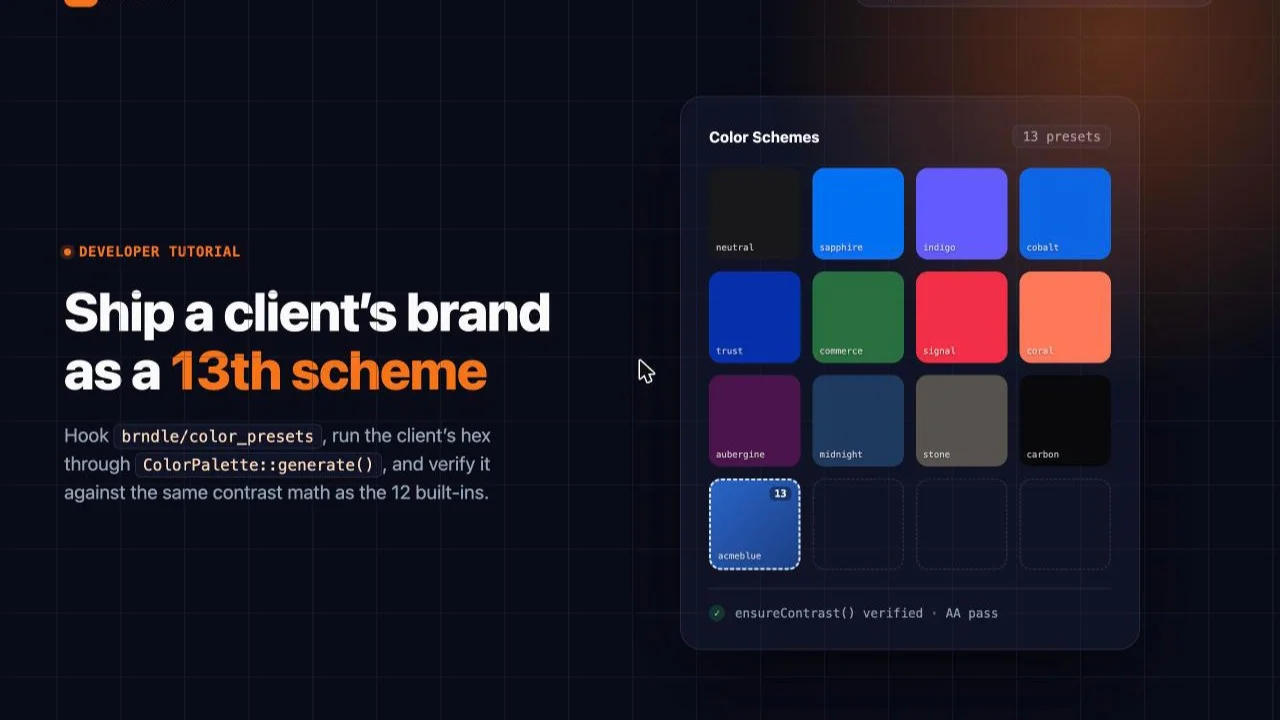
Every Brndle build eventually hits the same client request: “can you make it our blue instead of one of the twelve?” The honest answer is yes, in two different ways, and only one of them survives a redeploy. The fast way is the “Use custom brand color” picker already sitting in Brndle → Colors, which stores one raw hex in a setting called custom_accent and runs it through the same derivation as everything else. The durable way is to register the client’s color as an actual named preset, the same kind of object the twelve built-in schemes are, using a filter hook that ships in the theme for exactly this purpose: brndle/color_presets.
This is a from-scratch, verified walkthrough of the second path. We pulled the real app/Settings/ColorPalette.php from the brndle-themes/brndle repository, read on 30 October 2026, confirmed the filter’s exact name and signature, and then did what our WCAG AA audit of the 12 built-in schemes did: ran the theme’s own contrast math, in a faithful Python port, against a real sample client color. That audit found a specific, repeatable gap in how generate() picks text color for buttons and links sitting on the accent. This post shows that gap reappearing on a thirteenth, custom preset exactly as predicted, and then closes it with a second filter hook most of the ecosystem does not know exists.
Table of contents
- Why a named preset beats a hardcoded hex
- The real filter: brndle/color_presets
- Worked example: registering a client’s brand navy
- Wiring it to a live site, honestly
- Verifying the derivation actually ran
- Checking the WCAG guarantee, and where it breaks
- Closing the gap with brndle/color_palette and ensureContrast()
- What this means for client work
- FAQ
- The takeaway
Why a named preset beats a hardcoded hex
The quickest way to put a client’s brand color on a Brndle site is the one already in the box. Open Brndle → Colors, check “Use custom brand color,” and the ColorPicker writes straight to a setting called custom_accent. Settings::colorPalette() checks that setting first, and if it is non-empty, skips the twelve presets entirely and calls ColorPalette::generate($customAccent) directly:
public static function colorPalette(): array
{
    $all = self::all();
    $customAccent = $all['custom_accent'] ?? '';

    if (! empty($customAccent)) {
        return ColorPalette::generate($customAccent);
    }

    $scheme = $all['color_scheme'] ?? 'sapphire';
    $presets = ColorPalette::presets();
    $preset = $presets[$scheme] ?? $presets['sapphire'];

    return ColorPalette::generate($preset['hex']);
}
For a one-off site, that is genuinely the right tool, and nothing in this post argues against it. It becomes the wrong tool the moment an agency is doing this more than once. custom_accent is a single string setting: one site, one override, no name attached to it in the data. Three real problems show up as soon as a brand color needs to travel:
It does not survive /settings/export as anything meaningful. handleExportSettings() dumps Settings::all() verbatim, so a site exported for backup or for cloning into a new client project carries "custom_accent": "#1b4d89", a bare hex with no label. A named preset carries a key and a human name through the same export.
It cannot hold more than one client color at a time. An agency maintaining a multisite network, or a white-labeled child theme shipped to several accounts under one brand, needs the equivalent of “Acme Robotics Blue” and “Acme Robotics Orange” both available as pickable options, not one raw override slot that the last person to touch Settings overwrote.
It is invisible to anything that only knows about ColorPalette::presets(). If a future admin screen, a WP-CLI command, or a reporting script enumerates “the color schemes this theme offers,” custom_accent never appears in that list, because it deliberately bypasses presets(). A registered preset does appear, because it is the same kind of array entry as Sapphire or Coral, filtered in at the same point.
The rest of this post is the second path: registering the client’s color as preset number thirteen, through the filter that exists specifically so a site does not have to fork ColorPalette.php to do it.
The real filter: brndle/color_presets
Here is the full, current presets() method, quoted directly from the file as fetched from the repository’s default branch:
/**
 * Enterprise color scheme presets sourced from $1B+ companies.
 *
 * Each preset contains:
 *  - name:  Human-readable label
 *  - hex:   Primary accent hex
 *  - tone:  'light' or 'dark' -- describes the accent itself
 *
 * @return array<string, array{name: string, hex: string, tone: string}>
 */
public static function presets(): array
{
    $presets = [
        'neutral' => ['name' => __('Neutral', 'brndle'), 'hex' => '#18181b', 'tone' => 'dark'],
        'sapphire' => ['name' => __('Sapphire', 'brndle'), 'hex' => '#0070F3', 'tone' => 'light'],
        // ... indigo, cobalt, trust, commerce, signal, coral, aubergine, midnight, stone, carbon
    ];

    /** @var array<string, array{name: string, hex: string, tone: string}> */
    return apply_filters('brndle/color_presets', $presets);
}
Three facts worth pinning down, because the whole tutorial rests on them:
The filter name is brndle/color_presets, called at the very end of the presets() method with one argument, the fully-built array of twelve presets. A callback hooked to it receives that array and must return an array shaped the same way.
Each entry needs exactly three keys: name (a translatable human label, typically run through __()), hex (a #RRGGBB string, no shorthand three-digit form, no alpha), and tone (the string 'light' or 'dark', describing the accent itself). The array key you choose, 'northstar' in the example below, becomes the preset’s permanent identifier: it is what gets stored in the color_scheme setting, and what Settings::colorPalette() looks up against presets() on every request.
The tone key is metadata only, as of this read of the source. It is documented as describing the accent, but generate() never reads it. The dark-mode accent adjustment is decided purely from the accent’s own HSL lightness ($l < 40), independent of whatever tone you set. Set it accurately anyway, both because a future release may start using it and because it is the value any admin UI would show a human.
There is a second filter in the same method, one section down, that this post comes back to later: apply_filters('brndle/color_palette', $palette, $hex), called at the end of generate() with the fully derived palette and the accent hex that produced it. That is the hook that lets you correct a specific derived value after the fact, rather than only adding new input presets.
Worked example: registering a client’s brand navy
Say the client is “Northstar Legal” and their brand guide specifies a navy, #1B4D89, nowhere near any of the twelve built-ins. The registration itself is five lines, placed in a small site-specific plugin or the child theme’s functions.php, hooked before the settings page ever runs (after_setup_theme or plain top-level code in a must-use plugin both work; presets() is called fresh on every request that needs the palette, so there is no caching to bust):
<?php
/**
 * Plugin Name: Brndle: Northstar Legal brand preset
 */

add_filter('brndle/color_presets', function (array $presets): array {
    $presets['northstar'] = [
        'name' => __('Northstar Legal Navy', 'northstar-brndle'),
        'hex'  => '#1B4D89',
        'tone' => 'dark',
    ];

    return $presets;
});
That alone is enough for the PHP side of the theme to treat 'northstar' exactly like 'sapphire' or 'coral'. Anywhere in the codebase that calls ColorPalette::presets(), which today is just Settings::colorPalette(), now sees thirteen entries instead of twelve, and if the stored color_scheme setting is ever 'northstar', generate('#1B4D89') runs through the identical light-surface, dark-surface, text, border, and semantic-color derivation that every built-in scheme gets. Nothing about the derivation pipeline cares whether a hex came from the hardcoded array or a filter callback; apply_filters() does not distinguish the two once the array is merged.
Wiring it to a live site, honestly
Here is the part most “add a filter” tutorials skip, and the reason this post pulled the admin React source as well as the PHP: registering the preset in PHP does not put a thirteenth card in the visual picker at Brndle → Colors. The picker component, admin/src/components/ColorSchemeSelector.jsx, defines its own list of cards as a hardcoded JavaScript array, completely independent of ColorPalette::presets():
const PRESETS = [
	{ key: 'neutral', name: 'Neutral', accent: '#18181b' },
	{ key: 'sapphire', name: 'Sapphire', accent: '#0070F3' },
	// ... ten more, ending with carbon
];
That array ships compiled into admin/build/index.js. A PHP-side filter cannot reach into it, and there is no REST call in admin/src/api.js that fetches presets() to populate the grid dynamically. So brndle/color_presets genuinely extends what the backend considers a valid, generate()-able scheme, while the admin picker stays frozen at twelve clickable cards until someone patches that JSX array and rebuilds the admin bundle, which is a legitimate frontend change, not a PHP filter’s job. Call that out to the client or the next developer rather than letting them discover it by clicking around for a card that will never appear.
Two honest ways to actually apply the registered preset without touching the admin build:
WP-CLI, for scripted or multi-site rollout. color_scheme is not in Defaults::colorKeys() (only custom_accent is), so Sanitizer::sanitize() falls through to sanitize_text_field() for it, plain string sanitization with no allowlist check against the twelve known keys. That means any string, including 'northstar', saves cleanly through the normal settings path:
wp eval '
$settings = get_option("brndle_settings", []);
$settings["color_scheme"] = "northstar";
$settings["custom_accent"] = ""; // make sure the raw override is not masking it
update_option("brndle_settings", $settings, false);
'
This is the realistic path for an agency pushing the same client preset across a staging site and a production site, or standardizing a multisite network: it is a one-line WP-CLI call per site, no admin clicking, no rebuild.
The REST route, for anything that already runs in an authenticated admin context. SettingsServiceProvider::registerRestRoutes() exposes POST /wp-json/brndle/v1/settings, gated by current_user_can('manage_options'), accepting any subset of the allowlisted setting keys. From inside wp-admin, with the REST nonce the admin script already localizes as brndleAdmin.nonce:
fetch( brndleAdmin.restUrl, {
	method: 'POST',
	headers: {
		'Content-Type': 'application/json',
		'X-WP-Nonce': brndleAdmin.nonce,
	},
	body: JSON.stringify( { color_scheme: 'northstar', custom_accent: '' } ),
} );
Both routes land in the same place: Settings::save() merges the sanitized value into the brndle_settings option and clears the CSS-variables cache, so the very next page load recomputes cssVariables() from the new scheme.
Verifying the derivation actually ran
Two fast, real checks, no guessing required. First, confirm the setting actually saved and resolves through the filtered presets list:
wp eval 'echo json_encode(\Brndle\Settings\Settings::colorPalette(), JSON_PRETTY_PRINT);'With the Northstar preset active, that should print an accent key of #1B4D89, a dark-accent key lightened toward #337ed7 (the lightness-under-40 branch lightening the navy by twenty points for dark mode, per the exact formula in generate()), and all the same light-surface, dark-surface, text, and border keys every other scheme gets. If accent comes back as Sapphire’s #0070F3 instead, either the setting did not save or custom_accent is still non-empty and silently winning, since colorPalette() checks it first.
Second, confirm the derived palette is actually reaching the front end. SettingsServiceProvider::outputCssVariables() is hooked to wp_head at priority 1, so it is one of the very first things in the document, unlayered CSS that beats the theme’s own @layer rules in the cascade regardless of source order:
curl -s https://northstarlegal.example/ | grep -o '<style id="brndle-css-vars">[^<]*' | head -c 400That should show --color-accent:#1b4d89 inside the :root block and the generated --color-accent again, lightened, inside [data-theme="dark"]. If the editor also needs to reflect the new palette (it should, for anyone building pages with the block editor’s color controls), injectEditorCssVariables() appends the identical CSS string to block_editor_settings_all, so no separate check is needed there beyond loading the editor once.
Checking the WCAG guarantee, and where it breaks
This is the part that matters more than wiring. The original 12-scheme audit found that nine of the twelve built-in presets pass both light-mode accent-as-text checks cleanly, but eleven of twelve have at least one dark-mode caveat or outright failure, because on-accent and dark-on-accent are decided by a single binary split rather than a verified check:
'on-accent' => self::relativeLuminance($hex) > 0.4 ? '#09090b' : '#ffffff',
'dark-on-accent' => self::relativeLuminance(
    $l < 40 ? self::hslToHex($h, $s, min(65, $l + 20)) : $hex
) > 0.4 ? '#09090b' : '#ffffff',
That exact code is still in the live file as fetched for this post. A thirteenth preset registered through the filter runs through those same two lines, with no extra scrutiny for being custom. So before shipping Northstar’s navy to a client, we ran it through the same faithful Python port of ColorPalette.php the original audit used (hexToHsl, hslToHex, relativeLuminance, contrastRatio, ported line for line, plus the exact surfaceHue/surfaceSat/dark-surface-primary formulas from generate()), rather than assuming a professional-looking navy would be safe by inspection:
client_hex = '#1B4D89'
h, s, l = hex_to_hsl(client_hex)          # (212.73, 67.07, 32.16)
dark_surface = hsl_to_hex(                 # verbatim dark-surface-primary formula
    220 if s < 5 else h,
    max(5, (10 if s < 5 else max(6, s * 0.15)) * 0.6),
    7,
)                                           # -> #111213
dark_accent = hsl_to_hex(h, s, min(65, l + 20)) if l < 40 else client_hex  # -> #337ed7
on_accent = '#09090b' if relative_luminance(client_hex) > 0.4 else '#ffffff'       # -> #ffffff
dark_on_accent = '#09090b' if relative_luminance(dark_accent) > 0.4 else '#ffffff' # -> #ffffff
Scoring all four accent-dependent pairs against the ported contrastRatio(), using the same AA bar as the original audit (4.5:1 for normal text, including a button’s own label; 3:1 for large text and non-text UI):
| Pair | Foreground | Background | Ratio | Verdict |
|---|---|---|---|---|
| Light link (accent as text) | #1B4D89 | #fafafa | 8.15:1 | Pass |
| Light button (on-accent on accent) | #ffffff | #1B4D89 | 8.50:1 | Pass |
| Dark link (dark-accent on dark surface) | #337ed7 | #111213 | 4.56:1 | Pass, barely |
| Dark button (dark-on-accent on dark-accent) | #ffffff | #337ed7 | 4.11:1 | Caveat (fails 4.5, clears 3) |
Both light-mode pairs clear AA with comfortable margin, which matches the audit’s general finding that light mode is where this derivation is reliable. Dark mode is where Northstar’s navy reproduces the exact failure pattern the original audit named: the dark-mode link passes, but only just, at 4.56:1 against a 4.5:1 floor, and the dark-mode button fails outright at 4.11:1, white text on #337ed7 falling short of the 4.5:1 a 14px or 16px button label actually needs. This is not a quirk of this particular navy. It is generate()‘s binary luminance split making the same kind of close call it made for Commerce’s dark-mode button in the original audit (2.52:1 there, a worse miss, but the identical mechanism): picking black or white based solely on whether relative luminance crosses 0.4, with no check that the choice actually clears a target ratio once applied.
One thing worth confirming before assuming nothing has changed since that audit: a real fix did land in ColorPalette.php recently, just not to this code path. The light-text-tertiary and dark-text-tertiary values both carry inline comments documenting a correction:
'light-text-tertiary' => '#68686f',   // was #a1a1aa: 2.34:1 on the light surfaces, below AA
'dark-text-tertiary' => '#9a9aa5',    // was #71717a: 3.7:1 on the dark surfaces, below AA
Re-running those two pairs through the same ported contrastRatio() confirms the fix is real and effective: the old tertiary-text values measured 2.46:1 and 3.88:1, both failing AA; the current values measure 5.30:1 and 6.73:1, both comfortably passing. That is a genuine, verified WCAG contrast fix, and it means tertiary text, captions, metadata, muted labels, is safe across every scheme including a filter-registered one, because those two colors are fixed strings in generate()‘s output, not derived from the accent at all. What that fix did not touch is the accent-dependent on-accent / dark-on-accent pair this section just measured failing for Northstar’s navy. The binary split quoted above is unchanged from what the original 12-scheme audit flagged. A thirteenth scheme inherits the parts of the pipeline that got fixed and the part that did not, exactly as written, with no extra protection for being custom.
Closing the gap with brndle/color_palette and ensureContrast()
The fix the original audit recommended already exists in the same file, unused by generate(): ColorPalette::ensureContrast($fg, $bg, $minRatio), a public static method that nudges a foreground color’s lightness in the correct direction, two points at a time, until it clears a target ratio against a given background, falling back to pure black or white only if nothing in between works:
public static function ensureContrast(string $fg, string $bg, float $minRatio = 4.5): string
{
    if (self::contrastRatio($fg, $bg) >= $minRatio) {
        return $fg;
    }

    $fgHsl = self::hexToHsl($fg);
    $bgHsl = self::hexToHsl($bg);
    $direction = $bgHsl['l'] > 50 ? -1 : 1;

    $h = $fgHsl['h']; $s = $fgHsl['s']; $l = $fgHsl['l'];

    for ($i = 0; $i < 100; $i++) {
        $l = max(0, min(100, $l + $direction * 2));
        $candidate = self::hslToHex($h, $s, $l);

        if (self::contrastRatio($candidate, $bg) >= $minRatio) {
            return $candidate;
        }
    }

    return $direction === -1 ? '#000000' : '#ffffff';
}
ensureContrast() and contrastRatio() are both public static, callable from outside the class. relativeLuminance() is private, so a hook cannot call that one directly, but it does not need to: ensureContrast() already wraps the full check-and-correct loop. The hook to run it from is the second filter noted earlier, applied at the end of generate() with the derived palette and the accent hex that produced it:
add_filter('brndle/color_palette', function (array $palette, string $hex): array {
    // Scope the fix to this one preset so the eleven other schemes, including
    // the ones with a known caveat, ship exactly as the theme author intended.
    if (strtolower($hex) !== '#1b4d89') {
        return $palette;
    }

    $palette['on-accent'] = \Brndle\Settings\ColorPalette::ensureContrast(
        $palette['on-accent'],
        $hex,
        4.5
    );

    $palette['dark-on-accent'] = \Brndle\Settings\ColorPalette::ensureContrast(
        $palette['dark-on-accent'],
        $palette['dark-accent'],
        4.5
    );

    return $palette;
}, 10, 2);
Running that exact correction through the Python port rather than trusting it by inspection: ensureContrast('#ffffff', '#1B4D89', 4.5) returns #ffffff unchanged, since the light-mode button already clears 4.5:1 at 8.50:1, nothing to do. ensureContrast('#ffffff', '#337ed7', 4.5), the failing dark-mode button, walks the foreground darker in two-point steps and returns #0f0f0f at 4.66:1, clearing the bar. The dark-mode link at 4.56:1 was already passing, barely, so it is left untouched by this particular filter; a stricter deployment could run it through the same ensureContrast() call for extra margin rather than relying on a 0.06 cushion.
Two things about scoping this correctly. First, the strtolower($hex) !== '#1b4d89' guard matters: without it, the same filter would also silently correct on-accent for Coral, Carbon, Commerce, and every other built-in scheme with a known failure, which changes the theme’s shipped visual behavior for every site using this plugin, not just the one client preset being added. Scope the fix to the specific hex (or hexes, if adding several client presets) being registered. Second, this same brndle/color_palette filter also fires for the custom_accent quick path described earlier, since Settings::colorPalette() calls generate() either way and generate() applies the filter unconditionally at the end. A site relying on the raw custom-color picker gets the identical protection from the identical hook, no named preset required.
What this means for client work
For any agency doing this more than once, the pattern that survives multiple client engagements is three pieces, not one: register the preset through brndle/color_presets so it behaves like a first-class scheme in exports and CLI scripting; apply it through WP-CLI or the REST route rather than waiting on an admin-picker card that the current source does not provide; and run the client’s hex through the same contrast verification this post just walked through, specifically the dark-mode on-accent / dark-on-accent pair, before calling the build done. A client color that happens to clear every check, the way a pale, saturated brand color sometimes does, needs none of the brndle/color_palette correction. One that lands anywhere near the HSL lightness range this post’s navy did, roughly 25 to 40 percent lightness with moderate-to-high saturation, should be assumed to need it until the numbers say otherwise.
FAQ
What is the exact signature of the brndle/color_presets filter?
apply_filters('brndle/color_presets', $presets), called inside ColorPalette::presets() with one argument, an associative array keyed by scheme slug, each value an array with name, hex, and tone keys. A callback hooked to it must return an array in the same shape; the twelve built-in entries are not removable short of unsetting their keys in your callback.
Does adding a preset through this filter automatically add it to the admin color picker?
No, and this is the detail most likely to surprise a developer who only reads the PHP. admin/src/components/ColorSchemeSelector.jsx hardcodes its own twelve-entry PRESETS array at build time and never calls the REST settings endpoint to fetch ColorPalette::presets(). The filter extends what the backend will generate() and serve as CSS, not what shows as a clickable card. Apply the new scheme via WP-CLI or the REST route instead, or patch and rebuild the admin bundle if a visible card is a hard requirement.
What is the fastest way to apply a client color without registering a named preset at all?
The “Use custom brand color” control already in Brndle → Colors, which stores a hex directly in the custom_accent setting. Settings::colorPalette() checks it before consulting presets at all, so it bypasses the filter entirely and reaches the identical generate() pipeline. It is the right tool for a single site with one override; it does not scale to multiple named client colors or survive an export as anything more than a bare hex.
Does a custom preset automatically get the same WCAG guarantee as the built-in schemes?
It gets the same lack of guarantee, which is more precise than saying it gets a guarantee. None of the twelve built-in presets clear every accent-dependent AA check in both light and dark mode, according to the earlier audit of the real source, because on-accent and dark-on-accent are set by an unverified binary luminance split. A custom preset runs through that exact same code. It has no extra protection and no extra risk relative to the built-ins; it needs the same per-hex contrast check this post performed before being called client-ready.
Which Brndle filter lets me correct a specific derived color after generate() runs?
apply_filters('brndle/color_palette', $palette, $hex), called at the very end of ColorPalette::generate() with the fully built palette array and the accent hex used to build it. A callback hooked here can override any key in the derived palette, including on-accent and dark-on-accent, scoped to a specific hex by checking the second parameter.
Can I call ColorPalette::ensureContrast() directly from a hook?
Yes. ensureContrast(string $fg, string $bg, float $minRatio = 4.5) and contrastRatio(string $hex1, string $hex2) are both declared public static, so \Brndle\Settings\ColorPalette::ensureContrast(...) is callable from any plugin or child theme. relativeLuminance() is private and cannot be called directly, but ensureContrast() already wraps the check-and-correct loop that uses it internally, so nothing in this pattern needs the private method.
Does the tone key (‘light’ or ‘dark’) change how my custom preset’s dark mode is derived?
Not as of this read of the source. generate() decides the dark-mode accent lightening purely from the accent’s own HSL lightness (the $l < 40 branch), never from the preset’s tone value. Set tone accurately for any future code or admin UI that may read it, but do not expect it to influence today’s derived colors.
If I apply the ensureContrast() fix through brndle/color_palette, will it also affect the 12 built-in schemes?
Only if your callback does not scope it. The filter fires for every call to generate(), including the eleven built-in presets that already have a documented caveat or failure. Guard the callback with a check against the specific accent hex (or hexes) you are correcting, the way the worked example in this post does, or you will silently change the shipped visual behavior of every scheme on every site running that plugin.
How do I verify my custom preset’s palette without a staging deploy?
wp eval 'echo json_encode(\Brndle\Settings\Settings::colorPalette(), JSON_PRETTY_PRINT);' prints the exact array that will be written into wp_head‘s CSS variables, using whatever color_scheme or custom_accent is currently saved. Pair it with the four-function Python contrast port from this post’s methodology (or from the original 12-scheme audit) to score the on-accent / dark-on-accent pairs before anything goes live.
Is color_scheme validated against the known preset keys when it is saved?
No. color_scheme is not in Defaults::colorKeys(), so Sanitizer::sanitize() falls through to plain sanitize_text_field() for it, with no allowlist check against the twelve (or thirteen) known keys. That is what makes setting it to an unregistered key like 'northstar' possible through WP-CLI or REST in the first place; it is also why Settings::colorPalette() falls back to Sapphire’s hex if the saved key ever stops resolving in presets(), for example if the plugin registering the filter is deactivated.
The takeaway
brndle/color_presets is real, it is exactly as documented in the source, apply_filters('brndle/color_presets', $presets) inside ColorPalette::presets(), and it is the right way to give a client’s brand color the same standing as the twelve built-in schemes: a name, a stable key, and the full light/dark derivation pipeline. It does not, by itself, put a card in the admin picker, because that picker is a hardcoded JSX array with no REST call back to the filtered PHP list, a gap worth flagging rather than discovering during a client demo. And it does not, by itself, guarantee AA contrast on the accent-as-text pairs, because the theme’s own ensureContrast() method still is not called inside generate(), a gap the original 12-scheme audit found and this post just watched a thirteenth, custom navy reproduce at 4.11:1 on its dark-mode button. The fix for both is already in the box: WP-CLI or REST for wiring, and brndle/color_palette plus ColorPalette::ensureContrast() for the contrast guarantee the built-ins still do not have. Ship the client’s color with both, and it is provably safer than eleven of the twelve presets it sits next to.
Sources, read on 30 October 2026
- brndle-themes/brndle: app/Settings/ColorPalette.php, the
presets()method, thebrndle/color_presetsandbrndle/color_palettefilters,generate(),ensureContrast(), andcontrastRatio() - brndle-themes/brndle: app/Settings/Settings.php,
colorPalette()‘s custom_accent-over-preset resolution order andcssVariables() - brndle-themes/brndle: app/Settings/Sanitizer.php, confirming
color_schemeis plain-text sanitized, not allowlist-validated - brndle-themes/brndle: app/Providers/SettingsServiceProvider.php, the
brndle/v1/settingsREST route andwp_headCSS output - brndle-themes/brndle: admin/src/components/ColorSchemeSelector.jsx, the hardcoded twelve-card picker array
- Auditing All 12 Brndle Color Schemes for WCAG AA Contrast, this post’s source for the built-in schemes’ confirmed pass/caveat/fail numbers
- W3C: Understanding Contrast (Minimum)