WordPress Themes for Language Schools will Deck Online Teaching in 2026

Language schools moved online years ago, and the shift stuck. Parents book conversation classes for their kids after dinner, adult learners squeeze in a lesson before work, and instructors run entire curriculums without ever renting a physical classroom. A generic WordPress theme can technically host that kind of school, but it usually fights you every step of the way: course pages that look like blog posts, checkout flows that confuse first-time buyers, and no clean way to show a student their progress. A theme built for online education solves those problems before you write a single line of custom code.
This guide walks through five WordPress themes and template kits that are purpose-built for language schools, tutoring centers, and online academies. Each one has been checked against its current marketplace listing so you know it is still sold, still updated, and still a safe pick for a 2026 build.
Why a Purpose-Built Theme Matters for a Language School
A language school is not a typical content site. Visitors need to compare course levels, see a syllabus, book a placement test, pay for a subscription, and then come back weekly to track their progress. Stock business themes were never designed for that workflow, so agencies end up bolting on plugins that were never meant to work together. A theme built specifically for e-learning already understands the pieces you need: course catalogs, lesson players, membership tiers, and a student dashboard that does not feel like an afterthought.
There is also a trust factor. A parent signing their child up for a year of Spanish lessons, or a professional paying for a business English subscription, is making a judgment call about the school’s credibility in the first few seconds on the homepage. A theme with clean typography, sensible spacing, and a course layout that mirrors what people already expect from platforms like Udemy or Coursera removes friction from that first impression.
What to Look for Before You Buy
Not every “education” theme is built the same way. Before picking one for a language school specifically, check for the following:
- LMS compatibility. Look for native support for LearnDash, LifterLMS, or Tutor LMS rather than a theme that merely claims to be “education-ready.” Native support means drip content, quizzes, and certificates render correctly without extra styling work.
- Course discovery layout. Language learners often want to browse by level (beginner, intermediate, advanced) or by language. A theme with flexible grid and filter options saves you from building that logic yourself.
- Community or cohort features. Language learning sticks better with peer interaction. Themes that pair with BuddyPress or BuddyBoss let you add discussion boards, study groups, or a simple activity feed.
- Booking and appointment tools. If your school offers one-on-one tutoring alongside group courses, look for built-in booking calendars rather than a bolted-on scheduling plugin.
- Update history. Check the changelog on the marketplace listing before buying. A theme that has not been touched in three or four years is a liability once WordPress core or your page builder ships a breaking change.
Top WordPress Themes for Language Schools in 2026
1. LearnMate for LearnDash
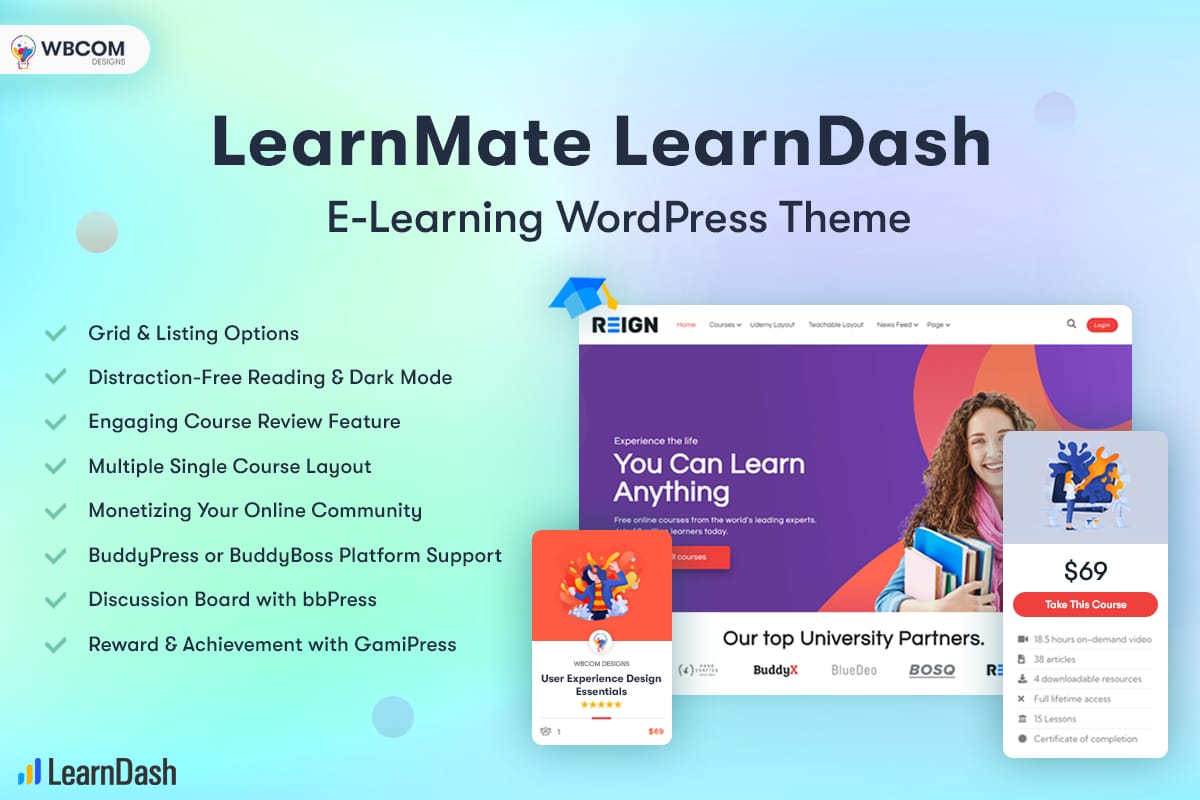
LearnMate pairs the Reign theme with a LearnDash add-on, giving you a branded course dashboard, certificate management, and progress tracking without hand-coding any of it. It is the strongest option on this list if your language school plans to run structured, graded courses with quizzes, assignments, and drip-fed lessons rather than loose video libraries.
Features that matter for a language school:
- Grid and list course layouts so learners can browse by language, level, or instructor without digging through menus.
- Per-lesson discussion threads that let students ask questions on a specific grammar point instead of emailing the instructor separately.
- Distraction-free lesson view that strips away sidebar clutter once a student starts a lesson, which measurably improves completion rates on long-form content.
- BuddyPress and BuddyBoss compatibility for schools that want a community feed, member profiles, or study groups alongside the coursework.
- Multiple single-course templates, including layouts modeled on Udemy and Teachable, so you can pick whichever style matches your brand.
Licensing runs from a single-site personal plan up to an agency tier with unlimited sites, and the product includes a 30-day money-back guarantee, which is worth using if you want to test the checkout and enrollment flow with a real student before committing.
2. LearnMate for LifterLMS
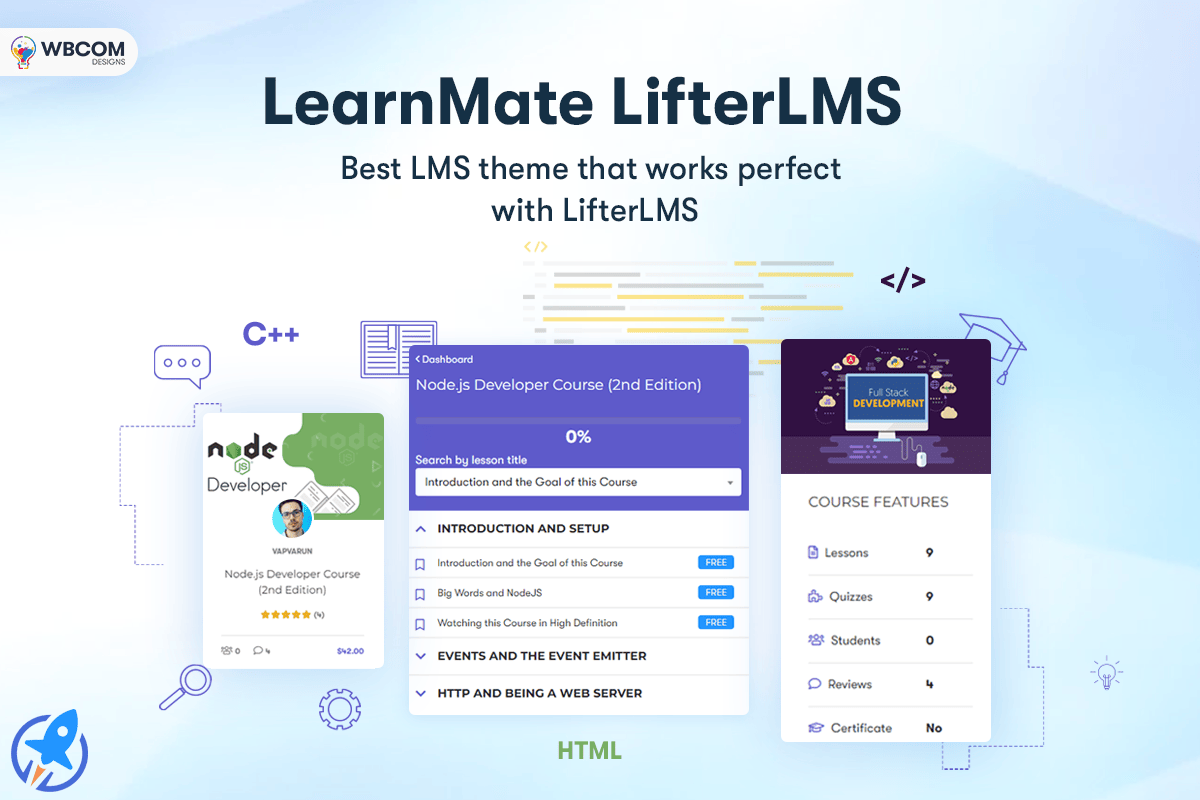
If your school already runs on LifterLMS instead of LearnDash, this is the matching option. It combines the same Reign theme base with a LifterLMS-specific add-on, so you get cohort scheduling, membership tiers, and instructor dashboards tuned to LifterLMS rather than a generic wrapper around it.
Features worth highlighting:
- Built-in course review modules so testimonials from past students show up directly on course pages, which helps new visitors trust an unfamiliar language program.
- Community platform support for BuddyPress, BuddyBoss, or PeepSo, giving learners a place to practice with each other between lessons.
- Grid and listing browsing options that keep large course catalogs organized as your language offerings grow.
- Recurring billing support through Stripe, PayPal, and WooCommerce, which matters for schools running monthly subscription pricing instead of one-time course fees.
Both LearnMate variants share the same design language, so if you are unsure which LMS to commit to long-term, it is worth trialing the LMS plugin itself first, since switching LMS platforms later is far more disruptive than switching themes.
3. Learnify: Online Courses Education WordPress Theme
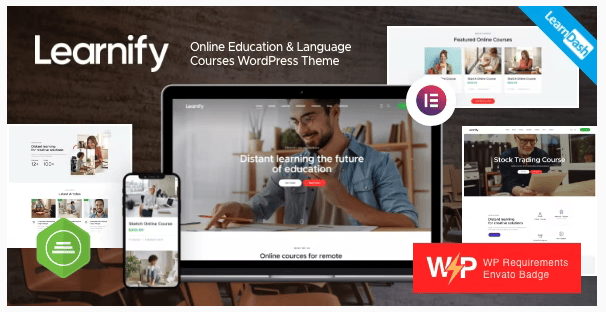
Learnify is a general-purpose education theme from AxiomThemes that works well for language centers as part of a broader school offering, covering everything from preschool programs to university-level courses. It remains under active development, with a mid-2026 update adding compatibility fixes for the newest WordPress releases, so it is a safe long-term pick rather than an abandoned marketplace listing.
What it offers:
- A large library of pre-built demo layouts you can import and adapt rather than building pages from scratch.
- Flexible page-building support so non-technical staff can update course descriptions and pricing without touching code.
- Responsive image handling that serves appropriately sized files depending on the device, which keeps mobile load times reasonable even with a photo-heavy course catalog.
- Ongoing vendor support and documentation, which matters more than most buyers realize until they hit a real configuration problem six months in.
4. Translang: Language Courses and Translation Services Template Kit
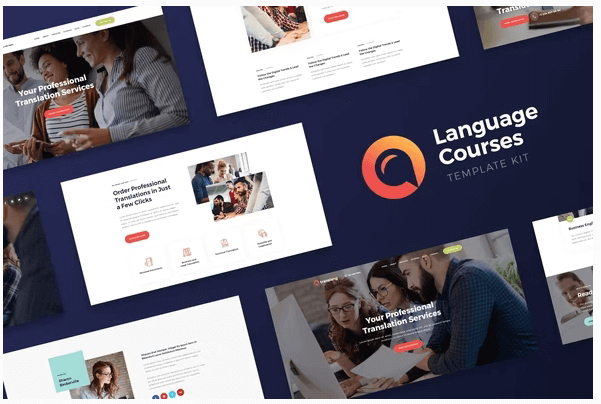
Translang is different from the other entries on this list in one important way: it is an Elementor template kit, not a standalone theme. That means you need Elementor Pro installed already, and you are working within your existing theme’s framework rather than replacing it outright. For agencies that already standardize on Elementor for client builds, that is a feature rather than a limitation.
The kit is aimed specifically at translation agencies, freelance linguists, and language course providers, which makes its page templates more relevant out of the box than a generic education theme. Expect layouts built around service pricing tables, instructor bios, and course scheduling rather than the LMS-heavy structure of LearnMate or Learnify.
Where it fits:
- Best suited to schools that sell short courses or one-on-one tutoring rather than a full graded curriculum.
- Comes with a set of ready-to-use page templates for services, about pages, and contact forms.
- Includes adaptive image handling so photography scales correctly across devices.
- A premade header library lets you swap navigation styles without redesigning the whole site.
Because it is a template kit rather than a full theme, expect to pair it with a lightweight base theme like Hello Elementor or Astra, then layer the Translang templates on top.
5. Language Center: Online Courses and Education WordPress Theme
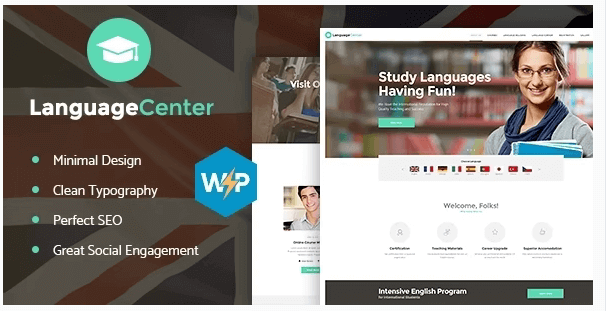
Language Center, built by AncoraThemes, is a multi-purpose education theme that works for colleges, universities, tutoring centers, and dedicated language academies alike. It received a version update in early 2026, and its marketplace listing continues to show active support responses, which is worth checking yourself before any theme purchase since support quality varies wildly between authors.
Standout features:
- Online appointment booking and management baked into the theme, useful for schools offering placement tests or one-on-one speaking practice.
- Premade online course and lesson templates that cut down setup time considerably.
- Cross-browser compatibility tested against current versions of Chrome, Firefox, and Safari.
- Retina image support so photography and course thumbnails stay sharp on high-density displays.
- Advanced blog settings for schools that want to run a content marketing strategy alongside their course catalog, which is increasingly important for organic search visibility.
Multilingual Support Is Not Optional Here
It sounds obvious once you say it out loud, but a huge number of language school sites launch in English only, even when half their student base is searching in Spanish, Portuguese, French, or Arabic. If your school teaches multiple languages, or if you are targeting students who are more comfortable browsing in their native tongue before they commit to a course, your theme needs to play well with a translation plugin like WPML or Polylang from day one.
All five themes above are built on standard WordPress theme conventions rather than proprietary page builders that fight translation plugins, so compatibility is realistic across the board. That said, test the actual translation workflow before you commit to a theme: import a demo, translate one course page end to end, and check that pricing tables, dashboards, and checkout text all translate correctly rather than falling back to English fragments. This is a five-minute test that saves weeks of frustration after launch.
A second, smaller point worth checking: right-to-left language support. If Arabic or Hebrew is part of your course catalog, confirm the theme’s layout does not break when RTL mode is switched on. Not every “translation-ready” theme has actually been tested in an RTL context, and course grids in particular are prone to breaking when text direction flips.
SEO Considerations Specific to Language Schools
Course pages compete for extremely specific search intent: “learn Spanish online,” “business English course,” “IELTS preparation classes.” Generic education themes rarely think about this, but it matters more for a language school than almost any other course category, because the keyword competition is intense and localized.
A few practical points that apply regardless of which theme you pick:
- Structured course data. Themes paired with LearnDash or LifterLMS generally support schema markup for courses, which helps search engines display star ratings, price, and duration directly in results. Confirm this is active rather than assuming it works out of the box.
- Fast page load on course listing pages. A catalog with dozens of language courses and instructor photos can get heavy fast. Check the theme’s image handling and lazy-loading behavior before you fill it with real content, not after.
- Clean, readable URLs per course and per language. A URL structure like
/courses/spanish/beginnerreads better to both users and search engines than an auto-generated string of numbers. - Blog support for long-tail traffic. Study tips, grammar guides, and cultural content bring in visitors who are not ready to buy yet but often convert months later. Themes with strong blog templates, like Learnify and Language Center, make this easier to execute consistently.
A Practical Setup Checklist
Once you have picked a theme, the order you configure things in matters more than most guides admit. Here is a sequence that avoids the most common rework:
- Install and configure your LMS plugin first, before you touch theme styling. Get one full course built end to end, including a quiz or assignment if you plan to use one, so you know the plugin itself behaves the way you expect.
- Import the theme demo closest to your use case, rather than starting from a blank layout. Even if you plan to change 80 percent of the design, starting from a working demo saves hours of guessing at spacing and structure.
- Set up your payment gateway and test a real transaction in sandbox mode before launch. Enrollment and billing bugs are the most expensive kind to discover after a parent has already tried to pay for a course and failed.
- Configure your translation plugin, if needed, before adding large amounts of content. Retrofitting translations onto fifty existing course pages is far slower than translating as you go.
- Test the full student journey on mobile, from course discovery through checkout to the first lesson. A large share of course browsing now happens on a phone, even when the actual purchase decision is finalized on desktop later.
- Confirm certificate generation and progress tracking work correctly before your first real cohort starts, since these are the features most likely to have been configured incorrectly if you rushed the LMS setup in step one.
Comparing the Five Options
If you are short on time, here is how these five stack up against each other on the factors that matter most for a language school specifically.
- Best for structured, graded courses: LearnMate for LearnDash, thanks to native quiz, assignment, and certificate support.
- Best if you already run LifterLMS: LearnMate for LifterLMS, since it mirrors the LearnDash version but wired for LifterLMS’s membership and billing model.
- Best for a mixed school (language plus other subjects): Learnify, because its demo library covers far more than language training alone.
- Best for translation agencies or freelance tutors: Translang, since its templates are built around services and pricing rather than a full LMS.
- Best for schools that need booking plus course pages in one theme: Language Center, because of its built-in appointment scheduling.
Common Questions About Language School Themes
Do I need a separate LMS plugin, or does the theme handle everything?
Every theme on this list still relies on a dedicated LMS plugin (LearnDash, LifterLMS, or Tutor LMS) to handle enrollment logic, quizzes, and progress tracking. The theme’s job is to make that plugin’s output look native to your brand instead of like a default plugin template.
Can I switch themes later without losing my course data?
Yes, as long as your course content lives inside the LMS plugin rather than being hard-coded into theme-specific page builder blocks. This is one more reason to pick your LMS plugin first and treat the theme as a styling layer on top of it.
Is a template kit like Translang riskier than a full theme?
Not inherently, but it does add a dependency on Elementor Pro plus whatever base theme you pair it with. Budget a bit more setup time compared to a standalone theme that works immediately after activation.
How often should I check that my theme is still supported?
At minimum, check the changelog on your renewal date each year. A theme that has gone quiet for over a year is a signal to start evaluating alternatives before a WordPress core update breaks something you cannot easily fix yourself.
What if my school teaches more than one language and each language needs different pricing?
Both LearnDash and LifterLMS support per-course pricing, so you are not locked into a single flat rate across your catalog. Set this up at the course level rather than trying to force a site-wide pricing rule, since language schools almost always end up charging differently for, say, a six-week conversational course versus a full-year exam preparation track.
Should I worry about page speed if I add video lessons directly to course pages?
Yes. Hosting video files directly on your WordPress server is one of the fastest ways to slow a course page down, regardless of which theme you choose. Use a video hosting service such as Vimeo or a dedicated LMS video integration, and embed rather than upload, so your server is only serving the page shell and not streaming large media files to every visitor.
A Note on Ownership and Long-Term Support
Before finalizing a purchase, it is worth spending five minutes checking who actually built and maintains the theme you are considering. AncoraThemes, the author behind both Language Center and Translang, has been an active Envato seller for years with a consistent update cadence, which reduces the risk of buying into an abandoned product. AxiomThemes, the team behind Learnify, follows a similar pattern with regular compatibility updates tied to new WordPress releases. For the LearnMate variants, support runs through the vendor’s own ticketing system rather than the marketplace comment thread, which tends to produce faster and more specific answers when something in the LMS integration breaks.
None of this guarantees a theme will still be actively developed five years from now, but a visible update history, responsive support replies on the product listing, and a reasonable number of verified sales are the three signals that consistently separate a safe long-term pick from a theme you will be migrating away from within a year.
Getting Your Language School Online
None of these five themes require a developer to set up, and each one covers the parts of a language school that are easy to underestimate until you are building the site yourself: course browsing, student progress, and a checkout flow that does not feel like an afterthought. Start by deciding whether you need a full LMS-driven curriculum or a lighter services-and-booking setup, since that single decision narrows the list from five options down to one or two realistic choices for your school.
Related reading
Ultimate Aerial Photography WordPress Themes