Zero-JS by Default: What Happens to Interactivity When a Visitor Has JS Disabled
Key takeaways
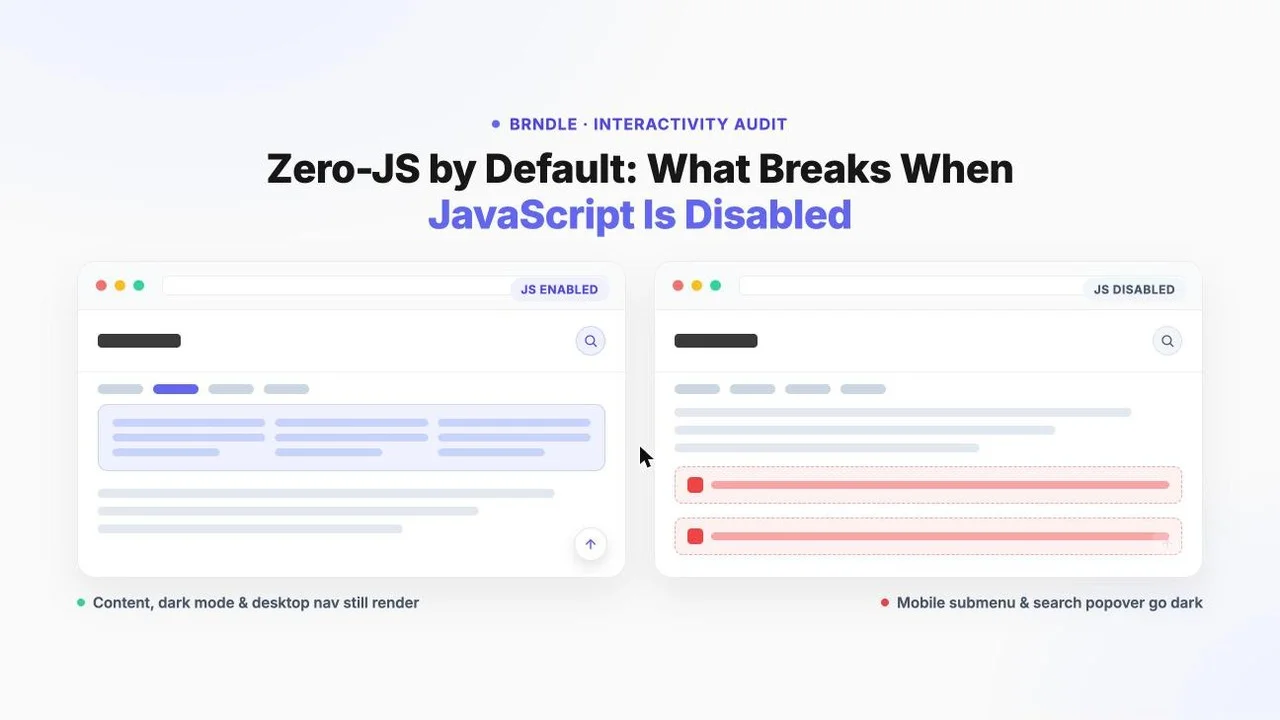
- Brndle’s “~0KB JavaScript on content pages” claim is about content rendering, not interactivity. The article body, headings and images come from server-rendered Blade views, and nothing in that render path needs JS. That half of the claim holds up with JS fully disabled.
- We pulled the real source of all six frontend JS files Brndle ships to Vite (
dark-mode.js,view-transitions.js,mega-menu.js,header-behaviors.js,back-to-top.js,editor.js) from the public repo, plus the Blade templates and CSS that pair with each, instead of guessing from marketing copy. - Two of the six expose a genuine break, not a graceful degrade, when JS is off: the mobile nav’s nested-submenu disclosure (inside
mega-menu.js) and the header’s search popover (insideheader-behaviors.js) both server-render their content with ahiddenattribute that only a JS click handler ever removes. Neither has a CSS fallback. - Three behaviors degrade cleanly: the desktop half of the mega menu (a genuine CSS
:hover/:focus-withinfallback reveals submenus with zero JS),view-transitions.js(an opt-in soft-nav layer that simply never attaches its click listener, so every link falls through to a normal full-page load), andback-to-top.js(the button shipsopacity:0; pointer-events:noneby default, so without JS it just never appears instead of appearing broken). dark-mode.jsis the subtlest case: the actual dark/light rendering is CSS-driven through a custom Tailwind variant that covers the no-JS case viaprefers-color-scheme, so a visitor’s OS preference is honored with zero JS. Only the manual three-state toggle button goes inert.- All six scripts are conditionally enqueued per page through
app.blade.php‘s$viteEntriesarray, not blanket-loaded. But the sticky-header default (sticky-fixed, notstatic) and the mere presence of a primary nav menu mean most real installs loadheader-behaviors.jsandmega-menu.json every single page, regardless of how minimal the rest of the site is. editor.jsnever reaches a visitor’s browser at all. It only executes inside wp-admin’s block-editor iframe, so it sits entirely outside the “visitor has JS disabled” question.
“~0KB JavaScript on content pages” is the kind of line that survives contact with a sales page a lot better than it survives contact with a browser’s JS toggle. It’s also, taken literally, defensible, and that’s the part worth being precise about before tearing into the rest of it. A WordPress theme’s “content page” claim is usually a statement about how the page is produced: Brndle’s blog posts, service pages and archives render through Acorn’s Blade compiler on the server, on every request, with no client-side framework deciding what goes on the page and no hydration step standing between the HTML the server sent and what a visitor sees. That part of the sentence is true whether or not the visitor’s browser runs a single line of JavaScript. What it doesn’t say, and what a reader skimming a feature list tends to backfill anyway, is “the site is fully functional with JavaScript off.” Those are different claims, and the gap between them is exactly where this post lives.
We didn’t want to answer this from the README. We pulled the actual source of the six frontend scripts Brndle ships, read the Blade partials and the PHP walker that generate the markup those scripts attach to, and checked the CSS for the specific fallback rules (or absence of them) that decide whether a feature degrades or just stops existing. Two of the six have a real no-JS failure mode worth naming plainly. The other four are honestly fine, in a few different ways worth distinguishing. If you’ve already read Vite 7 + HMR in a WordPress Theme, you’ve seen this same list of six files from the dev-server side; this post is the other half of that question, what each one actually does for a visitor, and what’s left when you take it away.
In this guide
- What “zero JS” actually means here, and where the line really sits
- dark-mode.js: the toggle is JS, the rendering isn’t
- view-transitions.js: opt-in, and it knows how to get out of the way
- mega-menu.js: three behaviors in one file, two different outcomes
- header-behaviors.js: a header that survives JS and a search box that doesn’t
- back-to-top.js: enhancement done the way enhancement is supposed to work
- editor.js: not actually part of this question
- The honest scorecard
- Who should actually care about any of this
- Questions developers ask
- Where this leaves the claim
What “zero JS” actually means here, and where the line really sits
Every one of Brndle’s six frontend scripts is loaded conditionally, not blanket-shipped, and the conditions live in one place: the $viteEntries array built at the top of resources/views/layouts/app.blade.php, read directly from the current repo. It’s worth quoting in full because the logic is more deliberate than “load everything and let the browser sort it out”:
$viteEntries = $criticalCssEnabled ? [] : ['resources/css/app.css'];
if ($toggleDriven) {
  $viteEntries[] = 'resources/js/dark-mode.js';
}
if (\Brndle\Settings\Settings::get('perf_view_transitions', false)) {
  $viteEntries[] = 'resources/js/view-transitions.js';
}
if (has_nav_menu('primary_navigation')) {
  $viteEntries[] = 'resources/js/mega-menu.js';
}
$stickyMode = (string) \Brndle\Settings\Settings::get('header_sticky_mode', 'sticky-fixed');
$searchEnabled = (bool) \Brndle\Settings\Settings::get('header_search_enabled', false);
if ($stickyMode !== 'static' || $searchEnabled) {
  $viteEntries[] = 'resources/js/header-behaviors.js';
}
$backToTopEnabled = (bool) apply_filters('brndle/back_to_top_enabled', true);
if ($backToTopEnabled) {
  $viteEntries[] = 'resources/js/back-to-top.js';
}
Read that straight and the floor case is real: turn off the dark-mode toggle, leave view transitions off (the default), remove the primary nav menu, set the sticky mode to static, leave search disabled, and filter out the back-to-top button, and a page genuinely ships zero of these six files. That’s not a rhetorical “basically zero,” it’s an empty array passed to @vite(). But look at the defaults in that same snippet: header_sticky_mode defaults to sticky-fixed, not static, and almost every real Brndle install has a primary navigation menu assigned, because a header without one isn’t a header most sites would ship. Which means the two conditions that load mega-menu.js and header-behaviors.js are true out of the box, on a freshly installed theme, before a site owner changes a single setting. The “0KB” case is reachable, but it’s a deliberately stripped-down configuration, not the one most visitors are actually looking at.
There’s a second wrinkle worth being honest about: even the strictest configuration doesn’t ship literally zero bytes of <script> on every page. The same layout file emits a tiny inline script in the document head, in both branches of the dark-mode decision:
@if ($toggleDriven)
@else
@endifOne of these two one-liners runs on every single page load, toggle-driven or not, because the second branch exists specifically to wipe a stale preference left over from before an admin switched dark-mode off. Both are tiny, both are inline (no network request, no external file, no Vite entry), and neither does anything a no-JS visitor would notice missing, the fixed-mode branch is pure housekeeping, and the toggle-driven branch is a synchronous theme-flash guard covered in full in Why Your Dark Mode Flashes Before JavaScript Runs. But “zero JavaScript” and “zero bytes of script tag” aren’t quite the same sentence either, and a precise claim should say “near-zero, plus a couple of lines of synchronous inline housekeeping” rather than round it to nothing. None of that inline script requires anything to work when JS is off; a browser with JS disabled just never executes it, same as any other <script> tag, and the page renders fine either way. It’s a footnote, not a flaw, but it’s the kind of footnote a claim this specific should actually include.
With the enqueue logic established, the rest of this post works through the six files themselves, what each one is actually responsible for, what the matching CSS and Blade markup do in its absence, and whether “JS disabled” means “slightly less polished” or “this literally does not work.”
dark-mode.js: the toggle is JS, the rendering isn’t
dark-mode.js is a single global controller bound to every [data-brndle-dark-toggle] button on the page. Its job, read straight from the file, is to cycle a visitor through three states, system → dark → light → system, writing the chosen state to localStorage, flipping the data-theme attribute on <html>, swapping which of three SVG icons shows inside the toggle button, and announcing the change through a visually-hidden aria-live region for screen reader users. It also wires a MutationObserver so dynamically inserted toggle buttons stay in sync, and listens for OS-level dark-mode changes via matchMedia so a visitor who’s chosen “system” sees the page react if they flip their OS theme mid-session.
Here’s the part that actually matters for a no-JS visitor: none of that is what makes the page dark or light in the first place. That work happens in CSS, through a custom Tailwind variant defined directly in app.css, confirmed against the current file:
@custom-variant dark {
  &:where([data-theme="dark"], [data-theme="dark"] *) {
    @slot;
  }
  @media (prefers-color-scheme: dark) {
    &:where([data-theme="system"], [data-theme="system"] *) {
      @slot;
    }
    &:where(:root:not([data-theme]) *, :root:not([data-theme])) {
      @slot;
    }
  }
}
That third case, :root:not([data-theme]) *, is the one that answers the question directly. It fires whenever the data-theme attribute isn’t present at all, which is exactly the state of a page with JS disabled (the inline FOUC script never runs, and dark-mode.js never attaches, so the attribute is never written). Combined with the surrounding @media (prefers-color-scheme: dark) query, that rule means a visitor whose OS is set to dark mode gets a correctly dark-themed page with literally zero JavaScript involved, because the browser’s own media query is doing the work the attribute would otherwise do. The same logic is mirrored for color-scheme (so native form controls and scrollbars paint correctly) and for every dark-mode override across prose, tables and block styles throughout app.css. This is, genuinely, the theme doing the right thing: appearance tracks the OS by default, through CSS alone, independent of any script executing.
What JS disabled actually costs here is narrower and more specific: the manual override. The toggle button itself is a plain <button type="button" data-brndle-dark-toggle> rendered from a “dumb” Blade partial with no inline script and no href, by its own doc comment it has “no IDs, no inline script,” all behavior delegated to the JS controller. With that controller never attaching a click listener, the button is present, focusable, and visually rendered (it shows whichever icon the server’s $initialTheme variable picked), but clicking it does precisely nothing. A visitor on a dark OS who wants to force light mode for this one site, or vice versa, has no way to do that without JS. That’s a real, if narrow, loss of a specific control, a legitimate progressive-enhancement gap, not a broken page. The default experience (match the OS) still works; only the override does not.
view-transitions.js: opt-in, and it knows how to get out of the way
Of the six files, this is the cleanest case to make. view-transitions.js implements soft navigation: it intercepts same-origin link clicks, fetches the destination page’s HTML, swaps the <main> element and page title in place, and wraps the swap in document.startViewTransition() so supporting browsers crossfade instead of hard-cutting between pages. It’s explicitly opt-in, loaded only when perf_view_transitions is enabled in the admin Performance settings, confirmed both in app.blade.php‘s conditional and restated in the file’s own doc comment: “Loaded only when the admin Performance → View Transitions toggle is on… Zero footprint when off.”
The mechanism that matters for a no-JS visitor is how the interception itself is wired. boot() attaches a single click listener on document and a popstate listener on window; every actual navigation only happens because onClick() calls event.preventDefault() after deciding the click should be intercepted. With JavaScript disabled, that listener is never attached in the first place, there’s no code running to call preventDefault() on anything. Every anchor tag on the page is a completely ordinary <a href>, rendered server-side exactly as if this script didn’t exist, and clicking one triggers a completely ordinary full-page browser navigation. There’s no intermediate broken state, no fetch that silently fails, no JS-dependent routing layer standing between the click and the next page; the fallback is the entire rest of the web platform’s native behavior. This is what “progressive enhancement” is supposed to mean in practice: take it away, and you’re not left with a gap, you’re left with the thing browsers have done since 1995.
mega-menu.js: three behaviors in one file, two different outcomes
This is the file worth slowing down for, because it does three genuinely different jobs, and they don’t all land the same way without JS. It’s also the file that answers the brief’s actual stress-test question most directly: does a mobile menu that can’t open without JS count as a real problem? Here, yes, in one specific place.
The desktop dropdown and mega panel: a real CSS fallback, not a decoration
For the standard two-level dropdown and the full mega panel (desktop, ≥768px), mega-menu.js adds hover-open with a 100ms debounce, click-to-open parity for touch and keyboard, arrow-key roving between items, Escape-to-close with focus return, and a dynamically computed --brndle-mega-top custom property so the panel tracks the header’s actual bottom edge across sticky/glass/transparent header styles. All of that is genuinely JS. But none of it is what makes the submenu visible in the first place. The CSS, read directly from app.css, reveals the submenu on three independent triggers:
#brndle-header li.menu-item:hover > ul.sub-menu,
#brndle-header li.menu-item:focus-within > ul.sub-menu,
#brndle-header li.menu-item > a[aria-expanded="true"] + ul.sub-menu {
  opacity: 1;
  visibility: visible;
  transform: translateY(0);
  pointer-events: auto;
}
Only the third selector depends on JS (the aria-expanded="true" attribute JS sets on click). The first two, :hover and :focus-within, are pure CSS. A mouse user with JS disabled still gets the dropdown on hover, because the browser’s own :hover pseudo-class doesn’t care whether a script ran. A keyboard user tabbing through the header still reaches nested links, because :focus-within fires the instant focus lands anywhere inside that <li>, including on the link itself, with zero script involved. What’s lost without JS at this breakpoint is specifically the debounce timing, the single-open-at-a-time behavior (hovering a second item while the first is open will show both, momentarily, rather than cleanly closing one before opening the other), and the custom vertical offset for the mega panel, which falls back to a hardcoded default confirmed in the CSS itself: top: var(--brndle-mega-top, 80px);. That’s a plausible, if occasionally slightly-off, fixed position rather than a precisely measured one. None of that is “broken.” It’s the textbook shape of right-first progressive enhancement: the core interaction (reach the nested link) survives, and JS adds polish on top.
The mobile disclosure accordion: this one actually breaks
The story changes completely at the mobile breakpoint, and the CSS itself says so, in its own comment: “Mobile (≤ 1023px) collapses everything to the existing #brndle-mobile-menu accordion, submenu styles are scoped to min-width: 1024px so they never leak into the mobile drawer.” That scoping is deliberate and reasonable on its own terms (a hover-based dropdown genuinely doesn’t make sense on a touchscreen), but it also means the :hover / :focus-within escape hatch that saves the desktop case simply doesn’t exist for mobile. What replaces it is a disclosure button, and that button’s entire reveal mechanism runs through JS with no fallback.
Confirmed directly in MegaMenuWalker.php, the PHP class that generates this markup server-side, the mobile submenu <ul> is rendered with the hidden attribute baked in at render time, via a regex substitution applied to the walker’s own output:
preg_replace(
  '/(]*class="[^"]*sub-menu[^"]*"[^>]*)>(?!.*]*sub-menu)/s',
  '$1 hidden data-brndle-mobile-submenu>',
  $output
);
The accompanying disclosure button is rendered right next to it, also server-side, with aria-expanded="false" and no href at all, it’s a <button type="button" data-brndle-disclosure>, not a link. The only code that ever removes that hidden attribute is attachDisclosure() inside mega-menu.js, which binds a click listener to the button and toggles the attribute (plus an animated max-height transition) on click. There is no CSS rule anywhere in the stylesheet that reveals a mobile sub-menu based on :hover, :focus-within, or anything else, the one CSS rule that touches it at all is #brndle-mobile-menu ul.sub-menu:not([hidden]), which only matters once JS has already removed the attribute.
Put plainly: on any viewport under 768px, with JavaScript disabled, every nested menu item under a parent that has children is unreachable. Not visually de-emphasized, not awkwardly placed, structurally absent, the HTML hidden attribute removes an element from both rendering and the accessibility tree, and its contents drop out of the natural tab order along with it. A visitor on a phone with JS disabled sees the top-level nav items and nothing beneath them. If a site’s entire services section, or its blog categories, or anything else, lives one level deep in that menu, a no-JS mobile visitor cannot get to it through the nav at all. This is the one unambiguous “breaks, does not degrade” finding of the whole audit, and it’s worth being exact about why it differs from the desktop case: the desktop dropdown has a second, independent path to the same content (CSS pseudo-classes) that doesn’t route through JS. The mobile disclosure has exactly one path, and that path is JS.
The tabbed mega panel: the same gap, one level deeper
mega-menu.js also implements a WAI-ARIA tabs pattern for a “tabbed mega” nav variant (attachTabbed(), bound to [data-brndle-tabs]), where a left-rail role="tablist" switches between a set of role="tabpanel" sections. The walker renders every panel after the first with hidden baked in server-side, the same pattern as the mobile submenu: $hiddenAttr = $isFirst ? '' : 'hidden';. Clicking a tab, or using arrow keys, Home or End, is what removes hidden from the newly active panel and adds it back to the previous one, all inside attachTabbed(), with no CSS fallback of any kind. Without JS, a visitor gets exactly the first tab’s content in any tabbed mega-menu section, permanently, and nothing points them toward the fact that more content exists behind tabs they have no way to activate. It’s a smaller surface than the mobile disclosure case (it only applies to sites actually using the tabbed mega variant), but it’s the identical failure shape: server-rendered hidden, single JS-only release valve, zero fallback.
header-behaviors.js: a header that survives JS and a search box that doesn’t
This file has two unrelated jobs bundled into one entry, sticky header scroll behavior, and the search popover, and they land on opposite ends of the spectrum this post is measuring.
Sticky positioning: the base behavior is pure CSS
The core of “sticky header”, the header actually sticking to the top of the viewport while you scroll, isn’t JS at all. It’s an attribute-selector rule in app.css, keyed off data-brndle-sticky-mode, which is written server-side onto the <html> element from the admin’s setting, not by any script:
html[data-brndle-sticky-mode="sticky-fixed"] #brndle-header,
html[data-brndle-sticky-mode="sticky-fade"] #brndle-header,
html[data-brndle-sticky-mode="sticky-hide-on-scroll"] #brndle-header {
  position: sticky;
  top: 0;
  z-index: 50;
  ...
}
All three non-static sticky modes get position: sticky unconditionally, with zero JS required. What header-behaviors.js actually adds is two scroll-reactive classes on top of that baseline: is-scrolled for sticky-fade (adds a backdrop blur and shadow once the visitor has scrolled past a small threshold) and is-hidden for sticky-hide-on-scroll (translates the header out of view on scroll-down, back in on scroll-up). Without JS, a sticky-fade header simply keeps its plain, unscrolled appearance at every scroll depth, the header still sticks, it just never gains the blur/shadow treatment, which is purely cosmetic. A sticky-hide-on-scroll header, without JS, never hides at all; it stays permanently visible while scrolling, which if anything is a more generous outcome for a no-JS visitor than the JS-enabled default, not a worse one. Both are honest progressive enhancement: the structural behavior (sticks to the top) is JS-independent, and JS adds a cosmetic or ancillary refinement on top that degrades to “doesn’t happen” rather than “breaks.”
The search popover: the second real break in this audit
The search trigger and panel are rendered once at the layout level, confirmed in resources/views/partials/header/search.blade.php, and the markup tells the whole story on its own:
<button type="button"
        data-brndle-search-trigger
        aria-expanded="false"
        aria-controls="brndle-search-popover"
        class="brndle-search-trigger ...">
  <svg ...></svg>
</button>

<div id="brndle-search-popover" hidden role="dialog" aria-label="Search">
  {!! get_search_form(['echo' => false]) !!}
</div>
The trigger is a plain <button> with no href and no fallback destination. The panel is server-rendered with hidden already on it, and it genuinely contains WordPress’s real, functional search form (get_search_form(), which respects a theme’s searchform.php and any SEO plugin’s search customization), this isn’t a stub, the actual working search UI is sitting right there in the HTML. It’s just wrapped in a container the only JS in the page is responsible for ever opening. The CSS confirms the same story from the other side: #brndle-search-popover[hidden] has a rule, but nothing anywhere reveals the panel absent that attribute being removed, and the removal happens in exactly one place, initSearch()‘s click handler on data-brndle-search-trigger.
Without JavaScript, clicking the search icon does nothing at all, no navigation, no error, no visible change, because the button has no native behavior of its own and the only script that would give it one never ran. The real search form is a few DOM nodes away, fully rendered, fully functional if it were visible, and permanently unreachable. There’s no secondary search entry point anywhere else in the templates we read (no footer search widget, no persistent search field, nothing). For a site with header_search_enabled turned on, a no-JS visitor loses the ability to search the site through the UI entirely. This is arguably the more consequential of the two real breaks in this audit, not because the mechanism is more complex than the mobile menu’s, but because losing search is losing a whole capability rather than one nested layer of navigation.
back-to-top.js: enhancement done the way enhancement is supposed to work
This is the smallest file and the cleanest example of correct degradation in the set. The button’s entire default visual state, confirmed in app.css, is built to be invisible and inert until JS says otherwise:
.brndle-back-to-top {
  position: fixed;
  ...
  opacity: 0;
  pointer-events: none;
  transform: translateY(8px);
  ...
}

.brndle-back-to-top.is-visible {
  opacity: 1;
  pointer-events: auto;
  transform: translateY(0);
}
The only thing that ever adds .is-visible is the update() function in back-to-top.js, running on a passive scroll listener, once the visitor has scrolled past 400px. Without JS, that class is never added, so the button stays at opacity: 0 and pointer-events: none permanently, invisible and unclickable, forever, on every page. That’s the correct failure mode for a convenience feature: it doesn’t appear halfway, doesn’t flash into view and then fail to respond when clicked, it simply doesn’t exist as far as the visitor can tell. And unlike the search popover or the mobile submenu, nothing of substance is actually lost: a visitor can always get back to the top of a page by scrolling, pressing Home, or using a trackpad gesture, all of which work identically with or without JavaScript. The one small, honest caveat: the button is still a real, un-disabled element sitting in the DOM at opacity: 0, and nothing in the markup gives it tabindex="-1" or inert, so a sighted keyboard user tabbing through the page could in principle land a focus ring on a control they can’t see. It’s a minor rough edge worth a one-line fix, not a functional break, and nowhere near the severity of the search or mobile-menu cases.
editor.js: not actually part of this question
For completeness, and because the brief and the sibling Vite post both list it alongside the other five: editor.js doesn’t belong in a “does the site work for a visitor with JS disabled” conversation at all. Its entire current body, read verbatim from the file, is an empty domReady callback:
import domReady from '@wordpress/dom-ready';

domReady(() => {
  //
});
It’s bundled through wordpressPlugin() specifically so it can run inside the Gutenberg block editor’s iframed canvas in wp-admin, where it’s listed alongside editor.css in the Vite config’s input array for that reason. A site visitor’s browser never requests this file, never executes it, and is never in a position to have it “disabled”, it’s scoped to the authoring experience for logged-in users with editor access, not the public-facing frontend the rest of this post is about. It does literally nothing today beyond existing as a placeholder hook point, which makes it an easy file to skip past without comment, but worth naming explicitly so the scope of the “zero JS” claim is complete rather than implied.
The honest scorecard
| Script | What it controls | Without JS | Verdict |
|---|---|---|---|
dark-mode.js | Manual light/dark/system toggle | OS-preference rendering still works (CSS); manual override button goes inert | Mostly enhancement, one dead control |
view-transitions.js | Crossfade soft navigation | Click listener never attaches; every link does a normal full-page load | Pure enhancement |
mega-menu.js – desktop | Dropdown / mega panel hover & keyboard behavior | CSS :hover / :focus-within still reveals the panel | Pure enhancement |
mega-menu.js – mobile disclosure | Nested submenu reveal in the mobile drawer | Server-rendered hidden, no CSS fallback, nested items unreachable | Breaks |
mega-menu.js – tabbed mega | Tab panel switching in the tabbed nav variant | Only the first panel is ever reachable | Breaks |
header-behaviors.js – sticky | Fade / hide-on-scroll refinements | Base position: sticky is CSS; refinements just don’t fire | Pure enhancement |
header-behaviors.js – search | Opening the header search popover | Trigger button is dead; the real search form is permanently hidden | Breaks |
back-to-top.js | Floating scroll-to-top button | Button stays invisible and inert; manual scrolling still works | Pure enhancement |
editor.js | Block-editor placeholder hook | Never ships to a visitor’s browser | Out of scope |
Who should actually care about any of this
The honest answer is: most visitors, never. JavaScript-disabled browsing is a small and specific population, not a general accessibility baseline, and it’s worth resisting the temptation to inflate this into “Brndle is broken for accessibility,” because the two real breaks found here (mobile submenu disclosure, search popover) are JS-disabled problems, not screen-reader or keyboard-navigation problems with JS running normally, those are different audits, covered in Is Your Block Theme Really Accessible? A WCAG 2.2 Checklist for Theme Authors. With JS enabled, both the mobile disclosure button and the search trigger carry correct aria-expanded state and keyboard dismissal, and work as intended for assistive technology. This post is specifically about the much narrower condition of JS being unavailable or deliberately switched off.
That said, three groups should genuinely care. Accessibility-conscious organizations with a formal policy requiring content and core navigation to function without client-side scripting (some public-sector and government-adjacent procurement requirements go this far) need to know that a Brndle site’s mobile nav, specifically, will fail that bar if the primary navigation has any nested items, and that site search will fail it outright if the search popover is the only entry point. Extreme-privacy users running NoScript, Tor Browser’s safer/safest modes, or similarly locked-down configurations are the population this scenario actually describes in practice; for them, this theme’s content pages render and read fine, but they should expect the mobile menu and search to simply not work and plan around that (desktop nav, by contrast, holds up for them via the CSS fallback). And bots, crawlers and most AI retrieval systems that fetch HTML without executing JavaScript get the best end of this deal: they see fully rendered content, server-side navigation markup (including the nested links the hidden attribute hides visually but that are still present in the raw HTML for a crawler parsing markup rather than rendering it), and none of the interactive chrome that would need JS, which is a reasonable description of what “optimized for AI crawlers” actually buys a site, separate from and more modest than “works with JS off for a human.”
Questions developers ask
Does “~0KB JavaScript on content pages” mean Brndle works with JS disabled?
No, and the two claims shouldn’t be conflated. The “~0KB” line is about how content renders: server-side, through Blade, with no client framework required to produce or display it. Whether the rest of the page’s interactive chrome (navigation, search, the dark-mode toggle) works without JS is a separate, narrower question this post answers file by file. Most of it degrades gracefully; two specific interactions do not.
Is the mobile menu actually broken without JavaScript, or just less polished?
Actually broken, for any nested item. The mobile submenu <ul> is server-rendered with the HTML hidden attribute already applied, and the only code that ever removes it is a JS click handler on the adjacent disclosure button. There’s no CSS :hover or :focus-within escape hatch at that breakpoint the way there is on desktop. Top-level nav items work fine; anything one level deeper is unreachable.
Can a no-JS visitor search the site at all?
Not through the header search icon, no, assuming that’s the only search entry point configured on the site (that’s what we confirmed in the layout and header partials we read). The real WordPress search form is rendered into the page, but it sits inside a container with hidden already applied server-side, and only a JS click handler ever removes it. If a site adds a secondary, always-visible search field elsewhere in a template, that would sidestep this; nothing in the core theme ships one by default.
Does disabling JavaScript break dark mode?
No, the opposite of what you’d expect from most “dark mode toggle” implementations. The actual dark/light rendering is handled by a CSS custom variant keyed off prefers-color-scheme for the case where no data-theme attribute is present, which is exactly the no-JS state. A visitor’s OS-level dark mode preference is honored automatically. Only the manual toggle button, for overriding that default, stops responding.
What happens to the desktop dropdown menu without JS?
It still works. The CSS reveals the submenu and mega panel on :hover and on :focus-within, independent of any script. What’s lost is the hover debounce timing, the single-open-at-a-time behavior when moving quickly between items, and the precisely measured vertical offset for mega panels, which falls back to a fixed 80px default instead.
Why does the mobile case fail when the desktop case doesn’t, if it’s the same file?
Because the CSS deliberately scopes the hover-based fallback to desktop only, by the theme’s own comment: submenu dropdown styles are scoped to min-width: 1024px “so they never leak into the mobile drawer.” That’s a reasonable call on its own (hover doesn’t map cleanly onto touch), but it also means mobile never got an equivalent non-JS escape hatch the way desktop did. The two code paths share a controller file but don’t share a fallback strategy.
Is the back-to-top button a progressive-enhancement success story?
Yes, cleanly. It ships opacity: 0; pointer-events: none as its default CSS state and only becomes visible and clickable once JS adds an .is-visible class after 400px of scroll. Without JS, it just never appears, which is the correct failure mode for a convenience feature, since manual scrolling (wheel, trackpad, Home key) does the same job with zero JS either way.
Does the sticky header stop sticking without JavaScript?
No. position: sticky for all three non-static sticky modes is applied through a plain CSS attribute selector keyed off data-brndle-sticky-mode, which is written server-side from the admin setting, not by JS. What’s lost is the sticky-fade backdrop-blur-on-scroll effect and the sticky-hide-on-scroll hide/reveal behavior, both purely cosmetic refinements layered on top of a baseline that already works.
Does this affect SEO or how AI crawlers read the site?
Not in the way a human visitor experiences it. Search engine crawlers and most AI retrieval systems fetch and parse raw HTML without executing JavaScript the way a browser does, and the nested mobile menu links are still present in that raw HTML even with the hidden attribute applied, a crawler reading markup, not rendering a visual tree, still sees the link. The practical “zero JS” win here is closer to “clean, crawlable server-rendered markup” than “works for a human with JS off,” and those are worth keeping separate when making the claim to either audience.
If you wanted to fix the two real breaks, what would that take?
For the mobile disclosure, the fix pattern already exists one file away: the desktop dropdown’s :focus-within rule proves CSS-only reveal is achievable without duplicating the JS behavior; a <details>/<summary>-based disclosure, or a checkbox-hack fallback scoped to a :not(.js) body class, are the two standard no-JS-safe patterns for exactly this problem. For search, the simplest fix is removing hidden from the popover by default and letting CSS (rather than the attribute) control its collapsed state, the same way the mobile submenu could. Neither is a large change; neither is in the theme today.
Where this leaves the claim
“~0KB JavaScript on content pages” survives this audit as a claim about rendering, exactly as narrowly as it’s phrased: the content itself, the part a reader came for, is produced server-side and needs nothing from the browser’s JS engine to exist or display correctly, and that’s true whether or not JavaScript is running at all. It’s also true that four of the six interactive behaviors this theme ships, the desktop nav, the sticky header’s base behavior, dark mode’s actual appearance, soft navigation, and the back-to-top button, were built with enough care that taking JavaScript away doesn’t break them, it just removes a layer of polish on top of something that already worked. That’s not an accident; it shows up consistently enough across unrelated files (a CSS :hover rule here, a prefers-color-scheme variant there, an opacity: 0 default somewhere else) that it reads as a pattern the people building this theme actually understood, not a coincidence of which features happened to be simple.
It’s also true, and shouldn’t get rounded away in the same breath, that two specific interactions fail outright rather than degrade: reaching a nested item in the mobile nav, and opening site search from the header. Both share the same root cause, content rendered with hidden baked in server-side, with exactly one JS-only release valve and no CSS escape hatch, which is a fixable, well-understood pattern, not a deep architectural problem. But it is the pattern in the theme today, on every real install that enables mobile nested navigation or header search, which is to say: most of them. The precise version of the claim is “near-zero JavaScript for content rendering, with most interactive chrome degrading gracefully and two specific exceptions that don’t,” and that sentence is both less catchy and more useful than the marketing line it’s standing in for.