Best Software for 360-Degree Video Editing in 2026 Tools for VR, Immersive Storytelling, and Interactive Content
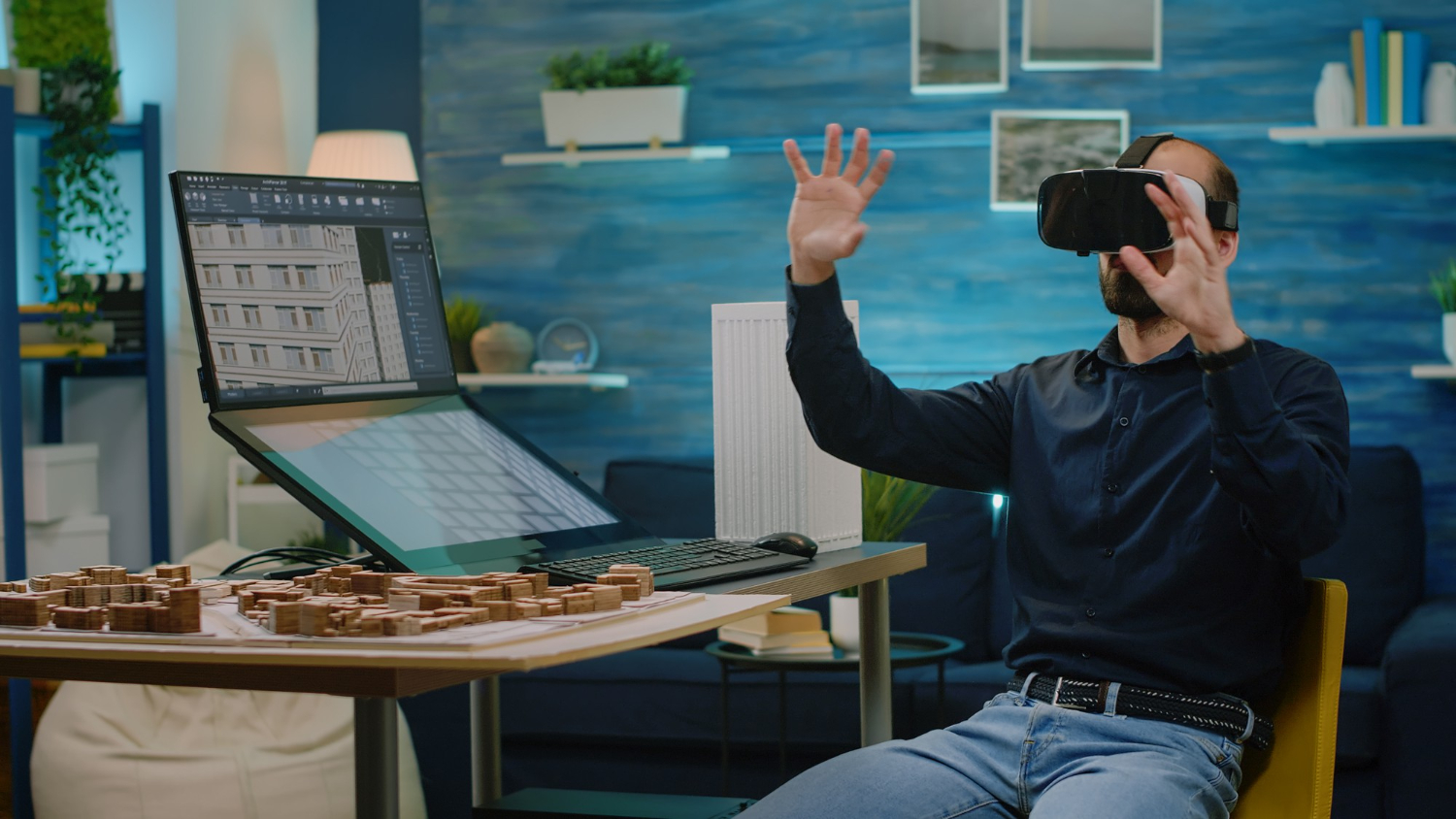
There’s a particular kind of disorientation the first time someone puts on a headset and realizes they can look anywhere they want, not just wherever a director happened to point a camera. That freedom is exactly what makes 360-degree video such a strange medium to edit. You’re not framing a shot anymore, you’re building an entire sphere the viewer gets to explore on their own terms, and the tools that handle that job have had to evolve in ways traditional video editors never needed to.
By 2026, 360-degree video has settled into a handful of clear use cases: real estate walkthroughs, VR training simulations, immersive documentaries, live event broadcasts, and interactive product tours. The editing software supporting those use cases has matured alongside them, splitting roughly into professional suites built for teams who need frame-perfect control and lighter tools built for creators who just want their footage to look good without a steep learning curve. Picking the right one from the start saves a surprising amount of frustration later, since switching formats and workflows midway through a project tends to cost far more time than researching carefully up front.
Top 360-Degree Video Editing Software in 2026
Professional Options
1. Adobe Premiere Pro
Premiere Pro’s native VR editing mode lets you scrub through spherical footage while previewing it as an equirectangular projection, which sounds technical until you actually use it and realize how much time it saves compared to guessing where the viewer’s eye will land. Immersive audio support means spatial sound moves correctly as the viewer turns their head, and the tight integration with After Effects makes it straightforward to add 360-aware motion graphics on top of raw footage.
Pros: Native VR editing mode, immersive audio support, seamless After Effects integration, industry-standard workflow.
Cons: Subscription required, resource-intensive.
Best for: Professional 360 video production and VR content creation.
2. Final Cut Pro
Apple built genuinely solid 360 editing tools directly into Final Cut Pro, and on Apple Silicon the performance advantage is noticeable, spherical footage that chugs on other systems plays back smoothly here. Spatial audio editing is handled with the same polish Apple applies to everything else in the app, and the interface stays approachable even when you’re juggling multiple 360 angles in a single timeline.
Pros: Built-in 360 editing tools, smooth performance on Mac, spatial audio editing.
Cons: macOS-only, one-time purchase.
Best for: Mac-based VR content creators.
3. DaVinci Resolve
Resolve’s free version supporting 360 editing at all is remarkable given how much professional color grading power it includes at no cost. The Fusion page adds compositing tools specifically built for VR work, letting editors composite graphics onto a sphere without the seams and distortion that plague less careful tools. The interface takes real time to learn, but colorists who’ve made the jump rarely go back to anything else for 360 grading.
Pros: Free version with 360 support, professional color grading, Fusion VR compositing.
Cons: Complex interface, steep learning curve.
Best for: Filmmakers needing advanced 360 color grading.
Accessible Options
4. Insta360 Studio
If you shoot on an Insta360 camera, Studio is essentially the tool the footage was designed for. The AI-powered stabilization is aggressive enough to salvage handheld 360 footage that would otherwise be unwatchable, and the reframing tools let you pull a traditional flat video out of your spherical capture in minutes, useful for anyone who wants to publish both a 360 version and a standard social clip from the same shoot.
Pros: Free with Insta360 cameras, AI-powered stabilization, reframing tools.
Cons: Best with Insta360 footage, limited advanced features.
Best for: Insta360 camera users wanting quick edits.
5. GoPro Player
GoPro Player is deliberately simple, and for a lot of GoPro MAX owners that simplicity is exactly the point. Reframe tools let you extract a flat clip from 360 footage without opening a more complex editor, and export is fast enough that you can go from capture to shareable clip in the same sitting. It won’t satisfy anyone doing serious post-production work, but it was never trying to.
Pros: Free, good for GoPro MAX footage, reframe tools, easy export.
Cons: Limited editing features, basic functionality.
Best for: GoPro users needing basic 360 editing.
Related Video Tools
360-degree video is part of the broader video production ecosystem. Explore cinematic video editing software for traditional editing, check out video color grading tools for professional color work, and discover video compression software for optimizing large 360 files.
Why 360 Footage Is Harder to Edit Than It Looks
A flat video only ever shows the viewer one framing, the one the editor chose. A 360 video has to look acceptable from every possible angle at once, which means mistakes that would be invisible in traditional editing, a stray boom mic, a crew member ducking out of frame, a poorly hidden tripod, become impossible to hide because there’s nowhere for them to be off-screen. Editors working in the format quickly develop an instinct for “nadir patching,” the practice of covering the tripod and rig at the bottom of the sphere with a logo or blurred patch, because leaving it visible breaks the immersion almost instantly.
Stitching is the other big challenge that’s genuinely unique to the format and doesn’t have a clean equivalent in traditional editing. Most 360 cameras capture footage from multiple lenses and blend it into a single sphere automatically, but the seams where those lenses meet can shift or warp if the subject moves too close to the camera during a shot. Software that handles stitching gracefully, or that at least gives editors manual controls to fix a bad seam, saves enormous amounts of frustration compared to tools that treat stitching as an invisible background process you have no control over.
Choosing Between Professional and Accessible Tools
The honest answer to “which tool should I use” depends almost entirely on two things: how much control you need over the finished product, and how much time you’re willing to spend learning the software. A real estate agent shooting weekly property walkthroughs doesn’t need Fusion-level compositing, they need Insta360 Studio’s fast reframing and stabilization so they can turn footage around the same day.
A studio producing a branded VR training experience for a Fortune 500 client, on the other hand, genuinely benefits from Premiere Pro’s precision and its integration with After Effects for adding interactive hotspots and graphics. The cost of the professional tools stops being a barrier once the budget and stakes of the project justify it, and trying to force an enterprise VR project through a consumer app usually costs more time in workarounds than it saves in software fees.
Hybrid workflows are increasingly common too. Some teams shoot and do a rough cut in Insta360 Studio or GoPro Player for speed, then bring the assembled sequence into DaVinci Resolve or Premiere Pro for final color grading and audio polish. This split lets a small team move fast on routine work while still delivering festival-quality output on flagship projects.
Delivery Formats and Platform Requirements
Getting the edit right is only half the job, delivering it correctly matters just as much. YouTube, Meta Quest, and most VR headset platforms expect equirectangular projection at minimum, with stereo 360 (separate images for each eye) required for true depth perception on headsets rather than flat-feeling monoscopic footage. Metadata matters more than most editors realize: spatial media metadata has to be embedded correctly or platforms will display the footage as a flat, distorted rectangle instead of an interactive sphere.
Bitrate requirements for 360 video run far higher than standard video because the viewer is only ever looking at a fraction of the total frame at any moment, and that fraction still needs to look sharp. A 4K 360 export can look noticeably softer than a standard 4K video because the effective resolution within the viewer’s field of view is much lower than the full frame suggests. Many professionals now treat 5.7K or higher as the realistic minimum capture and export resolution for anything meant to be viewed on a headset.
Adding Interactivity With Hotspots
Static 360 video is already more engaging than flat video, but the real power of the format shows up once editors start adding interactive elements. Hotspots, clickable regions embedded in the sphere that trigger a jump to another scene, reveal additional information, or link out to a product page, turn a passive viewing experience into something closer to a game. Premiere Pro handles this through After Effects integration, letting motion designers build hotspot graphics that stay correctly positioned on the sphere as the footage plays.
Training and education content benefits enormously from this approach. A VR safety training module that lets a trainee click on a piece of equipment to see a callout explaining its function teaches far more effectively than a narrated walkthrough where the viewer has no agency. Real estate tours use a lighter version of the same idea, placing arrows on the floor that let a prospective buyer walk from room to room at their own pace instead of following a fixed camera path.
The technical challenge with hotspots is that they need to track correctly regardless of where the viewer happens to be looking when they appear. Poorly built interactive elements pop in and out of view awkwardly or sit in the wrong position relative to the object they’re meant to highlight, which breaks immersion just as badly as a visible tripod. Testing hotspot placement across multiple viewing angles, not just the “default” forward-facing view, catches most of these problems before publishing.
Live 360 Streaming Considerations
Live streaming in 360 adds a layer of complexity that pre-recorded editing doesn’t have to deal with, because there’s no post-production window to fix stitching errors or patch a visible crew member. Camera placement planning has to be even more rigorous for live events, since there’s no second chance to reshoot a poorly framed angle once the broadcast starts.
Bandwidth is the other major constraint for live 360 streaming. Because viewers are only looking at a portion of the full sphere at any moment, some platforms use viewport-adaptive streaming, sending high-resolution data only for the area the viewer is currently looking at and lower resolution for the rest, to reduce the total bandwidth required without sacrificing perceived quality. Not every platform supports this technique, so choosing a streaming destination that does can be the difference between smooth live playback and viewers constantly waiting for buffering.
Latency also matters more in 360 live streaming than in flat streaming, particularly for events where viewers might be commenting or reacting in near real time. A five or six second delay that would be unremarkable for a flat livestream feels more disorienting in an immersive format, where viewers expect the experience to feel present and immediate rather than obviously delayed.
Storage and File Management for 360 Projects
360 video files are enormous compared to standard footage, often several times larger for the same run time because of the higher resolution needed to maintain quality across the full sphere. A single hour of raw 5.7K 360 footage can easily consume several hundred gigabytes, which turns storage planning into a real logistical concern rather than an afterthought.
Proxy workflows help enormously here. Editing directly against full-resolution 360 files brings even powerful workstations to a crawl, so most professional editors generate lower-resolution proxy files to edit with, then relink to the full-resolution originals only for final export and color work. DaVinci Resolve and Premiere Pro both support this workflow natively, and skipping it is one of the most common reasons editors report that 360 editing “feels impossibly slow” on hardware that handles regular 4K video just fine.
Archiving finished projects also deserves more thought than most teams give it. Because 360 source files are so large, many studios archive only the final stitched master and the project file rather than every individual lens’s raw footage, trusting that the stitching software’s settings are documented well enough to reproduce the result if ever needed again. That tradeoff between storage cost and future flexibility is worth deciding deliberately rather than by accident.
Common 360 Editing Mistakes
Ignoring the nadir and zenith, the very bottom and top of the sphere, is probably the single most common beginner mistake. These areas are easy to forget about while focused on the main horizontal action, but viewers absolutely will look straight down or straight up out of curiosity, and an unpatched tripod or a blown-out sky ruins the illusion fast.
Overusing motion is another frequent misstep. Camera movement that feels cinematic in flat video can trigger real motion sickness in a 360 viewer wearing a headset, because their inner ear expects to feel the movement their eyes are seeing and doesn’t. Keeping the camera locked down, or moving it slowly and predictably when movement is unavoidable, spares viewers a genuinely unpleasant experience.
Finally, editors sometimes forget to actually watch their own work in a headset before calling it finished. Reviewing on a flat monitor catches obvious problems but misses the ones that only become apparent once you’re inside the sphere: audio that doesn’t rotate correctly with head movement, hotspots that sit at an uncomfortable viewing height, or stitching seams that land directly where a viewer is likely to look.
360 Video Tips for 2026
Always use a tripod to minimize stabilization artifacts, since even excellent AI stabilization introduces subtle warping around the edges of a frame when trying to correct for handheld shake in every direction at once. Export at minimum 4K resolution for acceptable VR quality, and treat 5.7K as the real target if the final destination is a headset rather than a phone screen. Test your content on actual VR headsets before publishing to catch issues invisible on flat screens, since stitching errors, nadir problems, and spatial audio glitches often only become obvious once you’re actually inside the sphere looking around.
Plan your shoot with the crew’s hiding spots mapped out ahead of time rather than improvising during the shoot itself. Because there’s no “off camera” in a 360 capture, every person and piece of equipment on set needs somewhere to go, and figuring that out on the fly wastes far more time than planning it during pre-production.
Frequently Asked Questions
Do I need special hardware to edit 360 video? A reasonably powerful computer helps enormously since spherical footage at high resolution is demanding to decode and preview smoothly, but none of the tools listed here require exotic hardware beyond a solid modern GPU.
Can I edit 360 footage without a VR headset? Yes, all of these tools let you edit while previewing the equirectangular projection on a normal monitor. A headset is still recommended for final quality checks before publishing.
What’s the difference between monoscopic and stereoscopic 360 video? Monoscopic uses a single image for both eyes and works fine on phones or flat screens, while stereoscopic captures a slightly different image for each eye to create real depth perception on a VR headset.
How long does it take to edit a 360 project compared to standard video? Plan for meaningfully more time. Nadir patching, stitching fixes, spatial audio work, and headset review passes all add steps that a flat video project simply doesn’t need, and teams new to the format routinely underestimate this on their first few projects.
Is 360 video still worth the extra effort in 2026? For the right use cases, yes. Real estate, training, and event coverage all see genuine engagement gains from immersive formats, but it’s worth being honest that not every piece of content benefits from being shot in 360 just because the option exists.