aria-current: Marking the Current Page in Navigation
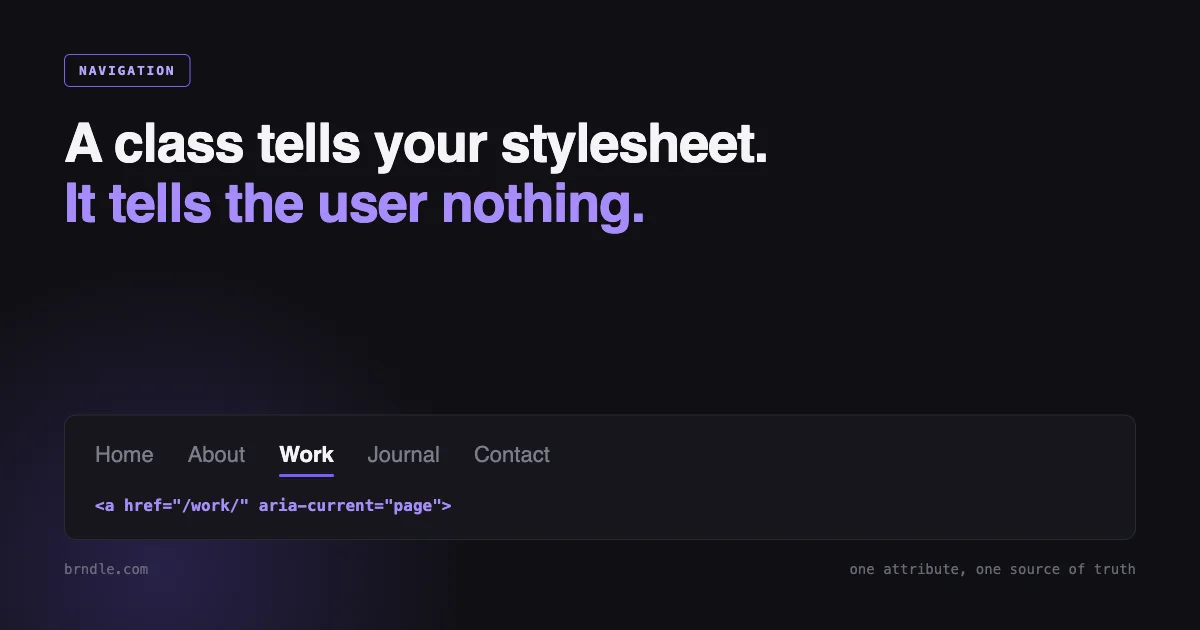
Open the navigation on almost any site and one item looks different from the others. Heavier, underlined, a coloured bar underneath. That is the site answering a question the visitor asked without asking: where am I.
Now turn the screen off. On most sites the answer disappears entirely, because it was never in the markup. It was in a class name, and a class name means nothing to anything except your stylesheet.
<!-- What most navs ship -->
<a href="/work/" class="nav__link is-active">Work</a>

<!-- What the accessibility tree receives -->
link "Work"
Identical to every other link in the list. The whole state has been communicated in a channel only sighted users can read, and the fix is one attribute that also happens to make the CSS better.
Mark it once, in the attribute
<a href="/work/" aria-current="page">Work</a>That is the whole mechanism. Screen readers surface it when the link is reached, with wording that varies by product but amounts to “current page”. Nothing is announced on the other items, so the contrast does the work rather than a label repeated eleven times.
Then style from the attribute rather than from a class:
.nav a[aria-current="page"] {
  font-weight: 700;
  color: var(--fg-strong);
}
This is the part worth being deliberate about, and it is not really an accessibility argument. It is a state-management one.
With a class and an attribute you have two representations of one fact, set in two places, and nothing enforces that they agree. Every codebase that carries both eventually ships a page where the visual highlight and the announced state point at different links, usually after a routing change that only one of them was updated for. With the attribute alone that state is unrepresentable. There is one source of truth and the stylesheet reads it.
The same instinct applies to every visual state that carries meaning: [aria-expanded="true"] for a disclosure, [aria-selected="true"] for a tab, [disabled] for a button. If a state is worth styling, it is worth being in the accessibility tree, and if it is already in the accessibility tree there is no reason to duplicate it in a class.
Seven values, and picking the wrong one is worse than picking none
aria-current is not a boolean. It takes a token that says what kind of current this is.
| Value | Use it for |
|---|---|
page | The current page within a set of pages. Site navigation, pagination. |
step | The current step in a multi-step process. Checkout, onboarding. |
location | The current location in an environment or flow, where “page” is not quite right. A highlighted node in a diagram or an in-page section indicator. |
date | Today, in a date picker or calendar. |
time | The current time, in a time picker or schedule. |
true | Current, unspecified kind. The right answer for a section ancestor. |
false | Not current. Equivalent to omitting the attribute. |
Two rules follow from that table and both are routinely broken.
Exactly one element may carry aria-current="page". If a parent nav item is highlighted because you are somewhere inside its section, and the child is highlighted because it is the page, giving both page means two links claim to be where the user is. The parent takes true.
<li>
  <a href="/services/" aria-current="true">Services</a>
  <ul>
    <li><a href="/services/audits/" aria-current="page">Audits</a></li>
    <li><a href="/services/builds/">Builds</a></li>
  </ul>
</li>
An unrecognised value falls back to true, silently. aria-current="active" is not invalid enough to warn you. It is treated as “current, kind unspecified”, so a typo produces a state that is announced but wrong in a way nothing surfaces. Write the token from the list or write nothing.
Styling the two states differently is where the design work is. A section ancestor and the exact page should not look identical, or the highlight stops meaning anything at three levels of depth:
.nav a[aria-current] { color: var(--fg-strong); }          /* both */
.nav a[aria-current="true"] { opacity: .78; }              /* ancestor: quieter */
.nav a[aria-current="page"] { font-weight: 700; }          /* the page itself */
“Is this link the current page” is not a string comparison
Every implementation starts as href === location.pathname and every implementation outgrows it within a month. It is worth looking at what a mature answer to this question looks like, so here is WordPress core’s, from wp-includes/nav-menu-template.php in 7.1:
$_root_relative_current = strtok( untrailingslashit( $_SERVER['REQUEST_URI'] ), '?' );

$current_url        = set_url_scheme( 'http://' . $_SERVER['HTTP_HOST'] . $_root_relative_current );
$raw_item_url       = strpos( $menu_item->url, '#' )
	? substr( $menu_item->url, 0, strpos( $menu_item->url, '#' ) )
	: $menu_item->url;
$item_url           = set_url_scheme( untrailingslashit( $raw_item_url ) );
$_indexless_current = untrailingslashit(
	preg_replace( '/' . preg_quote( $wp_rewrite->index, '/' ) . '$/', '', $current_url )
);

$matches = array(
	$current_url,
	urldecode( $current_url ),
	$_indexless_current,
	urldecode( $_indexless_current ),
	$_root_relative_current,
	urldecode( $_root_relative_current ),
);

if ( $raw_item_url && in_array( $item_url, $matches, true ) ) {
	$classes[] = 'current-menu-item';
}
Six candidate strings, compared strictly. Not because anybody enjoyed writing that, but because each entry is a bug somebody reported. Read it as a list of the ways two URLs can mean the same page:
- Query strings.
strtok( ..., '?' )cuts everything after the first?./products/?sort=priceis still the products page. - Trailing slashes.
untrailingslashit()on both sides./aboutand/about/are the same page and your CMS may emit either. - Fragments. Cut from the item URL before comparing, so
/about/#teammatches/about/. - The index file.
/blog/index.phpand/blog/on a site without pretty permalinks. - Percent-encoding. Each candidate appears twice, raw and
urldecode()d, because a non-ASCII slug can arrive encoded on one side and not the other. - Absolute versus root-relative. The href may be
https://example.com/about/or/about/, and both must match.
One detail in that snippet is worth a second look. strpos( $menu_item->url, '#' ) is used as a truth test, and for a link whose href is exactly #contact the fragment sits at position zero, which is falsy. So a pure fragment link keeps its hash rather than being reduced to an empty string, which is the behaviour you want, arrived at by accident. It is a good reminder to check what your own truthiness is doing when position zero is a legitimate answer.
The two decisions the code cannot make for you
Normalisation handles the cases where two strings mean the same page. Two questions remain that are product decisions rather than technical ones, and skipping them is why navs feel inconsistent.
Is a section index current while you are inside it? On /blog/some-post/, should the “Blog” nav item be highlighted? Usually yes, as aria-current="true", because a nav that goes completely blank on article pages loses the visitor’s sense of place. But the rule needs stating once and applying everywhere, because doing it in the main nav and not the footer looks like a bug.
Do filter and sort parameters change the page? Cutting the query string says no, and that is right for ?sort=price. It is wrong for a search page where ?q= is the entire content, and wrong for a paginated archive if you also render page numbers, since page 3 is genuinely not page 1. Pagination has its own answer here: the number for the page you are on takes aria-current="page", and it is the clearest case in the whole spec.
If you are in WordPress, most of this is already done
Core’s nav walker sets the attribute for you. From class-walker-nav-menu.php:
$atts['aria-current'] = $menu_item->current ? 'page' : '';wp_list_pages() does the same through Walker_Page. So a theme using wp_nav_menu() gets correct aria-current="page" on the exact page with no work at all, and any theme that adds its own .is-active class on top is duplicating something core already did properly.
There is one real gap. Ancestors get classes and nothing else. Core assigns current-menu-ancestor, current-menu-parent, current_page_ancestor and current_page_parent, but the ternary above only ever emits page or an empty string, so the section-is-current state exists visually and not semantically.
Close it with the nav_menu_link_attributes filter:
add_filter(
	'nav_menu_link_attributes',
	function ( $atts, $menu_item ) {
		if ( ! empty( $atts['aria-current'] ) ) {
			return $atts; // Core already marked this one as the page.
		}

		$ancestor_classes = array(
			'current-menu-ancestor',
			'current-menu-parent',
			'current_page_ancestor',
			'current_page_parent',
		);

		if ( array_intersect( $ancestor_classes, (array) $menu_item->classes ) ) {
			$atts['aria-current'] = 'true';
		}

		return $atts;
	},
	10,
	2
);
The early return matters. Without it a page that is both current and an ancestor of itself in an odd menu structure gets overwritten from page down to true, which is the exact loss of information the attribute exists to prevent.
Now the theme’s stylesheet can drop every .current-menu-item and .current-menu-ancestor selector and target the attribute instead. Fewer selectors, and the CSS stops depending on class names that differ between wp_nav_menu() and wp_list_pages() output for no reason anybody remembers.
Doing it in a static site
No walker, so the normalisation is yours. It is about ten lines, and writing it once as a named function is the difference between a nav that behaves and four components that each guessed:
const normalise = ( url ) => {
  const path = new URL( url, 'https://x.invalid' ).pathname;
  return decodeURIComponent( path.replace( /\/index\.html?$/, '/' ) )
    .replace( /\/+$/, '' ) || '/';
};

export const currentState = ( href, here ) => {
  const a = normalise( href );
  const b = normalise( here );
  if ( a === b ) return 'page';
  if ( a !== '/' && b.startsWith( a + '/' ) ) return 'true';  // section ancestor
  return undefined;
};
Using new URL() rather than string slicing is what handles absolute and relative hrefs, query strings and fragments in one step, since pathname already excludes both. The a !== '/' guard stops the home link claiming to be an ancestor of every page on the site, which is the single most common bug in hand-rolled versions of this.
Then in the template, with the attribute simply absent when there is no state:
<a href={item.href} aria-current={currentState( item.href, Astro.url.pathname )}>
  {item.label}
</a>
One trap specific to static hosts. Whether your build emits /about/ or /about.html, and whether the host redirects between them, decides what location.pathname actually contains in production. It is frequently not what the dev server showed you. Check it on the deployed site rather than locally, because a nav that highlights nothing in production and everything in development is the classic symptom of trailing-slash config drift.
Making it look current without breaking the layout
Two constraints, and they pull against each other.
Colour alone is not enough
WCAG 1.4.1 is explicit that colour cannot be the only means of conveying information, and a nav whose current item differs only in hue fails it. It also fails in practice on a dim laptop screen in daylight, which is the version of the argument that tends to land.
So pair the colour with something structural: weight, an underline, or a shape. And check the contrast of both states rather than only the default one, since a “muted” inactive state is where nav contrast usually fails. We wrote up how far that problem goes in seven of eleven themes failing contrast, where the colours could only be evaluated in the browser at all.
Weight changes move everything
Bolding the current item is the most natural indicator and it reflows the entire nav, because bold glyphs are wider. In a horizontal nav every item to the right shifts, and on a client-routed site it shifts on every navigation. It reads as jitter even when nobody can say why.
The reliable fix is to reserve the bold width on every item and reveal it only when needed. Stack a hidden bold copy in the same grid cell so it dictates the width:
.nav a {
  display: inline-grid;
  justify-items: center;
}

/* Invisible bold twin sets the width for both states. */
.nav a::before {
  content: attr(data-label);
  grid-area: 1 / 1;
  font-weight: 700;
  visibility: hidden;
  pointer-events: none;
}

.nav a > span { grid-area: 1 / 1; }
.nav a[aria-current] > span { font-weight: 700; }
The markup carries the label twice, once in data-label for the measuring twin and once in the visible span. visibility: hidden rather than display: none is deliberate, since a removed box measures nothing. Generated content from ::before is not exposed to the accessibility tree in the way real text is, but confirm that in your own testing rather than taking it on faith, because this is the one part of the technique where implementations have historically differed.
Two alternatives, both simpler and both with a cost. On a variable font, animating font-variation-settings: 'wght' 700 still changes advance widths, so it moves things too unless the font is specifically designed with consistent metrics. Or avoid weight entirely and use an indicator that lives outside the text box:
.nav a { position: relative; }

.nav a[aria-current]::after {
  content: "";
  position: absolute;
  inset-inline: 0;
  bottom: -6px;
  block-size: 2px;
  background: currentColor;
}
Absolutely positioned, so it takes no layout space and nothing moves. inset-inline and block-size rather than left/right and height so it survives a right-to-left locale without a second rule. This is the option to reach for first in a horizontal nav, and weight is the one to reach for in a vertical sidebar where a width change costs nothing.
Keep it focusable
A pattern exists of replacing the current item’s link with a <span>, on the reasoning that a link to the page you are on is pointless. It is a defensible position and it has a real cost: the item leaves the tab order, so a keyboard user tabbing through the nav finds a gap exactly where they are, and the nav’s item count changes between pages.
Keeping the link and marking it with aria-current avoids all of that and loses nothing, since activating it simply reloads. If you do use a span, the current-page indicator becomes more important rather than less, because there is now no focus ring to give the position away.
Either way, check that your current-item styling has not swallowed the focus outline. A rule that sets color and text-decoration on the current link frequently sits next to an outline: none somebody added years ago, and the current item is the one place where a missing focus ring is hardest to notice, because the item already looks different.
Three other places it belongs
Site navigation is where this gets discussed and it is not where it pays best.
Pagination. The clearest case in the whole spec, and the one most often shipped as a styled <span> with no state at all. Page 3 of 9 is a page within a set of pages, so the current number takes aria-current="page". Without it, a screen reader user hears a row of bare numbers with nothing distinguishing where they are, which is worse than a nav because there is no label to fall back on.
<nav aria-label="Pagination">
  <a href="?page=2">2</a>
  <a href="?page=3" aria-current="page">3</a>
  <a href="?page=4">4</a>
</nav>
Note that this is the case where the query string does matter, which is exactly the decision flagged earlier. A normalisation rule that strips ?page= before comparing will mark every pagination link as current or none of them.
Breadcrumbs. The last crumb is the current page and usually gets rendered as plain text, which is fine. If it is a link, it takes aria-current="page". Give the wrapping <nav> an aria-label too, since a page with three navigation landmarks and no labels forces a screen reader user to explore each one to find out which is which.
Multi-step forms. Checkout, onboarding, anything with a progress strip along the top. That is aria-current="step", and it is the one value people almost never reach for despite the pattern being everywhere. A visual progress bar with no step state is a common and completely silent failure, on exactly the flows where getting lost costs the most.
The in-page table of contents that highlights as you scroll is the interesting edge. It is not a page and it is not a step, so location is the closest fit. It is also the one case worth being cautious about, because the value updates continuously while scrolling, and a state that changes forty times during a flick of the trackpad can produce a stream of announcements. Throttle the update, or leave the highlight visual only and let the headings themselves carry the structure.
A two-minute check
- Load a page three levels deep. Exactly one element should have
aria-current="page". Verify withdocument.querySelectorAll('[aria-current="page"]').lengthin the console, which should return 1. - Check its ancestors carry
aria-current="true", and that the home link does not. - Open devtools and look at the accessibility pane for the current link. The state should be visible there. If the pane shows a plain link, your class is doing all the work.
- Tab through the nav. Every item including the current one should take focus with a visible ring.
- Load the same page with
?utm_source=testappended. The highlight should not move. - Load it with and without a trailing slash. The highlight should not move.
- Screenshot the nav on two sibling pages and flick between them. Nothing except the indicator should shift by a pixel.
Items 5 and 6 are the ones that fail most often and they cost nothing to run. They are also the ones that survive a redesign, which is why they belong in a written standard rather than in somebody’s memory. Ours is published in full in the page specification we gate every page with.
Summary
- Mark the current page with
aria-current="page"and style from the attribute. Do not carry a parallel.is-activeclass, because two representations of one fact eventually disagree. - Exactly one element gets
page. Section ancestors gettrue. An unrecognised value falls back totruesilently, so use the tokens from the spec. - Matching a URL to the current page means normalising query strings, trailing slashes, fragments, index files, percent-encoding, and absolute versus root-relative. WordPress core compares against six candidate strings, and every one of them is a bug report.
- Decide once whether a section index counts as current inside its section, and whether query parameters change the page. Apply the same answer in every nav on the site.
- In WordPress,
wp_nav_menu()already emitsaria-current="page". Only ancestors are missing, and thenav_menu_link_attributesfilter closes that in a dozen lines. - Colour alone fails WCAG 1.4.1. Pair it with weight or a shape, and check the contrast of the inactive state too.
- Bold reflows a horizontal nav. Reserve the width with a hidden bold twin, or use an absolutely positioned indicator that takes no layout space.
- Keep the current item a link so it stays in the tab order, and make sure the current-item styling has not removed its focus ring.