How We Run brndle.com on Astro and Cloudflare Workers
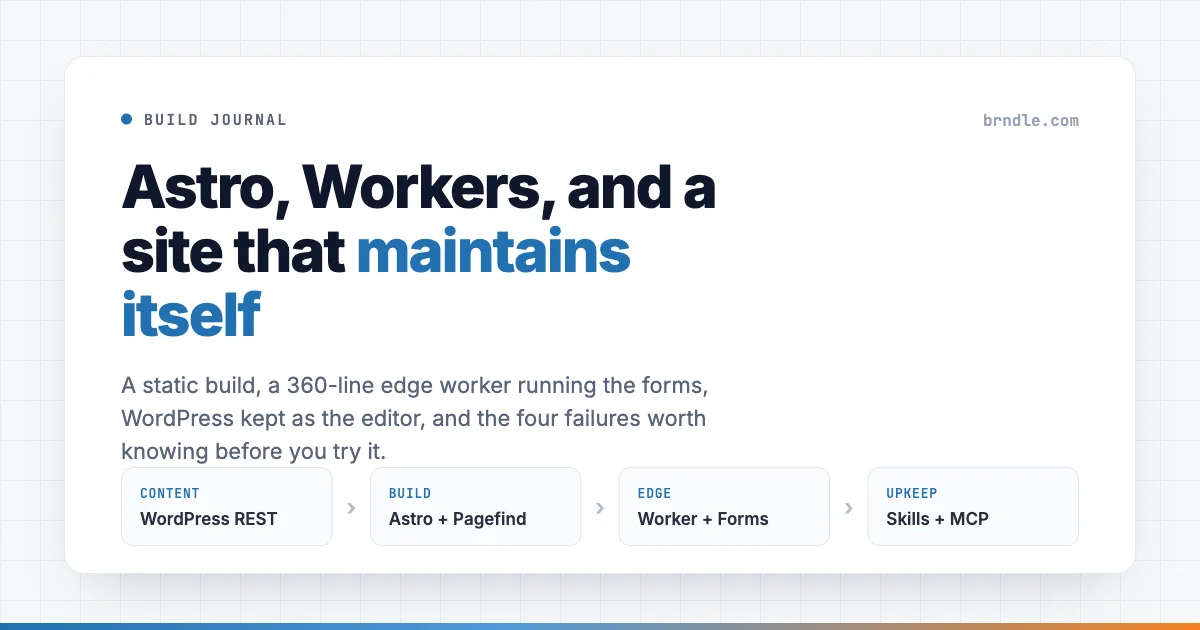
The page you are reading is a static file. It was built on a laptop, uploaded to Cloudflare, and it does not run PHP, query a database, or wake anything up when you request it. In front of that static build sits a single Worker of about 360 lines. That Worker is the only code that runs per request, and most of what it does is decide not to run.
Behind both of them, WordPress is still here. It still owns every post, every category, every image in this article. It just stopped being the thing that answers your browser.
This is the whole journey of that setup: what we built, what broke, what we would not repeat, and the part people ask about most, which is how a site like this stays maintained by a small team over years rather than rotting three months after launch.
The stack, stated plainly
- Astro 6 builds every page ahead of time.
- Tailwind 4 carries the design tokens.
- Pagefind indexes the built HTML so search costs nothing to run.
- Cloudflare Workers serve the static files, with one script in front for the requests that need code.
- WordPress stays as the editor, on its own hostname, never visited by a reader.
The build command is three steps in a row, and the order matters:
"build": "node scripts/generate-og.mjs && astro build && npm run index:search"Social cards are generated first, because they are page assets and the build needs to copy them. Astro builds second. The search index is built last, because Pagefind reads the finished HTML in dist and indexes what a reader would actually see. Put the search index step earlier and it indexes nothing, which is a five minute mistake that looks like a broken feature.
Nothing in that list is exotic. The interesting part is what it removes. There is no page cache to purge, no object cache to warm, no PHP worker pool to size, no plugin that can take the front end down at 3am. The failure modes that consume most of a WordPress maintenance budget are not solved here, they are absent.
They are replaced by a different set, and the honest version of this article is mostly about those.
Why WordPress stayed
A static site generator is a good renderer and a poor editor. WordPress is the opposite. Nothing in the headless move changed that, so we kept the half that was working.
Posts are written in WordPress. At build time the Astro side reads the REST API, pulls posts, categories and media, and writes static pages. A reader never touches WordPress, but every editorial habit the team already had kept working: drafts, revisions, the media library, scheduled posts, the categories that were already organised.
The Worker keeps a short list of paths that still belong to WordPress and forwards them to the origin rather than serving a static file:
const HARD_RESERVED_PREFIXES = [
  '/wp-admin', '/wp-login.php', '/wp-json', '/wp-content', '/wp-includes',
  '/wp-cron.php', '/wp-comments-post.php', '/xmlrpc.php',
  '/feed', '/comments/feed',
];
Anything not on that list, and not one of our own API routes, falls through to the static assets. Any request that is not a GET or HEAD also goes to the origin, on the theory that a POST we did not write is a WordPress form we have not migrated yet.
That single rule is what made the migration survivable. We did not have to move everything before we could move anything.
Forms without PHP: what happens when you press Send
A static site cannot process a form, and this is where most headless projects quietly give up and add a third party form widget with its own script tag, its own tracking and its own monthly bill. We put the two forms we actually need into the Worker.
The routing is unglamorous:
if (url.pathname === '/api/contact/' || url.pathname === '/api/contact') {
  return handleContact(request, env);
}
if (url.pathname === '/api/newsletter/' || url.pathname === '/api/newsletter') {
  return handleNewsletter(request, env);
}
The contact handler reads the submitted fields, validates them, and sends one email through a transactional email API. The detail worth copying is the Reply-To header. The message is sent from our own support address, because that is the domain allowed to send, but Reply-To is set to whoever filled in the form. Hitting reply in a mail client goes to the person, not to ourselves. It costs one line and removes the copy and paste step that every contact form otherwise creates.
A Slack webhook mirrors the same submission into a channel, so a message is visible even when nobody is reading that inbox. Both calls are wrapped so a slow provider cannot hold the response open:
await Promise.race([send, new Promise((r) => setTimeout(r, 5000))]);If the email provider takes longer than five seconds, the visitor still gets their confirmation page. The tradeoff is real and worth stating: a submission can be accepted and then fail to deliver, and nothing retries it. For a contact form on a portfolio site that is an acceptable risk, and the Slack mirror is the backstop. For anything transactional it would not be, and you would want a queue.
The MD5 that the platform refuses to give you
The newsletter route subscribes an address to a Mailchimp list. Mailchimp addresses a subscriber by the MD5 hash of their lowercased email, which means a PUT to a URL that contains that hash, which is a genuinely good API design: subscribing twice is the same operation as subscribing once.
It also means the Worker needs MD5. Web Crypto, the hashing API available in the Workers runtime, does not implement MD5. It offers SHA-1 and the SHA-2 family, and refuses the one thing this API wants, for the reasonable reason that MD5 has no business being used for anything security related in 2026.
So there is a full RFC 1321 implementation sitting in the middle of the Worker, roughly sixty lines of shift and rotate arithmetic, purely to build a URL. It is the least elegant code in the repository and it is not going anywhere, because the alternatives are worse: pull in a dependency for one hash, or add a service in between for no reason. Sometimes the correct answer is sixty ugly lines with a comment explaining why they exist.
Spam handling with no CAPTCHA
Neither form has a CAPTCHA, a challenge widget, or a plugin behind it. There are two checks, and both of them lie to the sender.
- A honeypot. A text input named
website, visually hidden and removed from the tab order. Humans never see it, so they never fill it. Automated submitters fill in everything they find. - A time trap. A hidden field records when the form was rendered. Anything submitted under three seconds later is treated as automated, because nobody reads a page, writes a message and sends it that fast.
// Honeypot - silent success on bot match
if (String(formData.get('website') || '').trim()) {
  return Response.redirect(`${url.origin}/contact/thank-you/`, 303);
}
// Time-trap - reject under 3s as automated
const startedAt = Number(String(formData.get('started_at') || '0'));
if (!startedAt || Date.now() - startedAt < 3000) {
  return Response.redirect(`${url.origin}/contact/thank-you/`, 303);
}
Both failures return the thank-you page, exactly as a real submission does. That is the deliberate part. An error message is feedback, and feedback is what lets whoever is running the script adjust until it works. A silent success gives them nothing to tune against. The submission goes nowhere and the sender has no way to learn that.
This is not a claim that two checks beat a dedicated anti-spam service. It is a claim that for a contact form receiving a handful of genuine messages a week, this removes almost all of the noise without asking a single real visitor to identify a traffic light.
The form still works with JavaScript off
The contact form is a plain HTML form with an action and a method. No fetch call, no client framework, no JSON body:
<form action="/api/contact/" method="POST" class="contact-form" novalidate>The Worker reads formData, and answers with a 303 redirect to a thank-you page. That is the same pattern a PHP form used twenty years ago, and it is still the most reliable one available, because the browser does all of the work. It survives a failed script, a blocked CDN, an old device, and a reader who turned JavaScript off on purpose.
JSON is available for anyone who asks for it, and only then:
function wantsJson(request) {
  return (request.headers.get('Accept') || '').includes('application/json');
}
One handler, two response shapes, decided by the request. The progressive enhancement is not a fallback bolted on afterwards. The HTML path is the default and the JSON path is the special case.
Four failures that taught us more than the build did
Every architecture article is worth reading for its failures and skimmable for the rest. Here are ours, in the order they hurt.
The Host header that the runtime throws away
To forward a request to WordPress, the Worker has to reach the origin without re-entering its own route. The obvious approach is to fetch the backend hostname and set a Host header so the origin knows which site is being asked for.
The Workers runtime silently drops a manually set Host header. Not an error, not a warning. The header is simply not there when the request leaves.
The origin then saw a request for the wrong hostname and issued its primary domain redirect, which pointed back at us, which re-entered the Worker, which forwarded again. Every image on the site broke. The blog build broke with it, because the build reads the same REST API through the same path. The symptom looked like a broken origin and the cause was a header that was never sent.
The fix is to stop fighting the URL and change the connection instead. Point the request at the canonical hostname, so the origin sees the name it expects, and use Cloudflare’s resolveOverride to send the actual connection to the backend host:
const backend = new URL(incoming.pathname + incoming.search, `https://${CANONICAL_HOST}`);
const init = {
  method: request.method,
  headers,
  redirect: 'manual',
  cf: { resolveOverride: WP_BACKEND_HOST },
};
Note redirect: 'manual'. Following redirects automatically is what turns a single misrouted request into a loop.
The build that shipped an empty blog
This is the one that should worry anyone running a build-time data fetch.
The blog pages are generated from a REST response. If that fetch fails and the code politely returns an empty array, the build succeeds. Astro generates a blog with no posts. Wrangler deploys it. Every article on the site is now a 404, the build is green, and no alert fires anywhere, because nothing failed. A transient error at the origin has quietly replaced live content with nothing.
The fix is a posture, not a patch: a fetch layer that throws rather than returning empty, so a failure stops the build instead of publishing the failure. Each page is retried with backoff. An empty result is only accepted when the origin is genuinely empty, and a result with materially fewer posts than the previous build is treated as a fault rather than an edit.
A deploy step should refuse to publish a smaller site than the one it replaces, unless something explicitly says that is intended.
New posts that were missing for hours
Publish a post, run a build, and the post is not there. Run the build again an hour later and it appears.
The REST responses were being served from an edge cache. The build was reading a version of the API from before the post existed. Everything in the pipeline was working correctly on stale input.
The fix is one nonce, generated once per build and attached to every request:
const buildNonce = String(Date.now());
// ...
url.searchParams.set('_cb', buildNonce);
One value for the whole build, so every page in a single run sees a consistent snapshot, and a different value next time so no run reads the last one’s cache. This class of bug is easy to misdiagnose as a broken build script, and it is worth checking any time fresh content is missing from a static site that reads an API through a CDN.
Twelve parallel requests was too many
Generating a page per post in parallel is the appeal of a static build. Doing twelve at once against a shared WordPress origin is how you find out what that origin’s limits are. Builds began hanging, which is worse than failing, because a hung build blocks the pipeline without telling you why.
Two changes fixed it. Concurrency dropped from twelve to six. Every request got a hard fifteen second timeout with an abort controller, so a single slow response cannot hold the whole build open:
const controller = new AbortController();
const timer = setTimeout(() => controller.abort(), timeoutMs);
The build got slower and stopped being a source of incidents. That is usually a good trade.
What you give up: the design system moves out of theme.json
This is the part a block theme audience should think hardest about, because it is a real loss and it is easy to skip past while enjoying the performance numbers.
In a block theme, theme.json is a design system with a user interface attached. Palette, spacing scale, typography and block level defaults live in one file, and the Site Editor renders controls for them. A person who does not write CSS can change a colour and see it apply everywhere, because the token is a real thing the editor understands. That editor has been getting better at this, to the point where you can now configure what the Site Editor shows a client.
Take the front end out of WordPress and that file stops rendering anything. The tokens still exist, as CSS custom properties and Tailwind theme values, and they are arguably cleaner there. What disappears is the interface. There is no Global Styles panel for a static build. Changing a token is a code change, a commit and a deploy.
| What you gain | What you give up |
|---|---|
| No page cache, object cache or PHP pool to operate | The Global Styles panel, and token edits by anyone who does not commit code |
| An origin outage never takes the public site down | An origin outage stops new posts going out |
| Tokens live in version control and pass through review | A colour change needs a commit and a deploy |
| Two forms cost one Worker instead of a plugin and a widget | No queue and no retry unless you build them |
For a site maintained by people who commit code, that is a fair trade and occasionally an improvement, since a token change now goes through review. For a client who was promised they could adjust their own brand colours, it is a downgrade you should say out loud before the project starts, not after. We have written before about how WordPress now maintains two separate token systems, and the same lesson applies here: a token is only as useful as the surface that lets someone change it.
The related discipline carries over unchanged. Layouts that key off the shape of the content rather than the name of a field survive this migration without edits, which is one more argument for designing for the field type instead of the field name. Our type driven components moved from block templates to Astro components almost verbatim. The name driven ones had to be rewritten.
The maintenance half: what keeps this alive
A custom stack is easy to build and easy to abandon. The reason this one is still maintained is not discipline, it is that the boring parts were handed to tooling that does them the same way every time.
Publishing runs through an MCP server that talks to the WordPress REST API. Writing a post is not a sequence of clicks, it is a defined pipeline:
- Search the content index for an existing post on the same topic, and revamp instead of duplicating.
- Create a draft, then assign categories and tags from the taxonomy that already exists.
- Generate the social card, set the SEO fields, check readability.
- Verify that internal and external links resolve.
- Run a pre-publish audit that can refuse.
The audit is the important one. It refuses to publish a post below a word count, without a featured image, or with fewer than two internal links. Those rules are per site and mechanically enforced. This site rejects em dashes and a list of stock phrasings outright, because they read as machine written. The check does not care who is writing, which is the point. A rule that only applies when someone remembers it is not a rule.
Alongside that sit written procedures for the tasks that recur: deploying a site in this portfolio, generating the AI crawler index file, verifying a page against a shared page specification, and the launch checklist a new site has to pass. Each is a document an assistant reads and follows, which means the tenth site launches the same way as the first, and the reason behind a decision is written next to the decision.
Verification is where this earns its keep. Browser automation opens the built page, at the viewports that matter, and screenshots it. A green build proves the code compiled. It does not prove a heading is legible on a phone. Those are different claims and only one of them is checked by a build.
What this does not do is design the thing, choose the angle, or notice that a page is dull. The judgement stayed human. What moved is the checklist, and the checklist is what usually gets skipped at 11pm on a Friday.
What we would not tell you to copy
An honest architecture writeup needs this section, so here is ours.
- No queue on the forms. The Worker sends the email inline. If the provider is down, that message is gone. We accept it because the Slack mirror is a second path and the volume is low. Do not carry that pattern into a checkout.
- The deploy config is not self describing. The route block is commented out and labelled preview only, left over from an earlier stage, while the Worker is demonstrably live in production. Routes are managed elsewhere. That gap is exactly what misleads whoever inherits the repository, and it is on our list.
- WordPress is still a dependency. It has to be online for a build to succeed. The site survives an origin outage because the last build keeps being served, which is the real resilience win, but a long outage means no new posts.
- This is a content site. No logged in state, no cart, no personalisation. Every hard problem in web architecture is a problem about state, and we do not have any.
The shape worth taking away
Strip out the specific tools and the pattern is older than any of them. Keep the editor people already know. Render ahead of time. Put one small programmable layer at the edge for the few requests that genuinely need code. Make failures loud, especially the ones that would otherwise deploy successfully. Write the procedures down where the tooling can read them.
None of the individual pieces are new. What is newer is that the boring half, the checks and the procedures and the verification, can now be handed to something that performs them identically every time, which is the difference between a clever stack and one that is still running in three years.
If you are weighing the same move, start with the failure list rather than the build. The build takes an afternoon. The four bugs above took considerably longer, and they are the ones you will meet too.