You Can Finally Change What the Site Editor Shows Your Clients
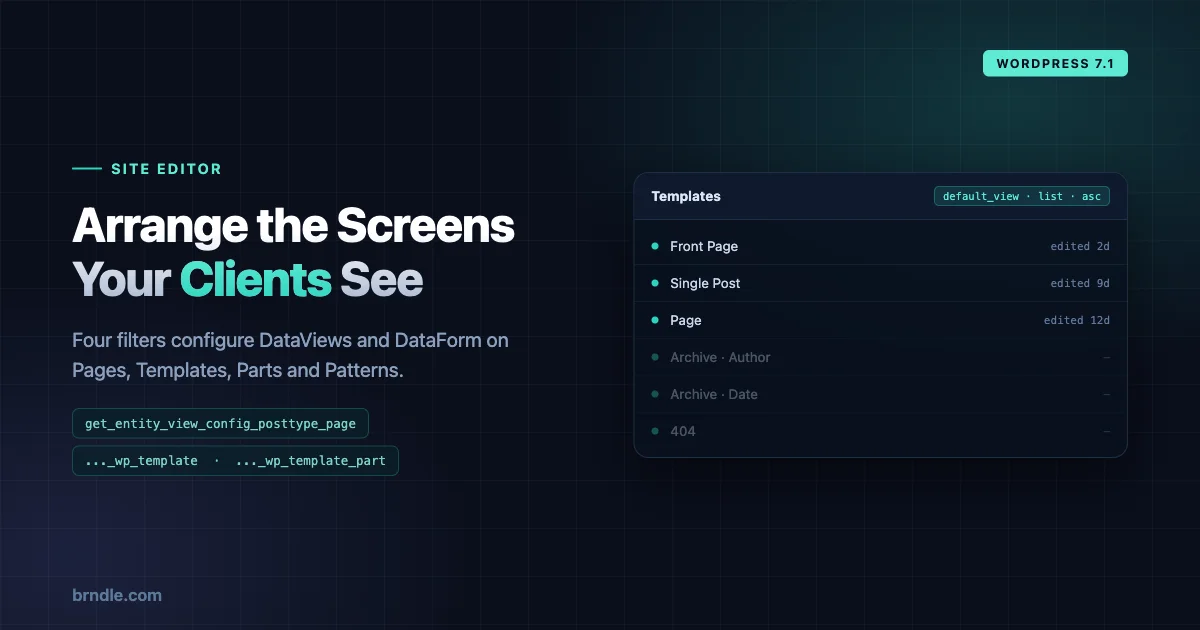
Every agency that has handed a block theme to a client has had the same conversation. They open the Site Editor, land on Templates, see forty entries including a dozen they will never touch, and ask which one they are supposed to click.
Until now the honest answer was: all of them are there, sorry. The Site Editor screens were core’s to arrange, and your only options were CSS that broke on the next release or a plugin that hid things crudely.
WordPress 7.1 adds four filters that let you configure those screens properly.
The four filters
One per screen, named consistently:
| Screen | Filter |
|---|---|
| Pages | getentityviewconfigposttype_page |
| Templates | getentityviewconfigposttypewptemplate |
| Parts | getentityviewconfigposttypewptemplate_part |
| Patterns | getentityviewconfigposttypewpblock |
Each receives an object holding the configuration for that entity, with methods for working with the data. Your callback modifies it and returns it.
The naming tells you something worth noticing: posttype_ followed by the post type slug. That is a pattern, not four hard-coded strings, which suggests where this is heading even if custom post types are not covered today.
What you can configure
Four aspects, and they map to distinct client complaints.
default_view, the DataViews configuration. Layout type, sort order, which fields are visible. This is what people see the moment the screen opens.
default_layouts, which layout options are offered at all. Table, grid, list. If a grid is wrong for your content, you can stop offering it.
view_list, the pre-configured sidebar views. “All”, “Published”, “Drafts” and anything else you want to define. This is the one with the most leverage, because a well-named saved view removes the need for the client to construct a filter at all.
form, the DataForm configuration for Quick Edit. Which fields appear, and in what order.
The shape of a filter
function example_filter_page_view_config( $data ) {
	$patch = array(
		'default_view' => array(
			'type'   => 'grid',
			'sort'   => array(
				'field'     => 'title',
				'direction' => 'asc',
			),
			'fields' => array( 'date' ),
		),
	);
	$data->merge( $patch, 1 );
	return $data;
}
add_filter( 'get_entity_view_config_posttype_page', 'example_filter_page_view_config' );
Three things about that are worth pausing on.
It is a merge, not a replacement. You call $data->merge( $patch... ) with only the keys you care about. Everything you do not mention keeps core’s default. That is the right design, a config object you had to fully specify would break every time core added a key.
The second argument to merge() is a priority. The example passes 1. Where multiple things want to configure the same screen, your theme, a plugin, a client-specific mu-plugin, priority decides who wins. Worth setting deliberately rather than copying 1 from the example, because two callers both using 1 is a coin toss.
You return the object, not an array. Standard filter discipline, easy to get wrong if you are used to filters that pass plain arrays around.
What people did before this, and why it was bad
Worth naming the workarounds, because if you maintain client sites you almost certainly have one of them in a codebase somewhere and it should now come out.
CSS that hides rows. Somebody inspects the Site Editor, finds a class name, and writes display: none against it in an admin stylesheet. It works until core renames a class, which happens most releases, and the failure is silent, the client simply starts seeing things again with nobody noticing.
JavaScript that removes DOM nodes after render. Survives class renames, and is worse in every other way. It fights React, produces flashes of the thing you are hiding, and breaks whenever the render timing changes.
Removing capabilities to hide screens entirely. Effective and blunt. The client cannot see Templates because they cannot edit templates, which also means they cannot do the one legitimate template edit they needed last month.
Redirecting away from the screen. The nuclear option. Somebody lands on Templates and gets bounced to the dashboard, which is confusing rather than helpful and makes support harder because you cannot ask them to look at something.
Every one of those is a workaround for the absence of an API. Now that the API exists, they are technical debt with a clear replacement, and the CSS one in particular is worth grepping for, because it will break on 7.1 anyway if class names shift.
Where this earns its keep
The obvious use is tidying. The valuable uses are more specific.
Give clients a Pages screen that matches how they think. Most clients do not think in “all pages sorted by date modified”. They think in sections. A view_list with saved views for the parts of the site they actually maintain turns a flat list into a map.
Stop the Templates screen frightening people. Templates is the screen that generates support tickets, because it exposes the theme’s entire structure to someone who wanted to edit the About page. Sorting sensibly and surfacing the right fields will not make it simple, but it makes it navigable.
Make Patterns usable at scale. A theme shipping sixty patterns has a Patterns screen nobody can find anything in. Grid layout with the right fields visible is a different experience from a table of sixty rows. If you are still deciding what belongs in a pattern versus a template part, our guide on choosing between patterns, template parts and style variations covers where each one earns its place.
Fix Quick Edit for your content model. If your pages carry meta that matters, form puts it in Quick Edit. If Quick Edit shows five fields your client must never change, take them out.
A worked client setup
Concretely, here is what a small agency configuration looks like. A client site with a marketing team who edit landing pages weekly and never touch templates.
Pages, arranged the way they work:
add_filter( 'get_entity_view_config_posttype_page', function ( $data ) {
	$data->merge( array(
		'default_view' => array(
			'type'   => 'table',
			'sort'   => array(
				'field'     => 'modified',
				'direction' => 'desc',
			),
			'fields' => array( 'title', 'status', 'modified' ),
		),
	), 10 );

	return $data;
} );
Sorted by last modified rather than title, because the page somebody edited yesterday is the one they are coming back to. Three fields, not eight. Author removed, because on a two-person team it tells them nothing.
Templates, made less alarming:
add_filter( 'get_entity_view_config_posttype_wp_template', function ( $data ) {
	$data->merge( array(
		'default_view' => array(
			'type'   => 'list',
			'sort'   => array(
				'field'     => 'title',
				'direction' => 'asc',
			),
		),
	), 10 );

	return $data;
} );
Alphabetical and in a list rather than a grid, because a client scanning for a name reads a list faster than a grid of thumbnails that all look alike.
Neither of those is clever. That is rather the point, the whole value here is small, boring adjustments that were previously impossible without fighting core.
Note the priority 10 in both, matching WordPress convention rather than the 1 from the dev note’s example. Pick one convention across your codebase and stay with it.
The discipline this needs
A capability to hide things from clients invites overuse, so it is worth setting a rule before you start.
Configure defaults, do not remove capability. These filters change what a screen shows by default. That is different from a permission, and it should stay different. If a client genuinely must not modify template parts, that is a capability question, editthemeoptions and friends, not a view configuration. Using view config as pretend security produces a site where the restriction evaporates the moment somebody clicks a different layout.
Solve a complaint, not a hypothetical. The temptation is to design the perfect editorial interface up front. Wait until a client tells you they cannot find something, then fix that. Configuration written speculatively is configuration nobody understands in eighteen months.
Write down why. A filter that reorders the Pages screen with no comment is a mystery to the next developer, who will assume it is arbitrary and remove it. One line saying which client asked and what for is enough.
Check it as the client’s role. You will be testing as an administrator. Your client may be an editor, and the screens differ. This is the same trap as the always-iframed post editor, where testing under the wrong conditions produces a confident wrong answer.
Where it belongs in a theme
A judgement call worth making deliberately: does this go in the theme or a plugin?
In the theme when the configuration is about the theme’s own structure. A theme with an unusual template hierarchy can reasonably ship a Templates screen that explains it. That travels with the theme, which is correct, because the reason for the config disappears when the theme does.
In a plugin or mu-plugin when the configuration is about a particular client’s workflow. Saved views named after their content sections belong to them, not to the theme, and should survive a theme change.
The failure mode is putting client-specific config in a commercial theme, where it ships to everyone who buys it and confuses all of them.
Why this arrives now
Worth reading in context, because it is not an isolated addition.
DataViews is the component core has been rolling out across admin screens, a single way of presenting a list of things with filtering, sorting, layouts and bulk actions. DataForm is its editing counterpart. The Site Editor screens were among the first to adopt them, which is why they all behave alike.
What was missing was any way for a theme or plugin to participate. The components were configurable in principle and locked in practice, because nothing exposed the configuration outward. These filters are that exposure.
Which suggests the interesting question is not what you can do with four screens. It is what happens when DataViews reaches the rest of wp-admin and this filter pattern comes with it. A consistent way to configure every list screen in WordPress would be a genuinely large change to how much of the admin an agency can shape without CSS hacks.
That is speculation and should be held loosely. But it is the reason a small API on four screens is worth more attention than its size suggests, and it pairs with the admin design token system that also landed in 7.1, both are core making the admin configurable by people who are not core.
What is still unclear
Honest gaps, worth knowing before you plan around this.
The dev note documents defaultview, defaultlayouts, viewlist and form, and gives one worked example covering defaultview. The full shape of view_list entries and the form configuration is not spelled out in the announcement, so expect to read the code or experiment.
Custom post types are not mentioned. The filter naming strongly implies the mechanism could extend to them, but “implies” is not “does”, and building on that assumption before 7.1 ships would be premature.
And the merge() priority semantics get one example and no discussion. If you are writing configuration that might collide with a plugin’s, test the interaction rather than assuming.
This is a small API and an unusually welcome one. Most of what block themes have gained recently has been about styling; this is about the editing experience, which is where the actual complaints come from.
If you maintain themes for clients, the Templates screen is where I would start. It is the screen that generates the most confusion, it is the one you have least been able to do anything about, and a sensible default sort plus two or three named views will change how a non-technical editor experiences the whole Site Editor.
7.1 ships 19 August. Worth a Beta install and twenty minutes on your most-supported client site to see what a better-arranged screen actually looks like.