5 Best VR Tools for Content Creation in 2026
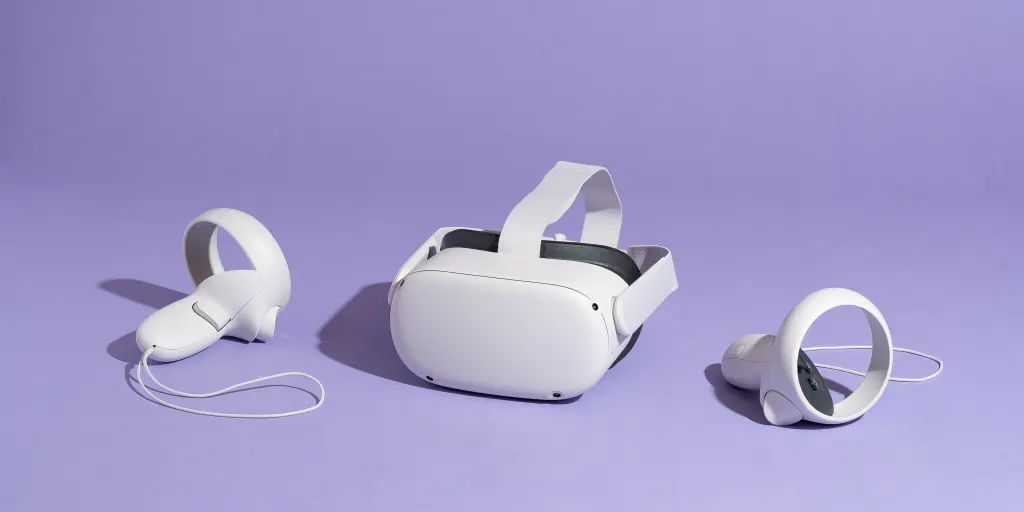
VR content creation is the process of designing, developing, and producing immersive virtual reality experiences for headsets, built to transport users into digital environments with a sense of presence traditional 2D media can’t offer. It spans gaming, simulation, training, education, and entertainment, and it’s a genuinely multidisciplinary field pulling in artists, designers, programmers, and sound engineers together. This guide covers five tools still worth knowing in 2026, including one correction for a tool that quietly went out of active development since older lists first covered it, and one entry whose current status couldn’t be fully confirmed during this review, flagged honestly rather than assumed.
1. Unity
Unity is a widely used game development engine and platform for building interactive 2D, 3D, augmented reality, and virtual reality applications, popular with both indie developers and large studios for its versatility and relatively gentle learning curve. It offers cloud-based services for multiplayer networking, analytics, and monetization, and has built-in support for VR and AR development, including plugins for various headsets and frameworks like ARCore and ARKit. Beyond games, Unity is a common choice for VR simulations, architectural visualization, and educational content across industries that need interactive 3D without building a rendering engine from scratch.
2. Unreal Engine
Unreal Engine, developed by Epic Games, is known for exceptional graphical fidelity and is a go-to choice for high-quality 2D and 3D games, simulations, architectural visualization, and interactive experiences. It includes a sophisticated animation system supporting both 2D and 3D work, plus a cinematic toolset for cutscenes and interactive storytelling. Its combination of advanced graphics and flexible tooling has made it popular well outside gaming, in film and television production, automotive design, and architectural visualization specifically.
3. Adobe Medium (formerly Oculus Medium)
Adobe Medium is a VR sculpting and 3D modeling application that lets artists build digital sculptures directly in a VR environment, offering an intuitive approach to 3D modeling that a mouse-and-keyboard workflow can’t replicate. It was originally developed by Oculus and later acquired by Adobe as part of the Creative Cloud ecosystem. Its current availability status was not independently confirmed during this review, since Adobe’s own product pages weren’t reachable for verification at the time of writing; confirm directly on adobe.com whether Medium is still actively sold and supported before building a workflow around it, rather than assuming continued availability from an older listing.
4. Open Brush (successor to Tilt Brush)
Tilt Brush, the pioneering VR painting application originally developed by Google, is no longer in active commercial development. Google open-sourced it under the Apache 2.0 license and archived the original repository in January 2021. Its direct successor is Open Brush, a free, community-led evolution of Tilt Brush that carries the same room-scale 3D painting concept forward with active development, a maintained GitHub repository, and community channels including Discord. If you’re looking for the tool many older lists still call Tilt Brush, Open Brush is the actively maintained option to actually use today; the original commercial product is no longer where development is happening.
5. Blender
Blender is a free, open-source 3D computer graphics package used for 3D modeling, animation, rendering, visual effects, video editing, and more, backed by an active community and a broad feature set. It supports creating 3D game assets and exporting them to engines like Unity and Unreal Engine, and it’s used by a genuinely diverse range of people, 3D artists, animators, game developers, architects, and filmmakers among them. Its open-source, free-to-use model makes it accessible in a way most of the other tools on this list aren’t, and it continues to see regular updates and improvements.
How to choose between them
These five split into distinct roles rather than competing directly with each other. Unity and Unreal Engine are full development engines for building interactive VR applications and games, not simple content tools; expect a real learning curve and, for most serious projects, a small team rather than a solo creator. Adobe Medium (pending confirmation of its current availability) and Open Brush are creation tools for artists making VR-native sculptures and paintings, not for building interactive applications. Blender sits in between: a general-purpose 3D tool that can feed assets into either engine, useful as the connective tissue in a pipeline that spans multiple tools rather than a VR-specific tool itself.
A solo artist experimenting with VR sculpture has a very different starting point than a small studio building an interactive training simulation, and the tools above serve those two use cases in almost entirely non-overlapping ways. Matching the tool to which of those two categories your actual project falls into is a more useful first filter than comparing feature lists across all five at once, and it will save far more time than agonizing over which engine has the marginally better rendering pipeline for a project that hasn’t been scoped yet.
A note on tool longevity in this space
VR content creation tools have a genuinely mixed survival record compared to more established creative software categories. Tilt Brush’s move from a commercial Google product to a community-maintained open-source fork within a few years is not an isolated case in this space; VR-specific creative tools have seen more churn, acquisitions, and quiet sunsets than equivalents in photo editing or general 3D graphics, likely because VR hardware adoption itself has been slower and less predictable than the platforms that originally justified building these tools.
That history is worth factoring into any purchase or workflow decision today, not as a reason to avoid VR tools entirely, but as a reason to weight open-source and actively community-maintained options, like Blender and Open Brush, somewhat more heavily than closed commercial tools whose parent company might deprioritize VR specifically if it stops being a strategic priority. A tool’s current feature set matters less over a multi-year project than whether it’s likely to still be maintained in three years, and that’s genuinely harder to predict in this category than in most other creative software.
A practical hedge against this uncertainty: for any project with real longevity requirements, keep source assets in an open, portable format regardless of which tool created them. A Blender file or an exported FBX or glTF asset survives a tool’s discontinuation far better than work locked inside a proprietary sculpting application’s own file format, which can become effectively unusable if the software that created it stops being maintained or updated.
A worked example: building a small VR training module
A mid-sized manufacturer wanted to build a short VR training module walking new hires through a machine safety checklist, without hiring a dedicated VR studio. The team had one 3D-literate employee already comfortable in Blender from CAD-adjacent work, no game development background, and a modest budget.
The choice came down to Unity versus Unreal Engine as the interactive engine, with Blender settled early as the asset pipeline regardless of which engine ultimately won that decision. Unity’s gentler learning curve and larger pool of beginner-oriented tutorials made it the practical choice for a team without existing game development experience, even though Unreal’s visual fidelity would have made for a more polished result. The team modeled the machine and workspace in Blender, exported the assets into Unity, and built the interactive checklist logic using Unity’s XR toolkit and existing plugins rather than writing VR interaction code from scratch.
The module took about six weeks from start to a working internal build, most of that time spent on the 3D modeling in Blender rather than the Unity interaction logic, which is a common pattern for this kind of project and one worth planning around from the outset: the content creation, not the engine programming, tends to be the actual bottleneck for a small team without a dedicated 3D artist already on staff. The lesson for a similarly scoped project: budget the majority of your timeline for asset creation, not engine selection, since the engine choice itself rarely ends up being the limiting factor once a team commits to one.
Pricing: what’s free, what isn’t, and why the numbers are worth checking directly
Cost structures in this category vary widely and change often enough that quoting exact figures in an article risks going stale within months, which is exactly what happened to the pricing claims a previous version of this article carried. Rather than repeat potentially outdated numbers, here’s the structure of how each tool is priced, which is more durable than the specific figures themselves.
Blender is free and open source with no paid tier at all, a genuinely unusual position among professional-grade 3D software and one reason it has become the default entry point for people learning 3D content creation without an employer’s budget behind them. Open Brush is likewise free, maintained by its community rather than sold as a commercial product. Unity and Unreal Engine both offer free tiers for smaller projects or hobbyists, with paid tiers or royalty structures that apply once a project crosses certain revenue or team-size thresholds; both companies publish their current terms directly on their sites, and those terms have shifted more than once in recent years, so check the current structure on unity.com and unrealengine.com respectively rather than trusting any older summary, including this one from before its last update. Adobe Medium’s pricing, if the product is still actively sold, would follow Adobe’s Creative Cloud subscription model, but confirm this directly given the uncertainty already noted above about its current status.
Hardware considerations that shape which tool makes sense
The tool you choose is only half the equation; the headset and computer driving it shape what’s actually practical to build or create. Sculpting and painting tools like Adobe Medium and Open Brush are relatively forgiving on hardware, since the interaction is primarily about hand tracking and controller input rather than heavy real-time rendering of complex interactive scenes. Building anything substantial in Unity or Unreal Engine for VR, on the other hand, benefits significantly from a capable GPU on the development machine, separate from whatever headset end users will eventually wear, since compiling and testing VR builds is considerably more demanding than running a finished, optimized experience.
This matters most for smaller teams or individual creators deciding where to invest first. A modest laptop can handle Blender modeling work and even basic Open Brush painting reasonably well. Serious Unity or Unreal Engine VR development is a different proposition, and underestimating the development hardware requirement is a common reason ambitious first VR projects stall out partway through, not because the creative vision was wrong, but because iteration became too slow to sustain momentum on inadequate hardware. A slow rebuild-and-test cycle, waiting several minutes to see a small change reflected in the headset, drains motivation on a project far faster than any single technical obstacle does.
Common mistakes when starting a VR content project
- Choosing the engine before scoping the project. Picking Unreal Engine for its graphical fidelity on a project that’s actually a simple training walkthrough adds unnecessary complexity; match the engine’s strengths to what the project genuinely needs rather than to what looks most impressive in a portfolio.
- Underestimating asset creation time. As the worked example above shows, the 3D modeling and asset pipeline typically consumes more time than the interactive programming for a small team’s first project. Budget accordingly rather than assuming the engine work is the bottleneck.
- Building for one headset without testing others. VR headsets vary in field of view, controller design, and performance headroom. A project tested only on one device can behave unexpectedly on another, so test across at least two headsets before considering a project finished if it needs to reach a broad audience.
- Skipping comfort and motion sickness testing. VR-specific design considerations, like avoiding unexpected camera movement, don’t show up in a 2D monitor preview. Test any interactive build in an actual headset early and often, not just at the end of a project.
- Trusting product pricing and availability claims from older articles without checking the source directly. This category moves fast enough that even a well-researched list can go stale within a year, as the corrections made in this very article illustrate. Treat any specific price or availability claim, including the ones here, as a starting point for your own direct check rather than a final answer.
FAQ
Is Tilt Brush still available to download and use?
The original commercial Tilt Brush product is no longer in active development; Google open-sourced it and archived the official repository in 2021. Open Brush, a community-maintained fork carrying the same concept forward, is the actively developed option available today and is free to use.
Do I need to know how to code to use these tools?
It depends on which one. Blender, Adobe Medium, and Open Brush are primarily visual, sculpt-and-paint tools that don’t require programming for basic use. Unity and Unreal Engine are full development engines; building any genuinely interactive VR experience in either one requires at least basic scripting, in C# for Unity or Blueprints (a visual scripting system) or C++ for Unreal.
Which is easier to learn, Unity or Unreal Engine?
Unity is generally considered to have a gentler learning curve and a larger body of beginner-focused tutorials and community resources, which matters most for a first project or a team without existing game development experience. Unreal Engine tends to reward more advanced projects with stronger out-of-the-box visual fidelity, but that comes with a steeper initial learning investment.
Can Blender alone be used to build a full interactive VR experience?
Not on its own for most projects. Blender is a modeling, animation, and rendering tool, not an interactive engine, so it’s typically used to create assets that then get exported into Unity or Unreal Engine, which handle the actual interactivity, physics, and VR headset input that a finished experience needs.
Is Adobe Medium worth building a workflow around given its uncertain status?
Confirm its current availability and update cadence directly on Adobe’s site before committing significant project time to it, given that this review could not independently verify its current status. If it turns out to be discontinued or in maintenance mode, Blender’s sculpting tools, while a different workflow, are an actively maintained free alternative worth evaluating for the same VR sculpting use case.
What headset should I develop for first if I only have budget for one?
This is more a question about your target audience than about the tools covered here, since Unity and Unreal Engine both support the major headsets on the market. Consider which headset your actual audience is most likely to own, standalone consumer headsets have a larger installed base than tethered or enterprise-focused devices, and check current headset market share and pricing directly with each manufacturer, since this shifts often enough that any specific figure quoted here would risk going stale quickly, the same problem that affected pricing claims in an earlier version of this article.
Do WebXR and browser-based VR tools belong on this list?
They’re a genuinely different category worth knowing about even though this list focuses on the five most commonly used content creation tools. WebXR, built on web technologies like Three.js and A-Frame, lets VR experiences run directly in a browser without a dedicated app install, which trades some performance and polish for dramatically lower friction to reach an audience, particularly useful for short marketing or demo experiences rather than full applications. If your project’s goal is maximum reach rather than maximum immersion, it’s worth researching separately alongside the engine-based tools above.
Can I mix Blender-created assets with either Unity or Unreal Engine in the same project?
Yes, and this is in fact the standard workflow rather than an edge case. Blender exports to formats both engines readily import, FBX and glTF being the most common choices, and the worked example above follows exactly this pattern: modeling and texturing in Blender, then bringing finished assets into the interactive engine. Very few serious VR projects are built entirely inside one tool; a multi-tool pipeline is the norm, not a workaround.
How do I know if my computer is powerful enough for VR development?
Both Unity and Unreal Engine publish minimum and recommended system requirements for their editors, separate from whatever a finished VR application would require to run on an end user’s machine. Development itself, especially in Unreal Engine, tends to demand more from a GPU and available RAM than simply running a finished, optimized build later would. Check each engine’s current published requirements before assuming existing hardware will handle real project work smoothly, rather than discovering the gap partway through a project when iteration speed becomes a bottleneck.