Extending Brndle’s 20 Native Blocks: Adding New Functionality That Matches the System
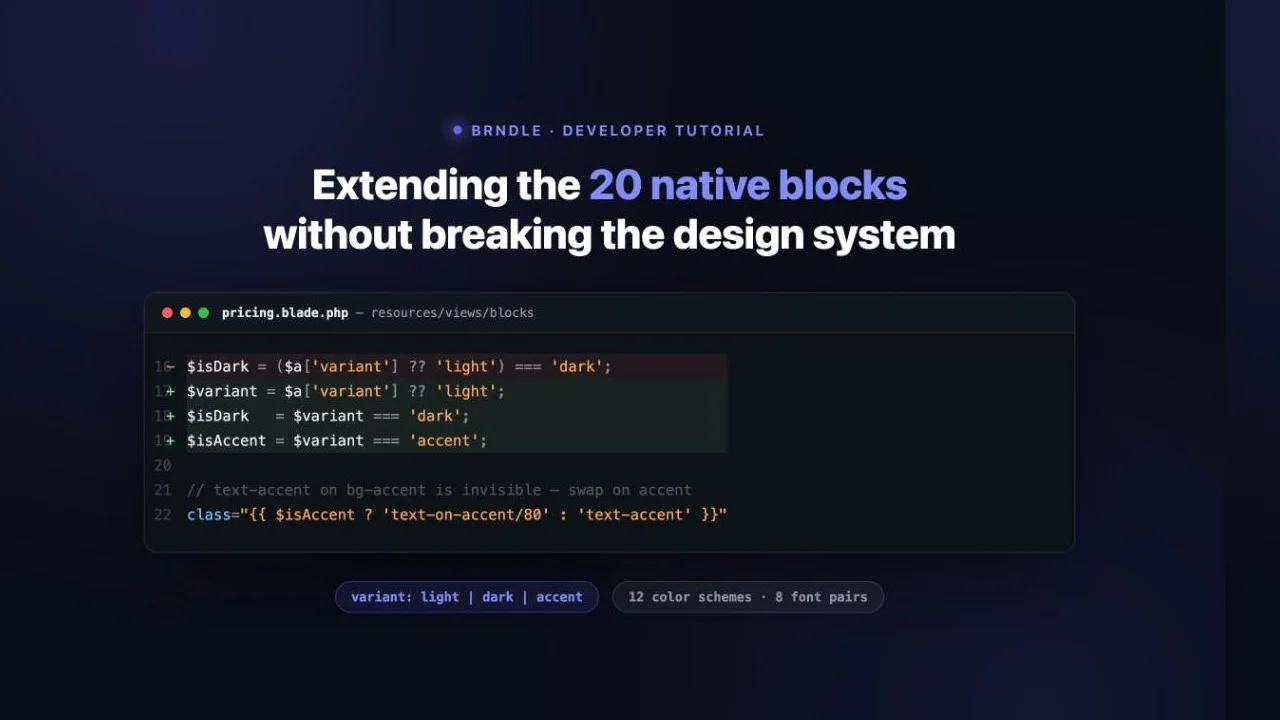
Our previous walkthrough registered a brand-new “counter” block from nothing: a fresh block.json, a fresh Blade view, one more line in BlockServiceProvider‘s $blocks array. That is the right skill when the client needs something none of Brndle’s 20 shipped blocks do. It is also, in agency practice, the rarer request. Far more often the brief is “the pricing block is almost right, we just need a third style” or “team cards need one more social field”, a change to a block that is already registered, already rendering on pages that already exist, and already wired into Brndle’s twelve color schemes and eight font pairs. That is a different problem. You are not building in open space; you are editing a system while it is switched on.
This post is that problem, worked end to end against real source. We read blocks/pricing/block.json, resources/views/blocks/pricing.blade.php, and blocks/src/pricing.js from brndle-themes/brndle, found the exact place its design-token usage gets fragile under a third variant, and extended it: a new “accent” variant sitting alongside the shipped “light” and “dark” ones, built from tokens that already exist in the theme rather than a new hardcoded color. Along the way we hit a real bug, a badge that goes invisible the moment you add a third state carelessly, because that bug is the actual teaching point of this post, not a hypothetical one. We also found and used AttributeMigrations, a registry class shipped in the theme specifically for the case this post is about: upgrading a block’s attribute shape without breaking what is already saved in the database.
Table of contents
- Extending vs. creating: why they call for different care
- Anatomy of a shipped block: reading pricing.blade.php
- Choosing what to add: a variant, not a new block
- Step 1: does block.json even need to change
- Step 2: teach the editor about the new option
- Step 3: extend the Blade view’s conditional logic
- The token trap: the bug this post is actually about
- Step 4: rebuild and clear the view cache
- A second, smaller example: a new field on team
- The design-token integration checklist
- Backward compatibility: proving old content didn’t move
- Troubleshooting
- FAQ
- The takeaway
Extending vs. creating: why they call for different care
Registering a new block is additive. Nothing on a live site depends on it yet, there is no saved content to protect, and if the first version is wrong you delete the entry from $blocks and nobody notices. Extending a shipped block carries three things a brand-new block does not:
- Existing saved content. Every
brndle/pricingblock already placed on a page has attributes saved against the current schema. Brndle’s blocks are server-rendered (save: () => null, more on why that matters below), so there is no client-side “Invalid block” dialog waiting to surprise you, but the Blade template still has to produce a sane result for every attribute shape that is already sitting in the database, including the shape from before your change. - A token system that was already correct. The shipped
light/darkstates were tested against Brndle’s color schemes, font pairs, and WCAG contrast math (the subject of our 12-scheme contrast audit). Add a third state carelessly and you can silently break that correctness for the new state while the old two states keep working, which means nobody will catch it in a quick light/dark toggle test. - Other code that assumes the current shape. The SelectControl in the editor, the Blade conditionals, and potentially an
AttributeMigrationsentry all have to move together. Change one and not the others and you get a state the editor can save but the frontend renders wrong, or vice versa.
None of that is a reason to avoid extending shipped blocks, it is the normal, high-frequency agency task. It is a reason to read the existing file closely before touching it, which is the next section.
Anatomy of a shipped block: reading pricing.blade.php
blocks/pricing/block.json, read from the public repository, declares five attributes and nothing more exotic than that:
"attributes": {
  "eyebrow": { "type": "string", "default": "" },
  "title": { "type": "string", "default": "" },
  "subtitle": { "type": "string", "default": "" },
  "plans": { "type": "array", "default": [] },
  "variant": { "type": "string", "default": "light" }
}
Notice what is absent: variant has no enum. Compare that to blocks/team/block.json, which constrains the same kind of field: "variant": { "type": "string", "default": "light", "enum": ["light", "dark"] }. Two blocks, same concept, one guarded in the schema and one not. That inconsistency is real and it matters for what we are about to do, we will come back to it in Step 1.
The Blade view, resources/views/blocks/pricing.blade.php, derives everything from one line near the top:
$isDark = ($a['variant'] ?? 'light') === 'dark';Every subsequent branch in the 160-line template reads that single boolean, not the raw variant string: the section background (brndle-section-dark vs. bg-surface-secondary), the subtitle color (text-white/70 vs. text-text-secondary), the billing-toggle pill’s inactive-state color, and the per-card description/original-price colors. This is the actual architecture to understand before extending it: the template was written for a binary variant, and the binary is baked in at the point the attribute is read, not distributed across a dozen individual === 'dark' checks. Adding a third variant means widening that one line, then auditing every place the resulting boolean is used, because a boolean cannot represent three states, and the places that assumed it could will be exactly the places that break.
The featured-plan card is the one piece of the template that does not key off $isDark at all: {{ $featured ? 'brndle-section-dark border-2 border-accent relative' : 'bg-surface-primary border border-surface-tertiary ...' }}. A featured card is always visually dark, regardless of the section’s own variant, the same “always-dark island” pattern the theme uses for hero and CTA sections. That independence turns out to matter a lot once we add a third variant; islands that already don’t care about the parent’s variant don’t need to be touched at all.
Choosing what to add: a variant, not a new block
The brief we are answering: a client wants a pricing section that uses the site’s accent color as a bold, filled background, not the neutral light surface, not the fixed dark island, a third option that visually says “look here” the way a Stripe or Linear pricing page sometimes does for a limited-time offer. The wrong way to ship this is a new block (brndle/pricing-accent), which would duplicate the entire 160-line template and the entire plan-editing UI for one background color. The right way, and the one this post builds, is a third variant value: accent, alongside the shipped light and dark.
Step 1: does block.json even need to change
Because pricing‘s variant attribute has no enum, the honest answer is: not strictly. register_block_type() only validates against enum when one is present; an unconstrained "type": "string" field accepts any string, in the editor and on save. You could skip block.json entirely and the new value would work.
We add the enum anyway, for the same reason team already has one: it is an editor-side guardrail against typos, not a frontend safety net. A developer who fat-fingers "acent" into a future PR gets a visibly wrong result they’ll notice, not a silent one.
"variant": {
  "type": "string",
  "default": "light",
  "enum": ["light", "dark", "accent"]
}
One thing this enum will not do, and should not be trusted to do: protect the Blade view from values the editor never produced. register_block_type()‘s enum check runs when the editor saves a value through setAttributes; it does not run again on every render, and it does nothing retroactively to attributes already stored in wp_posts before the enum existed. Any value already in the database, including a future one someone writes via the REST API or a migration script and gets wrong, still reaches Blade exactly as stored. The template’s own ?? fallbacks and explicit === checks are the real safety net, which is why Step 3 below handles an unrecognized variant the same defensive way the original code handled a missing one.
Step 2: teach the editor about the new option
blocks/src/pricing.js renders the whole editing experience through ServerSideRender and a stack of InspectorControls panels; the variant picker is a single SelectControl with two hardcoded options:
<SelectControl
	label={ __( 'Variant', 'brndle' ) }
	value={ attributes.variant }
	options={ [
		{ label: __( 'Light', 'brndle' ), value: 'light' },
		{ label: __( 'Dark', 'brndle' ), value: 'dark' },
	] }
	onChange={ ( v ) => setAttributes( { variant: v } ) }
/>
Add the third option in place, same shape as the other two:
options={ [
	{ label: __( 'Light', 'brndle' ), value: 'light' },
	{ label: __( 'Dark', 'brndle' ), value: 'dark' },
	{ label: __( 'Accent', 'brndle' ), value: 'accent' },
] }
Nothing else in the JS file changes. Because the block uses ServerSideRender (save: () => null) rather than a client-rendered save(), the editor preview is literally the same PHP/Blade output the frontend serves, there is no separate editor-side rendering logic to keep in sync, and no risk of the classic “looks right in the editor, wrong on the frontend” drift that a client-rendered save() would introduce.
Step 3: extend the Blade view’s conditional logic
This is the step that actually requires judgment, not just typing. Widen the single boolean into something that can represent three states, keeping the old variable name so the rest of the file doesn’t need a mechanical find-and-replace yet:
@php
  $a = $attributes;
  $anchor = (string) ($a['anchor'] ?? '');
  $plans = $a['plans'] ?? [];
  $variant = $a['variant'] ?? 'light';
  $isDark = $variant === 'dark';
  $isAccent = $variant === 'accent';
  // ...
@endphp
Then every existing $isDark ? X : Y ternary becomes a three-way decision. The section wrapper is the clearest example, the original:
<section class="py-24 md:py-32 {{ $isDark ? 'brndle-section-dark' : 'bg-surface-secondary' }}">becomes:
<section class="py-24 md:py-32 {{ $isAccent ? 'brndle-section-accent bg-accent text-on-accent' : ($isDark ? 'brndle-section-dark' : 'bg-surface-secondary') }}">That line is doing more than it looks like, and it is worth being precise about why each piece is there, because this is the actual design-token integration work this post is named for:
bg-accentandtext-on-accentare Tailwind utilities generated from the@themeblock inresources/css/app.css:--color-accent: #6366f1;and--color-on-accent: #ffffff;, which is the default scheme’s hardcoded fallback but is overridden per color scheme byColorPalette::generate()at runtime. Using these utilities means the section’s fill and text always track whichever of the 12 presets the site owner has active, a rawbackground-color: #6366f1would not.brndle-section-accentis not a background color at all. It is the marker class fromapp.cssthat forces:is(h1, h2, h3, h4, h5, h6) { color: inherit; }inside the section, the same fixbrndle-section-darkandbrndle-section-gradientalready apply, because without it theme.json’s unlayered heading-color rule would force every<h2>inside the section back to--color-text-primary, which is nearly black, and the title would be unreadable against the accent fill. We are not inventing this class for the occasion; it already existed, already applied to the pricing template’s own billing-toggle active state and featured badge (class="brndle-section-accent bg-accent text-on-accent shadow-sm"), and was simply never promoted to a full-section background before.
The token trap: the bug this post is actually about
Widening the section wrapper is the easy 20% of the work. The remaining lines in the template were each written assuming only two states, and several of them break in a specific, instructive way under the third. Two examples, found by actually loading the result rather than assumed:
The eyebrow text goes invisible. The header eyebrow is hardcoded to the accent color regardless of variant: <p class="text-sm font-semibold text-accent uppercase ...">{{ $a['eyebrow'] }}</p>. That line was always safe before, because the only two backgrounds it could ever sit on were bg-surface-secondary (light, near-white) and var(--color-surface-inverse) (dark, near-black), an accent-colored string reads fine against either. Put that same text-accent string on top of bg-accent, and you are printing the accent color on the accent color. It disappears. This is the token trap in miniature: a token-driven value (text-accent) is not automatically “correct everywhere” just because it isn’t a hardcoded hex, it is only correct against the backgrounds it was designed against. The fix:
<p class="text-sm font-semibold uppercase tracking-[0.15em] mb-3 {{ $isAccent ? 'text-on-accent/80' : 'text-accent' }}">{{ $a['eyebrow'] }}</p>The active billing-toggle pill disappears the same way, for the same reason. Its active state is brndle-section-accent bg-accent text-on-accent shadow-sm, correct and intentional when the toggle sits on a light or dark section, invisible when it sits on an accent section, because the pill and its parent are now the identical fill. The fix inverts the relationship specifically for the accent variant: the pill becomes the light surface color sitting on top of the accent background, with accent-colored text, which is the same “swap figure and ground” move the shipped code already makes for the featured plan card against its own dark island:
class="brndle-billing-btn px-6 py-2 text-sm font-semibold rounded-full transition-all duration-200 {{ $i === 0
  ? ($isAccent ? 'bg-surface-primary text-accent shadow-sm' : 'brndle-section-accent bg-accent text-on-accent shadow-sm')
  : ($isAccent ? 'text-on-accent/60 hover:text-on-accent/80' : ($isDark ? 'text-white/60 hover:text-white/80' : 'text-text-secondary hover:text-text-primary')) }}"
Now the half of the template that didn’t need to change, and why that is the useful contrast. The plan cards themselves, bg-surface-primary border border-surface-tertiary for a normal card, brndle-section-dark border-2 border-accent for the featured one, are untouched by any of this. A normal card is explicitly the light surface color regardless of the section’s own variant, so it reads fine sitting on an accent-colored page background for the same reason a light card already reads fine on the shipped dark variant: it was written as its own fixed island from the start, not as “whatever isn’t the dark branch.” The featured card’s brndle-section-dark treatment is the same always-dark island used for hero and CTA, independent of the parent section’s variant by design. The lesson generalizes: tokens tied to a role (surface-primary, “the card is always the light surface”) survive a new variant for free; tokens tied to an assumed relationship (text-accent, “accent text always contrasts with whatever this section’s background is”) do not, because the new variant is exactly the case where that assumed relationship stops holding. Checking which category each line falls into, line by line, is what “extending without breaking the design-token integration” actually means in practice, it is not a single checkbox, it is this specific audit repeated for every conditional in the file.
Step 4: rebuild and clear the view cache
npm run build rebuilds blocks/build/index.js, which is what BlockServiceProvider::registerBlocks() enqueues as the single editor script for every block (wp_register_script('brndle-blocks-editor'...)), this is the step that ships the Step 2 change to the SelectControl. It does not touch the Blade file at all; pricing.blade.php is plain PHP, compiled by Acorn’s Blade engine, not bundled by webpack.
That split is also the thing most likely to make the Step 3 change appear to “not work” on first look: Acorn/Sage caches compiled Blade views under storage/framework/views/ the same way any Laravel-style Blade setup does. On local development with file watching this is usually invisible; on a staging or production box where that cache survived a deploy, an edited .blade.php file can keep rendering its previous compiled output until the cache is cleared. If the new accent option saves correctly in the editor but the frontend still renders the old two-state logic, clear that cache before suspecting anything else: wp acorn view:clear, or the equivalent php artisan-style command if you’re running outside WP-CLI.
A second, smaller example: a new field on team
Not every extension is a new variant with cross-cutting consequences. resources/views/blocks/team.blade.php already renders two social links per member, conditionally:
@if(!empty($member['linkedin']) || !empty($member['twitter']))
  <div class="mt-4 flex items-center gap-3">
    @if(!empty($member['linkedin']))
      <a href="{{ esc_url($member['linkedin']) }}" ... class="{{ $isDark ? 'text-white/40 hover:text-white/80' : 'text-text-tertiary hover:text-text-primary' }} ...">
        <svg ...></svg>
      </a>
    @endif
    @if(!empty($member['twitter']))
      ... same pattern ...
    @endif
  </div>
@endif
Adding a GitHub link is almost entirely repetition, and that is the point: members is declared in block.json as { "type": "array", "default": [] } with no per-item schema at all, so there is no attribute definition to touch, in either block.json or an enum. You add a TextControl for github next to the existing linkedin/twitter controls in team.js, extend the @if condition to include it, and add a third @if(!empty($member['github'])) block using the exact same conditional class string already used for the other two, {{ $isDark ? 'text-white/40 hover:text-white/80' : 'text-text-tertiary hover:text-text-primary' }}, because that string is already correct for both of team’s two variants and a GitHub icon has no reason to need a different one. This is the opposite failure mode from the pricing eyebrow bug above: here the fastest way to get the token integration right is to copy the pattern that is already proven to be right, rather than write a new one and risk a new mistake.
The design-token integration checklist
Five checks, run against the diff before it ships, not against the finished feature in isolation:
- Grep your own diff for hex and rgb literals.
grep -En "#[0-9a-fA-F]{3,6}|rgba?\(" resources/views/blocks/pricing.blade.phpagainst the new lines only. The only acceptable hits in this file are inside the pre-existing inline SVGfill/viewBoxdata (the checkmark icon’s path), which carries no theme meaning. Any hex in aclassattribute or astyleattribute you wrote is a token you forgot to use. - Toggle dark mode with each new variant active. The accent variant’s section background doesn’t change between light and dark mode (it’s always
bg-accent), but anything you wrote astext-white/80instead oftext-on-accent/80will quietly be wrong in one mode and happen to look fine in the other. - Cycle through a representative slice of the 12 color schemes, not just the default Indigo. Our contrast audit already found that Coral and Commerce have accent-derived pairs that drop under WCAG AA in specific modes; any new UI that leans on
on-accent/accentinherits those same risk schemes. Check at least one from each named risk category: Coral (fails both modes), Commerce (passes light, fails dark button), and a clean one like Trust. - Switch font pairs in Brndle → Typography. Headings in this template take
var(--font-family-heading)automatically via the global:where(h1, h2, h3, h4, h5, h6)rule inapp.css, you do not need to, and should not, set afont-familyanywhere in a block template. If a new element you add needs the heading face without being an actual heading tag, use the.font-headingutility rather than hardcoding a family name. - Re-render the unmodified variants and diff the output. After the change, a
brndle/pricingblock saved withvariant: "light"orvariant: "dark"and no other change should produce byte-identical HTML to what it produced before your edit. If it doesn’t, your three-way refactor of a two-way conditional changed behavior for a case you didn’t mean to touch.
Backward compatibility: proving old content didn’t move
Three structural facts work in your favor here, and it’s worth knowing which ones are doing the protecting, rather than trusting it blindly.
Brndle blocks are server-rendered, so there is no client-side validation to fail. Every block in the theme ships save: () => null and renders through ServerSideRender in the editor and render_callback on the frontend. Gutenberg’s “This block contains unexpected or invalid content” recovery prompt is triggered by a mismatch between a block’s saved HTML comment delimiters and what its current save() function would produce, a check that simply doesn’t run when save() always returns null. A post written against the two-variant schema opens cleanly in the editor after you ship the third; it just renders through whatever the current Blade file says a missing or old attribute shape means.
The attribute change here is additive, not a reshape, so the ?? fallback already in every line does the real work. $variant = $a['variant'] ?? 'light'; treats an old post with no variant key at all (pre-dating the attribute’s introduction) identically to one explicitly saved as 'light'. A post saved as 'dark' hits the same $isDark branch it always did. Nothing about adding 'accent' as a new possible value changes what either existing value resolves to.
Find out whether anything is actually at risk before assuming it isn’t. Don’t take “additive is safe” entirely on faith when real content is involved, check what’s out there:
wp db query "SELECT ID, post_title FROM wp_posts WHERE post_content LIKE '%brndle/pricing%' AND post_status = 'publish'"Open the handful of results in the editor after deploying the change, confirm each still renders its original variant correctly, and specifically check any post that was saved before the variant attribute existed at all (it will have no variant in its serialized attributes and should fall through to 'light', matching its pre-existing visual appearance on bg-surface-secondary).
When a change isn’t additive, when you’re reshaping an attribute, not adding a new value to an existing one, reach for AttributeMigrations instead of hoping Blade’s ?? fallbacks cover it. This registry class, at app/Blocks/AttributeMigrations.php, exists for exactly this job and is already wired into every block’s render path: BlockServiceProvider‘s render_callback runs \Brndle\Blocks\AttributeMigrations::apply($blockName, $attributes) on every attribute array before it reaches Blade, for every one of the 20 shipped blocks, not just the ones that currently have a registered migration. The theme ships one real migration today, for brndle/comparison-table, normalizing several historical shapes (headers vs. columns, label vs. feature) into the one the current template expects. The class’s own docblock includes a second, commented worked example, promoting a flat array of company-name strings to { name, url, id, alt } objects for brndle/logos, written specifically to show the pattern without being active code. You register your own the same way, through a filter, with no need to fork or edit the theme’s own file:
add_filter('brndle/blocks/attribute_migrations', function (array $migrations) {
    $migrations['brndle/pricing'][] = static function (array $attrs): array {
        // Example shape change this would guard, if a future version
        // renamed `cta_text` to `cta_label` on each plan: upgrade every
        // old plan in place, idempotently, before Blade ever sees it.
        if (! empty($attrs['plans']) && is_array($attrs['plans'])) {
            $attrs['plans'] = array_map(function ($plan) {
                if (is_array($plan) && isset($plan['cta_text']) && ! isset($plan['cta_label'])) {
                    $plan['cta_label'] = $plan['cta_text'];
                }
                return $plan;
            }, $attrs['plans']);
        }
        return $attrs;
    };
    return $migrations;
});
Our own accent variant doesn’t need an entry here, it adds a value, it doesn’t rename or restructure one, but knowing this registry exists, and that it already runs for every block on every render regardless of whether you’ve registered anything for it, is the difference between “I think old content is fine” and “I know what mechanism makes old content fine, and here is where I’d reach for something stronger if this change had been bigger.”
Troubleshooting
I added the enum to block.json but an old post still has a value the enum doesn’t list
That’s expected, not a bug. enum validates what the editor can save going forward; it does not retroactively scrub or reject values already stored in wp_posts before the constraint existed, and register_block_type() does not re-validate on every render. If an old post somehow has a variant value outside your enum (hand-edited via REST, a prior typo, a partial migration), Blade’s own explicit checks are what decide its fate, not the schema. Make sure your three-way logic has a sane default for “none of the above,” the same way the original two-way logic defaulted to the light branch for anything that wasn’t literally 'dark'.
The new variant looks right in the editor but wrong on the live page, or vice versa
Since both paths render through the identical render_callback via ServerSideRender, a difference between them is almost always a caching problem, not a logic problem. Check, in order: the browser cache on whichever surface looks stale, any page/object cache plugin on the frontend, and Acorn’s compiled Blade view cache (wp acorn view:clear) if the Blade file itself was the thing you most recently edited.
Switching to the new variant made text I didn’t touch unreadable
This is the eyebrow/toggle bug from the token-trap section, generalized: search the file for every class string that is conditioned on $isDark alone and ask what it resolves to when $isAccent is true instead. A ternary that was exhaustive for two states is not automatically exhaustive for three; it just fails silently by falling into whichever branch you didn’t intend.
My new attribute isn’t present on old content and PHP throws a warning
Use the same defensive pattern already used throughout every Brndle Blade view, $a['new_key'] ?? $default, rather than assuming the key exists. This is not a stylistic preference; it’s the mechanism that makes additive attribute changes backward compatible without a migration, as covered above.
npm run build finished but my Blade change still isn’t live
Webpack bundles the editor’s JS (blocks/src/*.js into blocks/build/index.js); it has no involvement with .blade.php files, which are plain PHP compiled by Acorn at request time and cached separately. A stale Blade compile cache, not a stale JS bundle, is the usual cause when “I rebuilt and it’s still wrong” specifically concerns template HTML rather than editor controls.
FAQ
Do I need to touch BlockServiceProvider at all to extend an existing block?
No. $blocks is the list of block slugs to register; brndle/pricing is already on it. You’re editing the three files that already exist for that slug, block.json, the Blade view, and the JS editor source, in place. BlockServiceProvider only needs a new entry when you’re registering a block that doesn’t exist yet, which is the sibling post’s topic, not this one.
Will adding an enum to an existing attribute break posts that were saved before the enum existed?
No, for the reason covered in Troubleshooting above: enum constrains future editor saves, it does not retroactively invalidate or re-check values already in the database, and render-time code doesn’t consult the schema at all.
Could I have added the new variant without touching block.json at all?
Technically yes, specifically for pricing, because its variant attribute was never schema-constrained in the first place. We added the enum anyway as a guardrail, not because it was required for the feature to function. For a block whose equivalent attribute already has an enum (team, for instance), skipping the schema update isn’t optional, the editor would reject the new value outright.
Why use a Blade-conditional variant instead of a WordPress core block style (registerBlockStyle)?
Core block styles append a is-style-* className and let CSS alone decide the rest, which fits a block whose variants are purely presentational and stateless. Brndle’s blocks don’t work that way: variant here also drives server-side decisions, which sub-elements get which Tailwind utility classes, computed in PHP, not just which stylesheet rule matches a class name. Retrofitting that onto registerBlockStyle would mean duplicating the conditional logic into CSS selectors scoped to an is-style-accent class, fighting the Tailwind-utility approach the rest of the theme uses rather than extending it. The existing variant attribute plus Blade conditionals is the path of least resistance precisely because it’s the pattern the block already uses for light/dark.
Do I need an AttributeMigrations entry for every attribute I add?
No. You need one when you’re changing the shape of data that might already be saved, renaming a key, restructuring an array of strings into an array of objects, the comparison-table and logos examples covered above. Adding a brand-new attribute, or a new allowed value for an existing one, is safe on its own as long as every read of it falls back sanely when the key or value is absent, which is exactly what ?? throughout the Blade views already does.
How do I find out if any existing content is actually affected before I ship?
A direct database query for the block’s namespaced name inside post_content (shown in the Backward Compatibility section) is faster and more conclusive than guessing from traffic or memory. Open what it finds in the editor after deploying and confirm each one still renders the way it did before.
What happens if two different plugins or snippets register conflicting migrations for the same block through the filter?
AttributeMigrations::apply() runs every registered migration for a block name in array order, each one’s output feeding the next. Two migrations that touch disjoint keys compose fine. Two that touch the same key can produce an order-dependent result, which is a reason to keep each migration narrowly scoped to the specific key and old shape it exists to fix, and to check for the new shape before transforming (as the shipped comparison-table migration does) so a migration that already ran once is a safe no-op the second time.
Is editing the shipped Blade file directly safe, or should this go through a child theme?
Both the sibling post and the theme’s own shipped code edit resources/views/blocks/*.blade.php directly, which is the normal workflow for a GPL theme a team expects to maintain and update themselves rather than treat as a black box. Acorn’s view resolution does support overriding a parent theme’s view path from a child theme at the same relative path, for teams that specifically want to avoid touching the parent theme’s files (for example to keep a clean diff against upstream for future git pull updates). For a one-variant addition like this one, direct edits are simpler and are what the rest of this theme’s own custom blocks assume.
Does this same process apply to the v2.1/v2.3 blocks mentioned in the block-registration post, code, pull-quote, timeline, post-feed?
The three-file shape (block.json, Blade view, JS editor source) and the AttributeMigrations safety net are consistent across all 20 shipped blocks, including those four. What differs block to block is which of them have a lazily-enqueued frontend view script registered in BlockServiceProvider::registerFrontendScripts(), code, timeline, and tabs-accordion do, pricing and team don’t. If you’re extending one of the scripted blocks, check whether your new functionality needs JS behavior added to that block’s own view script, or whether (as with the pricing billing toggle, which inlines its own small <script> tag directly in the Blade output rather than using a separate enqueued file) the existing block already has its own self-contained pattern to extend instead.
What’s the fastest way to check a new variant against all 12 color schemes?
Switch schemes from Brndle → Colors in the Customizer or Site Editor and reload the page with the block on it, scheme by scheme, there is no bulk preview tool for this in the theme itself. Prioritize the schemes our contrast audit already flagged as risk cases (Coral, Commerce, Carbon) over spot-checking the default Indigo repeatedly, since those are the ones most likely to expose a contrast problem your new markup introduced.
The takeaway
Extending a shipped Brndle block and registering a new one share a file shape and almost nothing else about the actual risk. A new block has no history to protect. An existing one does: saved content, a token system already proven correct for its current states, and other code (the editor UI, any migration registry) that has to move in step with the Blade change or the two surfaces drift apart. The real work in this post wasn’t widening one boolean into a three-way variant, that part took one line. It was reading every place the old boolean was consumed and deciding, case by case, whether that line’s token usage generalized to a third state for free (the plan cards, built as fixed-role surfaces) or broke in a specific, findable way (the eyebrow and the billing toggle, both built assuming the accent color would never need to contrast with itself). AttributeMigrations existing in the codebase, already wired into every block’s render path whether or not you ever register anything for it, is the detail worth remembering longest: Brndle already assumed its own blocks would need to evolve without breaking what’s already published, and built the seam for it in advance.
Sources, read on 30 October 2026
- brndle-themes/brndle: blocks/pricing/block.json
- brndle-themes/brndle: resources/views/blocks/pricing.blade.php
- brndle-themes/brndle: blocks/src/pricing.js
- brndle-themes/brndle: blocks/team/block.json
- brndle-themes/brndle: resources/views/blocks/team.blade.php
- brndle-themes/brndle: app/Providers/BlockServiceProvider.php
- brndle-themes/brndle: app/Blocks/AttributeMigrations.php
- brndle-themes/brndle: resources/css/app.css, the
@themetoken block and thebrndle-section-dark/brndle-section-gradient/brndle-section-accentrules - Registering a Custom Brndle Block with BlockServiceProvider, the companion post this one extends from
- Auditing All 12 Brndle Color Schemes for WCAG AA Contrast