Experts-Picked WordPress Themes for Library to Excel in 2026

Moving a physical library online is no longer optional for most institutions. Readers expect to browse a catalog, reserve a title, or read a digital edition from their phone, and a library that only exists as a physical building with a static contact page is invisible to a growing share of its own audience. A well-designed website with a clear structure and fast browsing does more for reach than any amount of foot traffic ever could on its own.
This guide covers what actually matters when choosing a WordPress theme or setup for a library, education, or reading-focused site, along with a look at a handful of currently available themes built specifically for this niche.
What a Library Website Actually Needs
Before comparing specific themes, it helps to be clear about the functional requirements a library site has that a typical brochure or blog site does not.
- Catalog browsing and search. Readers need to filter by genre, author, availability, and format (physical, ebook, audiobook) without wading through irrelevant results. A theme’s default blog archive layout is rarely built for this; you’ll usually need either a theme with genuinely tailored catalog templates or a dedicated library/directory plugin layered on top of a more general-purpose theme.
- Member accounts and holds. Letting a reader reserve a title, track what they currently have checked out, or see their reading history requires either a membership plugin integration or, for institutions with an existing integrated library system (ILS), a proper connection between that system and the public-facing website rather than a theme trying to fake the functionality with static pages.
- Digital lending or course access. For libraries offering ebooks, audiobooks, or educational courses directly, features like drip-fed content, access expiration, and download protection matter in a way they don’t for a typical content site.
- Accessibility as a baseline, not an afterthought. Public and educational libraries in many regions carry a legal obligation to meet accessibility standards, not just a design preference. This affects everything from color contrast to whether the catalog is fully operable by keyboard and screen reader.
- Performance at scale. A catalog with thousands of titles, each with its own listing page, cover image, and metadata, needs to stay fast. A theme that looks polished with twenty demo posts can behave very differently once a real catalog of several thousand entries is loaded into it.
Themes Built for Libraries and Reading-Focused Sites
Edufire
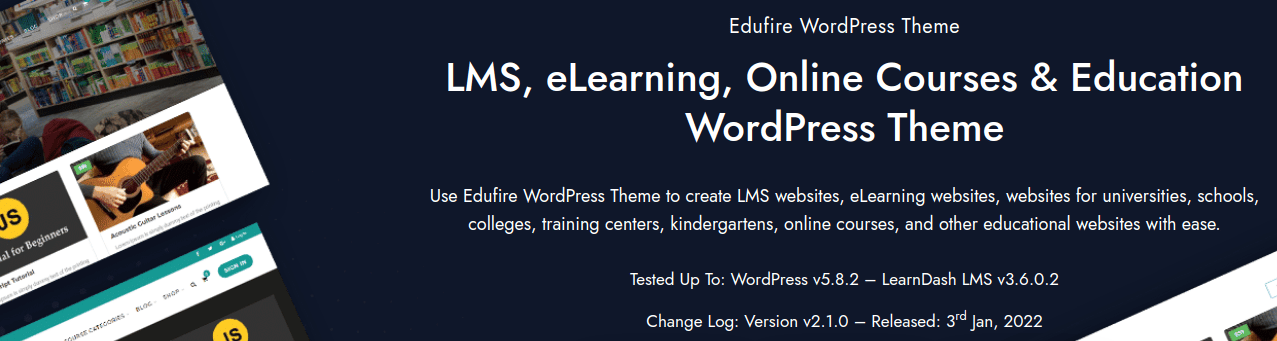
Edufire is built around institutional and educational use cases: LMS integration, eLearning, online courses, and general education websites. Libraries attached to a school, university, or training organization can use it to combine a course catalog with a broader library-style content structure, rather than running two disconnected systems.
Features
- Support for rich media, video, audio, and images, attached to individual lesson or resource content
- A reader dashboard alongside an author or contributor dashboard
- Multiple header styles for presenting content professionally
- BuddyPress compatibility for sites that want a community layer alongside the catalog
- WooCommerce integration for selling access, course bundles, or physical materials, with a customizable shop and product pages
ArticleMag
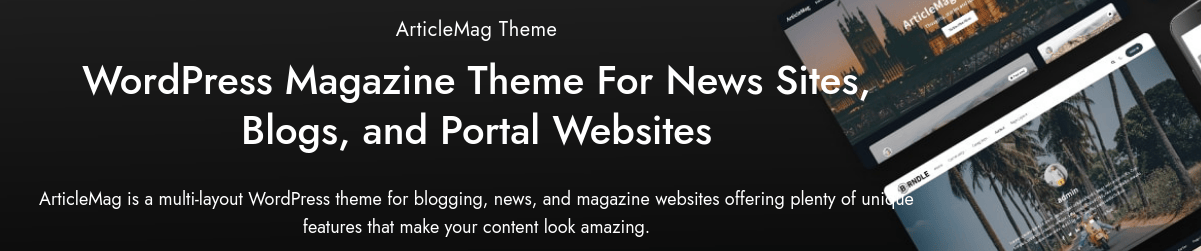
ArticleMag is a multi-layout theme built for news, magazine, and blog-style sites, which makes it a reasonable fit for a library that wants to present its catalog in an editorial, magazine-style browsing experience rather than a flat directory listing.
Features
- A dark mode toggle for more comfortable reading in low-light conditions
- Elementor compatibility for page-level customization without custom code
- Multiple header styles and a mega menu for organizing a large catalog into browsable categories
- Support for current Gutenberg blocks
- A one-click demo importer for faster initial setup
Pindairy
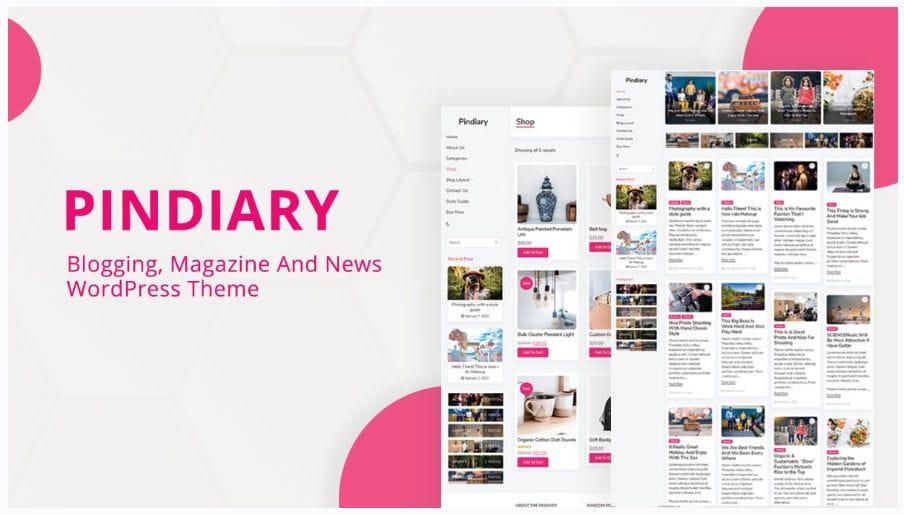
Pindairy is aimed at blogging, magazine, and news-style websites with a set of distinct demo layouts, which suits a library that wants its site to double as a review and recommendation hub alongside the catalog itself.
Features
- Dark mode support
- Multiple header and menu configurations
- Activity feeds, member profiles, social groups, and forum discussion support
- Gutenberg block compatibility
- A fast, flexible one-click demo importer
LearnMate LifterLMS
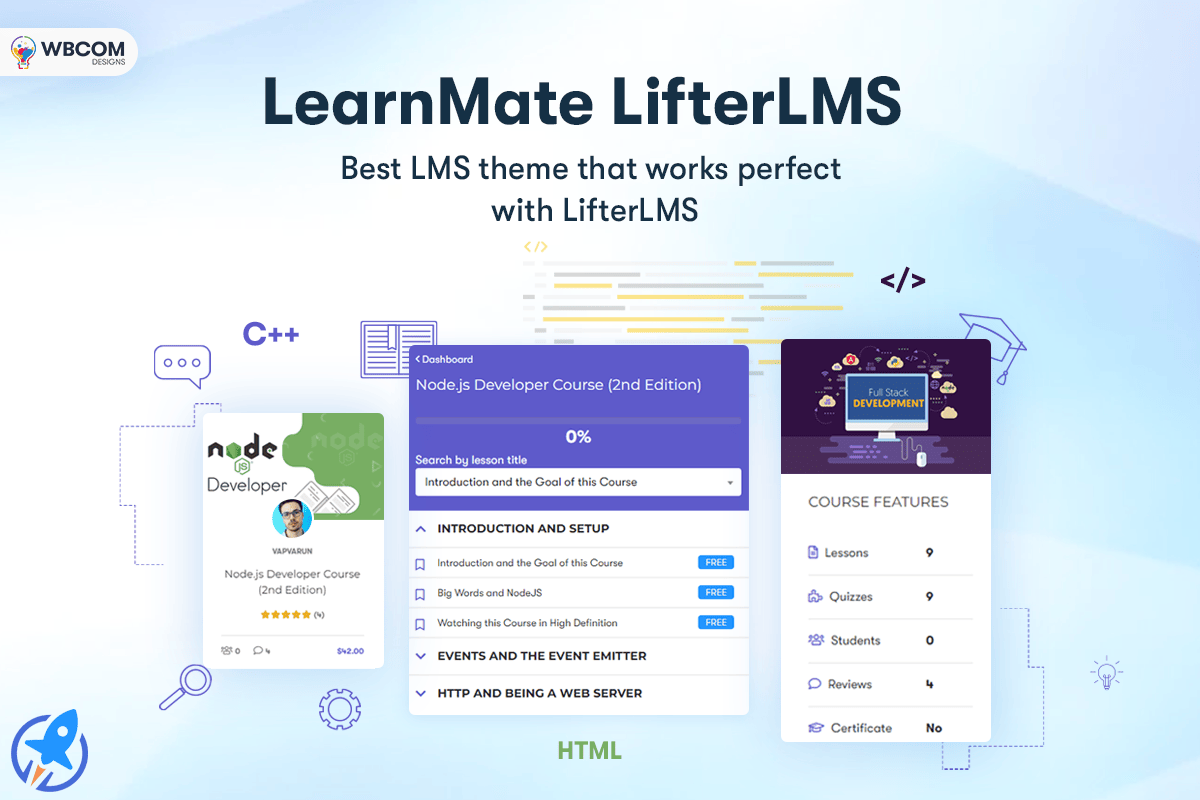
LearnMate, built around LifterLMS, is worth considering for a library that leans heavily toward structured online learning rather than pure catalog browsing. It supports customized, engaging social learning experiences that have become increasingly common in educational settings.
Features
- Grid and list display options for browsing ebooks and other reading material
- A distraction-free reading mode
- Course review modules for structured content
- Multiple header variations
- Support for BuddyPress or the BuddyBoss platform, plus a bbPress-powered discussion board
- Monetization support and an online store built on Easy Digital Downloads
StoreMate Dokan
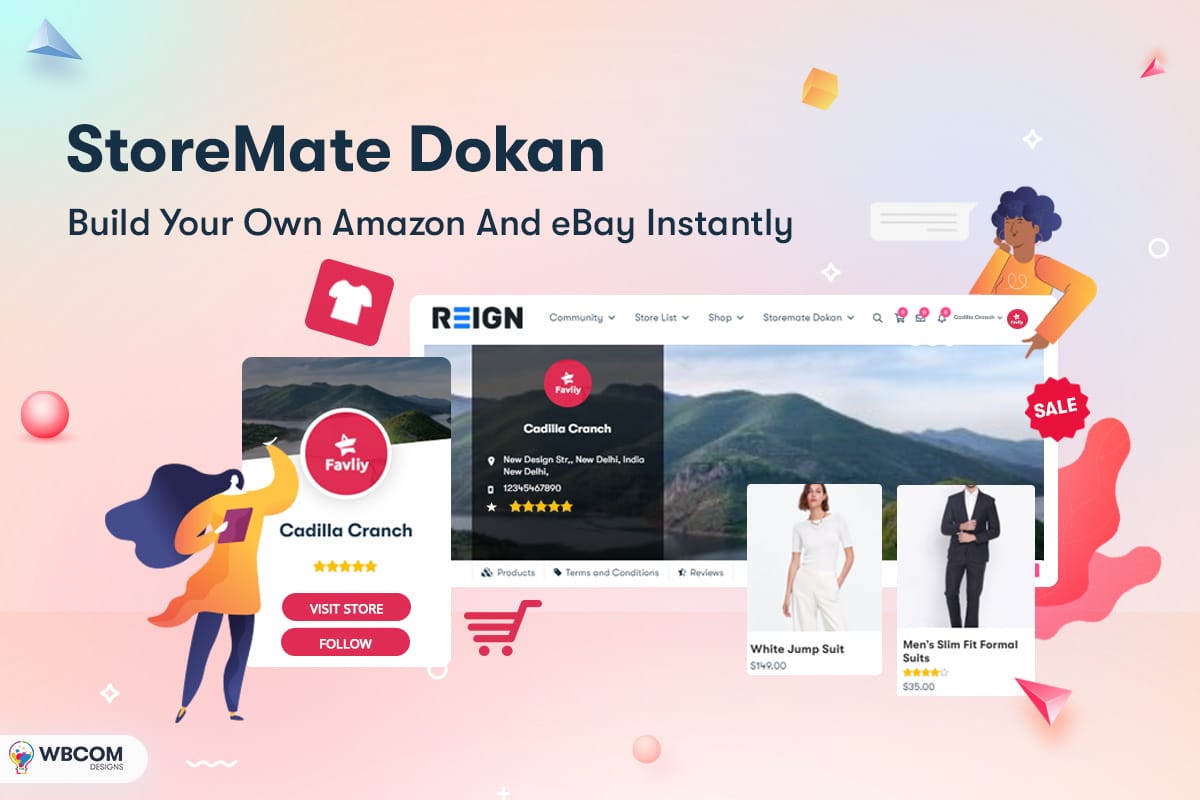
For a library or bookstore operation that wants a genuine multi-vendor marketplace, selling ebooks, audiobooks, or physical titles from multiple publishers or sellers through one storefront, StoreMate Dokan is built specifically for that model, on top of the established Dokan multi-vendor plugin.
Features
- Grid and list store layouts
- Full Dokan multi-vendor support
- Unique single-product page layouts
- Responsive design across device sizes
- Additional Dokan-specific widgets
- Multiple header variations
Library Books
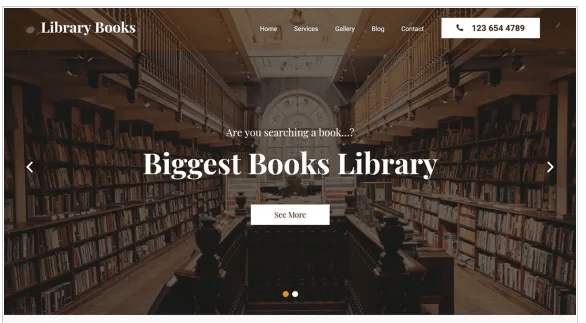
Library Books is a free theme, currently listed on the official WordPress.org theme directory with an active install base and regular maintenance updates. It’s built for authors, educators, publishers, and anyone selling ebooks or running an online book store, and it’s a reasonable starting point for a smaller library that doesn’t need a large development budget before launching.
Scientia: Public Library and Book Store Education Theme
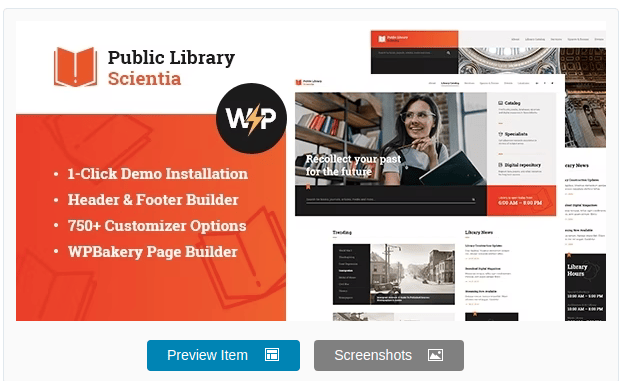
Scientia, sold on ThemeForest, is purpose-built for libraries, publishing houses, and book stores, with a modern, functional design approach. It includes WooCommerce compatibility for selling media products like movies, ebooks, video games, and online courses directly through the site.
Features
- A modern design framework with one-click installation and professional support from the developer
- A choice of pre-built page layouts for showcasing catalog content
- Fast, straightforward installation and setup
- Reasonably approachable customization for non-developers
Matching a Theme to Your Library’s Actual Model
The seven themes above solve overlapping but distinct problems, and picking based purely on visual style tends to produce a mismatch that shows up months later once the catalog has grown. A rough way to sort them by primary use case:
| If your library is primarily… | Lean toward | Why |
|---|---|---|
| An academic or training institution with structured courses | Edufire or LearnMate LifterLMS | Built around LMS structure: prerequisites, progress tracking, certificates |
| An editorial or recommendation-driven reading site | ArticleMag or Pindairy | Magazine-style layouts suited to reviews, recommendations, and long-form content alongside a catalog |
| A multi-seller marketplace for books or digital media | StoreMate Dokan | Native multi-vendor support rather than a single-seller storefront bolted on |
| A small public library on a limited budget | Library Books | Free, actively maintained, no license cost before proving the concept |
| A publisher or bookstore selling directly to readers | Scientia | Purpose-built catalog and WooCommerce product layouts for media sales |
A Practical Migration and Launch Path
Whichever theme you land on, the sequence that avoids the most rework looks roughly the same across all of them:
- Audit existing catalog data before touching a theme. Pull an export of current titles, metadata fields, cover images, and availability status from whatever system currently holds it, even if that’s a spreadsheet. Understanding the actual shape of your data prevents discovering mid-migration that a field the new theme expects doesn’t exist in your source data.
- Install the theme on a staging environment, never directly on the live site. This applies regardless of budget; a staging copy costs nothing on most current hosting plans and prevents a broken import or a plugin conflict from taking the live catalog offline while patrons are actively using it.
- Import a representative sample first, not the full catalog. A few hundred real titles, chosen to include edge cases (titles with unusually long descriptions, missing cover images, unusual character sets in the title), surface problems a clean demo import never would.
- Test the full patron journey end to end. Search for a title, view its details, place a hold or add it to a cart if selling access, and complete whatever the final action is meant to be. Do this as an actual anonymous visitor, not just logged in as an administrator, since permissions and caching can behave differently for each.
- Only then migrate the full catalog, ideally during a low-traffic window, with a recent backup confirmed working before starting.
- Set a recurring maintenance cadence. Theme and plugin updates, a periodic accessibility check, and a review of search analytics to see what patrons are actually searching for (and failing to find) should all be on a standing calendar rather than left until something visibly breaks.
Skipping the staging step is the single most common way a library website launch goes wrong. A theme or plugin update applied directly to a live catalog, without first confirming it doesn’t conflict with an existing integration, has taken down more library sites during business hours than any other single cause worth naming here.
Budgeting Realistically for a Library Website
Theme cost is usually the smallest line item in an honest budget for a library website project, and treating it as the main cost driver leads to underestimating the total effort involved.
- Theme or license cost: typically a one-time purchase in the tens of dollars for a marketplace theme, or free for an actively maintained WordPress.org option, plus any ongoing renewal for updates and support.
- Data migration: almost always the largest hidden cost, particularly for a library with an existing catalog of any real size. Budget real hours, not a rough guess, for cleaning and mapping existing metadata into whatever structure the new site expects.
- Plugin licensing: catalog search, membership, and any LMS or marketplace add-ons frequently carry their own separate annual licenses beyond the theme itself. Tally these together before comparing theme options, since a cheaper theme paired with expensive required plugins can end up costing more overall than a pricier theme with more built-in functionality.
- Ongoing maintenance: hosting, backups, and periodic developer time for updates and troubleshooting are recurring costs that don’t show up on a theme’s sales page but are real over the life of the site.
How to Actually Evaluate These Options
A screenshot-based comparison only gets you so far. Before committing budget and setup time to any theme on this list, run through a short, practical evaluation:
- Import the demo and load real catalog data into it. Twenty demo posts always look fine. Import a few hundred real titles with real cover images and metadata, and see whether the layout, load time, and search behavior still hold up.
- Check the changelog, not just the sales page. A theme with no update in over a year is a genuine risk, both for security patches and for compatibility with the current WordPress core release. This applies equally to free WordPress.org themes and paid marketplace themes.
- Test the mobile catalog experience specifically. A library catalog is frequently browsed from a phone in a way a typical brochure site isn’t. Check filtering, search, and individual title pages at a narrow viewport before assuming desktop screenshots represent the real experience.
- Confirm plugin dependencies are actively maintained. Many of these themes lean on companion plugins (BuddyPress, WooCommerce, Dokan, LifterLMS) for their core functionality. A theme is only as reliable as the plugins it depends on, so check each dependency’s own update history separately.
- Verify accessibility with an actual tool, not a visual scan. Run the demo through a free automated accessibility checker at minimum, and manually tab through the catalog and search flow using only a keyboard, before assuming a theme meets the baseline your institution needs.
Beyond the Theme: What Else a Library Site Usually Needs
A theme sets the visual and structural foundation, but a genuinely useful library website usually needs a few things no theme provides on its own:
- A real search implementation. WordPress’s default search is a blunt instrument for a catalog of any real size. A dedicated search plugin with faceted filtering (by genre, author, format, availability) makes the difference between a catalog readers can actually use and one they give up on after the first frustrating query.
- Backup and staging discipline. A catalog representing years of cataloging work is not something to risk on a direct-to-production theme or plugin update. A staging environment for testing updates, paired with regular automated backups, is worth setting up before the catalog grows large enough that rebuilding it from scratch would be a genuine institutional loss.
- A privacy and data policy appropriate to a library context. Reading history and borrowing records carry a different sensitivity than typical e-commerce data in many jurisdictions and professional library ethics standards. This is worth a specific policy review rather than relying on a theme or plugin’s generic default settings.
Is Your Library Ready to Go Online?
Before choosing a theme, it’s worth honestly assessing where things stand. What does the competitive landscape actually look like? Have comparable libraries or institutions already moved online, and what’s worked or fallen flat for them? Is there a clear digital access point that current patrons already know about and use, or would this be starting cold? Answering these honestly shapes which of the options above actually fits, rather than choosing based on visual appeal alone.
A well-executed online library presence extends reach well beyond whoever can physically visit the building, and a theme built specifically for this use case saves considerable custom development time compared to forcing a generic business theme into a catalog-shaped hole. The libraries that see the strongest results after going online tend to be the ones that treat the launch as the beginning of an ongoing project rather than a one-time deliverable, revisiting search behavior, catalog gaps, and patron feedback on a regular schedule instead of leaving the site untouched once it goes live. That single habit, treating the site as a living service rather than a finished project, does more for long-term patron adoption than any individual theme choice on this list.
FAQ
Should I use a dedicated library theme or a general-purpose theme with a directory plugin?
For a smaller library without a large existing catalog, a purpose-built theme like the ones covered here usually gets you further, faster, since the catalog-specific templates and layouts are already built. For larger institutions with an existing integrated library system, a general-purpose, well-maintained theme paired with a proper ILS integration plugin often gives more control over exactly how catalog data flows, at the cost of more setup work upfront.
Do these themes work for a purely digital library with no physical branch?
Yes. Several of the themes above, particularly the ones built around LMS or WooCommerce integration, work just as well, arguably better, for a fully digital catalog with no physical location involved. The core requirement, structured browsing and clean metadata display, applies regardless of whether there’s a physical building behind the catalog.
How important is WooCommerce compatibility if my library doesn’t sell anything?
Less important than it might seem from the theme feature lists, but worth keeping in mind even for a free-access library. Many institutions eventually add some form of paid access, premium digital lending, course fees, a friends-of-the-library membership tier, and starting on a theme with that flexibility already built in avoids a disruptive rebuild later.
What’s the biggest technical risk in a library website migration?
Data loss or corruption during the metadata migration step, specifically. Catalog records often carry years of accumulated cataloging work, unique identifiers, condition notes, acquisition history, that a generic import tool doesn’t necessarily preserve correctly by default. Confirming a working, tested backup exists before any bulk import runs, and validating a sample of migrated records against the original source afterward, is not optional busywork; it’s the difference between a recoverable mistake and a genuinely lost catalog.
Can a single theme handle both a physical catalog and digital lending?
Several of the options above, particularly Edufire and Scientia, are built with enough flexibility to handle both simultaneously, showing physical availability status alongside a purchase or borrow option for a digital edition of the same title. Where this breaks down is usually not the theme itself but the backend integration: physical availability typically needs to sync from a real inventory or ILS system rather than being manually updated, which is a separate technical project from choosing and installing a theme.
How often should a library website theme and its plugins be updated?
Treat updates the same way a physical library treats routine maintenance, not optional but scheduled. Security-related plugin updates are worth applying promptly rather than batching, since a library site handling patron accounts and payment information is a meaningful target. For the theme itself and non-security plugin updates, a monthly review on a staging copy, tested before pushing to production, catches compatibility issues before they affect patrons rather than after.