CSS Squircles in a WordPress Block Theme: corner-shape Today, and a Fallback That Costs Nothing
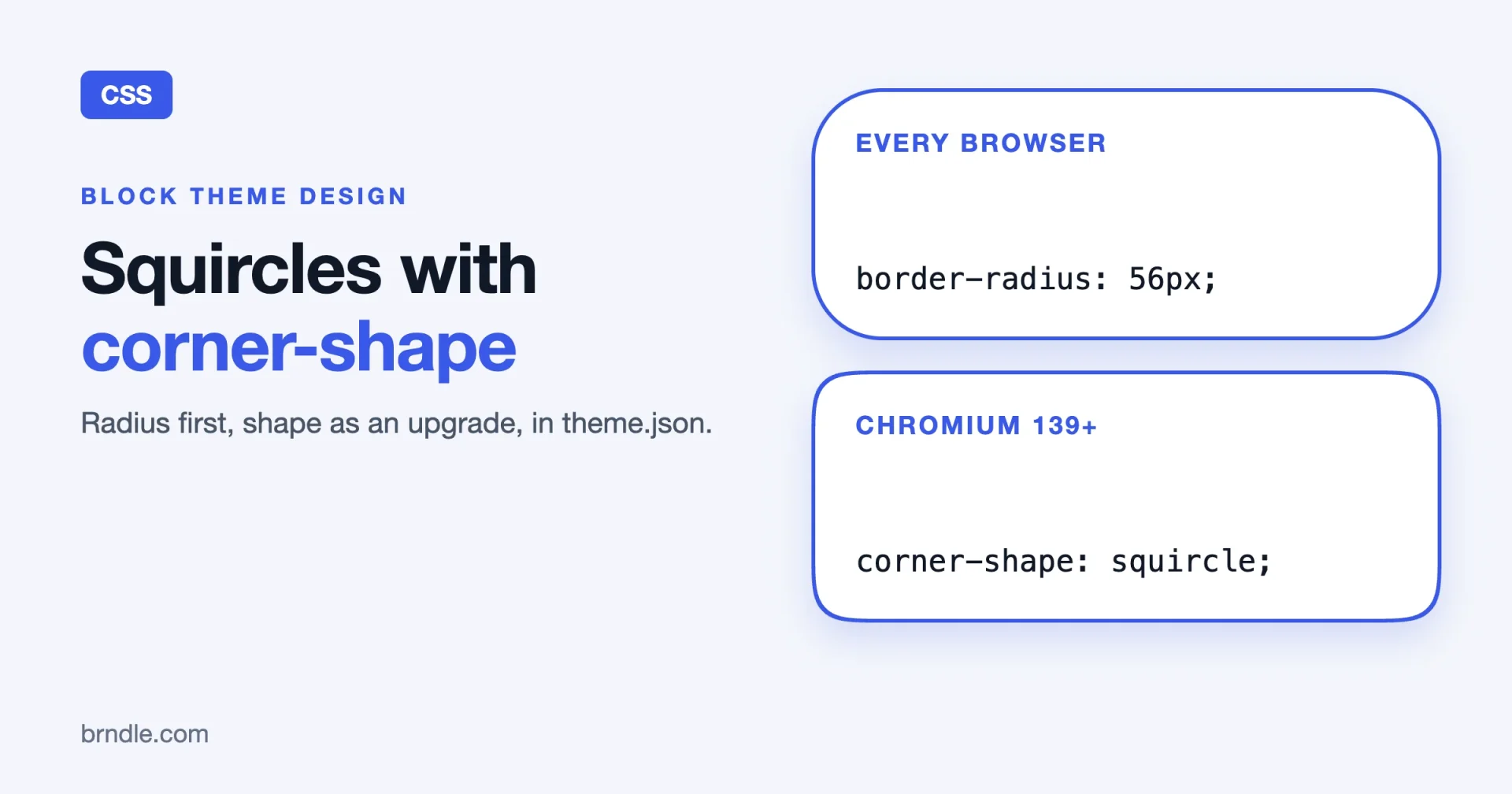
A squircle is the corner shape you see on app icons and on a lot of modern buttons: smoother than a circle’s quarter-arc, with no visible point where the curve meets the straight edge. For years you could only fake it in CSS with an SVG mask or a clip-path, and both clip away your borders and shadows. The corner-shape property does it natively. You write corner-shape: squircle next to your existing border-radius, and the browser draws the corner, border, shadow and focus ring to match.
The catch is support. As of our check on 23 October 2026, only Chromium-based browsers ship it. That is fine, because the right way to use it is as an upgrade: every browser gets rounded corners from border-radius, and browsers that understand corner-shape get the squircle. This guide shows how to wire that into a WordPress block theme so the shape is a design token in theme.json, a block style editors can pick, and a rule that falls back with no extra work.
Every fact about the property comes from the MDN page for corner-shape and MDN’s browser compatibility data, both read on 23 October 2026. The WordPress parts use documented theme.json and block style APIs. We have not tested the snippets inside a shipping theme for this article, and we say where you should test before you rely on them.
What corner-shape actually does
MDN describes corner-shape as a shorthand that sets the shape of a box’s corners within the area defined by border-radius. Read that sentence twice, because it explains most of the behaviour. The radius still decides how big the corner area is. corner-shape decides what curve is drawn inside that area.
The values
A value is either a keyword or a superellipse() function. MDN lists the keywords with their equivalents:
| Keyword | Equivalent | What you see |
|---|---|---|
round | superellipse(1) | The default. Same as plain border-radius. |
squircle | superellipse(2) | A smoother, slightly squarer curve. |
square | superellipse(infinity) | No rounding, so border-radius is effectively ignored. |
bevel | superellipse(0) | A straight cut between the two ends of the radius. |
scoop | superellipse(-1) | A concave, scooped corner. |
notch | superellipse(-infinity) | A square concave notch. |
For a squircle you only need the squircle keyword. The function is there if you want a curve between the keywords, and MDN’s own examples use values such as superellipse(0.6) and superellipse(-1.2).
One to four values, and per-corner control
Like border-radius, the shorthand takes one to four values. One value applies to all four corners. Two values set top-left and bottom-right, then top-right and bottom-left. Three values set top-left, then top-right and bottom-left, then bottom-right. Four values go top-left, top-right, bottom-right, bottom-left. There are also physical longhands such as corner-top-left-shape, and logical ones such as corner-start-start-shape, which matter for right-to-left sites. If you care about RTL, see our note on logical properties in block theme CSS, and prefer the logical longhands for any per-corner rule.
What follows the shape, and what does not
This is the reason to use the property instead of a mask. MDN says these follow the corner shape when set on the same element: background-color, background-image, border, outline, box-shadow, overflow and backdrop-filter. So a card with a border and a soft shadow keeps both, the focus ring hugs the curve, and overflow: hidden clips children to the shaped edge.
What does not follow: the content box. MDN’s example notes that content still lays out relative to the original box, so text can stick out past a deeply scooped or notched corner, and hovering over that overhang still triggers :hover. For a squircle, which is gentle, this rarely matters. For scoop and notch it does, so give those corners more padding.
The rules that trip people
- No radius, no effect. If
border-radiusis absent or resolves to0,corner-shapedoes nothing. Always set the radius. - Overlap is constrained. When radii or shapes on opposite corners would overlap, the browser adjusts the values. MDN’s example is a
border-radius: 80% 20pxbox withscoopcorners, where the first radius component is reduced. border-shapewins. If an element hasborder-shapeset,corner-shapehas no effect, becauseborder-shapeignoresborder-radius.- It animates. Keywords interpolate as their
superellipse()equivalents, so a hover can morphroundintosquircleorbevel.
Who supports it today
We read MDN’s browser compatibility data for corner-shape (the open-source dataset behind its compatibility tables) on 23 October 2026. It records the property as experimental and on the standards track, defined in the CSS Borders and Box Decorations Module Level 4. For support it says:
- Chrome: supported from version 139.
- Chromium-based browsers (Chrome for Android, Edge, Opera, Samsung Internet, Android WebView): listed as mirroring Chrome, so they follow the Chromium version they are built on.
- Firefox and Safari: marked
preview, which means it exists in preview builds and not in the releases most visitors use.
We could not retrieve the caniuse page’s support table or its usage percentage, so we are not quoting a global share. Check caniuse and your own analytics for the number that matters for your audience. Browser support changes quickly for experimental properties, so re-read the table the week you ship.
What this means in practice: a visitor on a current Chromium browser sees squircles, and a visitor on Firefox or Safari sees ordinary rounded corners. That is a perfectly good outcome if the rounded version is the one you designed first. It is a bad outcome if your design depends on the squircle for something functional. Do not use corner-shape for anything that must look the same everywhere, such as a shape that interlocks with another element.
The fallback pattern: radius first, shape as an upgrade
The whole technique is two rules. First the radius, which every browser understands. Then the shape, inside a feature query so that nothing else changes if the browser does not know it.
.card {
  border-radius: 20px;
}

@supports (corner-shape: squircle) {
  .card {
    corner-shape: squircle;
  }
}
You may wonder whether the @supports wrapper is needed, since a browser ignores a property it does not know. In the simple case it is not. An unknown declaration is dropped. The wrapper earns its place in two situations. The first is when you also change something else for the squircle, such as a slightly different radius or padding, and you want that change to apply only where the shape exists. The second is when you want the intent written down: the next developer reads the block and knows it is a progressive enhancement. MDN’s own examples use the same test, in the form @supports not (corner-shape: scoop), to show a message in browsers without support.
Check by eye: the same radius does not look the same
Because the shape is drawn inside the radius area, a squircle with 20px does not look identical to a round corner with 20px. Put the two side by side in a browser that supports it, and adjust the radius inside the @supports block if you want the two to feel the same size. We do not give a ratio, because the right number depends on the size of the element and on your taste. Set it by eye, on the actual component.
Putting the shape into theme.json
A block theme keeps its design decisions in theme.json. Corner radius belongs there as a token, so that the editor and the front end read the same value. At the time of writing, corner-shape is not one of the style properties theme.json generates from named keys, so it goes in through the custom CSS string. The radius, on the other hand, is a normal token.
1. Define the radius as a token
Put the sizes under settings.custom. WordPress turns each entry into a CSS custom property with a --wp--custom-- prefix.
{
  "$schema": "https://schemas.wp.org/trunk/theme.json",
  "version": 3,
  "settings": {
    "custom": {
      "radius": {
        "card": "20px",
        "button": "14px"
      }
    }
  }
}
That gives you --wp--custom--radius--card and --wp--custom--radius--button. Check the generated names in your theme’s front-end source, because custom property names are built from the keys and a typo shows up there first.
2. Use the token for the radius on blocks
Core blocks have a border radius setting you can set per block in theme.json. For the button block, the radius goes under styles.blocks.core/button.border.radius.
{
  "styles": {
    "blocks": {
      "core/button": {
        "border": {
          "radius": "var(--wp--custom--radius--button)"
        }
      }
    }
  }
}
Now every button has the same rounded corners in every browser, and the value lives in one place. This is the baseline, and it is the part that works everywhere.
3. Add the shape as an enhancement
Add the shape through the top-level styles.css string, which theme.json accepts as custom CSS for the whole site. Keep the feature query there.
{
  "styles": {
    "css": "@supports (corner-shape: squircle) { .wp-element-button { corner-shape: squircle; } }"
  }
}
.wp-element-button is the class WordPress puts on button-style elements, so this reaches every core button. Block-level css strings are scoped to the block’s selector by WordPress, so we would test an @supports rule written there before relying on it. The top-level string is the safe place for a feature query.
Where this goes wrong
- Custom CSS in
theme.jsonis a JSON string, so every quote must be escaped and the whole rule sits on one line. For anything longer than a couple of rules, move it to a stylesheet, as in the next section. - Users can add their own custom CSS in the Site Editor’s Global Styles. That CSS loads after the theme’s, so a user’s
border-radiuswill override yours. The shape still applies, which is correct.
A card block style editors can pick
Buttons are easy. Cards are where squircles show off, because a large surface with a shadow is where a plain round corner looks heaviest. In a block theme, the right tool is a block style: a named variation of a core block that an editor picks from the sidebar.
Register the style and load its stylesheet
Register a style named card for the Group block, and load a small stylesheet only when that block is on the page, with wp_enqueue_block_style().
add_action( 'init', function () {
    register_block_style(
        'core/group',
        array(
            'name'  => 'card',
            'label' => __( 'Card', 'your-theme' ),
        )
    );

    wp_enqueue_block_style(
        'core/group',
        array(
            'handle' => 'your-theme-group-card',
            'src'    => get_theme_file_uri( 'assets/css/group-card.css' ),
            'path'   => get_theme_file_path( 'assets/css/group-card.css' ),
        )
    );
} );
The registered style adds the class is-style-card to the block. Replace your-theme with your text domain and handle prefix.
The stylesheet
.wp-block-group.is-style-card {
  border-radius: var(--wp--custom--radius--card);
  box-shadow: 0 1px 3px rgb(0 0 0 / 0.12);
  overflow: hidden;
}

@supports (corner-shape: squircle) {
  .wp-block-group.is-style-card {
    corner-shape: squircle;
  }
}
The shadow and overflow: hidden are the point of the exercise. Per MDN, both follow the corner shape, so a card with an image at the top has the image clipped to the squircle, and the shadow wraps the curve. Do the same with a mask and you lose the shadow.
Does it show in the editor?
Styles loaded with wp_enqueue_block_style() are also loaded in the editor, so editors see the same shape while they write, in a Chromium-based browser. A person editing in Firefox sees round corners in the editor and on the site, which is consistent. Test both.
Using the shape in patterns and variations
A block pattern can set the style by name, so a pattern’s cards come out right with no editor work. In the pattern markup, the style is part of the block’s class name.
<!-- wp:group {"className":"is-style-card","layout":{"type":"constrained"}} -->
<div class="wp-block-group is-style-card">
  <!-- wp:heading {"level":3} -->
  <h3 class="wp-block-heading">Card title</h3>
  <!-- /wp:heading -->
</div>
<!-- /wp:group -->
If you ship style variations of the whole theme (the JSON files in your styles folder), they can carry their own radius tokens, so a “sharp” variation can set the radius to a small value and a “soft” one to a large value. The shape rule stays in the stylesheet and reads whichever token the active variation defines. That is the benefit of a token: the stylesheet does not change when the look does.
For the thinking behind keeping decisions like this in tokens and not in scattered CSS, see Your Design Tokens Should Outlive Your CSS Framework and A Design System an AI Agent Can Follow.
Hover effects: morphing the corner
Because corner-shape is animatable, a button can change shape on hover. Keywords interpolate as superellipse() values, so the browser draws the in-between shapes.
@supports (corner-shape: squircle) {
  .wp-element-button {
    corner-shape: round;
    transition: corner-shape 0.2s ease;
  }

  .wp-element-button:hover.wp-element-button:focus-visible {
    corner-shape: squircle;
  }
}
Two cautions. First, wrap motion in a reduced motion check, so people who ask their system for less movement do not get an animation:
@media (prefers-reduced-motion: reduce) {
  .wp-element-button {
    transition: none;
  }
}
Second, a subtle shape change is easy to miss on its own. Use it as a flourish alongside the colour and contrast change that already signals the hover and focus states, not as the only signal. If you also style form controls in theme.json, our guide to form styling in theme.json covers what generates today.
Where to use it, and where to leave it alone
Good places
- Cards and surfaces that carry a border or shadow and a large radius.
- Buttons, where the shape gives the control a slightly more polished edge.
- Avatars and thumbnails that already have a rounded mask, if you test them first (see below).
- Popovers and dialogs, where the shape follows the border and shadow. If you are building those without JavaScript, see popovers in WordPress block themes.
Places to test before you ship
- Pill shapes made with a very large radius. The overlap rule applies when radii get large, and we have not checked how a squircle behaves on a full pill. Look at it in a browser that supports it.
- Images. Check that an image inside a shaped container is clipped as you expect, with
overflow: hiddenon the container. - Elements with a
border-imageor a customclip-path. They draw their own shape, so the interaction is worth a manual check.
Leave it alone
- Anything that must align exactly with another element’s edge across browsers.
- Elements where
border-shapeis in use, becausecorner-shapehas no effect there.
Testing it properly
Five minutes of testing saves you from a mistake that only shows on one browser.
- Chromium. Open the page in Chrome 139 or later. Check the cards, buttons and any image inside a shaped container. Look at the focus ring by tabbing to a button; it should follow the curve.
- Firefox and Safari. Open the same page. You should see ordinary rounded corners, with no layout change and no missing borders. If anything looks broken here, your fallback is not a fallback.
- The editor. Open a post that uses the card style and check that the shape matches the front end in a Chromium-based browser.
- RTL. If you ship to right-to-left languages and use per-corner rules, switch the site language and check that the rounded corners are on the right side. Logical longhands handle this for you.
- Dark mode and high contrast. Check that borders still show where you rely on them. The shape should not change what is visible, only how the edge is drawn.
You can feature-test from the console too. In a supporting browser, this returns true:
CSS.supports( 'corner-shape', 'squircle' );Common problems
“I set corner-shape and nothing changed”
Check: is there a border-radius on the same element, and is it greater than zero? Without it the property does nothing. Then check: is the browser Chrome 139 or later, or a Chromium browser built on it? Fix: set the radius first, and test in a supporting browser.
“The corners look different from the mockup”
Check: did the design tool draw a squircle with its own smoothing setting, which is a different curve from superellipse(2)? The CSS property follows the CSS definition and not any particular design app. Fix: tune the radius, or use a superellipse() value between two keywords, until it matches by eye.
“The shape shows in Chrome but not in the editor”
Check: is the stylesheet loaded in the editor? Block styles added with wp_enqueue_block_style() are. A rule you added only to a front-end enqueue is not. Fix: load the rule through the block style or through your editor styles.
“My @supports rule in theme.json does nothing”
Check: is it in the top-level styles.css or inside a block’s css string? Block strings are scoped to the block’s selector. Fix: move the feature query to the top-level string or to a stylesheet.
Frequently asked questions
Is corner-shape safe to use in production?
MDN marks it experimental, and warns that it does not work in some of the most widely used browsers. It is safe as a progressive enhancement, where the fallback is a normal rounded corner. It is not safe where the design needs the shape to exist.
Will Firefox and Safari get it?
MDN’s compatibility data marks both as preview, meaning it is present in preview builds. We would not plan around a release date, and we do not have one.
Can I still use an SVG mask?
Yes, and it gives the same shape in every browser. The cost is that a mask or a clip-path clips borders and shadows, so you rebuild those with extra elements. For a flat shape with no border or shadow, a mask is still a reasonable choice. For cards, corner-shape with a fallback is simpler.
Does it affect performance?
We did not measure it, and we are not going to guess. It replaces masks and extra wrapper elements in most uses, which is a simplification of the markup and styles.
Can editors change the shape?
Through block styles, yes: they pick a style by name. A Site Editor control for raw corner-shape does not exist in what we checked, and we would keep the shape a theme decision.
Do I need a child theme?
If you customise someone else’s block theme, put the stylesheet and the theme.json changes in a child theme so updates do not overwrite them.
The complete path: build it into the block theme
A squircle that lives in one stylesheet rule is easy to lose in the next redesign. Here is the whole path for making it part of the theme.
- Token first. Put the radius sizes in
settings.customintheme.json, and use them for core blocks throughstyles.blocks. - Baseline for everyone. Ship the rounded version first, so every browser gets a finished design.
- Upgrade in one place. Put the
@supports (corner-shape: squircle)rules in the top-levelstyles.cssstring or one stylesheet, not scattered across blocks. - Offer it as a block style. Register a card style, load its stylesheet with
wp_enqueue_block_style(), and put the style name into your patterns. - Test in two engines. Check a Chromium browser and Firefox or Safari, in the editor and on the front end, and re-read MDN’s compatibility table before each release.
- Write down the decision. Record that the shape is an enhancement, so the next developer does not depend on it.
Brndle is a free, open-source WordPress theme from Wbcom Designs, and its own page says it ships with 14 server-rendered Gutenberg blocks and settings for colour schemes, fonts, headers and footers. It is built on Sage and Acorn, so it is a different build from a pure block theme, and we do not claim it uses corner-shape. If you want a block theme or a set of patterns designed and built with this kind of progressive enhancement, or an existing theme upgraded and tested, Wbcom Designs takes that on as project work, starting at wbcomdesigns.com/start-a-project.
The takeaway
Treat corner-shape as a finishing touch and design the rounded version first. Put the radius in theme.json as a token. Ship the shape in a feature query, in a block style editors can choose, with the stylesheet loaded by wp_enqueue_block_style(). Test in Chromium and in Firefox or Safari, and re-check MDN’s table before each release, because this is the kind of property that moves from preview to stable between two of your releases.