Mētis, WordPress’s New Flagship Theme: What Agencies Building Block Themes Should Copy and Skip
Mētis is WordPress’s new flagship block theme, announced on 13 November 2026, and its source is the best free lesson in 2026 on how to build a block theme around patterns and a single large theme.json. Agencies should copy its pattern-backed templates, its role-numbered palette, its block styles registered with style_data and its motion discipline. They should skip its hard-coded template-part theme names, its two hand-synced stylesheets and its empty check script. This post reads the files and says why.
Checked on 16 November 2026. We read the repository at commit 915e5e1 (14 November 2026), theme version 1.0.0. The theme is in active construction and the code will change, so treat every number here as a snapshot.
Disclosure: Brndle, the theme this site is built around, is our own product. We compare it with Mētis near the end, including where Mētis is the better design. We did not install Mētis on a production site, and we did not run its scripts.
What is Mētis, and where does the code live?
Mētis is a block theme from Automattic for what its announcement calls creators in an unmapped moment: writers, designers and makers who work in more than one form. It began as the first direction for the next default theme. The announcement says that, as with Ipsum before it, Mētis continues on its own and is now the flagship theme at Matt’s request. In the announcement’s words, a default has to work for every site, while a flagship can go further and show what the Editor can do today.
The code is in the public WordPress/metis repository on the trunk branch, created on 26 August 2026. Our source for the design intent is the announcement on Make WordPress Core. There is also a demo site linked from it. Development is led by Carolina Nymark, Maggie Cabrera and Juanfra Aldasoro, with Henrique Iamarino leading design and theme building. The announcement says the formal development review comes next.
Three facts about its current state matter before anything else. It was not in the WordPress.org theme directory on 16 November 2026 (the theme API returned “Theme not found”). The Theme URI in style.css, themeshaper.com/metis, returned a 404 the same day. And GitHub shows no licence file for the repository, although style.css and readme.txt declare GPL version 2 or later. None of that is unusual for launch week. All of it is something to re-check before you build on the theme.
What is in the box?
The ratio of files tells you where the work went. Mētis has a very large theme.json, a long pattern library and almost nothing in its templates.
| File or folder | What we counted | What it holds |
|---|---|---|
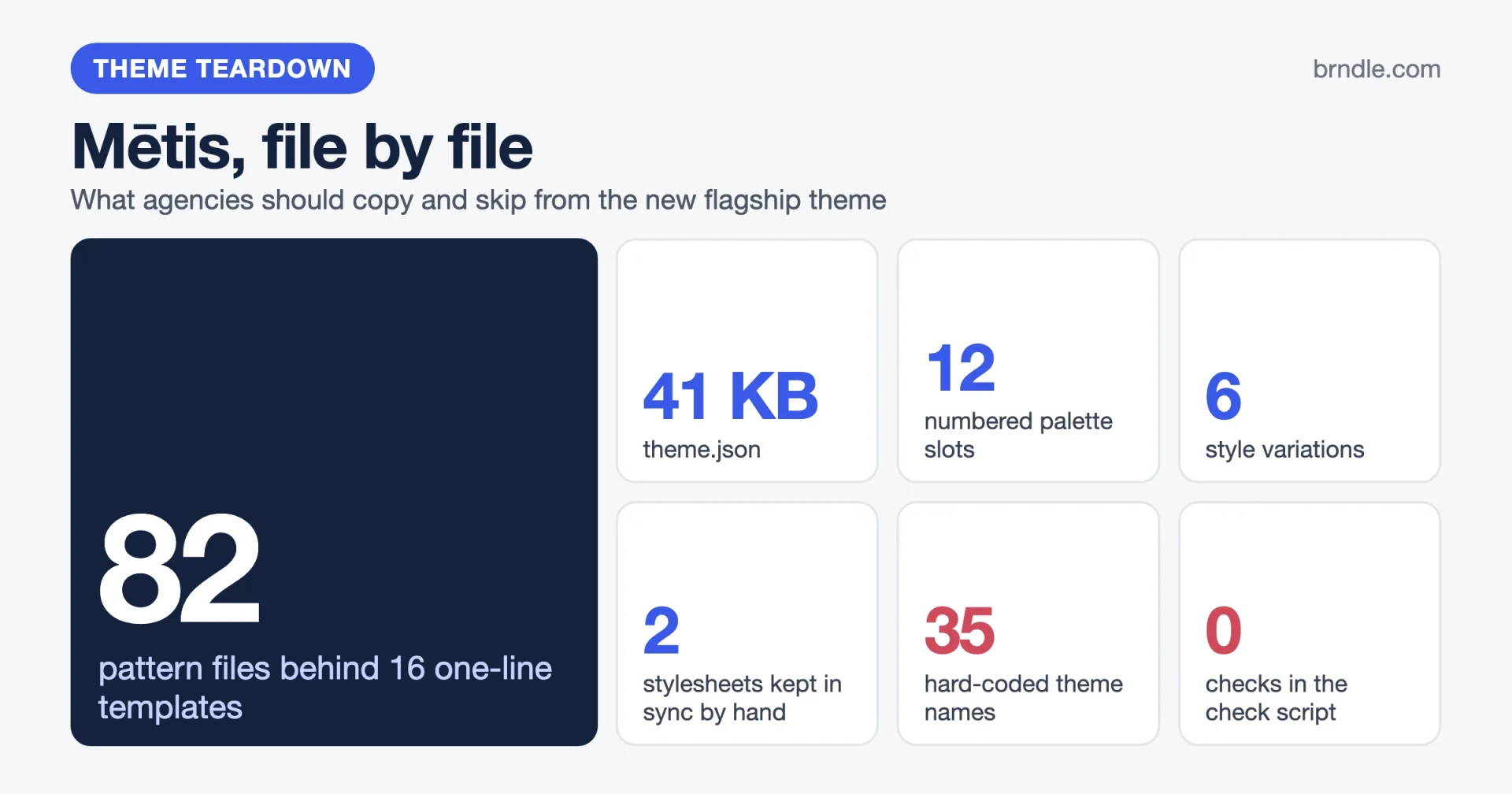
theme.json | 41,544 bytes, version 3 | 12-slot palette, 12 gradients, 7 spacing steps, 8 font sizes, 8 font families, 41 block entries, 9 element entries |
templates/ | 16 files | Each one is a single pattern reference |
parts/ | 10 files | Three headers, five footers, a navigation overlay, comments, each also a single pattern reference |
patterns/ | 82 files | 56 shown in the inserter (50 sections and 6 page patterns), 26 hidden ones that back templates and parts |
styles/ | 6 files | Style variations: Aeaea, Aeolia, Cimmeria (the dark one), Ismarus, Ithaca, Ogygia |
style.css | 651 lines | What theme.json cannot express |
assets/css/editor-style.css | 554 lines | The same rules again, for the editor |
functions.php | 328 lines | Block styles, binding sources, pattern categories, dark mode switch |
assets/ | 45 images, 18 font files | About 3.9 MB of images and 1.7 MB of fonts |
The header in style.css declares Requires at least: 7.1, Tested up to: 7.1 and Requires PHP: 7.2. The readme.txt credits Ichi as the base, and Ichi in turn is based on Twenty Twenty-Five. The announcement says the theme ships fifty section patterns and nine bundled font families. The pattern count matches our count. We count eight font families in theme.json and eight font folders, so we cannot reconcile “nine” from the files at this commit.
For scale, we ran the same count on Woo’s starter theme in Reading Purple. Purple had a 19 KB theme.json, 63 patterns, 19 templates and a 294-line style.css. Mētis has a theme.json more than twice that size, more patterns, fewer templates and a stylesheet more than twice as long.
Why are Mētis templates one-line files?
Because every template is only a pointer to a pattern, and the pattern holds the layout. Here is templates/index.html in full:
<!-- wp:pattern {"slug":"metis/index"} /-->All 16 templates and all 10 template parts have this shape. The real markup lives in patterns/index.php and its siblings, marked Inserter: no so they stay out of the block inserter. That is 26 hidden patterns. The CONTRIBUTING.md file says it outright: the pattern is the source of truth, and if a template and its pattern differ, that is worth an issue.
This is the same idea Purple uses for its store templates, and the reason is practical. A PHP pattern file can translate its strings and build asset URLs. An HTML template cannot. It also means the “template” you edit in the Site Editor and the “pattern” you insert on a page share one source, instead of being copies that drift.
Page patterns are generated, not written
The six starter sites (Business, News, Magazine, Portfolio, Writer, Personal) exist twice. patterns/business.php is the full template. patterns/page-business.php is the same page without the header and footer, with <main> turned into a plain group, so it can be dropped into a new page. A Python script, tools/build-page-patterns.py, produces the second from the first. Its docstring says to run it after any change to one of the six.
The two files are about 970 lines each and differ by 33 lines. Deriving one from the other is sensible, but nothing in the repository checks that the derived file is current. Edit page-business.php by hand and the next script run overwrites it. Edit business.php and forget the script, and the two drift apart.
What to copy
- Make templates and parts thin pointers and keep layout in hidden PHP patterns, so strings can be translated and URLs built.
- Derive page patterns from templates with a script, and write down the command in the file header.
What to think twice about
- Add a check that fails when a generated file is stale. A script nobody is forced to run is a convention, not a guarantee.
- Count your asset URLs. The patterns call
get_template_directory_uri()218 times, always the parent theme’s folder. A child theme cannot replace an image by placing a file in its ownassets/images/.get_theme_file_uri()would let it.
How does the palette and theme.json work?
Mētis puts almost all of its design into theme.json, so a site owner can change it in the Site Editor under Styles. The palette has 12 slots with slugs theme-1 to theme-12. The slugs are roles and the names are labels. In the default style, theme-1 is Snow (#FAFAFA), the page background, and theme-2 is Black (#1A1A1A), the text. theme-3 to theme-5 are the same two colours at 75 and 5 percent opacity, theme-6 is white, and theme-7 to theme-12 are six accents: Gold, Coral, Green, Blue, Periwinkle and Pink.
This is the approach we praised in Purple, with a larger set. A slug such as gold stops making sense once a variation changes the colour. theme-7 keeps its job as the first accent whatever colour it holds.
Other settings worth knowing, all read from the file:
- Layout is 742px for content and 1320px for wide.
- Spacing has seven steps. The first two are fixed at 8px and 16px. The others are
clamp()values with viewport units, topping out at 128px. - Eight font families, each a bundled
.woff2file declared withfile:./assets/fonts/..., so no request goes to a font CDN. - Twelve gradients built with relative colour syntax. The Gold fade, for example, runs from
theme-7torgb(from var(--wp--preset--color--theme-1) r g b / 0%). We found that syntax 27 times in the file. It needs a reasonably recent browser, so check it against the support list you promise clients.
Compared with Purple, there is no custom block, so no single value drives the spacing scale, and no use of ref to keep two values matched. Spacing here is a list of fixed values, not a formula.
What to copy, and what to think twice about
Copy the role-numbered slugs and the 75 and 5 percent versions of the text colour, so borders and muted text come from the palette. Think twice about the file size. At 41 KB with 41 block entries, a reviewer cannot hold it in their head. Purple moved its section styles into styles/block/ partials. Mētis has no such folder, so block styles for navigation, comments, query and playlist all sit in one file.
How do the style variations and dark mode work?
Each variation redefines the same 12 slugs with different values. Open styles/ithaca.json and the first four entries look like this:
"palette": [
  { "slug": "theme-1", "name": "Snow",          "color": "#FAFAFA" },
  { "slug": "theme-2", "name": "Deep Blue",     "color": "#002D4D" },
  { "slug": "theme-3", "name": "Deep Blue 75%", "color": "#002D4DBF" },
  { "slug": "theme-4", "name": "Deep Blue 5%",  "color": "#002D4D0D" }
]
The names change with the colours, the slugs do not, and every pattern refers to slots. So all 56 inserter patterns work in all six variations. Each file is 4 to 6 KB. Most also set a font family and tune a few headings or blocks. Ithaca, for example, sets Bitter for body text and Faculty Glyphic for headings.
One small waste we confirmed: every variation repeats the 12 gradient definitions, and all 72 entries are identical to the ones in theme.json. Because the gradients refer to palette slots with var(), they follow a palette change without being repeated. We did not test removing them, so we cannot say it is safe, but it looks redundant.
The dark mode switch
Cimmeria is the dark variation: a palette, the gradients and two duotones, and nothing else (4 KB, no styles key). The switch that applies it is code in functions.php. A site owner adds the CSS class metis-mode-toggle to any Group, and a render filter gives that block the role, focus and label of a button:
$tags = new WP_HTML_Tag_Processor( $block_content );
if ( $tags->next_tag() ) {
	$tags->set_attribute( 'role', 'button' );
	$tags->set_attribute( 'tabindex', '0' );
	$tags->set_attribute( 'aria-pressed', 'false' );
	$tags->set_attribute( 'aria-label', __( 'Dark mode', 'metis' ) );
}
A small inline script in wp_head reads localStorage and sets data-metis-mode="dark" on the <html> element before the page paints. A style block, also printed in the head, overrides the palette custom properties for that attribute using values read from styles/cimmeria.json. The choice is per visitor, stays on every page, and works on pages that have no switch. The gradients also change with the visitor’s device setting, through prefers-color-scheme and a metis-day-night class.
It needs no framework and no extra request, and the owner can place the switch anywhere. One detail we would change: the code decodes cimmeria.json on every call, and two hooks call it on every page view. We did not measure the cost, and a static variable would remove it.
What does functions.php do in 328 lines?
It registers things the Editor then offers as native options, and it avoids doing layout in PHP. The five jobs:
- Block styles. Glossy for Button, Gradient for Group, Hanging and Blank for Quote, and Eyebrow for Paragraph, Heading and the navigation overlay’s close button.
- Binding sources.
metis/comments-ctarenders “Comment first” or “Join in” depending on the comment count.metis/site-titlereturns the site name, used by the fit-text watermarks in two footers. - Pattern categories. Eleven categories are registered so every pattern groups under a labelled tab.
- Inserter tidy-up. Core’s own query patterns are unregistered, so the inserter shows one Posts group instead of two.
- The dark mode switch, described above.
The Eyebrow style is the piece to study. It is registered with style_data, not a stylesheet rule:
register_block_style(
	array( 'core/paragraph', 'core/heading', 'core/navigation-overlay-close' ),
	array(
		'name'       => 'eyebrow',
		'label'      => __( 'Eyebrow', 'metis' ),
		'style_data' => array(
			'typography' => array(
				'fontFamily'    => 'var:preset|font-family|openrunde',
				'fontSize'      => 'var:preset|font-size|small',
				'fontWeight'    => '600',
				'textTransform' => 'uppercase',
			),
		),
	)
);
The file’s own comment explains why: the Editor renders the style natively and every property stays editable per block. A rule in a stylesheet would style the block but leave the Styles panel blind to it.
The Playlist block skips tracks with no attachment ID, but a theme pattern can only ship file URLs. So the theme gives such tracks a placeholder ID of -1 through render_block_data. The comment links the upstream Gutenberg issue and says to remove the filter once it is fixed. Every workaround should read like that.
What is in style.css, and why are there two stylesheets?
The header comment says that most of the design lives in theme.json, and that style.css holds only what theme.json cannot do. It then admits the cost: the Editor loads assets/css/editor-style.css, the two files follow the same sections, “when you change a rule in one file, change it in the other.” That is 651 lines and 554 lines kept in step by hand. We count 16 uses of !important in the first and 12 in the second.
What the stylesheet does, from reading it:
- Base. Cross-page transitions through
@view-transition { navigation: auto }inside aprefers-reduced-motion: no-preferencequery,text-wrap: prettyon headings and paragraphs, and thin underlines. - Buttons. A grow on hover and a squish on press, with a reduced-motion block that turns both off.
- Gradient. The “breathing” Group style animates
background-sizeon a 12 second loop, only when the visitor has not asked for reduced motion. - Utility classes.
grow,equal-widths,no-stacking,pull-sides,on-top,alternate-ratiosand others, each documented with an example pattern. Many use a doubled selector such as.grow.growso the class beats the block’s own layout settings. - Sections. A rotating hero whose covers take turns opening, four seconds each, so about a 16 second cycle for four covers.
Two points to take away. First, every animation we found is gated by a reduced-motion query. That should be the minimum for any theme. Second, animating background-size forces repainting on each frame, unlike a transform or opacity change. We did not profile it, and it may be fine on a hero, but a looping animation on the top section of ten templates deserves a performance check before you copy it.
What to copy, and what to think twice about
Copy the documentation habit: every utility class in style.css has a comment with a named example pattern. A site builder can find a working use in seconds. Skip the two-file arrangement. If your theme needs editor and front-end CSS to match, load one file in both places with add_editor_style() and wp_enqueue_style(), or generate one from the other. Hand-syncing is how the two files end up disagreeing.
What does Mētis need, and what does it test?
It needs WordPress 7.1 and, in practice, Jetpack’s form blocks. The style.css header says PHP 7.2, which is low enough to be a non-issue. We looked at four dependencies in the files:
- WordPress 7.1. The patterns carry
@tabletand@mobilestyle keys 319 times across patterns, parts and templates. Per-viewport block styles are new, and we covered the cost of building on them in the Purple teardown. - Newer core blocks. The patterns use Tabs, Accordion, Playlist and Icon blocks, and
theme.jsonstylescore/tabsandcore/accordion-heading. - Jetpack. Seventeen patterns mention Jetpack. Seven form patterns declare
Block Types: jetpack/contact-form, andtheme.jsonstylesjetpack/contact-formandjetpack/label. Thestyle.cssheader has noRequires Pluginsline. We did not test what a visitor sees when Jetpack is not installed. - Relative colour syntax in 27 gradient values, as above.
On tooling, the repository has one workflow, props-bot.yml. The package.json has a check script that runs tools/run-checks.mjs, and that script runs every npm script whose name starts with verify:. There are no such scripts in package.json. From reading the code, the script would print “No verify: scripts found.” and exit successfully. We did not run it, because it is code from a download. CONTRIBUTING.md points to the README for “the available lint and validation scripts”, but the README lists none, and the open issues for pattern linting, CI checks and static analysis show the work is planned, not done.
Common mistakes and known problems at launch
A new theme has few forum threads, so these come from the project’s own tracker on 16 November 2026. Each one points to a mistake you can avoid in your own theme.
- Hard-coding the theme name in template-part blocks. Issue 58 (opened 13 November 2026, open) reports that under a child theme the header, footer and comments parts render as empty strings. The reporter found 35 template-part blocks in the patterns that carry
"theme":"metis". Core only loads a part when that attribute matches the active stylesheet, which under a child theme is the child’s slug. We counted the same 35 in the files. Leave the attribute out and core resolves the part from the child, then the parent. A contributor has offered a fix. - A close button where only the label is clickable. Issue 59 (14 November 2026, open) says that in the navigation overlay only the word “Close” responds to a click, not the padded pill around it. The proposed fix moves the background and padding onto the close block itself. Wrapper groups that look like buttons but are not the button are a common trap.
- No lint for patterns. Issue 16 (2 September 2026) asks for linting of patterns and the theme, and open pull requests 24, 23 and 6 propose pattern validation, CI lint checks and static analysis. Issue 58 is exactly the kind of fault a pattern linter catches.
- Hand-synced stylesheets. The two-file rule above has no automated guard.
- A moving target. Pull request titles run up to “Design pass 27”, merged on 14 November 2026.
CONTRIBUTING.mdasks contributors to open an issue before touching templates, patterns, parts,theme.jsonor stylesheets. A client site built on today’s files will not match next month’s.
How does Mētis compare with Brndle?
They solve the same problem in opposite ways, and each is stronger where the other is weaker. We read Brndle’s public repository at brndle-themes/brndle (commit b631c52, 25 September 2026, version 2.3.11) for this table. Brndle is our theme.
| Mētis | Brndle | |
|---|---|---|
| Rendering | Block templates and patterns, edited in the Site Editor | Blade views through Roots Acorn, with no templates/ or parts/ folder |
| Where design tokens live | theme.json, 41 KB, 12 palette slots | Tailwind v4 @theme in resources/css/app.css; theme.json is 3 KB with 8 palette entries |
| Colour options | 6 style variations, one dark, picked in Styles | 12 colour schemes in ColorPalette.php, plus palettes generated from one hex, chosen in theme settings |
| Dark mode | A class on any Group, applies the Cimmeria palette | A data-theme attribute (dark, system, or unset) bound to Tailwind’s dark: variant |
| Custom blocks | None of its own; uses core blocks and two binding sources | 20 block folders under blocks/, for landing page sections |
| Build step | None to run the theme | Composer and Node: Acorn, Vite, a block build |
| Minimum versions | WordPress 7.1, PHP 7.2 | WordPress 6.6, PHP 8.2 |
| Tests in the repo | None found | A Playwright end-to-end folder |
Mētis wins on owner control. Because the layout is blocks and the design is theme.json, a site owner can restyle nearly everything in the Site Editor with no build tool. Brndle’s templates are Blade files, so changing a layout means changing code, and its colour and font choices live in a settings panel and Tailwind tokens that the Site Editor cannot see. If your client wants to edit the header themselves, Mētis’s approach is the right one.
Brndle wins on a closed vocabulary for generated pages. Its blocks and tokens form a small catalog, which is why we built an agent workflow around it. It also ships end-to-end tests. Its costs are real: PHP 8.2, Composer, a Node build, and a template system that sits outside the Site Editor. Brndle’s README also claims a Lighthouse score of 100, which we have not re-measured for this post, and we have not measured Mētis either.
The idea we would take from Mētis into Brndle is the role-numbered palette with variations that swap values. The idea we would not take is the second stylesheet. For the general case, see our posts on a design system an agent can follow and on choosing between patterns, template parts and style variations.
What should agencies copy from Mētis, and what should they skip?
| Idea | Verdict | Why |
|---|---|---|
| Templates and parts as one-line pattern references | Copy | Translatable strings, asset URLs, one source for template and pattern |
| Page patterns derived from templates by script | Copy, add a stale check | Saves duplicate work, but needs a guard |
| Role-numbered palette, variations swap values | Copy | All patterns work in all variations |
Block styles registered with style_data | Copy | The Styles panel shows and edits them natively |
| Dark mode as a class on any Group | Copy, cache the JSON read | No framework, owner places it anywhere |
| Block bindings for small dynamic text | Copy | Cleaner than shortcodes or custom blocks |
| Every animation behind a reduced-motion query | Copy | The minimum for motion in a theme |
| Workaround comments that link the upstream issue | Copy | Tells the next developer when to delete it |
"theme":"metis" in template-part blocks | Skip | Empties header and footer under a child theme |
| Parent-folder asset URLs 218 times | Skip | A child theme cannot override an image |
| Two stylesheets edited by hand | Skip | Drift is guaranteed over time |
| 12 gradients repeated in every variation | Skip (test first) | Looks redundant, adds review noise |
A check script with no checks | Skip | A green result that proves nothing |
| Jetpack form blocks with no declared dependency | Think twice | Say so in the header, or ship a fallback |
| Minimum WordPress 7.1 for a theme you sell | Think twice | Fine for a flagship, a support cost for clients on older sites |
Questions agencies ask about Mētis
Is Mētis a good base for a client theme?
Not yet as a parent theme. The files are changing weekly, and the child theme fault in issue 58 would hit exactly that use. Borrow ideas now, and wait for a stable release before you depend on its file names.
Can site owners edit everything in the Site Editor?
Most of it. Colours, fonts and block styles come from theme.json and variations, so they appear in Styles. The utility classes in style.css, such as equal-widths, are added by hand in the Additional CSS class field.
Is it accessible?
We did not run an audit. We saw good signs in the files: reduced-motion gating for every animation, a keyboard-operable dark mode button with aria-pressed, and thin but present underlines on links. We also saw issue 59, a click target problem on the overlay close button.
What is the single best idea to take from it?
Keep layout in patterns and make templates thin pointers to them. It gives translation, one source of truth, and templates a site owner can still edit.
Where to go next
Read the files yourself: start with theme.json, then patterns/index.php, then functions.php. What to test before WordPress 7.2 is in our block theme test list. If you want a theme built on a closed set of tokens and blocks, Brndle is at brndle.com, with the costs listed above.